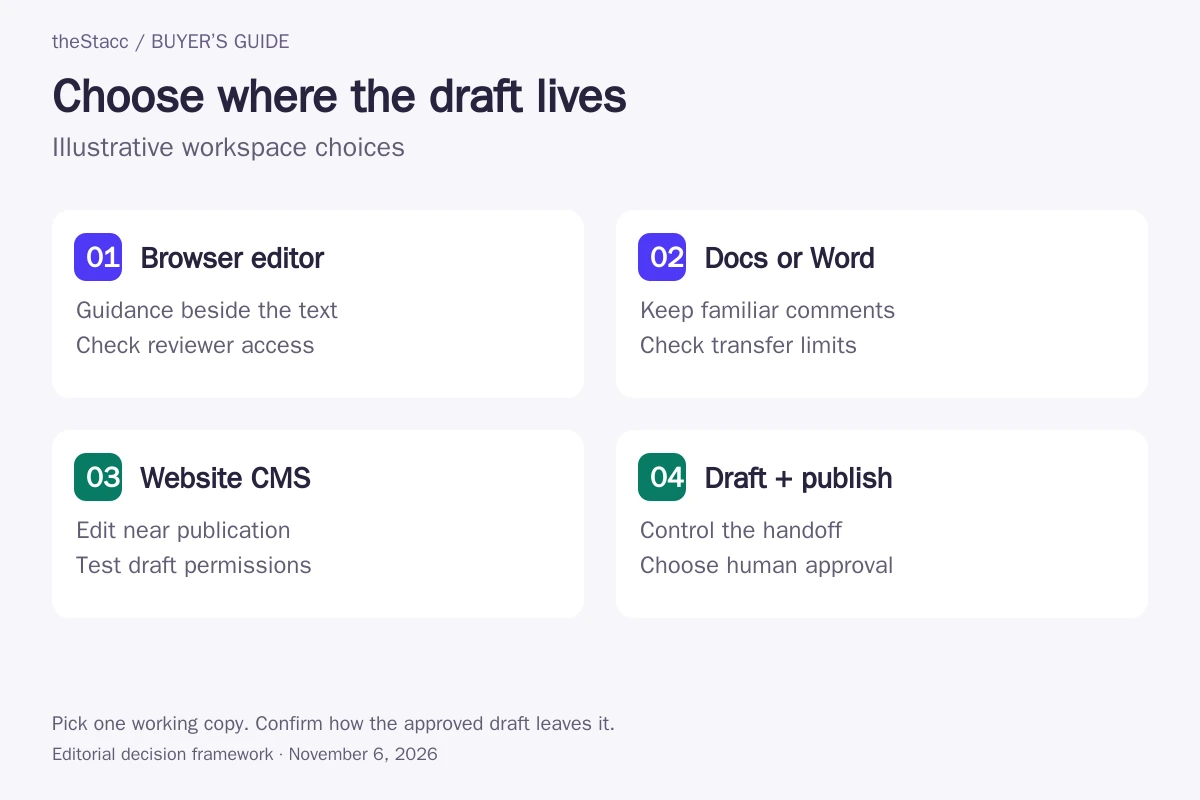
Choose where the working draft lives
An SEO content editor is a writing workspace with search-related guidance beside the draft. The practical question is whether you can revise the text, keep the right version and hand it to the next person without losing context. Choose that routine before comparing a longer feature list.
| Where you write | Useful when | Confirm first |
|---|---|---|
| Vendor browser editor | You want recommendations and revisions in one place | Reviewer access, saved versions and export format |
| Docs or Word | Your team already comments and approves there | Which suggestions transfer and whether draft text syncs |
| Website CMS | You want to edit the page close to publication | Plugin compatibility, permissions and a draft-only test |
| Draft-and-publish system | You want generation and publishing in one workflow | Human approval, destination mapping and recovery from an unwanted change |
For choosing which pages to update and what to change, use our content optimization tools guide. For inspecting a draft or published URL, see SEO content checkers. This page focuses on the workspace between the brief and publication.
Compare the workspace, access and buying model
| Option | Editing workspace and handoff | Published cost or entitlement to confirm |
|---|---|---|
| theStacc | Related workflow: review AI drafts and control publishing | Blog SEO from US$99/month; confirm the selected plan and billing terms |
| Surfer SEO Content Editor | Browser editor or guidelines beside a draft in Google Docs or WordPress | Discovery: US$49/month equivalent, billed yearly; collaboration features vary by plan |
| Clearscope | Writing guidance in Clearscope, Google Docs, Word or WordPress | Essentials: US$129/month; confirm draft allowances separately from user access |
| Frase Editor | Research and writing workflow with publishing and approval controls | Starter: US$39/month equivalent, US$468 billed yearly; one seat |
| MarketMuse | Optimize workspace with writing exports to Word and Google Docs | Free: one user and 10 queries/month; paid dollar pricing requires confirmation |
| INK Editor | Legacy identity retained; current editor access could not be confirmed | Current editor pricing unavailable from the checked official destination |
| Scalenut | Content editor and optimization workflow; publishing access depends on plan | Starter: US$59/month on monthly billing; annual promotions and plan scope differ |
| Semrush SEO Writing Assistant | Semrush editor or add-ons for Google Docs, WordPress and Microsoft Word | Limited Free/Pro access; broader document use requires Guru or Business SEO Toolkit |
How this shortlist was researched
theStacc sells SEO software and managed services and appears here as a related draft-and-publishing workflow. This guide uses official-source research and automated editorial assistance. We did not buy these plans, run a timed writing test or verify ranking results. The entries are not a performance ranking.
Options are grouped by useful fit rather than scored from first to last. Each profile links to its source. Confirm the selected plan or proposal before buying. See our editorial standards.
Editing workflows and access to check
1. theStacc
Good fit: A business that wants draft production and publishing controls together
theStacc’s Blog SEO page describes topic planning, AI drafts, images, draft assessments and publishing controls. Its review mode holds generated posts for approval; scheduled autopilot is a separate choice. The page also describes manual operation.
This is a related publishing workflow, rather than a neutral choice for every writer seeking a standalone editing workspace. Use a demonstration to establish how your existing drafts, source notes and editorial feedback fit the process. A draft assessment does not verify every claim.
Before you buy: Confirm editing access, the review setting and the supported destination for your site. Assign someone to check facts and approve the final version before enabling automated publishing.
2. Surfer SEO Content Editor
Good fit: Writers who want guidance beside a draft and a defined document-sharing routine
Surfer provides Content Editor guidance in its own workspace and through integrations. Its Google Docs documentation makes an important distinction: guidelines transfer, but draft text does not sync between Docs and the Surfer editor. Existing text needs to be copied when moving between them.
Choose one place to hold the working draft. A collaborator can use the Google Doc without a Surfer account, but needs the browser extension to see Surfer guidelines. Linking the Google Doc replaces that draft’s Surfer shareable link until the document is disconnected.
Before you buy: Confirm that your plan includes the collaboration and integration features you need, and check how document credits renew. Test the actual reviewer’s access before buying seats.
Surfer SEO Content Editor: official offering and current details
3. Clearscope
Good fit: Teams that want to keep their existing writing application
Clearscope’s Write product combines a graded draft with topic and term guidance. Its official page says this feedback is available in Clearscope and follows the writer into Google Docs, Microsoft Word and WordPress. The Essentials pricing page lists unlimited users, with separate monthly draft allowances.
A familiar document app can help keep review comments beside the text your team already uses. That does not establish which export fields, tracked changes or approval permissions carry into your CMS. Check those handoffs using your own document structure.
Before you buy: Confirm how a shared draft is created, what consumes an allowance and whether the reviewer can work in the same document without buying unnecessary capacity.
4. Frase Editor
Good fit: A writer who wants drafting and the publishing handoff in the same product
Frase describes research, writing and content guidance alongside CMS publishing. Its Starter plan includes one seat; team access requires checking the appropriate plan. The current pricing page lists publishing destinations and distinguishes new-content publishing from the Content Guard workflow for updating existing pages.
Treat the two approval settings separately. Frase says its agent can publish new content when you enable it. Content Guard normally waits for approval before republishing a proposed fix, with an option to allow automated changes. Do not assume one setting controls both processes.
Before you buy: Confirm the current editor and integration available to your account, who can approve a draft and how to disable automatic publication. Test a draft handoff before connecting a production site.
5. MarketMuse
Good fit: A writer using topic guidance before handing the document to another editor
MarketMuse describes Optimize as a place to write, review and revise content against its topic model. Its product FAQ says writing can be exported to Word and Google Docs. The pricing page separates saved-writing exports from broader application and document exports.
An export is a handoff, so decide which copy becomes authoritative afterward. If a reviewer changes the exported document, confirm how those edits return to the optimization workspace. The Free plan’s limited queries and single user should not be mistaken for a full team workflow.
Before you buy: Request current paid pricing and demonstrate the export format your editor needs. Check whether tables, links and headings survive the transfer without extra cleanup.
6. INK Editor
Good fit: Existing INK users verifying continuity before planning more work
During this check, INK’s historical homepage and plans URL redirected through SmythOS to its GitHub repository. That destination describes an agent runtime, not an INK SEO editor purchase. We could not verify a current editor subscription or its former feature set there.
Keep this entry as a continuity check for readers following an older recommendation. It is not an endorsement of a currently available editor, and the redirect alone does not establish the status of every existing customer account. Historical prices and trial terms are omitted.
Before you buy: If you already use INK, confirm access, support and a usable draft export before relying on it for another publishing cycle. New buyers should require a working product demonstration and current terms.
7. Scalenut
Good fit: Writers comparing a content workspace with optional downstream publishing
Scalenut’s Content Optimizer page describes opening a page in its editor to inspect the draft and proposed changes. The pricing page separates Starter from higher plans; its Plus scope includes auto-publishing to WordPress and Shopify. Do not assume the entry plan includes that handoff.
The page currently promotes a limited annual offer alongside regular monthly pricing. Compare the actual annual charge, renewal terms and allowed work rather than using the promotional monthly equivalent as a permanent rate. Keep a manual review step when evaluating automatic revisions.
Before you buy: Confirm collaborator permissions, article allowances and the publishing connection on your selected plan. Use a representative draft to inspect formatting after transfer.
8. Semrush SEO Writing Assistant
Good fit: Teams adding draft guidance to an application they already use
SEO Writing Assistant works in Semrush and through Google Docs, WordPress and Microsoft Word integrations. The official guide documents differences between those surfaces: Compose is available in Semrush and Google Docs, while issue highlighting is confined to the Semrush editor.
Choose the surface for the actual writing job, not just the fact that an integration exists. Semrush also separates document entitlement, plagiarism checks and Smart Writer words. An account with access to the assistant can still have limits on the particular action your team repeats.
Before you buy: Confirm the current SEO Toolkit tier and each relevant allowance. Ask a reviewer to open and edit a sample in the exact application you intend to use; do not assume feature parity.
Semrush SEO Writing Assistant: official offering and current details
Keep one approved version through the publishing handoff
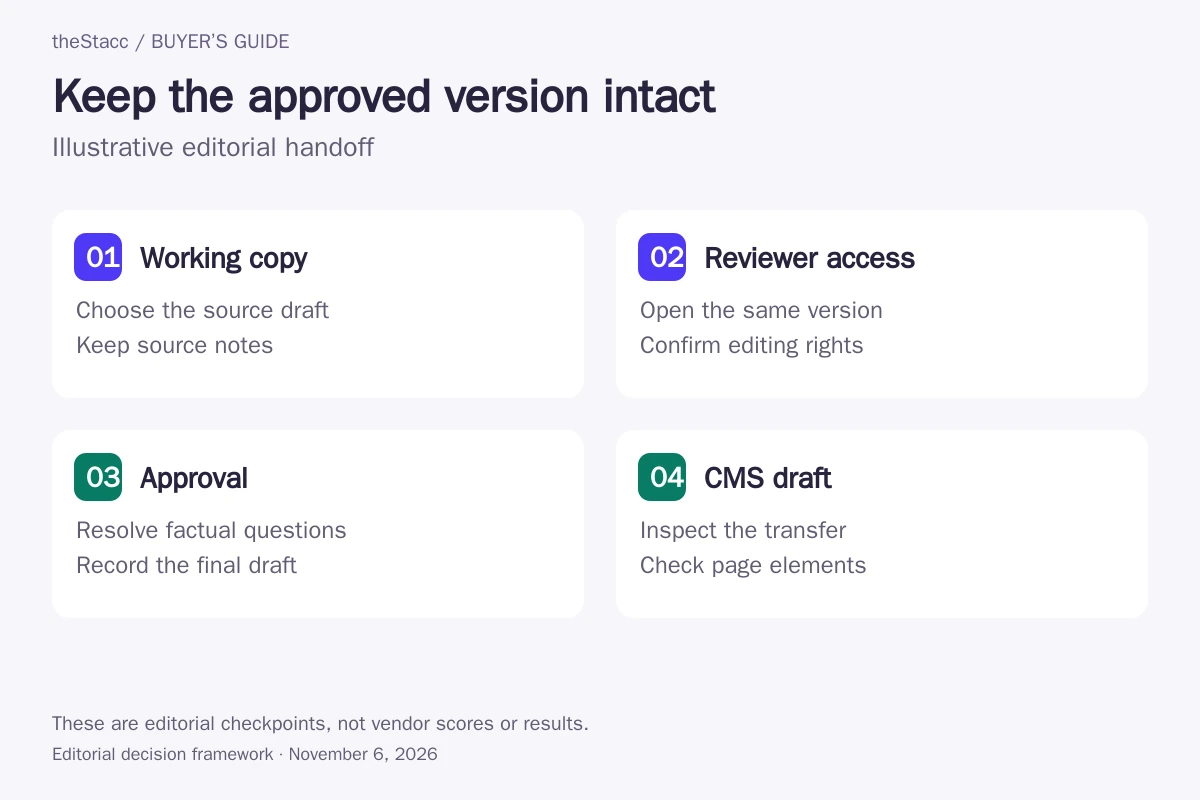
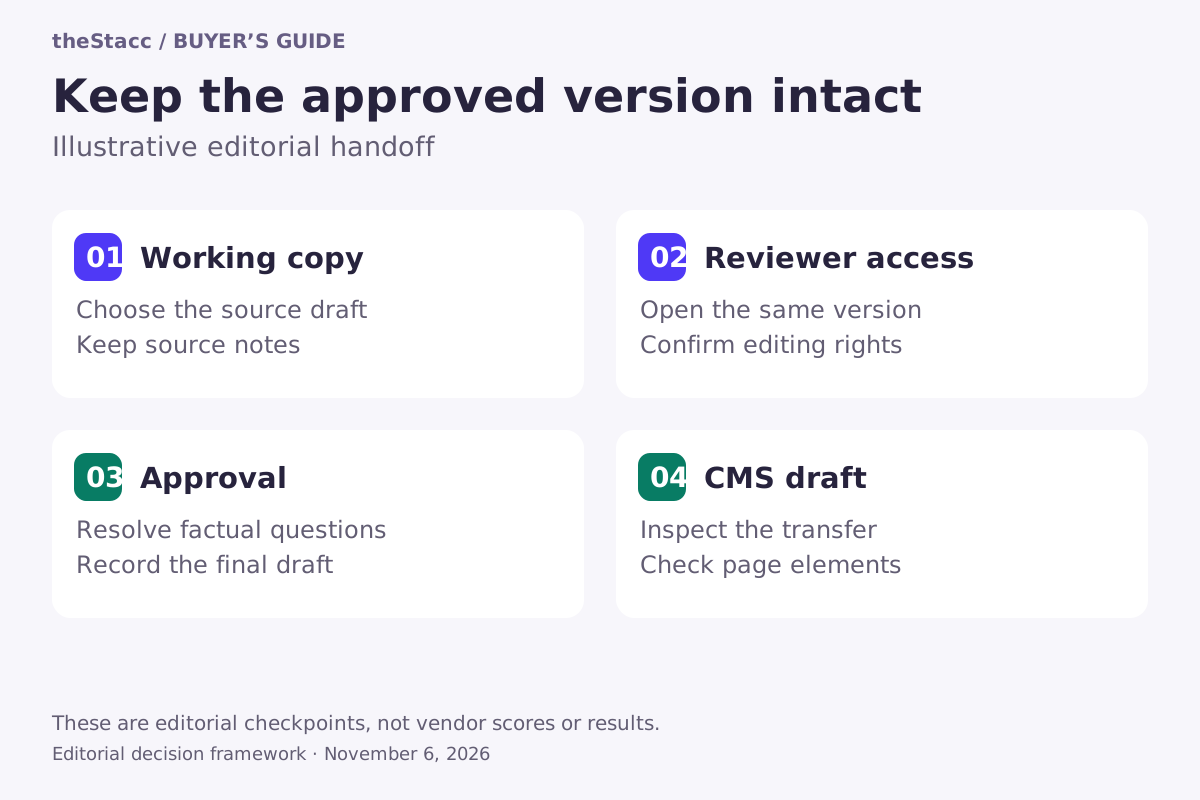
- Name the working copy. Decide whether edits belong in the vendor editor, a shared document or the CMS. Avoid two independently changing copies.
- Try the reviewer’s access. Ask the person who will approve the article to open the same draft. Check whether they can comment, suggest changes or edit, and what account they need.
- Record the approved version. Resolve factual questions and source notes before handoff. Keep editorial approval separate from a tool’s content score.
- Inspect the CMS draft. Check headings, links, tables, images and metadata after transfer. An export or integration does not prove the published result matches the approved document.
Use a sample draft containing the elements your site actually publishes. A plain paragraph does not reveal whether a transfer handles the table, image caption or internal link that later needs manual repair. This is a suggested acceptance check, not a test we performed on these products.
Price the writing routine, not just the entry plan
The fee matters, but so do who can open the document and which actions use credits. A single writer using a limited free plan has a different purchase from a team sharing drafts, generating text and publishing through an integration. Ask for the exact plan that supports your workflow before comparing totals.
| Cost or access item | Question to ask |
|---|---|
| Billing | Is the displayed amount monthly billing or an annual equivalent? What renews? |
| People | Does each writer or reviewer need a seat, or can they use a shared document? |
| Usage | Which actions consume a document, query, generated-word or separate checking allowance? |
| Handoff | Is the integration included, and does it transfer text, guidance or both? |
| Leaving | Can you export the approved content and retain the source notes you need? |
For a wider paid research and technical toolkit, see affordable SEO tools. For tools with ongoing free access, use our free SEO tools guide. A limited trial and an ongoing free plan are different offers.
Check language support and access for your actual collaborators
Confirm that guidance supports the language and search market of the document you write. Ask the reviewer to open the draft using their normal browser, writing app and account permissions. A feature available in the vendor’s editor may be absent from its add-on, and a sharing link may not grant the editing rights you expect.
Before uploading client drafts or internal source material, check your agreement and the provider’s data-handling terms. Keep the account and exported documents under the team’s control so the workflow does not depend on one departing freelancer.
Choose the editor your writer and reviewer can both use
If your team already approves in Docs or Word, start by checking the available add-on and its transfer limitations. If you prefer the vendor workspace, verify reviewer access and exports. If you want automatic drafting and publishing, establish the approval setting and destination behavior before turning it on.
Use the optimization guide when the unresolved question is what to improve, and the checker guide when it is what a finding means. A convenient editor helps you act on a decision; it does not establish factual accuracy or promise a ranking or AI citation.
Evaluate theStacc against your actual workflow
Choose an editor by the work you need to do inside it and the checks you retain before publishing. Confirm which features belong to the software plan and which require managed services. Review the current plans before choosing a paid service.
Start free → to explore the software, or Book a demo → to discuss your requirements.
SEO content editor: questions answered
What is the difference between an SEO editor and a content checker?
An editor is a place to write and revise, usually with suggestions beside the draft. A checker evaluates text or a URL and reports findings. Some products do both. Choose an editor when the buying decision is about writer controls, collaborator access and handing off the approved document.
Can I keep writing in Google Docs or Microsoft Word?
Several providers offer guidance in familiar document apps, but the details differ. Confirm whether the integration transfers draft text, recommendations or both. Try the actual reviewer’s access and check which features are missing compared with the vendor’s own editor before adopting it for the team.
Does every reviewer need a paid seat?
Not necessarily. Some workflows use a shared document or link, while others depend on account seats or a particular plan. A person may be able to read a draft without seeing its guidance or editing it. Test the permissions required for your review process rather than assuming access is included.
Will exporting a draft preserve all of its formatting?
Do not assume so. Use a representative document containing headings, links, tables and images, then inspect the CMS draft after transfer. Check metadata separately. Decide which copy owns later revisions so an edit made after export is not lost or overwritten during publication.
Does an AI draft still need an editor?
It needs accountable review. Someone should verify claims and sources, resolve unclear passages and confirm that the page serves its intended reader. A writing score or generated draft is not approval. If the software can publish automatically, choose its review settings deliberately and inspect the resulting page.
Is a free SEO editor enough for occasional writing?
It may be, if its usage limits, supported language and export options cover your work. MarketMuse publishes a limited free plan, while Semrush documents restricted free access to Writing Assistant. Keep ongoing free access separate from a temporary trial, and confirm current allowances before committing a project.
Sources and scope of this comparison
Official product pages, pricing and help documentation linked in the profiles were checked on November 6, 2026. These are advertised features, not account-level tests. INK’s historical official URLs redirected away from the editor, so its current offering and price remain unverified. Scalenut’s annual promotion is time-limited; the comparison uses its displayed regular monthly rate. Confirm billing, access and export behavior for the exact plan before buying.