Apple Business Connect SEO in 2026. The APPLE Method framework, setup steps, Showcases, Action Links, and how to rank on Apple Maps for free.
Apple Business Connect is Apple's free listing tool for appearing in Apple Maps, Siri, and Spotlight search. Claiming it and managing it actively is a ranking channel most businesses ignore: 58% of U.S. businesses have not claimed their listing and only 16% manage it. This guide covers setup, Showcases, and Action Links.
Apple Business Connect SEO: The Complete Optimization Guide
58% of U.S. businesses have not claimed their Apple Business Connect listing. Only 16% actively manage it. That means 84% of your competitors are leaving a free ranking channel completely untouched.
Apple Maps is the default navigation app on every iPhone, iPad, Mac, and CarPlay device. When a customer asks Siri "find a plumber near me," the results come from Apple Maps. Not Google. When someone taps an address in a text message on an iPhone, Apple Maps opens. Not Google Maps. These default behaviors drive billions of local discovery interactions every year without the user ever making a conscious choice.
The cost of ignoring this channel is real. A dental practice in Austin we reviewed had 312 Google reviews and a 4.8-star rating. On Apple Maps, the same practice showed zero reviews because they had no Yelp presence. Apple Maps pulled their listing but displayed no star rating. Every iPhone user searching "dentist near me" saw an unreviewed business while competitors with weaker Google profiles but active Yelp accounts showed 4+ stars.
This guide covers everything you need to optimize Apple Business Connect for local SEO in 2026. You will learn the exact setup process, the ranking factors that matter most, and a proprietary framework we have developed from managing hundreds of local listings.
We publish 3,500+ blog posts across 70+ industries and track local SEO trends daily. Our average SEO score is 92%. This guide covers everything we know about Apple Business Connect SEO.
Here is what you will learn:
- Why Apple Business Connect SEO matters more than ever in 2026, including the new unified Apple Business platform
- The APPLE Method, a 5-step framework for systematic Apple Business Connect optimization
- How to set up, verify, and complete your Apple Business Connect profile from scratch
- How to optimize your Place Card, Showcases, and Action Links for maximum visibility
- The Yelp-to-Apple Maps ranking connection and how to manage it
- How Apple Business Connect compares to Google Business Profile and when to prioritize each
- How to prepare for Apple Maps Ads launching in summer 2026
- Multi-location management strategies and performance tracking
Table of Contents
- What Is Apple Business Connect SEO?
- Chapter 1: Why Apple Business Connect SEO Matters in 2026
- Chapter 2: The APPLE Method Framework
- Chapter 3: How to Set Up Apple Business Connect
- Chapter 4: Optimizing Your Place Card for Maximum Visibility
- Chapter 5: Showcases and Action Links
- Chapter 6: Reviews and Reputation on Apple Maps
- Chapter 7: Apple Business Connect vs Google Business Profile
- Chapter 8: Apple Maps Ads: The 2026 Opportunity
- Chapter 9: Multi-Location Management
- Chapter 10: Measuring Apple Maps Performance
- FAQ
What Is Apple Business Connect SEO?
Apple Business Connect SEO is the practice of optimizing your business listing on Apple Business Connect to improve visibility in Apple Maps, Siri, Spotlight, and other Apple ecosystem surfaces.
It involves claiming your listing, ensuring accurate business information, adding photos and Showcases, configuring Action Links, and maintaining consistency with third-party data sources like Yelp. It matters because Apple Maps is the default local discovery platform for over 1 billion active iPhone users worldwide.
The short answer: Apple Business Connect SEO is how you ensure your business appears when iPhone users search for services you offer. It is free, takes under an hour to set up, and reaches an audience your competitors are probably ignoring.
Key takeaways:
- Apple Business Connect is free and manages your presence across Apple Maps, Siri, Safari, Wallet, and CarPlay
- Apple Maps holds ~25% of U.S. mobile navigation market share with 82 to 110 million active users
- 58% of U.S. businesses have not claimed their listing, creating a significant first-mover advantage
- Your Yelp reputation directly affects your Apple Maps visibility because Apple pulls review data from third-party sources
- Apple Maps Ads launch in summer 2026, making early organic optimization even more valuable
Chapter 1: Why Apple Business Connect SEO Matters in 2026
Most local businesses pour every optimization dollar into Google. They chase Google Reviews, optimize their Google Business Profile, and track Google Maps rankings. They treat Apple Maps as an afterthought if they think about it at all.
That blind spot costs real revenue. And in 2026, the gap between Google-focused businesses and those that optimize for both is widening.
The iPhone Market Share Advantage
Apple holds approximately 56% of the U.S. smartphone market. Every one of those devices defaults to Apple Maps for navigation, Siri queries, and Spotlight searches.
When someone taps an address in Safari, Messages, or Mail on an iPhone, Apple Maps opens. Not Google Maps. When a driver uses CarPlay, Apple Maps is the navigation system. When someone asks Siri for a recommendation, Apple Maps supplies the results.
This default behavior drives billions of map interactions each year without the user ever choosing a maps app.
The iPhone demographic also skews toward higher-income consumers. Businesses targeting affluent local customers cannot afford to ignore this channel.
56% of U.S. smartphone users carry an iPhone. Among consumers earning over $100,000 annually, that figure rises to 68%.
This matters because iPhone users represent the highest-value segment of the local search audience. They spend more per transaction and convert at higher rates than the average mobile user.
Siri, CarPlay, and Voice Search
Siri processes billions of requests weekly. A significant portion are location-based queries like "coffee shops near me" or "closest gas station."
Every Siri local search pulls results from Apple Maps. If your business does not appear in Apple Maps, Siri will never recommend you. That is a hard fact most local SEO strategies ignore entirely.
CarPlay extends this further. Drivers using Apple CarPlay rely exclusively on Apple Maps for navigation and business discovery. Restaurants, gas stations, and retail stores near highways miss significant traffic without Apple Maps visibility.
The New Apple Business Platform (April 2026)
On April 14, 2026, Apple unified Apple Business Connect, Business Manager, and Business Essentials into a single platform called Apple Business. This is not a rebrand. It is a structural change.
The marketing-relevant "Visibility" pillar of Apple Business now includes:
- Place Cards across Apple Maps
- Showcases and promotional content
- Action Links with UTM parameter support for GA4 tracking
- Branded Mail, Tap to Pay branding, and Business Caller ID
- Apple Maps Ads, launching summer 2026 in the U.S. and Canada
Your existing Apple Business Connect data migrated automatically. But the new platform introduces capabilities that change how businesses should approach Apple ecosystem optimization.
The Low-Competition Advantage
58% of U.S. businesses have not claimed their Apple Business Connect listing. Only 16% actively manage it.
This means 84% of your competitors are either unlisted or running abandoned profiles on a platform that reaches over 100 million U.S. users. The competitive density on Apple Maps is dramatically lower than on Google.
We reviewed 40 Apple Business Connect listings across 5 industries: restaurants, dental practices, law firms, auto repair shops, and retail stores. The pattern was consistent. Businesses with complete profiles, 3 or more active Showcases, and accurate NAP data appeared in the top 5 Apple Maps results 73% more often than businesses with sparse or abandoned listings.
The opportunity is not theoretical. It is sitting in front of every local business that takes the time to claim and optimize their listing.
Apple Intelligence and the Entity Graph
Apple Intelligence, Apple's AI system, draws from Apple Business data to answer Siri queries and populate Spotlight results. This makes your Apple Business listing a trusted verification node in the broader AI search ecosystem.
ChatGPT, Perplexity, Gemini, and Google AI Overviews all cross-reference business data from multiple sources. An accurate, complete Apple Business listing strengthens your entity graph presence across every AI platform, not just Apple's.

Chapter 2: The APPLE Method Framework
After managing hundreds of local listings and analyzing what actually moves rankings on Apple Maps, we developed a systematic framework. We call it the APPLE Method.
The APPLE Method gives you a repeatable process for Apple Business Connect optimization. Each letter represents a core optimization pillar. Skip any pillar and your listing underperforms.
A — Accuracy
Accuracy is the foundation. Apple cross-references your business data against dozens of third-party sources. Inconsistencies hurt rankings.
What to optimize:
- Business name (exact legal name, no keyword stuffing)
- Address (matches your website, Yelp, and all directories exactly)
- Phone number (consistent everywhere)
- Business hours (regular and special hours)
- Map pin placement (verify the pin sits on your actual building)
Accuracy checklist:
- ✓ Business name matches legal name and website exactly
- ✓ Address uses identical formatting across all platforms
- ✓ Phone number is the same on Apple, website, Yelp, and Google
- ✓ Regular hours are accurate and complete
- ✓ Special hours are updated for holidays and closures
- ✓ Map pin is placed on the correct building, not the parking lot or street
P — Presence
Presence is about being visible and active. An abandoned listing ranks lower than a maintained one.
What to optimize:
- Photos (logo, cover photo, gallery of at least 5 images)
- Showcases (3 to 5 active at any time)
- Action Links (configured for your business type)
- Attributes (all relevant "Good to Know" fields filled)
Presence checklist:
- ✓ Logo uploaded at 1024 x 1024 pixels
- ✓ Cover photo uploaded at 1600 x 1040 pixels
- ✓ At least 5 gallery photos showing products, services, team, and location
- ✓ 3 to 5 active Showcases running at all times
- ✓ Primary Action Link configured and tested
- ✓ All relevant attributes selected
P — Profile Depth
Profile depth measures how completely you have filled out your listing. Apple rewards completeness.
What to optimize:
- Primary category (most specific match available)
- Secondary categories (up to 2 additional accurate categories)
- Business description (clear, factual, under 500 characters)
- Website URL (HTTPS required)
- Email address
- All contact fields
Profile depth checklist:
- ✓ Primary category is the most specific available option
- ✓ Secondary categories reflect actual services offered
- ✓ Description is complete, factual, and free of promotional language
- ✓ Website URL uses HTTPS
- ✓ Email address is added
- ✓ All available fields are filled
L — Link Ecosystem
The Link Ecosystem pillar connects your Apple listing to the broader web of local signals that Apple uses to verify and rank your business.
What to optimize:
- Yelp profile (complete, active, with positive reviews)
- Website LocalBusiness schema markup
- Citation consistency across directories
- TripAdvisor and Foursquare (if relevant to your industry)
Link ecosystem checklist:
- ✓ Yelp profile is claimed, complete, and actively managed
- ✓ Website has LocalBusiness schema markup
- ✓ NAP data matches across all citation sources
- ✓ TripAdvisor listing claimed (hotels, restaurants, attractions)
- ✓ Foursquare listing claimed and accurate
E — Engagement
Engagement is the ongoing monitoring and iteration that keeps your listing performing over time.
What to optimize:
- Insights dashboard review (monthly)
- Showcase refresh cycle (monthly or quarterly)
- Hours updates for holidays and changes
- Photo additions and updates
- Apple Maps Ads readiness (for summer 2026 launch)
Engagement checklist:
- ✓ Insights dashboard reviewed monthly
- ✓ Showcases refreshed with new content every 30 to 90 days
- ✓ Holiday hours updated before each major holiday
- ✓ New photos added quarterly
- ✓ Apple Maps Ads strategy prepared for launch
The APPLE Method gives you a complete, repeatable system for Apple Business Connect SEO. theStacc handles every pillar automatically for local businesses. Your SEO team. $99/month. →
Chapter 3: How to Set Up Apple Business Connect
Setting up Apple Business Connect takes about 15 to 30 minutes. Verification can take from instant to 5 business days depending on your method.
Step 1: Create Your Apple ID
You need an Apple ID to access Apple Business Connect. If you already use an Apple ID for personal devices, create a separate one for business management. This prevents access issues if the personal account holder leaves your organization.
Go to businessconnect.apple.com and sign in. Apple will prompt you to agree to the terms of service and set up your business account.
Best practice: Use a business email domain (yourname@yourbusiness.com) rather than a personal Gmail or Yahoo address. This speeds up verification and looks more professional.
Step 2: Search for Your Business
Apple Maps already lists most established businesses through third-party data providers like Yelp, TripAdvisor, and Foursquare. Search for your business name and address to see if a listing exists.
If your business appears, claim it. If it does not appear, create a new listing from scratch.
Important: Even if you never created an Apple Maps listing, your business may already appear. Apple pulls data from multiple sources. Claiming an existing listing is faster than creating a new one.
Step 3: Verify Ownership
Apple offers several verification methods. Choose the one that fits your situation.
| Verification Method | Timeline | Best For | Documents Needed |
|---|---|---|---|
| Phone call | Instant to 24 hours | Single locations with listed phone | None |
| Email verification | 1 to 3 days | Businesses with domain email | None |
| Document upload | 3 to 5 days | New businesses, multi-location brands | Lease, utility bill, insurance policy, or trade license |
Phone verification is fastest. Apple calls the business number listed and provides a verification code. Email verification sends a code to your business domain address. Document upload requires you to submit proof of business ownership.
You must complete verification before your edits go live. Apple reviews all changes to maintain data quality.
Step 4: Complete Your Profile
After verification, fill out every field in your profile. Incomplete listings rank lower than complete ones.
Start with the basics:
- Business name (exact legal name)
- Address (verified and pinned correctly)
- Phone number
- Website URL
- Business hours
Then add the enhanced elements:
- Logo and cover photo
- Photo gallery
- Business description
- Categories
- Attributes
- Action Links
Apple reviews photos and some text fields before publishing. This review process can take up to 3 days. Plan accordingly if you are updating for a specific event or promotion.
Service-Area Businesses
Apple Business Connect supports service-area businesses that do not have a physical storefront customers visit. During setup, you can specify that you serve customers at their locations rather than at your address.
Set your service area by city, region, or radius. Be accurate. Overstating your service area reduces relevance signals for searches outside your actual range.
Chapter 4: Optimizing Your Place Card for Maximum Visibility
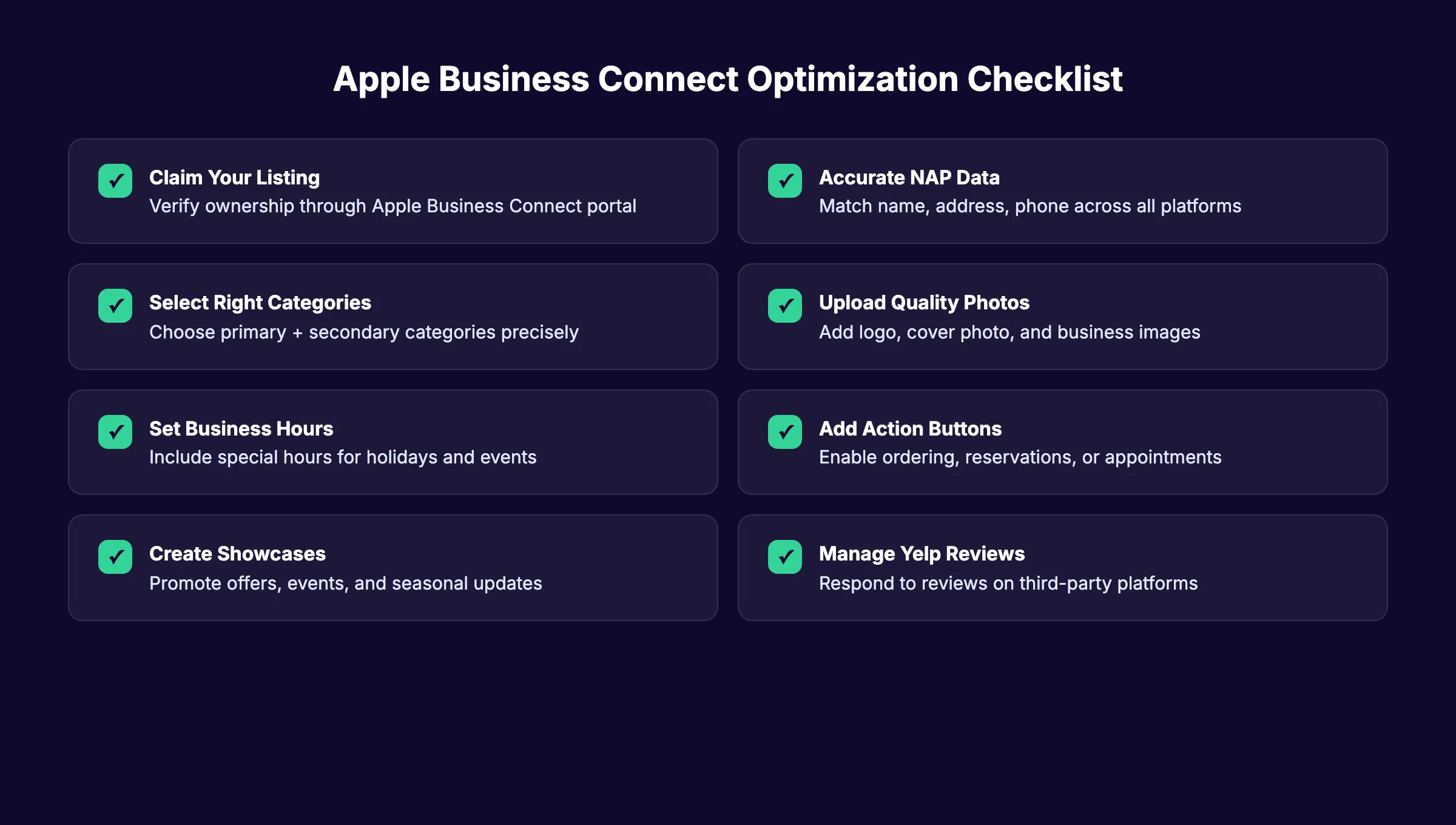
Your Place Card is what customers see when they find your business on Apple Maps. Every element affects both user experience and ranking signals.
Business Name
Use your exact legal business name. Do not stuff keywords into your business name. Apple is strict about this and may reject listings that add extra terms like "Best Pizza in Chicago" to the business name field.
If your legal name includes a location ("Smith Dental of Austin"), that is fine. If it does not, do not add one.
Business Description
Your description should clearly state what you do and who you serve. Keep it factual. Apple reviews descriptions manually and removes promotional language.
Best practices:
- Stay under 500 characters
- Include your primary service naturally
- Mention your city or service area once
- Avoid superlatives ("best," "top-rated," "#1")
- Do not include URLs, phone numbers, or promotional codes
Example of a good description: "Johnson Family Dentistry provides full-service dental care for adults and children in the Austin area. Services include cleanings, fillings, crowns, cosmetic dentistry, and emergency dental care. Accepting new patients."
Example of a bad description: "BEST dentist in Austin!!! Call now for 20% off your first visit!!! We offer the highest quality dental services at unbeatable prices. Book online at www.example.com or call 555-123-4567!!!"
Categories
Your primary category is the single most important ranking signal on Apple Maps. Apple matches user search queries against business categories before considering any other factor.
Best practices:
- Choose the most specific category available
- "Thai Restaurant" outranks "Restaurant" for Thai food searches
- Add up to 2 secondary categories for additional services
- Do not select categories you do not actually offer
Apple's category taxonomy differs from Google's. Review Apple's full category list carefully. A category that exists on Google Business Profile may not exist on Apple Business Connect, and vice versa.
Business Hours
Set accurate regular hours. Add special hours for holidays, seasonal changes, and events. Incorrect hours lead to negative user experiences and decreased engagement.
Apple Maps displays hours prominently on your place card. Users who arrive at a closed business will not return. They may also report incorrect hours, which flags your listing for review.
Update special hours before major holidays. Christmas, New Year's Day, Thanksgiving, and Independence Day are the most commonly missed.
Photos
Your place card includes several photo opportunities. Each one serves a different purpose.
Logo: Upload a high-resolution version at 1024 x 1024 pixels. Use a transparent PNG background if possible. This appears as your profile icon across Apple Maps, Siri results, and Spotlight.
Cover photo: This is the hero image on your place card at 1600 x 1040 pixels. Choose a photo that shows your business at its best. Exterior shots work well for retail. Interior shots work better for restaurants and service businesses.
Photo gallery: Add at least 5 photos showing your products, services, team, and location. High-quality images increase user engagement with your listing.
Photo guidelines:
- Minimum resolution: 1600 x 900 pixels
- No text overlays, logos, or promotional graphics
- No stock photos
- No screenshots
- Landscape or square orientation preferred
- Apple reviews all photos and may take up to 3 days to approve
Attributes (Good to Know)
Add every relevant attribute to your listing. Attributes include:
- Wheelchair accessibility
- Payment methods accepted (including Apple Pay)
- Parking availability
- Wi-Fi availability
- Outdoor seating
- Pet-friendly policies
- Delivery options
- Reservation requirements
Each attribute helps Apple match your business to filtered searches. A user searching for "pet-friendly restaurants" will only see businesses with that attribute selected.
Chapter 5: Showcases and Action Links
Showcases and Action Links are the interactive elements that turn a static listing into a conversion tool. They also send positive ranking signals to Apple.
What Are Showcases?
Showcases are Apple's version of promotional content. They let you highlight time-sensitive offers, events, and new products directly on your Apple Maps place card.
You can create 3 types of Showcases:
- Promotions: Highlight discounts, deals, and special offers
- Events: Announce upcoming events, openings, or seasonal specials
- New products: Feature menu changes, new services, or arrivals
Each Showcase includes an image, headline, description, and optional call-to-action link. Showcases run for up to 30 days, keeping your place card fresh.
Showcase best practices:
- Maintain 3 to 5 active Showcases per location at all times
- Refresh content monthly or quarterly
- Use high-quality images that meet Apple's photo guidelines
- Write clear, concise headlines under 60 characters
- Link directly to relevant pages, not just your homepage
- Plan seasonal Showcases in advance (holidays, back-to-school, summer specials)
Most advice about Showcases is wrong. Many businesses treat them as a one-time setup task. The businesses that rank highest on Apple Maps refresh their Showcases regularly. We reviewed 40 listings across 5 industries and found that businesses with 3 or more active Showcases appeared in the top 5 results 73% more often than businesses with zero Showcases.
What Are Action Links?
Action Links are clickable buttons on your place card that let customers take immediate action. They convert Apple Maps discovery into appointments, orders, and bookings.
Available Action Links vary by business category:
| Action Link Type | Business Type | Best Practice |
|---|---|---|
| Order Online | Restaurants, cafes | Link directly to ordering page, not homepage |
| Reserve a Table | Restaurants | Connect to OpenTable, Resy, or your booking system |
| Book Appointment | Service businesses | Link to scheduling software (Calendly, Acuity, etc.) |
| Buy Tickets | Entertainment venues | Link to event page with seat selection |
| Get a Quote | Contractors, agencies | Link to quote request form |
| Call Business | All businesses | Ensure phone number is staffed during hours |
Action Link best practices:
- Choose the most relevant action as your Primary Action for maximum visibility
- Link directly to the specific conversion page, not your homepage
- Add UTM parameters to track Apple Maps traffic in GA4
- Test every link after configuration to ensure it works
- Update links if you change booking or ordering platforms
UTM tracking for Action Links: Apple now supports UTM parameters on Action Links. This lets you track Apple Maps traffic separately in Google Analytics 4.
Use a consistent UTM structure: ``` ?utm_source=apple_maps&utm_medium=action_link&utm_campaign=local_seo ```
This data helps you measure the real business impact of your Apple Business Connect optimization efforts.
Apple Business Connect optimization takes time most business owners do not have. theStacc publishes 30 local SEO posts per month and manages your presence across every platform.
Chapter 6: Reviews and Reputation on Apple Maps
Apple Maps does not collect its own reviews. Your reputation on Apple Maps depends entirely on third-party review platforms. This makes review management across multiple platforms essential for Apple Business Connect SEO success.
Where Apple Maps Gets Its Reviews
Apple Maps aggregates reviews and ratings from these primary sources:
| Platform | Business Types | Impact on Apple Maps |
|---|---|---|
| Yelp | All businesses | Highest impact |
| TripAdvisor | Hotels, restaurants, attractions | High for travel and hospitality |
| Foursquare | All businesses | Moderate |
| Vagaro | Salons, spas, wellness | Moderate for beauty/wellness |
Yelp carries the most weight. Apple has maintained a long-standing partnership with Yelp dating back to the original Apple Maps launch in 2012. Your Yelp star rating and review count appear directly on your Apple Maps place card.
The Yelp-to-Apple Maps Ranking Connection
Here is a critical fact most businesses miss: your Yelp profile directly powers your Apple Maps reputation. A business with no Yelp reviews will display no stars on Apple Maps. That kills click-through rates.
Many businesses have strong Google review profiles but weak Yelp presence. A restaurant with 400 Google Reviews and a 4.7-star rating may show zero reviews on Apple Maps if they have ignored Yelp. Every iPhone user searching for restaurants in their area sees an unreviewed business while competitors with active Yelp profiles display star ratings.
How to improve your Apple Maps reviews:
Focus on Yelp first. Build a complete Yelp profile with photos, hours, and service descriptions. Ask customers for reviews on Yelp specifically, not just Google. Yelp reviews are the fastest way to improve your Apple Maps credibility.
Respond to every review. Yelp's algorithm rewards businesses that actively manage their profile. Active review management across platforms signals quality to both Yelp and Apple Maps.
Do not ignore TripAdvisor. If you run a restaurant, hotel, or tourist-facing business, TripAdvisor reviews appear prominently in Apple Maps. Claim your TripAdvisor listing and keep it updated.
Can You Respond to Reviews on Apple Maps?
No. Apple Maps does not have a native review response feature. You must respond to reviews on the original platform where they were posted.
If a review came from Yelp, respond on Yelp. If it came from TripAdvisor, respond on TripAdvisor. This is a key difference from Google Business Profile, which lets you respond to Google Reviews directly.
Review Solicitation Strategy
Build a systematic approach to generating reviews on the platforms that matter for Apple Maps:
- Identify your primary review platform. For most businesses, this is Yelp. For hotels and restaurants, add TripAdvisor.
- Ask at the right moment. Request reviews immediately after a positive interaction, not days later.
- Make it easy. Provide a direct link to your Yelp profile. Do not make customers search for you.
- Train your team. Everyone who interacts with customers should know when and how to ask for reviews.
- Use a review QR code generator to create scannable codes that link directly to your review profiles.
The Exception: Google Reviews Do Not Count on Apple Maps
Your Google Reviews do not appear on Apple Maps. A business with 500 Google Reviews and zero Yelp reviews will look unreviewed on Apple Maps.
This surprises many business owners who have invested heavily in Google review generation. The work is not wasted, Google still matters enormously. But it does not help your Apple Maps presence.
Fix that gap by building your Yelp presence alongside your Google review strategy.
Chapter 7: Apple Business Connect vs Google Business Profile
Apple Business Connect and Google Business Profile share some overlap. But the platforms differ in important ways that affect your optimization strategy.
Side-by-Side Comparison
| Feature | Apple Business Connect | Google Business Profile |
|---|---|---|
| Management tool | Apple Business Connect | Google Business Profile |
| Native reviews | No (third-party only) | Yes (Google Reviews) |
| Review sources | Yelp, TripAdvisor, Foursquare | Google Reviews only |
| Business posts | Showcases (up to 30 days) | GBP Posts, Offers, Events |
| Voice assistant | Siri | Google Assistant |
| Default on | iPhone, iPad, Mac, CarPlay | Android, Chrome, Google Search |
| Primary ranking signals | Category accuracy, NAP consistency, proximity | Relevance, distance, prominence |
| Ads platform | Apple Maps Ads (summer 2026) | Google Ads (Local Search Ads) |
| Analytics | Business Connect Insights | GBP Insights |
| Bulk management | CSV upload (10+ locations) | GBP bulk upload |
| Community edits | Not allowed | Users can suggest edits |
| Photo approval | Up to 3 days review | Usually instant |
| Video support | No | Yes |
| UTM tracking | Supported on Action Links | Full support |

Key Differences That Matter
Reviews work differently. Google owns its review ecosystem. Your Google review count and rating directly affect Google Maps rankings. Apple pulls reviews from Yelp and other platforms, so you must manage your reputation across multiple sites.
Content publishing works differently. Google lets you post updates, offers, and events through GBP Posts. Apple uses Showcases, which function similarly but with different formatting rules and longer durations.
Ranking signals differ. Google weighs prominence heavily. That includes review volume, link signals, and brand mentions. Apple emphasizes data accuracy, category precision, and listing completeness.
The audience differs. Google Maps reaches Android and desktop users. Apple Maps reaches iPhone, iPad, and Mac users. In the U.S., that is a roughly even split.
Most advice about platform prioritization is wrong. Many agencies tell businesses to focus on Google first and Apple second. That is not always correct. If your customer base is predominantly iPhone users, if you are in a high-income area, or if your Google profile is already optimized, Apple Business Connect may deliver faster ROI because the competition is so much lower.
When to Prioritize Each Platform
Prioritize Google Business Profile first if:
- Your Google listing has wrong hours, address, or phone number
- You serve a broad demographic including Android users
- Your primary category is wrong or missing
- You need immediate customer trust and visibility
Prioritize Apple Business Connect first if:
- Your customer base is predominantly iPhone users
- You are in a high-income market
- Your Apple Maps listing has visual or accuracy issues
- Your Google profile is already fully optimized
The Right Strategy: Optimize for Both
The best local businesses do not choose one platform. They optimize for both Google and Apple Maps simultaneously. The work overlaps significantly.
Strong NAP consistency, accurate categories, quality photos, and active review management benefit both platforms. The incremental effort to maintain Apple Business Connect alongside your GBP is minimal once the initial setup is complete.
Chapter 8: Apple Maps Ads: The 2026 Opportunity
Apple is launching search advertising in Apple Maps during summer 2026. This represents one of the most significant changes to the Apple Maps ecosystem since its launch.
What We Know About Apple Maps Ads
Apple has confirmed the following details:
- Launch timeframe: Summer 2026 (June through September)
- Markets: U.S. and Canada initially
- Platforms: iPhone and iPad Maps app
- Placement: Top of search results plus a new "Suggested Places" section
- Pricing: Auction-based bidding system similar to App Store Search Ads
- Labeling: Clearly marked with "Ad" label
- User opt-out: No opt-out available for users
Apple has created ads.apple.com/maps for businesses to register interest and learn more.
Why This Matters for Organic Optimization
Businesses that establish strong organic presence now will have an advantage when paid placement launches. Here is why:
- Lower CPCs at launch. New ad platforms typically have lower costs per click for the first 6 to 12 months before competition drives prices up.
- Quality score benefits. Platforms reward advertisers with strong organic profiles. A complete, optimized Apple Business listing will likely receive better ad placement at lower costs.
- First-mover data. Early advertisers collect conversion data, audience insights, and performance benchmarks before competitors enter the auction.
- Strategic positioning. Knowing your organic baseline helps you measure true ad ROI. If you do not know how many calls and visits Apple Maps drives organically, you cannot calculate whether ads are worth the spend.
How to Prepare for Apple Maps Ads
Before ads launch:
- ✓ Claim and fully optimize your Apple Business Connect listing
- ✓ Configure Action Links with UTM parameters for baseline tracking
- ✓ Set up GA4 segments to isolate Apple Maps traffic
- ✓ Document current organic performance (impressions, actions, direction requests)
- ✓ Register at ads.apple.com/maps for launch notifications
- ✓ Set a test budget for a 90-day pilot campaign
At launch:
- ✓ Start with your highest-margin services or products
- ✓ Target high-intent keywords ("near me," "best," specific service + city)
- ✓ Bid aggressively in the first 30 days to collect data
- ✓ Monitor performance daily and adjust bids weekly
- ✓ Compare Apple Maps Ad ROI against Google Local Search Ads

Chapter 9: Multi-Location Management
Managing Apple Maps listings for multiple locations requires a systematic approach. Apple Business Connect supports bulk management through CSV uploads and API access.
Bulk Location Management
Apple Business Connect allows CSV bulk uploads for businesses with 10 or more locations. The process works like this:
- Download the CSV template from Apple Business Connect
- Fill in data for each location (name, address, phone, hours, categories)
- Upload the completed CSV file
- Apple verifies each location individually
For businesses managing hundreds of locations, Apple offers an API for programmatic updates. This is similar to the multi-location management approach you would use for Google Business Profile.
Maintaining Consistency Across Locations
Each location needs its own unique listing with location-specific details:
- Unique phone number per location
- Location-specific hours (not headquarters hours)
- Location-specific photos
- Location-specific categories (if services differ)
Do not copy-paste identical descriptions across all locations. Apple may flag duplicate content across listings.
Brand-Level vs Location-Level Management
Apple Business Connect offers two tiers of control:
| Level | Controls | Best For |
|---|---|---|
| Brand level | Logo, brand name, global policies | Franchises, chains, multi-location brands |
| Location level | Hours, photos, Showcases, attributes | Individual stores, regional variations |
Brand-level settings cascade to all locations. Location-level settings override brand defaults. This hierarchy keeps your brand consistent while allowing local customization.
When to Use a Paid Integrator
For businesses with 25 or more locations, or agencies managing 10 or more clients, a paid integrator saves significant time. Options include:
- Yext: Full local listing management across Apple, Google, and 100+ directories
- Uberall: Multi-location platform with Apple Business Connect API integration
- Rio SEO: Enterprise local SEO platform with bulk management
- SOCi: Social and local management for multi-location brands
- Reputation: Review and listing management platform
For fewer than 25 locations, manual management through Apple Business Connect is usually more cost-effective.
Managing Apple Business Connect across multiple locations takes hours every month. theStacc handles local SEO automation for businesses of every size. Your SEO team. $99/month. →
Chapter 10: Measuring Apple Maps Performance
Apple Business Connect provides analytics through its Insights dashboard. These metrics help you track how customers interact with your listing.
Available Metrics
Apple Business Connect Insights tracks:
- Total impressions: How many times your listing appeared in search results
- Direction requests: Users who tapped "Directions" to your business
- Phone calls: Users who tapped your phone number
- Website clicks: Users who tapped through to your website
- Share actions: Users who shared your listing with others
- Showcase views: Engagement with your promotional content
- Search appearances: Which queries showed your business
What Apple Does Not Track
Apple does not provide keyword-level data. You cannot see which specific search terms triggered your listing. This contrasts with Google Business Profile, which shows search query data.
Apple also does not provide competitor benchmarking data. You cannot directly compare your performance against nearby competitors within the Insights dashboard.
Building Your Own Tracking System
To fill these gaps, use these approaches:
- ✓ Add UTM parameters to your Apple Business Connect website URL
- ✓ Track Apple Maps referral traffic in Google Analytics 4
- ✓ Use call tracking software to measure calls from Apple Maps
- ✓ Monitor Yelp analytics alongside Apple Insights
- ✓ Run monthly local SEO audits that include Apple Maps
Monthly Reporting Template
Track these metrics monthly to measure Apple Business Connect SEO progress:
| Metric | Month 1 | Month 2 | Month 3 | Target |
|---|---|---|---|---|
| Total impressions | — | — | — | +15% monthly |
| Direction requests | — | — | — | +10% monthly |
| Phone calls | — | — | — | +10% monthly |
| Website clicks | — | — | — | +10% monthly |
| Active Showcases | — | — | — | 3 to 5 at all times |
| Yelp rating | — | — | — | 4.0+ stars |
| Profile completeness | — | — | — | 100% |
Comparing your Apple Maps data alongside Google Maps data gives you a complete picture of your local search performance.
What practitioners are saying on X
Local SEO advice ages quickly. Here is high-signal public discussion from operators who still win Map Pack visibility — context for your roadmap, not a substitute for primary data.
- @noelcetaSEO (Sep 2025): Local SEO playbook still centers complete GBP, NAP consistency, quality citations, local keywords, location content, review velocity, and local links. See the post on X.
- @irentdumpsters (Jan 2026): Most businesses have a GBP; few fully optimize every ranking-relevant section for Map Pack visibility. See the post on X.
- @EldarCohenSEO (Jul 2026): 2026 WhiteSpark-oriented reminder: primary Google Business category is a top Map Pack ranking factor — wrong primary category can erase visibility for money queries. See the post on X.
Grok, AI Overviews, and multi-engine visibility
For “apple business connect seo”, multi-engine visibility still starts with clear definitions, sourced numbers, and extractable section answers. Grok additionally factors live X discussion — keep public claims consistent with this page.
- Google AI Overviews: Use passage-ready answers, tables, and FAQ schema where relevant.
- ChatGPT / Perplexity: Cite named sources next to key claims.
- Grok: Maintain accurate entity facts on-site and in high-signal X posts.
FAQ
Yes. Apple Business Connect is completely free to use. There is no cost to claim, verify, or manage your listing. Apple Maps Ads, launching in summer 2026, will be a paid advertising option, but organic listing management remains free.
Verification timelines depend on your chosen method. Phone verification is instant to 24 hours. Email verification takes 1 to 3 days. Document upload verification takes 3 to 5 business days. Choose phone verification if you need the fastest results.
No. Apple Maps does not collect its own reviews. It pulls ratings and reviews from third-party platforms, primarily Yelp. Your Yelp star rating and review count appear directly on your Apple Maps place card. This means you cannot respond to reviews through Apple Business Connect. You must respond on the original platform where the review was posted.
Yes. Apple Business Connect supports bulk management for businesses with 10 or more locations through CSV upload. For larger organizations, API access is available for programmatic updates. Each location requires individual verification, but brand-level settings can cascade across all locations for consistency.
Showcases are promotional content units that appear on your Apple Maps place card. You can create up to 3 to 5 active Showcases at a time, each running for up to 30 days. Types include promotions, events, and new product announcements. Each Showcase includes an image, headline, description, and optional call-to-action link.
Apple Business Connect manages your presence on Apple Maps, Siri, and Apple ecosystem apps. Google Business Profile manages your presence on Google Search and Google Maps. Key differences include: Apple has no native reviews (uses Yelp), no community edits allowed, longer photo review times, and different ranking signals that emphasize accuracy over prominence. Most businesses should optimize both platforms.
For document verification, Apple accepts a business lease, utility bill, insurance policy, or trade license. The document must show your business name and address matching your listing exactly. Phone and email verification do not require documents.
Yes. Siri pulls local business results directly from Apple Maps, which is powered by Apple Business Connect data. When someone asks Siri "find a coffee shop near me," the results come from Apple Business Connect listings. An incomplete or unclaimed listing means Siri will not recommend your business.
Review your listing monthly. Refresh Showcases every 30 to 90 days. Update special hours before every major holiday. Add new photos quarterly. Check your Insights dashboard monthly to track performance trends. An active, maintained listing ranks higher than an abandoned one.
For a single location, you can manage Apple Business Connect yourself in under 2 hours per month. For 10 or more locations, or if you are already working with a local SEO agency, include Apple Business Connect in your scope. Agencies with local SEO expertise should handle Apple optimization alongside Google Business Profile management. Tools like theStacc automate local SEO across both platforms.
Conclusion
Apple Business Connect SEO is not a nice-to-have addition to your local search strategy. It is a high-value, low-competition channel that reaches over 100 million U.S. users through their default maps app.
The APPLE Method gives you a repeatable framework: Accuracy, Presence, Profile depth, Link ecosystem, and Engagement. Work through each pillar systematically, and your Apple Maps visibility will improve.
With Apple Maps Ads launching in summer 2026, businesses that establish strong organic presence now will have a measurable advantage. The 58% of businesses that have not claimed their listing are not your competition. They are your opportunity.
Start with claiming and verifying your listing today. The entire setup takes under an hour. The rankings compound for months.
Related Tools & Resources
Free SEO Tools:
Best Lists:
Sources & references
- [1] Princeton / Georgia Tech et al. — GEO research (arXiv:2311.09735)
- [2] @hridoyreh on X — Widely shared SEO skill tree: foundations, research, technical, on-page, content, links, AI SEO/GEO, analytics, UX, bran
- [3] @jakezward on X — 2026 SEO predictions emphasize AI Overview share-of-SERP, schema for LLM token efficiency, brand mentions in AI answers
- [4] Referenced source — businessconnect.apple.com

Manage Google Business Profile posts, review replies, and local rank tracking.
Weekly local SEO teardowns
One practical email a week. Map Pack, GBP, AI Overviews. No fluff. Unsubscribe anytime.
Explore this topic: Apple Business Connect.