
MCP for Content Marketing: The Complete Guide (2026)
Learn how the Model Context Protocol connects AI to your content marketing stack. Covers MCP automation workflows, setup steps, and top servers for 2026.
Stacc Editorial • 2026-04-04 • Content Strategy
In This Article
Most content marketing teams juggle 12 to 31 different tools. CMS platforms, analytics dashboards, SEO trackers, CRM systems, social schedulers. Each one holds data the others need. And none of them talk to each other without custom integrations or duct-tape Zapier workflows.
That fragmentation costs real money. A 2025 HubSpot study found that 86% of marketers lose at least 1 hour per day to manual data transfer between platforms. Over a quarter, that is 65 or more hours of wasted productivity per person. MCP content marketing automation changes this equation entirely.
The Model Context Protocol (MCP) is an open standard from Anthropic that lets AI models connect directly to your marketing tools. No custom API work. No middleware. One universal connector that turns your AI assistant into a full content operations layer.
We publish 3,500 or more blogs across 70 or more industries every month. We have watched the MCP ecosystem evolve from experiment to production-ready infrastructure. This guide covers everything you need to know about using MCP for content marketing.
Here is what you will learn:
- What MCP is and how the host-client-server model works
- Why MCP matters more for content teams than any other marketing function
- 5 specific MCP workflows that cut content production time by 50% or more
- How to set up MCP for your content stack step by step
- Which MCP servers every content marketer should connect first
- The real limitations and risks you need to plan for
What Is the Model Context Protocol (MCP)?
The Model Context Protocol is an open-source standard that defines how AI models communicate with external tools, databases, and services. Anthropic released it in November 2024. By early 2026, it has become the default standard for AI-to-software communication.
Think of MCP as USB-C for AI. Before USB-C, every device needed a different cable. Before MCP, every AI integration needed custom API code. MCP gives every tool one universal connection format.
The numbers tell the story. MCP now has 97 million monthly SDK downloads and over 10,000 active servers across industries.
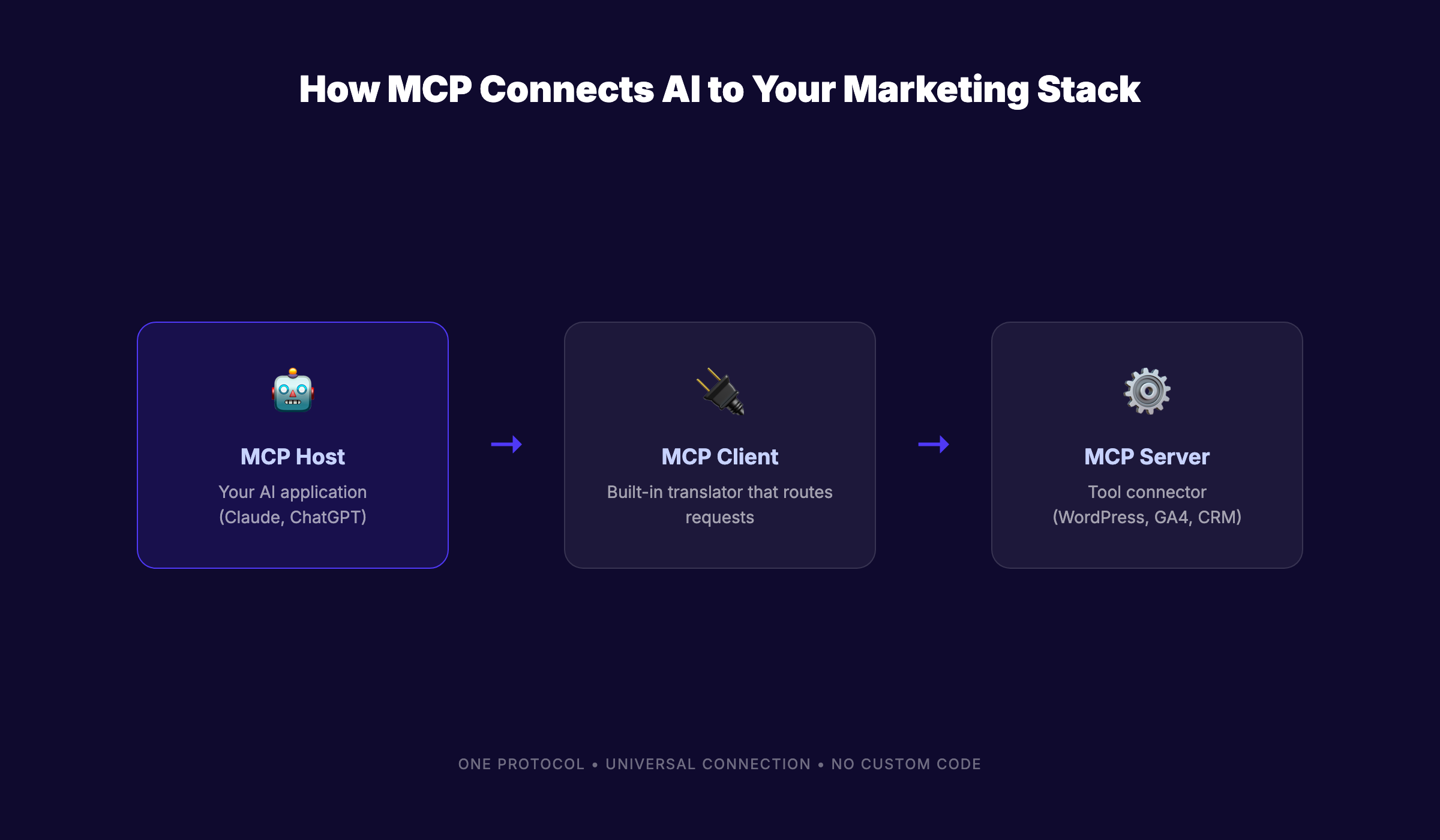
How MCP Works: Host, Client, Server
MCP uses a 3-part architecture:
| Component | Role | Example |
|---|---|---|
| MCP Host | The AI application you interact with | Claude Desktop, ChatGPT, Cursor |
| MCP Client | The translator that manages connections | Built into the host application |
| MCP Server | The connector for each specific tool | WordPress MCP server, GA4 MCP server |
The host sends a request. The client routes it to the right server. The server executes the action in the connected tool and returns results. All of this happens through a single standardized protocol.
You do not need to write code for each tool. You connect a server once. Every future interaction uses that same connection.
Why Anthropic Built MCP
AI models are powerful in isolation. They can write, analyze, and reason. But they cannot access live data without a connection layer.
Before MCP, connecting Claude to Google Analytics required a custom API integration. Connecting it to WordPress required a separate integration. Each connection meant developer time, maintenance, and potential security gaps.
Anthropic built MCP to solve this at the protocol level. One open standard that any tool can implement. OpenAI, Google, and Microsoft now support it. The ecosystem compounds with every new server added.
MCP vs Traditional APIs
APIs still work. But they solve a different problem.
| Factor | Traditional API | MCP |
|---|---|---|
| Setup | Custom code per integration | Install a server, connect once |
| Context | Static request-response | Dynamic, contextual interaction |
| Maintenance | Breaks when APIs change | Protocol handles versioning |
| AI awareness | None built in | Designed for AI-first workflows |
| Discoverability | Manual documentation review | AI discovers available actions |
The key difference is discoverability. An AI model connected via MCP can ask a server “what can you do?” and receive a structured list of capabilities. Traditional APIs require someone to read documentation first.
For content marketing teams without developers on staff, this distinction matters. MCP turns tool integration from a technical project into a configuration step.
Why MCP Matters for Content Marketing Teams
Content marketing touches more tools than almost any other business function. Research tools, writing platforms, CMS systems, analytics dashboards, SEO trackers, social schedulers, email platforms. Each one generates data the others need.
MCP eliminates the manual work of moving data between these systems. That alone makes it the most significant infrastructure shift for content teams since the rise of AI marketing automation.
The Martech Fragmentation Problem
The average marketing team uses between 12 and 31 tools. Every tool stores data in its own format, behind its own login, with its own reporting dashboard.
A content writer needs keyword data from Ahrefs, performance data from GA4, brand guidelines from Notion, and publishing access to WordPress. Without MCP, they tab-switch between 4 platforms for every article. With MCP, their AI assistant pulls from all 4 in one conversation.
This is not about replacing tools. It is about connecting them through a universal layer that AI can access directly.
From Chatbot to Operations Layer
Most content teams use AI as a writing assistant. They paste prompts into ChatGPT or Claude and copy the output into their CMS. That workflow treats AI as a chatbot.
MCP transforms AI into an operations layer. An AI model connected to your CMS, analytics, and SEO tools can do more than write. It can research keywords using live search data. It can flag articles that need updates based on traffic drops. It can draft content that matches your brand voice guide.
The shift from chatbot to operator is what makes agentic AI in marketing practical. MCP is the protocol that enables it.
Real-Time Data Access for Content Decisions
Content decisions made with stale data produce stale results. A keyword that ranked well 3 months ago may have shifted. A competitor may have published a stronger piece since your last audit.
MCP servers for Google Search Console, analytics platforms, and SEO tools give AI models access to live data. Your AI assistant can answer “which of my blog posts lost traffic this month?” without you opening a single dashboard.
That speed changes how content teams operate. Decisions that took hours of data gathering now take seconds. The SEO content calendar becomes a living document that AI updates based on real performance.
Stop copying data between 12 different marketing tools. Stacc publishes 30 SEO articles per month on autopilot, no tool switching required. Start for $1 →
5 MCP Content Marketing Workflows That Save Hours
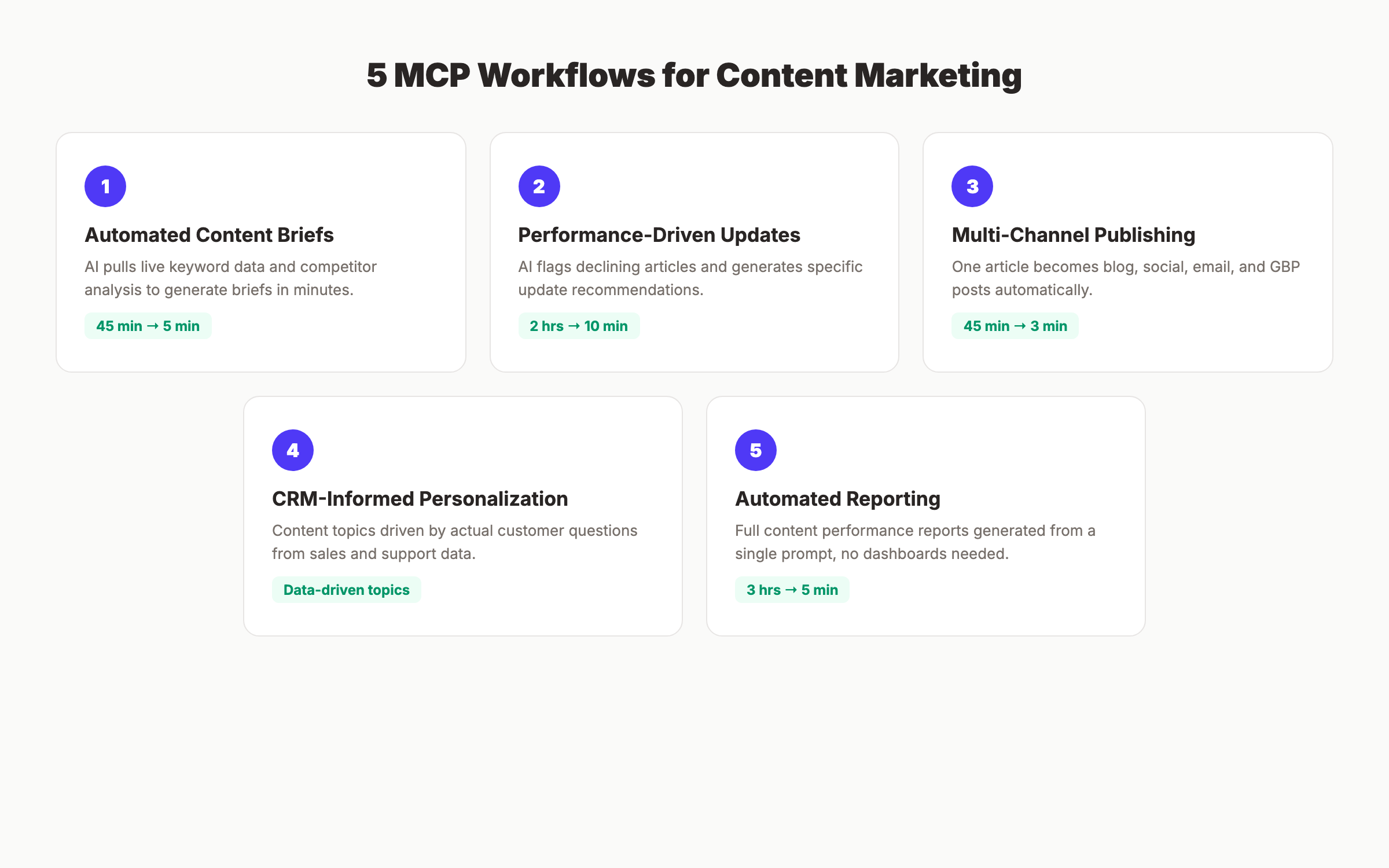
MCP is not theoretical. Teams are running production workflows with it right now. Here are 5 patterns that deliver measurable time savings for content marketers.
1. Automated Content Briefs From Live SEO Data
The old way: Open Ahrefs. Export keyword data. Open Google Search Console. Pull performance metrics. Open a doc. Write the brief manually. Time: 45 to 60 minutes per brief.
The MCP way: Ask your AI assistant to “create a content brief for [keyword] using current search data and our top-performing articles.” The AI queries the SEO MCP server for keyword metrics, the analytics server for existing content performance, and the CMS server for related published articles. Time: 3 to 5 minutes.
The DataForSEO MCP server and Google Search Console MCP server make this workflow possible today.
2. Performance-Driven Content Updates
Most content teams publish and forget. MCP enables a publish-and-optimize cycle.
Connect your analytics and CMS servers. Set up a prompt that asks the AI to “identify articles with declining traffic over the past 30 days and suggest specific updates.” The AI pulls traffic data, compares current rankings to historical positions, and generates update recommendations.
This is the Content Compound Effect in practice. Every article gets stronger over time because the system flags decay before it becomes a problem.
3. Multi-Channel Publishing Pipelines
A single piece of content should reach your blog, social channels, email list, and Google Business Profile. Manually reformatting for each channel takes 30 to 45 minutes per article.
MCP makes multi-channel publishing a single instruction. The AI reads the published article from your CMS server, generates platform-specific versions, and pushes them to each connected channel.
Teams already using AI agent orchestration for marketing recognize this pattern. MCP standardizes the connections that make it repeatable.
4. CRM-Informed Content Personalization
Your CRM holds data about what your audience cares about. Sales call notes, support tickets, and customer segments all contain content ideas.
An MCP server for HubSpot, Salesforce, or Pipedrive lets your AI assistant query customer data and match it to content gaps. “Which topics do our enterprise leads ask about most?” becomes an answerable question.
This workflow connects content strategy to revenue data. The result is a content calendar built on customer demand, not keyword guesswork.
5. Automated Reporting Without Dashboards
Content reporting typically means 2 to 3 hours per month pulling screenshots from analytics, formatting tables, and writing summaries. MCP collapses that into a single prompt.
“Generate a content performance report for March 2026, including traffic by article, keyword rankings changes, and conversion data.” The AI queries your analytics server, SEO server, and CRM server. It returns a formatted report in minutes.
No dashboard logins. No spreadsheet exports. No manual formatting.
How to Set Up MCP for Your Content Stack
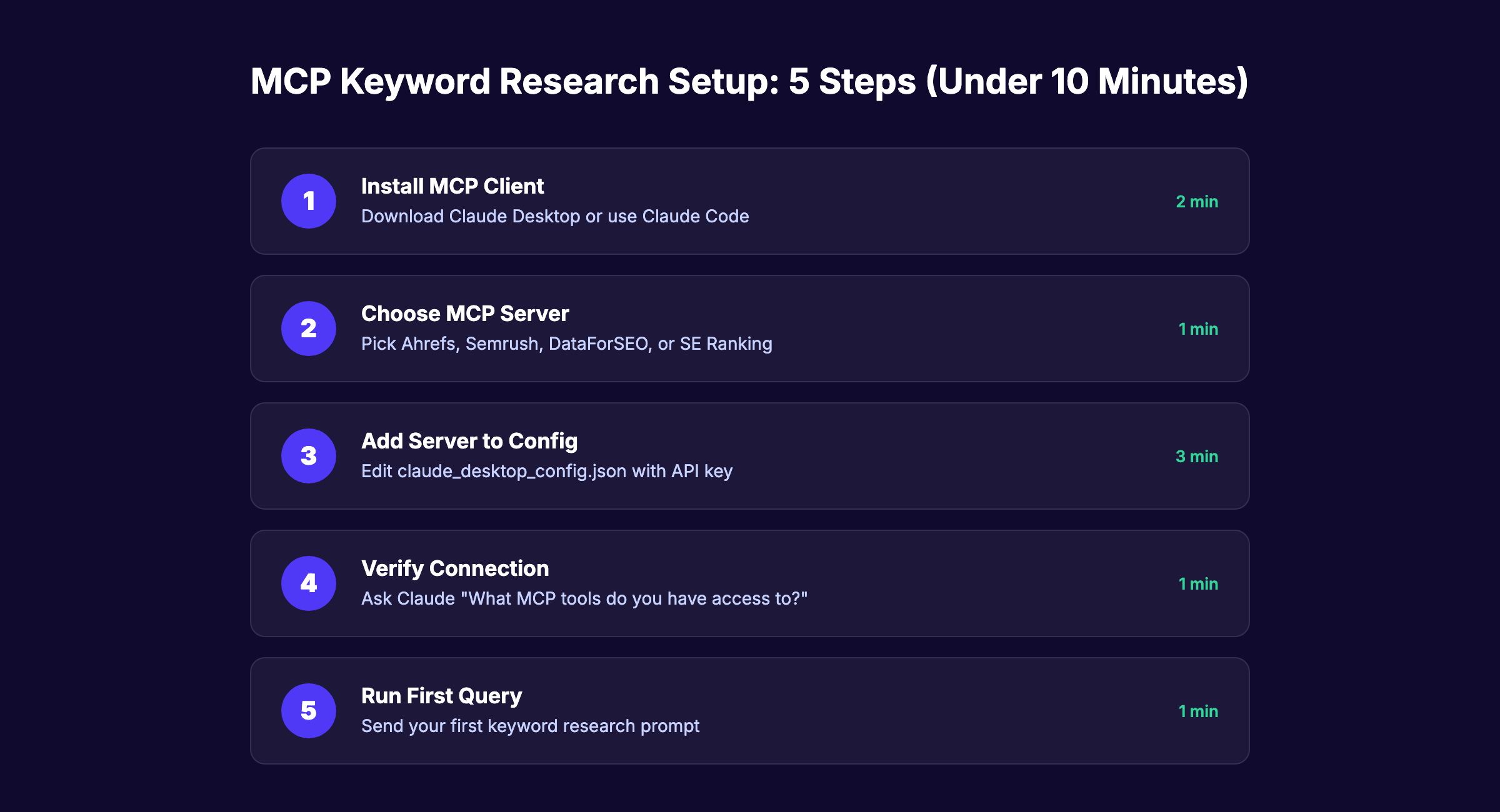
Setting up MCP does not require a developer. Most content teams can get running in under an hour. Here is the step-by-step process.
Step 1: Choose an MCP-Compatible AI Host
Your AI host is the application you interact with. The major options as of April 2026:
| Host | MCP Support | Best For |
|---|---|---|
| Claude Desktop | Full native support | Content teams already using Anthropic |
| ChatGPT (with MCP plugin) | Supported since March 2026 | Teams using OpenAI ecosystem |
| Cursor | Full support | Developer-adjacent content teams |
| Windsurf | Full support | Technical content operations |
Claude Desktop offers the most mature MCP implementation. That makes sense because Anthropic created the protocol.
Step 2: Identify Your Content Tool Servers
List every tool in your content workflow. Then check the official MCP servers repository for available servers.
Common content marketing servers:
- WordPress or Webflow (CMS publishing)
- Google Analytics 4 (traffic and behavior data)
- Google Search Console (keyword and indexing data)
- Notion or Google Drive (content briefs and style guides)
- Slack (team notifications and approvals)
- HubSpot or Salesforce (CRM data)
If your tool does not have an MCP server yet, check for community-built options. The ecosystem adds new servers weekly.
Step 3: Start Read-Only, Then Add Write Access
This is the most important step. Connect every server in read-only mode first.
Read-only access lets AI pull data from your tools without changing anything. You test workflows, validate outputs, and build trust before giving the AI write permissions.
Only enable write access after you have verified the AI produces accurate, brand-safe results. Always maintain human approval workflows for published content.
Step 4: Build Your First Content Workflow
Start with the highest-ROI workflow: automated content briefs.
- Connect your SEO data server (DataForSEO or Search Console)
- Connect your CMS server (WordPress, Webflow, or Ghost)
- Ask the AI to generate a content brief using live keyword data and your existing top articles
- Review the output and refine the prompt
- Save the prompt as a reusable template
Once this workflow runs smoothly, add performance monitoring and multi-channel publishing. Each new workflow builds on the same connected servers.
Teams that follow this approach mirror the autonomous SEO model. They build systems that run with minimal manual input.
Your content operations should run themselves. Stacc handles blog SEO, local SEO, and social media publishing for less than the cost of one freelance article per month. Start for $1 →
MCP Servers Every Content Marketer Should Know
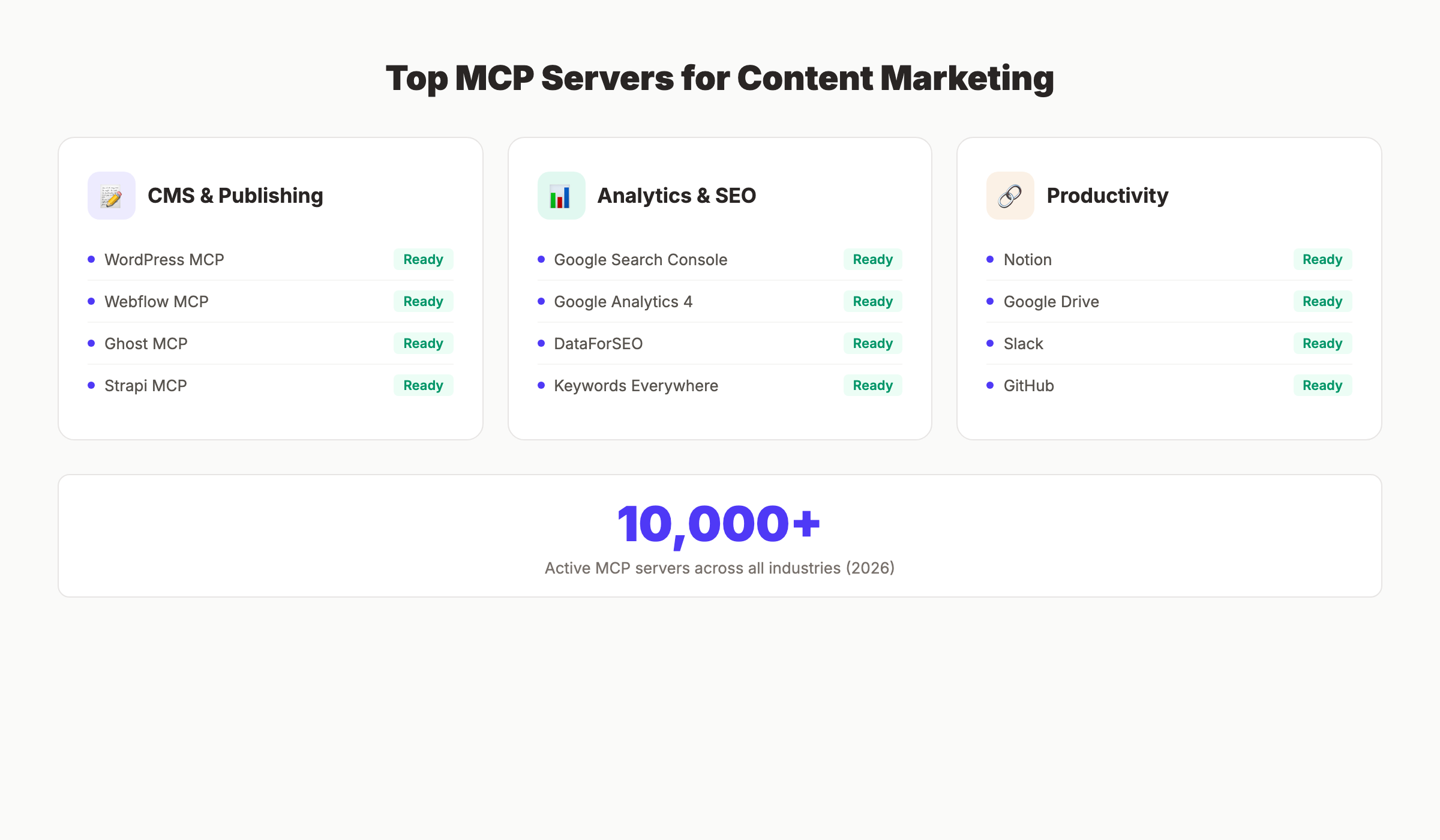
The MCP ecosystem grows fast. Over 200 server implementations exist as of early 2026. Here are the ones that matter most for content marketing.
CMS and Publishing Servers
| Server | What It Does | Status |
|---|---|---|
| WordPress MCP | Read/write posts, pages, media, categories | Production-ready |
| Webflow MCP | Content management and site updates | Production-ready |
| Ghost MCP | Post creation and content management | Community-built |
| Strapi MCP | Headless CMS content operations | Official |
These servers let AI draft, edit, and publish content directly in your CMS. For teams managing AI agents for WordPress content, the WordPress MCP server is essential.
Analytics and SEO Servers
| Server | What It Does | Status |
|---|---|---|
| Google Search Console MCP | Keyword data, indexing status, sitemaps | Community-built |
| Google Analytics 4 MCP | Traffic, behavior, conversion data | Community-built |
| DataForSEO MCP | SERP data, keyword research, backlinks | Official |
| Keywords Everywhere MCP | Keyword volume and difficulty data | Official |
These servers transform AI from a writing tool into an SEO automation tool. The AI can research, analyze, and recommend based on live search data.
Productivity and Collaboration Servers
| Server | What It Does | Status |
|---|---|---|
| Notion MCP | Access knowledge bases, style guides, briefs | Official |
| Google Drive MCP | Read documents, sheets, and files | Official |
| Slack MCP | Send notifications, get approvals | Official |
| GitHub MCP | Version control for content workflows | Official |
Connect Notion or Google Drive to give your AI access to brand guidelines, content templates, and editorial calendars. The AI writes more accurate first drafts when it can reference your actual style guide.
Limitations and Risks of MCP in Marketing
MCP is not a finished product. The protocol works. But the ecosystem around it is still maturing. Honest assessment matters more than hype here.
Security and Permissions
Every MCP server connection grants an AI model access to a business tool. That access must be controlled.
The biggest risk is over-permissioning. If your CMS server has write access, a poorly constructed prompt could publish unreviewed content. If your CRM server has write access, AI could modify customer records.
Mitigation steps:
- Start every server in read-only mode
- Require human approval before any write action
- Use separate API keys with limited scopes
- Audit server connections quarterly
- Restrict access to production environments
Ecosystem Maturity
Not every marketing tool has an MCP server yet. Major gaps exist in social media management (Buffer, Hootsuite, Sprout Social) and email marketing (Mailchimp, ActiveCampaign).
Community-built servers fill some gaps. But community servers may lack enterprise-grade reliability. Check update frequency and contributor activity before depending on any community server.
The protocol itself is stable. Server quality varies. Choose official servers when available.
AI Governance and Approval Workflows
MCP makes AI faster. Speed without governance is a liability.
Every content marketing team using MCP needs clear rules about what AI can do without approval and what requires human review. Content automation platforms with built-in approval workflows solve part of this problem.
At minimum, define these boundaries:
- AI can draft content (no approval needed)
- AI can suggest updates (human reviews before action)
- AI can publish content (only after explicit human approval)
- AI can access customer data (read-only, anonymized when possible)
The Future of MCP Content Marketing Automation
MCP is infrastructure. It does not disappear or get replaced by the next trend. The protocol layer becomes more valuable as more tools adopt it.
From Single-Agent to Multi-Agent Orchestration
Today, most MCP workflows involve one AI model connected to several tools. The next phase is multi-agent systems where specialized AI agents handle different parts of the content pipeline.
One agent researches keywords. Another writes drafts. A third optimizes for SEO. A fourth handles distribution. Each agent connects to its own set of MCP servers. An orchestrator coordinates the full pipeline.
This is what AI agent use cases in business look like at scale. MCP is the shared communication layer that makes it possible.
What 2026-2027 Looks Like
The MCP ecosystem will likely reach 50,000 or more servers by the end of 2026. Social media and email marketing tools will fill the current gaps. Enterprise adoption will accelerate as compliance and audit features mature.
For content marketing teams, MCP turns the stack from a collection of disconnected tools into a unified system that AI can operate end to end. The teams that adopt it now build compounding advantages in speed, quality, and consistency.
The Content Compound Effect applies here. Every workflow you automate with MCP frees time for higher-value strategy work. That time compounds into better content, stronger rankings, and more organic traffic over quarters and years.
Let your SEO run on autopilot while you focus on strategy. Stacc publishes blog content, local SEO posts, and social media, all for under $200 per month. Start for $1 →
Frequently Asked Questions
What does MCP stand for in content marketing?
MCP stands for Model Context Protocol. It is an open standard created by Anthropic that lets AI models connect to external tools and data sources. For content marketing, MCP allows AI to access your CMS, analytics, SEO tools, and CRM through a single standardized protocol instead of custom API integrations.
Is MCP free to use?
The protocol itself is free and open source. There are no licensing fees for MCP. Your costs come from the AI host application (Claude Pro, ChatGPT Plus) and any paid tools you connect via MCP servers. Most MCP servers are free to install and use.
Do I need coding skills to use MCP for content marketing?
No. Most MCP servers install through a configuration file or one-click setup. Claude Desktop and other MCP hosts provide visual interfaces for managing server connections. You do not need to write code unless you are building a custom MCP server for a proprietary tool.
How is MCP different from Zapier or Make?
Zapier and Make automate workflows between tools using triggers and actions you define manually. MCP gives AI models direct access to tools, letting the AI decide which actions to take based on your instructions. MCP workflows are conversational and adaptive. Zapier workflows are fixed and rule-based. They serve different purposes and can complement each other.
Which AI tools support MCP right now?
As of April 2026, Claude Desktop, ChatGPT, Cursor, Windsurf, and several other AI applications support MCP natively. The ecosystem grows monthly. Check the official MCP documentation for the current list of supported hosts.
Can MCP publish content automatically to my website?
Yes, but with appropriate safeguards. MCP servers for WordPress, Webflow, and Ghost support content publishing. Best practice is to require human approval before any content goes live. Set your CMS server to draft mode so AI creates posts that you review before publishing.
Content marketing is moving from tool-switching to AI-operated workflows. MCP is the protocol that makes the shift practical, secure, and scalable. Start with one read-only connection, build your first automated brief, and expand from there. The teams that build MCP workflows now will operate at a speed their competitors cannot match by the end of the year.
Written and published by Stacc. We publish 3,500+ articles per month across 70+ industries. All data verified against public sources as of March 2026.
