Learn how to do an SEO audit with this 10-step checklist. Covers crawlability, speed, on-page SEO, backlinks, and content gaps. Updated March 2026.
Most websites have SEO problems they do not know about. 96.55% of all pages get zero traffic from Google. That is not a content problem. It is a visibility problem hiding inside technical debt, thin pages, and broken links.
The cost of ignoring it adds up fast. Every month a site runs with crawl errors, duplicate titles, or slow pages is a month of lost rankings. Competitors who audit and fix these issues pull further ahead. The gap widens quietly, then becomes obvious when traffic drops.
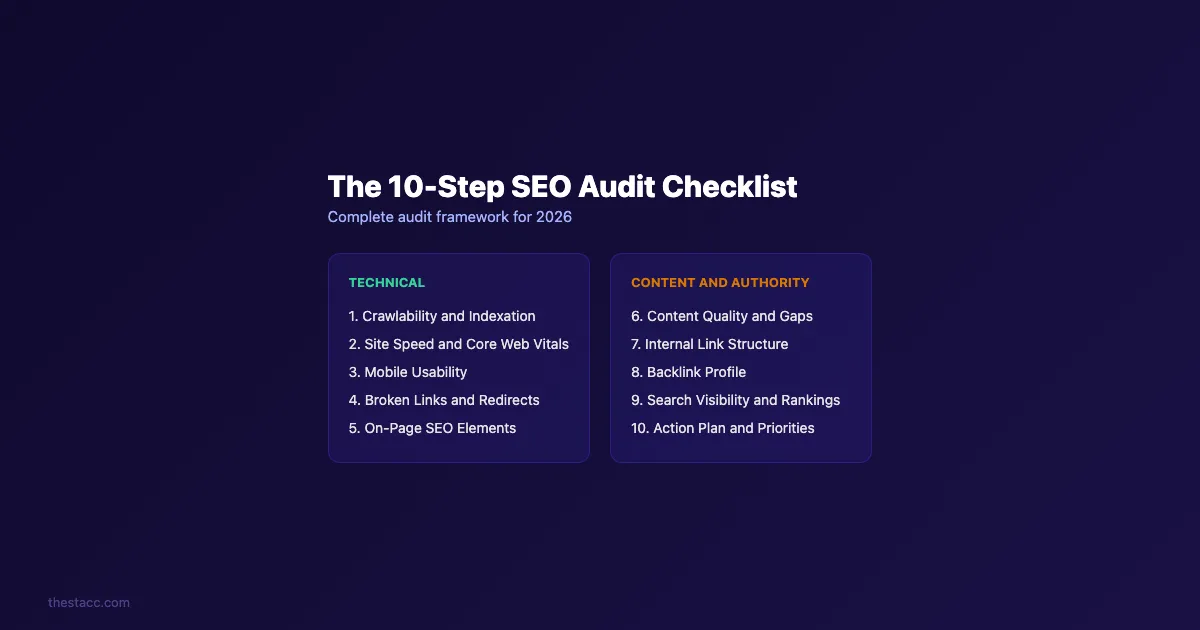
An SEO audit is the fix. It is a structured review of your site that uncovers what is broken, what is underperforming, and what to fix first. This guide walks through the exact 10-step process we use to audit sites across 70+ industries. We publish 3,500+ blogs and maintain a 92% average SEO score across all of them.
Here is what you will learn:
- How to check crawlability and indexation so Google can find your pages
- How to audit site speed, Core Web Vitals, and mobile usability
- How to find and fix broken links, redirect chains, and on-page issues
- How to evaluate content quality, internal links, and backlink health
- How to build a prioritized action plan from your audit findings
What You Need Before Starting
Time required: 2-4 hours for a full audit
Difficulty: Beginner to Intermediate
What you need:
- Google Search Console (free, required)
- Google Analytics 4 (free, required)
- A crawl tool: Screaming Frog (free up to 500 URLs), Semrush, or Ahrefs
- A spreadsheet for tracking issues and priorities
- Access to your free SEO audit report
| Tool | Cost | Best For |
|---|---|---|
| Google Search Console | Free | Indexation, crawl errors, search performance |
| Google Analytics 4 | Free | Traffic, user behavior, conversions |
| Screaming Frog | Free (500 URLs) | Full site crawls, technical issues |
| Semrush Site Audit | $139/mo | Automated audits, issue tracking |
| PageSpeed Insights | Free | Core Web Vitals, speed scores |
Step 1: Check Crawlability and Indexation
If Google cannot crawl your site, nothing else matters. This is the foundation of every SEO audit. Google's own crawling and indexing documentation confirms that crawl access is a prerequisite for ranking.
Start with Google Search Console. Open the "Pages" report under Indexing. This shows every URL Google knows about and why certain pages are not indexed. Common reasons include noindex tags, canonical conflicts, and crawl errors.
Run these checks:
- ✓ Verify your XML sitemap is submitted and error-free
- ✓ Check your robots.txt file for accidental blocks
- ✓ Search
site:yourdomain.comin Google to see indexed page count - ✓ Compare indexed pages to total pages on your site
- ✓ Look for "Crawled - currently not indexed" pages in Search Console
A big gap between your total pages and indexed pages signals a problem. If you have 500 pages but Google only indexes 200, you are losing 60% of your potential search visibility.
Check for duplicate site versions too. Your site should resolve to one version only. Test all 4 variations: http://, https://, www., and non-www. All should redirect to a single canonical version using 301 redirects.
Why this step matters: Pages that are not indexed cannot rank. Period. A site with crawl blocks is invisible to Google no matter how good the content is.
Pro tip: Use Screaming Frog to crawl your entire site. Filter by "Indexability" to see which pages Google can and cannot index. Export the list and cross-reference with Search Console data.
Step 2: Audit Site Speed and Core Web Vitals
Google uses Core Web Vitals as a ranking signal. Slow sites lose visitors and rankings. 88.5% of users leave a website because of slow loading speed.
Run every page through PageSpeed Insights. Focus on these 3 metrics:
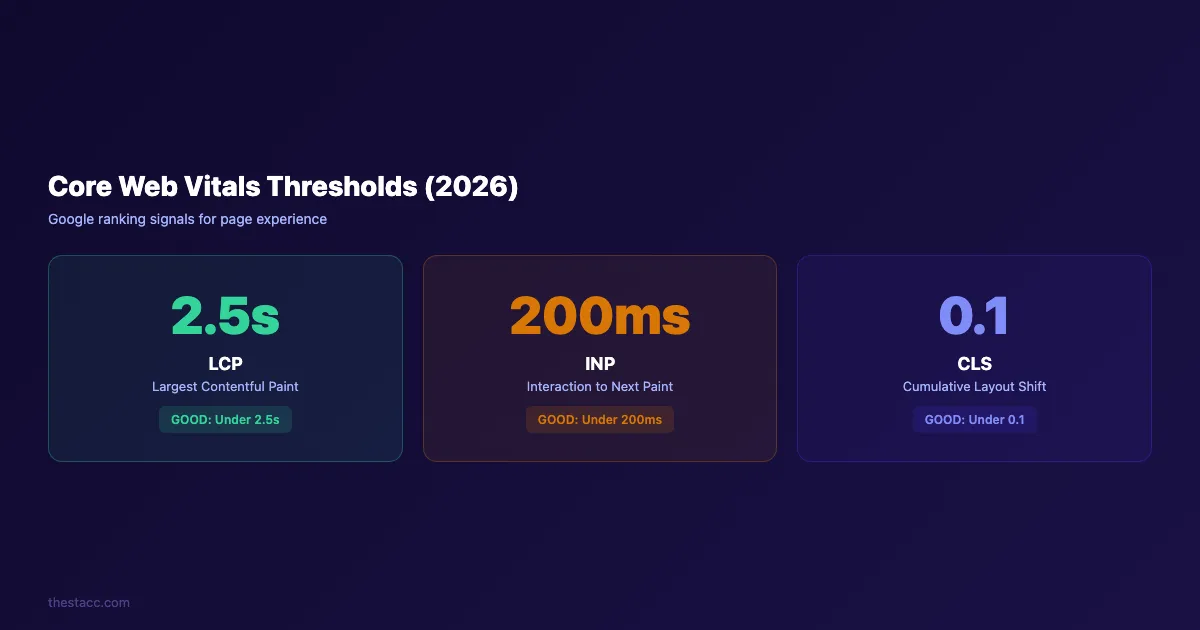
| Metric | Good | Needs Work | Poor |
|---|---|---|---|
| LCP (Largest Contentful Paint) | Under 2.5s | 2.5-4.0s | Over 4.0s |
| INP (Interaction to Next Paint) | Under 200ms | 200-500ms | Over 500ms |
| CLS (Cumulative Layout Shift) | Under 0.1 | 0.1-0.25 | Over 0.25 |
Common speed killers to check:
- ✓ Uncompressed images (switch to WebP or AVIF)
- ✓ Render-blocking JavaScript and CSS
- ✓ No browser caching headers
- ✓ Too many HTTP requests
- ✓ Missing lazy loading on below-the-fold images
- ✓ Large unminified CSS or JS files
Open Google Search Console and go to Core Web Vitals under "Experience." This report shows which pages pass or fail at scale. You do not need to test every page individually.
For a detailed walkthrough on fixing speed issues, read our guide on how to improve Core Web Vitals.
Why this step matters: Speed directly affects rankings and conversions. A 1-second delay in page load time reduces conversions by 7%. Mobile users are even less patient. If your site loads in 4+ seconds, you are losing both visitors and revenue.
Step 3: Verify Mobile Usability
Mobile accounts for over 62% of global web traffic. Google uses mobile-first indexing, meaning it ranks your site based on the mobile version. A desktop site that breaks on mobile will not rank well.
Check these mobile elements:
- ✓ Text is readable without zooming (minimum 16px font)
- ✓ Buttons and links have enough tap space (minimum 48px)
- ✓ No horizontal scrolling on any page
- ✓ Images resize correctly on smaller screens
- ✓ Pop-ups do not block the main content on mobile
- ✓ Forms are easy to fill on a phone
Use Google Search Console's "Mobile Usability" report for site-wide issues. For individual pages, open Chrome DevTools, toggle the device toolbar, and test at 375px width (iPhone SE size).
Pay attention to interactive elements. Menus should open and close cleanly. Accordions should expand without overlapping other content. If your navigation requires pinch-zooming, fix it immediately.
Why this step matters: Google indexes the mobile version of your site first. A poor mobile experience means lower rankings on both mobile and desktop search results. This is not optional.
Step 4: Find and Fix Broken Links and Redirect Chains
Broken links waste crawl budget and frustrate visitors. They also send a negative quality signal to Google. Every 404 error on your site is a dead end.
Run a full crawl with Screaming Frog or Semrush. Filter for:
- 404 errors (pages that no longer exist)
- Redirect chains (more than 1 redirect before reaching the final URL)
- Redirect loops (URLs that redirect in circles)
- Soft 404s (pages that return 200 but show error content)
An analysis of 11 million URLs found that 50% of redirect chains ended in errors. That means half your redirects may not be working.
Fix priorities:
| Issue | Fix | Priority |
|---|---|---|
| Internal 404s | Update or remove the link | High |
| External 404s | Remove or replace with working URL | Medium |
| Redirect chains (3+ hops) | Update to point directly to final URL | High |
| Redirect loops | Identify and break the cycle | Critical |
For a complete walkthrough, read our guide on how to fix broken links. If you need to set up proper redirects, check our 301 redirects guide.
Why this step matters: Google follows links to discover and rank pages. Broken links waste your crawl budget and prevent link equity from flowing through your site. Fixing them is one of the highest-ROI tasks in any audit.
Stop fixing SEO issues manually. theStacc publishes optimized content automatically, handles internal linking, and maintains SEO scores across every page.
Step 5: Review On-Page SEO Elements
On-page SEO is where most sites leave rankings on the table. Every page needs a unique title tag, meta description, and header structure.
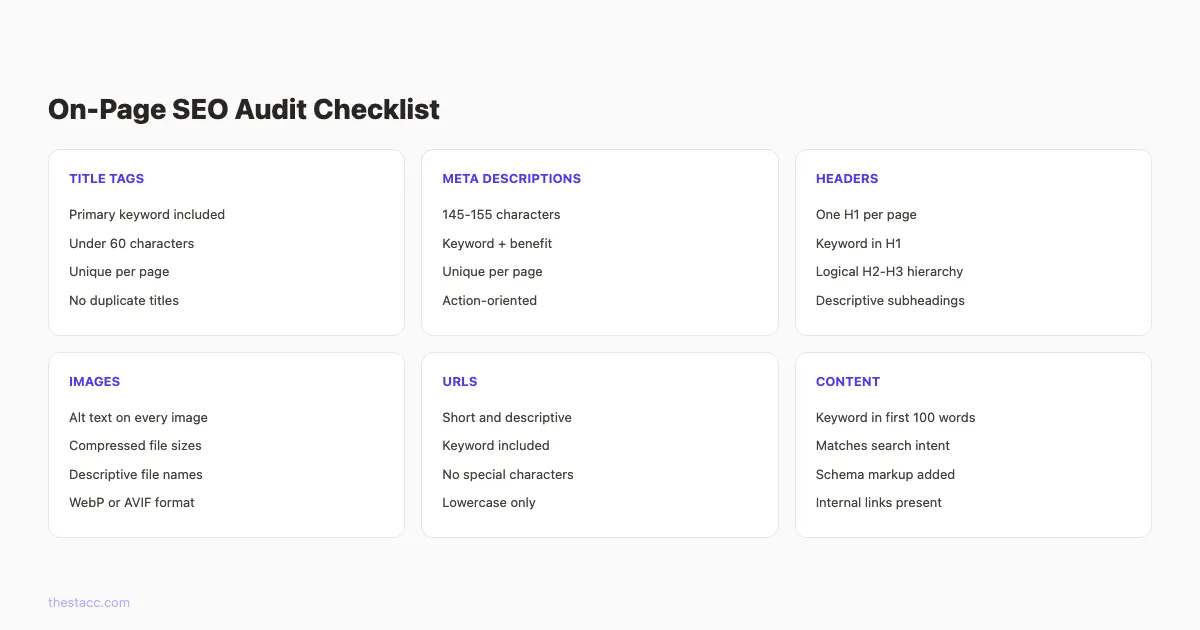
Title tags:
- ✓ Every page has a unique title tag
- ✓ Primary keyword appears in the title
- ✓ Title is under 60 characters
- ✓ No duplicate titles across the site
Meta descriptions:
- ✓ Every page has a unique meta description
- ✓ Descriptions are 145-155 characters
- ✓ Keyword and benefit are included
- ✓ No duplicate descriptions
Headers:
- ✓ One H1 per page (no more, no less)
- ✓ H1 includes the primary keyword
- ✓ Logical H2 and H3 hierarchy
- ✓ No skipped heading levels (H1 to H3 without H2)
Images:
- ✓ Every image has descriptive alt text
- ✓ File sizes are compressed
- ✓ File names are descriptive (not "IMG_2847.jpg")
Use Screaming Frog to export all title tags, meta descriptions, and H1s into a spreadsheet. Sort by "Duplicate" and "Missing" to find issues fast.
For a deeper dive into on-page optimization, read our complete on-page SEO guide.
Why this step matters: Title tags and meta descriptions are what searchers see in Google results. Missing or duplicate tags mean missed clicks. Proper header structure helps Google understand your content hierarchy and match it to the right queries.
Step 6: Analyze Content Quality and Gaps
Content audits reveal pages that hurt your site and opportunities you are missing. Not every page on your site deserves to stay.
Sort your pages into 4 buckets:
| Bucket | Criteria | Action |
|---|---|---|
| Keep | High traffic, good engagement | Monitor and update yearly |
| Improve | Ranking on page 2, thin content | Optimize for SEO |
| Merge | Multiple pages targeting same keyword | Consolidate into 1 stronger page |
| Remove | Zero traffic, outdated, low quality | Delete or noindex |
Pull your page data from Google Analytics 4 and Search Console. Look at organic sessions, average position, and bounce rate for each URL.
Check for these content issues:
- ✓ Thin pages (under 300 words with no unique value)
- ✓ Keyword cannibalization (multiple pages targeting the same keyword)
- ✓ Outdated content (stats or references older than 2 years)
- ✓ Missing E-E-A-T signals (no author, no sources, no expertise)
- ✓ Content that does not match search intent
Run proper keyword research for content gaps. Look at what competitors rank for that you do not. Tools like Semrush's "Keyword Gap" report make this simple.
For a full process, read our guide on how to do a content audit.
Why this step matters: Low-quality pages dilute your site authority. Google evaluates your entire site, not just individual pages. Removing or improving weak content lifts the performance of your strong pages.
Step 7: Audit Your Internal Link Structure
Internal links distribute authority across your site. They also help Google discover and understand your pages. Most sites underuse them.
Run these checks:
- ✓ Every important page receives at least 3 internal links
- ✓ No orphan pages (pages with zero internal links pointing to them)
- ✓ Anchor text is descriptive (not "click here" or "read more")
- ✓ Top-performing pages link to pages you want to rank higher
- ✓ Navigation links are consistent across the site
Use Screaming Frog's "Inlinks" report to find orphan pages. These are pages that exist on your site but have no internal links. Google may struggle to find and rank them.
Check your link depth too. Important pages should be reachable within 3 clicks from the homepage. If a key service page is buried 5 clicks deep, it receives less crawl priority and less authority.
Build a linking hierarchy:
- Homepage links to main category pages
- Category pages link to individual content pieces
- Related content links between each other
- Every blog post links to at least 2-3 related posts
For a complete internal linking strategy, including templates and best practices, read our dedicated guide.
Why this step matters: Internal links are the only linking factor you control completely. A strong internal link structure moves authority from high-performing pages to pages that need a boost. Sites with strategic internal linking consistently outrank those without it.
Step 8: Evaluate Your Backlink Profile
Backlinks remain one of Google's top 3 ranking factors. An audit of your backlink profile reveals toxic links, lost links, and opportunities to build more.
Check these backlink metrics:
- ✓ Total referring domains (more matters more than total links)
- ✓ Domain authority or domain rating trend
- ✓ Ratio of dofollow to nofollow links
- ✓ Anchor text distribution (should look natural, not over-optimized)
- ✓ Toxic or spammy link sources
Use Ahrefs, Semrush, or Moz to pull your backlink profile. Export the full list and look for patterns.
Red flags to watch for:
| Warning Sign | What It Means |
|---|---|
| Sudden spike in links | Possible spam or negative SEO |
| 90%+ exact-match anchors | Over-optimization penalty risk |
| Links from unrelated foreign sites | Low-quality link building |
| Lost links from high-authority sites | Declining link equity |
Compare your profile to your top 3 competitors. If they have 200 referring domains and you have 40, that gap explains most of your ranking difference.
For a detailed process, read our backlink audit guide.
Why this step matters: A weak or toxic backlink profile holds back every other SEO effort. You can have perfect on-page SEO and still not rank if competitors have 5 times more quality backlinks.
Consistent content builds backlinks naturally. When you publish 30 articles per month, other sites link to your content as a source. That is the Content Compound Effect in action.
Step 9: Check Search Visibility and Rankings
An SEO audit is not complete without understanding where you actually rank. Search visibility metrics show the real-world impact of every issue you have found.
Pull these reports from Google Search Console:
- ✓ Total impressions and clicks (last 3 months vs previous 3 months)
- ✓ Average position by page and query
- ✓ Click-through rate by position
- ✓ Pages with impressions but zero clicks (title or description issues)
- ✓ Queries where you rank on positions 4-20 (quick win opportunities)
Pay attention to pages ranking between positions 4 and 10. These are on the edge of page 1. Small improvements in on-page SEO or internal linking can push them up 2-3 spots, which doubles or triples their click-through rate.
Check your organic CTR by position against industry benchmarks. Position 1 averages 27.6% CTR. Position 3 averages 11%. If your page ranks at position 2 but gets only 5% CTR, your title tag or meta description needs work.
Look at trending data too. A gradual decline in impressions signals that competitors are outranking you or that Google has changed how it interprets the query. A sudden drop often means an algorithm update or a technical issue.
Why this step matters: Rankings data connects every other audit step to actual business outcomes. Without tracking visibility, you are fixing issues blindly. This step tells you which fixes will have the biggest traffic impact.
Step 10: Build Your Prioritized Action Plan
Every audit generates a long list of issues. The difference between a useful audit and a wasted one is prioritization. Fix the wrong things first and you burn time. Fix the right things and traffic grows within weeks.
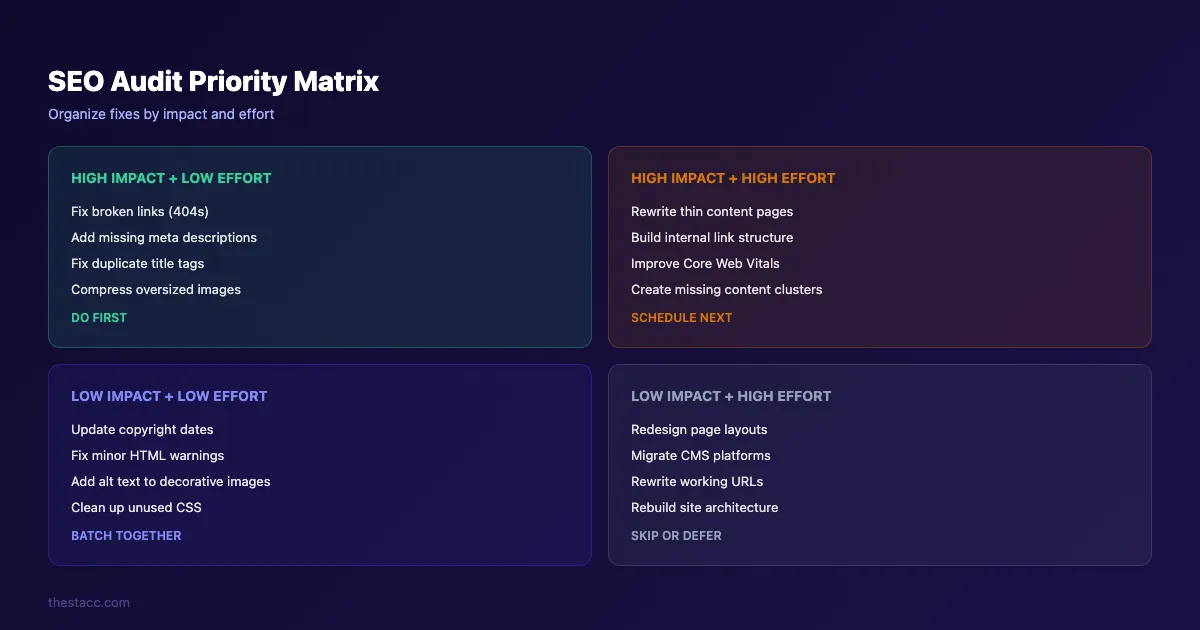
Organize every issue into 4 categories:
- High impact + Low effort: Fix these first. Broken links, missing meta descriptions, duplicate titles, image compression. These take minutes and show results fast.
- High impact + High effort: Schedule these next. Content rewrites, Core Web Vitals improvements, internal link restructuring. These move the needle but need time.
- Low impact + Low effort: Batch these together. Minor HTML fixes, decorative image alt text, copyright dates.
- Low impact + High effort: Skip or defer. CMS migrations, complete URL restructures, full redesigns. Only do these if nothing else works.
Build your audit spreadsheet with these columns:
| Issue | Page URL | Category | Priority | Estimated Effort | Status |
|---|---|---|---|---|---|
| Missing meta description | /services | On-Page | High | 5 min | Open |
| LCP over 4s | /blog/guide | Speed | High | 2 hrs | Open |
| Orphan page | /old-landing | Links | Medium | 15 min | Open |
Set deadlines. Assign owners if you have a team. Review progress weekly. Rerun the full audit quarterly to catch new issues.
Why this step matters: An audit without an action plan is just a report that collects dust. Prioritization turns data into traffic gains. The sites that grow fastest audit regularly and execute systematically.
Results: What to Expect
After completing all 10 steps, here is a realistic timeline:
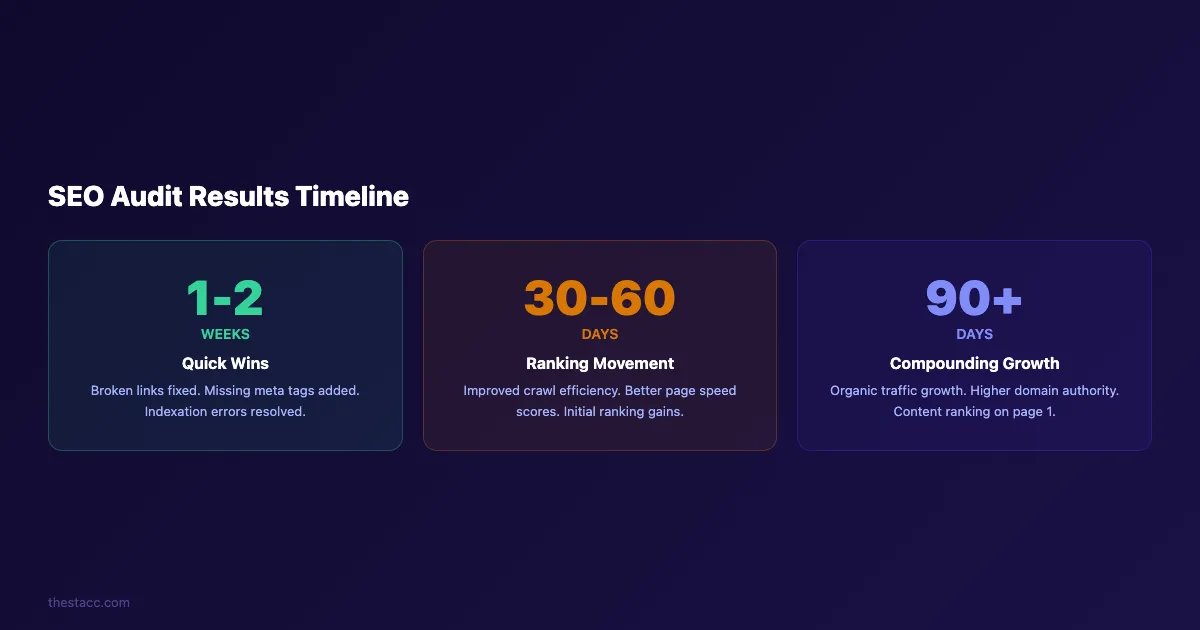
- Week 1-2: Quick wins implemented. Broken links fixed, meta tags updated, crawl errors resolved.
- Day 30-60: Ranking movement begins. Improved page speed and crawl efficiency start affecting positions.
- Day 90+: Compounding growth. Content improvements, better internal linking, and earned backlinks produce sustained organic traffic increases.
Do not expect overnight results. Google recrawls pages on its own schedule. But sites that complete a full audit and execute the action plan typically see measurable improvements within 60-90 days.
Run the audit again every quarter. SEO is not a one-time fix. Google makes 500+ algorithm updates per year. Your competitors publish new content daily. Regular audits keep your site ahead.
What practitioners are saying on X
Content operations advice ages quickly. Here is high-signal operator discussion on X about quality, refresh, and systems.
- @jakezward (Feb 2026): 2026 SEO predictions emphasize AI Overview share-of-SERP, schema for LLM token efficiency, brand mentions in AI answers as a KPI, proprietary data as a moat, and content refresh beating net-new AI slop. See the post on X.
- @varunram (Jul 2026): Critique of GEO slopfarm products that combine SEO clickbait with unresearched content marketing — quality and research still separate winners from farms. See the post on X.
- @HlynurStefDev (Jul 2026): Public case: niche site traffic jumped from ~18 to 4,162 Google visits/month after focused technical/on-page SEO work (GSC screenshots claimed) — reminds that fundamentals still move numbers. See the post on X.
Grok, AI Overviews, and multi-engine visibility
For “how to do seo audit”, multi-engine visibility still starts with clear definitions, sourced numbers, and extractable section answers. Grok additionally factors live X discussion — keep public claims consistent with this page.
- Google AI Overviews: Use passage-ready answers, tables, and FAQ schema where relevant.
- ChatGPT / Perplexity: Cite named sources next to key claims.
- Grok: Maintain accurate entity facts on-site and in high-signal X posts.
Publish content built for Google and AI citations. theStacc’s Content SEO module ships SEO-scored articles structured for rankings and generative engines — including clearer entity pages models like Grok can quote.
Frequently Asked Questions
A basic audit takes 2-4 hours for a site with under 500 pages. Enterprise sites with thousands of pages may take 1-2 full days. The time depends on how many tools you use and how deep you go into each step.
Quarterly for most sites. Monthly for e-commerce sites, news sites, or sites publishing more than 20 pages per month. Run an immediate audit after any major Google algorithm update or site migration.
Yes. Google Search Console, Google Analytics 4, PageSpeed Insights, and the free version of Screaming Frog (500 URL limit) cover the basics. Use our free SEO audit tool for an instant site health check. Paid tools like Semrush and Ahrefs add depth but are not required for a solid audit.
Crawlability and indexation. If Google cannot access your pages, nothing else matters. Start with Step 1 every time. After that, prioritize based on the biggest gaps between your site and competitors.
A technical audit covers crawlability, speed, mobile usability, and site architecture (Steps 1-4 in this guide). A full SEO audit adds content quality, on-page SEO, backlinks, and search visibility (Steps 5-10). Both matter, but a full audit gives you the complete picture. 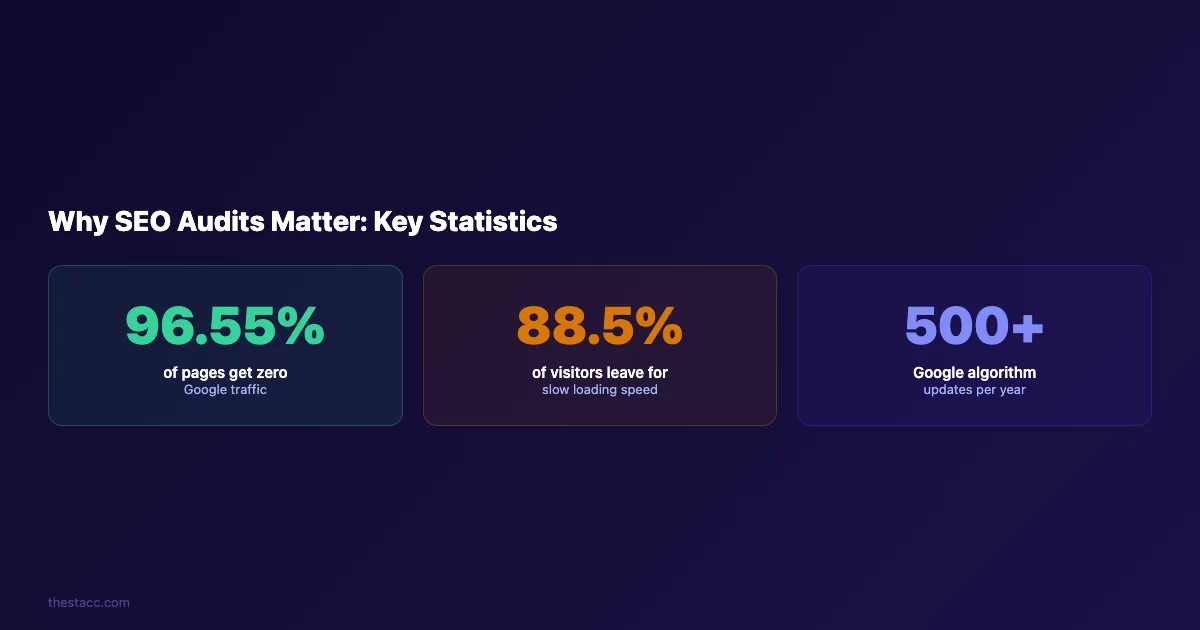
An SEO audit is not a one-time project. It is a recurring process that keeps your site competitive. Start with Step 1 today, work through all 10 steps, and build the habit of auditing quarterly.
The sites that rank highest are not the ones with the best content alone. They are the ones that find and fix problems before their competitors do.
Let theStacc handle the ongoing SEO work. We publish optimized content, manage internal links, and maintain SEO health across every page. Articles published for you, starting at $99.
Related Tools & Resources
Free SEO Tools:
Best Lists:
Sources & references
- [1] Princeton / Georgia Tech et al. — GEO research (arXiv:2311.09735)
- [2] @hridoyreh on X — Widely shared SEO skill tree: foundations, research, technical, on-page, content, links, AI SEO/GEO, analytics, UX, bran
- [3] @jakezward on X — 2026 SEO predictions emphasize AI Overview share-of-SERP, schema for LLM token efficiency, brand mentions in AI answers
- [4] Referenced source — ahrefs.com

Plan topics, review article drafts, and publish to a connected CMS.
Weekly local SEO teardowns
One practical email a week. Map Pack, GBP, AI Overviews — no fluff. Unsubscribe anytime.
Explore this topic: SEO Audit · Top 10 Best SEO Audit Tools (2026).