How to handle fake Google reviews: flag them against a specific policy, write a factual public reply, escalate to Google support, and when to go legal.
You handle a fake Google review in three steps: flag it in your Google Business Profile against a specific policy violation, post a short factual public reply while the flag is pending, and escalate through Google Business Profile support if the review survives. Legal action is a last resort, not a first move.
Fake Google reviews cost real money. Each additional star rating increases local business revenue by 5-9%. A fake 1-star review that drops your average from 4.8 to 4.5 can cost thousands in lost customers. Google removed 240 million policy-violating reviews in 2024. That is a 40% increase over 2023. The problem is growing.
Most business owners do not know how to handle fake Google reviews. They either ignore them (which damages rankings and trust) or respond emotionally (which makes things worse). Neither approach removes the review or protects the business.
We have helped businesses across 70+ industries manage their online reputation. This guide walks through the exact 7-step process to identify, report, respond to, and remove fake Google reviews.
Here is what you will learn:
- How to identify whether a review is actually fake
- The exact process to report fake reviews to Google
- How to respond publicly without making the situation worse
- Escalation options when Google does not remove the review
- Legal remedies available for defamatory fake reviews
- How to build a review strategy that buries fake reviews with real ones
Step 1: Identify Whether the Review Is Actually Fake
Not every negative review is fake. Before reporting, confirm that the review violates Google's review policies. Google removes reviews that violate policy. Google does not remove reviews just because they are negative.
Signs of a Fake Review
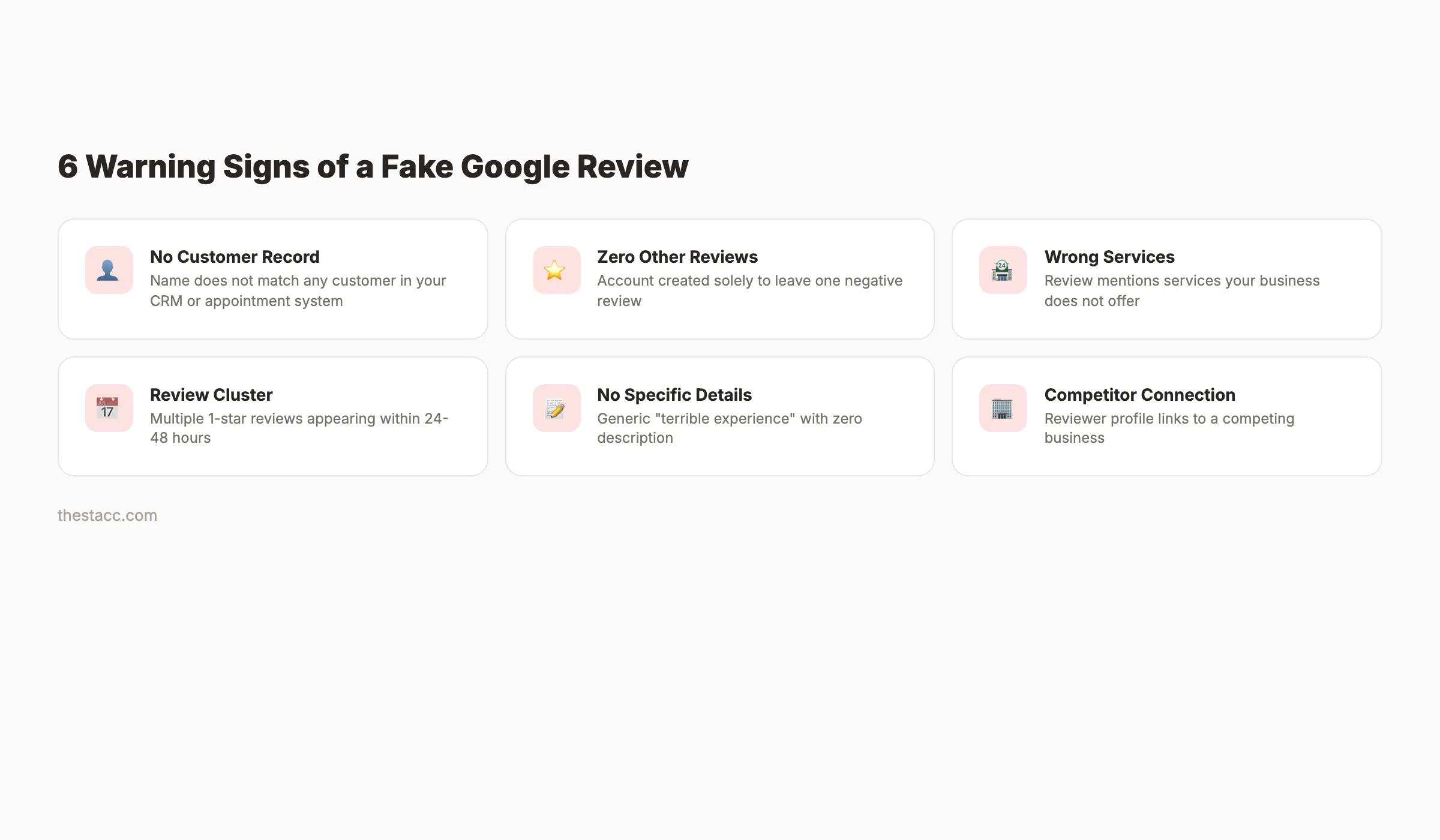
- No record of the reviewer as a customer. Check your CRM, appointment system, and transaction records. If the name does not match any customer, the review may be fake.
- The reviewer has zero or few other reviews. Accounts created solely to leave one negative review are a red flag.
- The review mentions services you do not offer. A dental office receiving a review about "terrible food" is clearly fake or posted to the wrong business.
- Multiple negative reviews appear at the same time. A cluster of 1-star reviews within 24-48 hours suggests a coordinated attack, often from a competitor.
- The review contains no specific details. "Terrible experience. Would not recommend." with no description of what happened is common in fake reviews.
- The reviewer is a known competitor or disgruntled employee. Check if the reviewer's profile links to a competing business.
What Does Not Count as Fake
- A real customer leaving a negative review because they had a bad experience
- A customer who exaggerates their complaint
- A review with factual errors about your business (unless it is clearly not your customer)
Google will not remove a genuine negative review, even if you disagree with it. Save your reporting efforts for reviews that actually violate policy. For strategies to get more legitimate positive reviews, read our guide on how to get more Google reviews.
Why this step matters: Reporting legitimate negative reviews as fake wastes time and can flag your account to Google for abuse of the reporting system.
Step 2: Flag the Review Through Google Business Profile
Once you confirm a review is fake, report it directly through your Google Business Profile.
How to Flag a Review
- Sign in to your Google Business Profile at business.google.com
- Find the review you want to report
- Click the 3-dot menu next to the review
- Select "Report review"
- Choose the reason that best matches the violation:
- Off-topic (review is not about your business)
- Spam (fake or promotional content)
- Conflict of interest (competitor or employee)
- Profanity (contains offensive language)
- Bullying or harassment
- Discrimination or hate speech
- Personal information (contains private data)
- Submit the report
What Happens After Flagging
Google reviews reports manually. Response times range from 3 days to 3 weeks. Google does not notify you of the outcome in most cases. The review either disappears or stays. Check back in 7-14 days.
You can flag a review only once from your GBP dashboard. Multiple flags from the same account do not speed up the process and may be flagged as spam.
Why this step matters: Flagging is the fastest official removal method. Most fake reviews that clearly violate policy get removed within 1-2 weeks through this process.
Step 3: Respond to the Fake Review Publicly
While waiting for Google to process your report, respond to the review publicly. This response is not for the fake reviewer. It is for every potential customer who reads it.
How to Respond to a Fake Review
Do:
- Stay professional and calm
- State that you cannot find any record of them as a customer
- Invite them to contact you directly to resolve the issue
- Keep the response under 100 words
Do not:
- Accuse the reviewer of lying (even if they are)
- Get emotional or defensive
- Share any customer information
- Threaten legal action publicly
Response Template for Fake Reviews
"Thank you for your feedback. We take all reviews seriously. We have searched our records and cannot find any appointment or transaction under this name. If you are a customer, please contact us at [phone/email] so we can look into this further and resolve your concern."
This response accomplishes 3 things:
- It signals to potential customers that you take feedback seriously
- It subtly flags the review as potentially fake without making accusations
- It gives the fake reviewer no ammunition to escalate
Use our review response generator to craft professional responses quickly.
Why this step matters: 82% of consumers have read a fake review in the past year, and 74% cannot always distinguish real from fake. A professional response to a fake review builds trust even if the review remains visible.
Rank everywhere. Do nothing. theStacc handles Blog SEO, Local SEO, and Social Media on autopilot. Build a reputation that buries fake reviews.
Step 4: Escalate Through Google Business Profile Support
If Google does not remove the review within 2 weeks of flagging, escalate through official support channels.
Google Business Profile Support Options
| Channel | How to Access | Response Time | Best For |
|---|---|---|---|
| GBP Help Community | support.google.com/business/community | 1-3 days | Getting Google Product Experts to review |
| GBP Support Chat | Through GBP dashboard > Support | Minutes to hours | Real-time assistance |
| GBP Support Phone | Through GBP dashboard > Support > Call | Minutes | Complex cases needing explanation |
| Google Reviews Management Tool | business.google.com > Reviews > Manage | Varies | Batch reporting multiple reviews |
How to Escalate Effectively
When contacting support, provide:
- Your business name and GBP listing URL
- The specific review URL (right-click the review timestamp to copy the link)
- The policy violation (be specific: "spam," "conflict of interest," "off-topic")
- Evidence that the reviewer is not a customer (CRM records, appointment logs)
- Any patterns (multiple fake reviews from similar accounts, competitor connection)
Be factual. Be specific. Do not rant. Support agents process hundreds of requests daily. Clear, evidence-based reports get resolved faster than emotional complaints.
Why this step matters: Many fake reviews that survive initial flagging get removed after human review through support channels. The escalation adds a second layer of evaluation.
Step 5: Document Everything for Legal Action
If Google does not remove the review after escalation, and the review contains defamatory statements, document everything for potential legal action.
What to Document
- ✓ Screenshot of the review with timestamp
- ✓ The reviewer's Google profile (name, photo, other reviews)
- ✓ Your CRM/appointment records showing no matching customer
- ✓ Any evidence linking the review to a competitor or known individual
- ✓ Timeline of your reporting and escalation attempts
- ✓ The review's impact on your business (lost customers, revenue decline)
Legal Options
Important legal context: The FTC's 2024 rule on fake reviews makes creating, selling, or buying fake reviews punishable by civil penalties up to $53,088 per violation. The FTC issued its first warning letters to 10 companies in December 2025. This gives businesses legal backing when pursuing fake reviewers.
Cease and desist letter: A lawyer sends a formal letter demanding the reviewer remove the defamatory content. Cost: $500-$2,000. This works when the reviewer is identifiable and the statements are provably false.
Defamation lawsuit: For reviews that contain demonstrably false statements of fact (not opinions) that cause measurable financial harm. Cost: $5,000-$50,000+. This is a last resort for serious cases where the fake review causes significant damage.
Court order for removal: A court can order Google to remove a review if it is found to be defamatory. Google complies with valid court orders. Cost: Included in the lawsuit.
Important distinction: Opinions are protected speech. "I did not like the service" is an opinion. "This dentist uses expired anesthetics" is a statement of fact. Only false statements of fact qualify as defamation. Consult a lawyer before pursuing legal action.
Why this step matters: Legal documentation protects your options. Even if you never file a lawsuit, having organized evidence strengthens future escalation attempts with Google.
Step 6: Bury Fake Reviews With Real Ones
The fastest way to reduce the impact of fake reviews is to generate a steady flow of real positive reviews. A business with 5 reviews and 1 fake 1-star has a 4.2 average. A business with 200 reviews and 1 fake 1-star has a 4.9 average.
How to Generate More Real Reviews
- Ask every satisfied customer. After a completed service, ask in person: "Would you mind leaving us a Google review?" In-person requests convert at 70%+.
- Send a follow-up text or email. Include a direct link to your Google review page. Make leaving a review a 2-tap process.
- Use a QR code. Print a QR code on receipts, table tents, or business cards linking directly to your review page.
- Respond to every review. Businesses that respond to reviews get 35% more reviews than those that do not.
- Time your asks. Ask immediately after a positive interaction, not 2 weeks later.
A review velocity of 10-20 new reviews per month dilutes any fake review within weeks. For a detailed review strategy, read our complete guide on getting more Google reviews.
For tools to manage reviews at scale, see our review management tools guide.
Why this step matters: You cannot control whether Google removes a fake review. You can control how many real reviews surround it. Volume is the best defense.
Your SEO team. $99 per month. Blog SEO + Local SEO + Social Media. Build the online presence that makes fake reviews irrelevant.
Step 7: Set Up Ongoing Monitoring
Fake reviews can appear at any time. A one-time cleanup is not enough. Set up monitoring so you catch new fake reviews within 24 hours.
Monitoring Methods
| Method | Cost | Alert Speed |
|---|---|---|
| Google Business Profile notifications | Free | Within hours |
| Google Alerts for your business name | Free | Daily digest |
| Review management software | $20-$100/mo | Real-time |
| Manual GBP check | Free | When you remember (unreliable) |
What to Monitor
- New reviews on Google Business Profile
- New reviews on Yelp, Facebook, and industry-specific platforms
- Mentions of your business name across the web
- Competitor review patterns (fake positive reviews on their listing)
Enable GBP email notifications for new reviews. Check your GBP dashboard daily during the first week after discovering fake reviews. Switch to weekly checks once the situation stabilizes.
For full GBP management, see our guide to GBP management tools.
Why this step matters: The faster you catch a fake review, the faster you can respond and report. A fake review sitting unanswered for 30 days causes 30 days of damage.
What Google Actually Removes (and What It Does Not)
Understanding Google's removal criteria saves time and frustration.
Google Removes These
- Reviews from people who were never customers (if you can demonstrate this)
- Reviews for the wrong business (clearly about a different company)
- Reviews containing profanity, hate speech, or harassment
- Reviews that are clearly spam (promotional content, links)
- Reviews from competitors (if the connection is provable)
- Reviews containing personal information (phone numbers, addresses)
Google Does Not Remove These
- Negative reviews from real customers, even if unfair or inaccurate
- Reviews based on opinions ("terrible service," "overpriced")
- Old reviews (there is no expiration date for Google reviews)
- Reviews you simply disagree with
The gap between what business owners want removed and what Google actually removes is wide. Focus your energy on reviews that clearly violate policy. Invest the rest of your time in generating real positive reviews.
Reviews are a critical local SEO ranking factor. Businesses with higher review counts and ratings rank higher in the local map pack. Protecting your reviews protects your rankings.
What practitioners are saying on X
AI search advice ages quickly. Here is high-signal public discussion from SEO and growth operators — context for your roadmap, not a substitute for primary data.
- @noelcetaSEO (Sep 2025): Local SEO playbook still centers complete GBP, NAP consistency, quality citations, local keywords, location content, review velocity, and local links. See the post on X.
- @irentdumpsters (Jan 2026): Most businesses have a GBP; few fully optimize every ranking-relevant section for Map Pack visibility. See the post on X.
- @EldarCohenSEO (Jul 2026): 2026 WhiteSpark-oriented reminder: primary Google Business category is a top Map Pack ranking factor — wrong primary category can erase visibility for money queries. See the post on X.
Grok, AI Overviews, and multi-engine visibility
Local topics like “handle fake google reviews” get cited when GBP, NAP, reviews, and service-area steps are concrete. Grok mixes those web facts with Map Pack operator advice circulating on X.
- Google AI Overviews: Use passage-ready answers, tables, and FAQ schema where relevant.
- ChatGPT / Perplexity: Cite named sources next to key claims.
- Grok: Maintain accurate entity facts on-site and in high-signal X posts.
Rank higher in the Map Pack without a full-time local SEO hire. theStacc’s Local SEO module handles daily GBP posts, review reply workflows, and local visibility tracking — built for service businesses that need calls, not vanity rankings.
FAQ
Yes. Google uses automated systems to detect and remove spam reviews. Google removed 240 million policy-violating reviews in 2024 and took down 12 million fake Business Profiles. But automated systems miss many fake reviews, especially those written by real people (paid reviewers, competitors, disgruntled individuals). Manual reporting through GBP catches what automation misses.
Flagged reviews typically take 3-14 days for initial review. Escalated reports through GBP support take 1-3 weeks. Some reviews never get removed despite clearly violating policy. The timeline varies based on how clearly the review violates Google's terms and how strong your evidence is.
You can sue for defamation if the review contains false statements of fact that cause financial harm. Opinions are protected speech and cannot be grounds for a lawsuit. Consult a lawyer to evaluate whether your case qualifies. Legal action typically costs $5,000-$50,000+.
Yes. Always respond professionally. Your response is for future customers, not the fake reviewer. A calm, professional response that notes you have no record of the reviewer as a customer builds trust with anyone reading. Never accuse the reviewer of lying publicly.
You cannot prevent fake reviews entirely. You can minimize their impact by maintaining a high volume of real reviews (100+ minimum), responding to every review within 24 hours, monitoring your GBP listing daily, and reporting violations immediately. Review velocity is your best defense.
Yes. Google uses review count, rating average, and review velocity as local ranking factors. Fake negative reviews lower your average rating, which can reduce your visibility in local map pack results. Removing fake reviews and generating real positive reviews directly improves your local rankings.
3,500+ blogs published. Every article is SEO-scored before publish. Build the content and reputation that makes your business unfindable by fake reviewers and found by real customers.
Fake Google reviews are a reality of doing business online. You cannot prevent them. You can identify them, report them, respond professionally, and bury them under a mountain of real positive reviews. The businesses that treat review management as an ongoing process, not a one-time fix, protect both their reputation and their search rankings.
Related Tools & Resources
Free SEO Tools:
Best Lists:
Sources & references
- [1] Princeton / Georgia Tech et al. — GEO research (arXiv:2311.09735)
- [2] @noelcetaSEO on X — Local SEO playbook still centers complete GBP, NAP consistency, quality citations, local keywords, location content, rev
- [3] @irentdumpsters on X — Most businesses have a GBP; few fully optimize every ranking-relevant section for Map Pack visibility.
- [4] @EldarCohenSEO on X — 2026 WhiteSpark-oriented reminder: primary Google Business category is a top Map Pack ranking factor — wrong primary cat
- [5] Referenced source — wiserreview.com

Manage Google Business Profile posts, review replies, and local rank tracking.
Weekly local SEO teardowns
One practical email a week. Map Pack, GBP, AI Overviews — no fluff. Unsubscribe anytime.