
10 Best Free SEO Tools in 2026 (Tested by Our Team)
We tested 10 free SEO tools and ranked them by data quality, feature depth, and real limitations. See which free tools are worth your time. Updated March 2026.
Expert Verified. Written by Stacc Editorial Team. 10 free SEO tools tested for data accuracy, feature depth, and practical limitations. Pricing verified March 2026. We publish 3,500+ blog posts per month across 70+ industries and use free tools alongside paid ones daily.
Quick Picks:
- Best near-free option: theStacc. Full SEO autopilot starting at $1 trial, then $99/mo for 30 published articles
- Best for search performance data: Google Search Console. First-party click and impression data straight from Google
- Best free keyword tool: Google Keyword Planner. Direct search volume data at zero cost
- Best free WordPress plugin: Rank Math. On-page optimization with 5 focus keywords per post, free forever
- Best for technical audits: Screaming Frog. Crawls up to 500 URLs free with no time limit
- Best for content ideas: AnswerThePublic. Visualizes real questions people type into Google
How We Tested These Free SEO Tools
Most “best free SEO tools” lists include tools that are not actually free. A 14-day trial is not a free tool. A freemium plan with 1 search per day is barely usable. We drew a clear line.
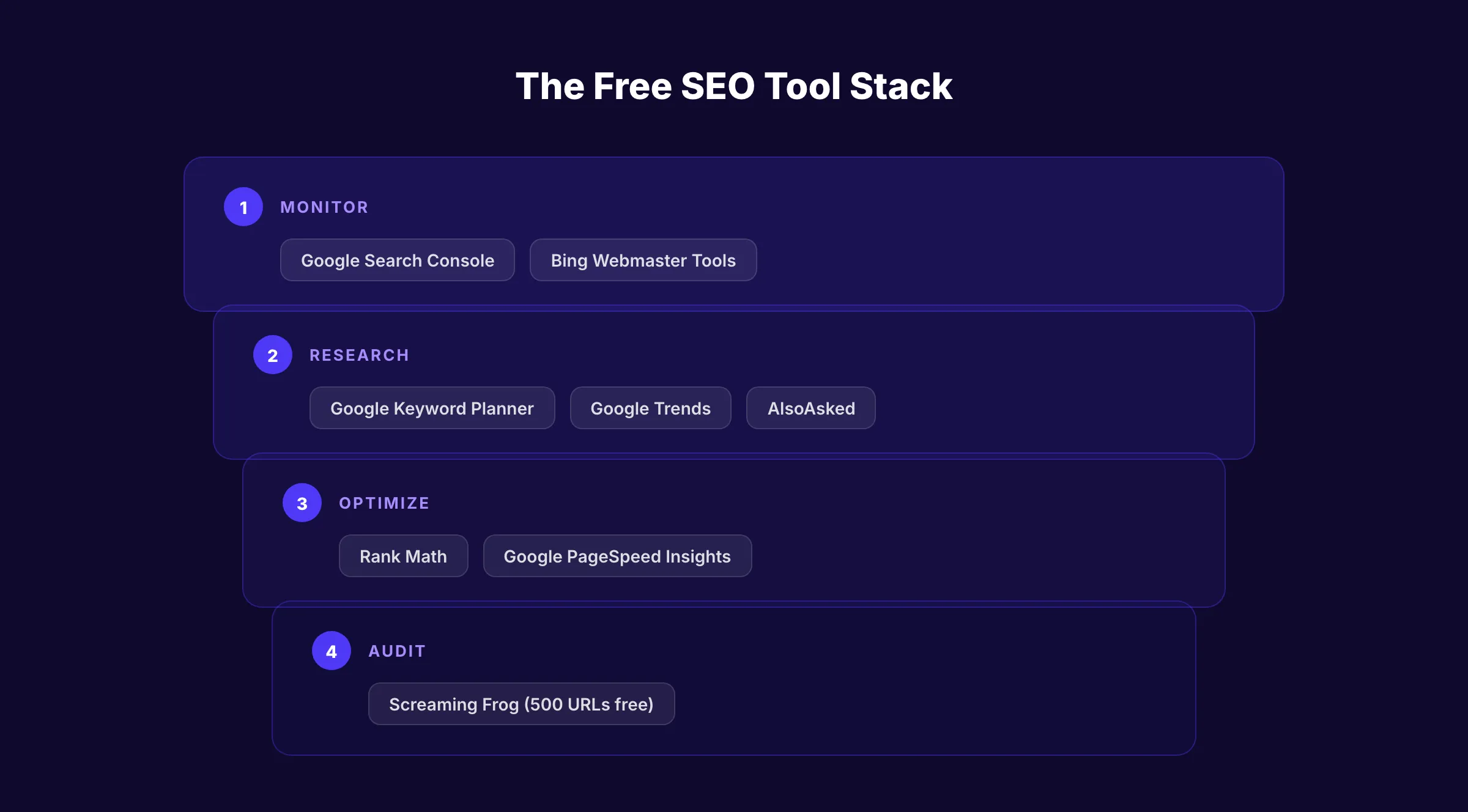
Every tool on this list offers a genuinely usable free tier with no expiration date. We tested each tool across 3 real websites in different industries. We measured data accuracy, daily usage limits, and where each tool breaks down.
We evaluated on 4 criteria: data quality, daily usability within free limits, learning curve, and output value. Below is our honest breakdown of 10 tools. Every feature and limitation was verified in March 2026.
What We Evaluated
| Criteria | What We Measured | Why It Matters |
|---|---|---|
| Data Quality | Accuracy of keyword volumes, rankings, and audit findings | Bad data leads to bad SEO decisions |
| Daily Usability | Number of searches, crawls, or reports available per day on the free plan | A tool you can only use once per day is not useful |
| Learning Curve | Time from signup to first actionable insight | Small teams cannot spend hours learning a new interface |
| Output Value | Whether the free tier produces results you can act on immediately | Data without actionable next steps wastes your time |
All 10 Tools Compared
| Tool | Best For | Price | Daily Free Limit | Key Strength |
|---|---|---|---|---|
| Google Search Console | Search performance data | Free | Unlimited | First-party Google data |
| Google Keyword Planner | Keyword research | Free | Unlimited (with Google Ads account) | Direct search volume from Google |
| Google Trends | Trend analysis | Free | Unlimited | Real-time search interest data |
| Rank Math | On-page SEO (WordPress) | Free | Unlimited | 5 focus keywords per post |
| Ubersuggest | Beginner keyword research | Freemium | 3 searches/day | Simple keyword suggestions |
| AnswerThePublic | Content ideation | Freemium | 3 searches/day | Visual question mapping |
| Screaming Frog | Technical audits | Free (up to 500 URLs) | Unlimited crawls | Industry-standard crawler |
| Google PageSpeed Insights | Page speed analysis | Free | Unlimited | Core Web Vitals scoring |
| Bing Webmaster Tools | Bing search data | Free | Unlimited | Backlink data + AI visibility |
| AlsoAsked | People Also Ask research | Freemium | 3 searches/day | PAA tree visualization |
1. Google Search Console. Best for Search Performance Data
Google Search Console is the only tool that shows your actual Google search data. Every other tool estimates. GSC reports the real numbers: clicks, impressions, click-through rates, and average positions.
What It Does Well
No third-party tool can replicate GSC data accuracy. The Performance report shows exactly which queries drive traffic to your site. You see real impressions and real clicks, not estimates. In 2026, GSC added branded vs. non-branded query filtering. This separates organic growth from brand searches automatically.
The Index Coverage report tells you which pages Google has indexed and which ones have errors. The URL Inspection tool shows exactly how Google sees any page on your site. Weekly and monthly views in the Performance report now make trend analysis easier without daily noise.
New in 2026: GSC now tracks AI Overview and AI Mode visibility. You can see impressions and clicks from AI-generated search results. Entity Performance Reports show authority data on specific topics, not just keywords.
Our Take: GSC is non-negotiable. Install it on day 1 of any website. No other tool gives you first-party data from Google. Every SEO decision should start here.
Where It Falls Short
GSC only shows data for your own site. You cannot research competitors. The keyword data is limited to queries where your site appeared. You will not find new keyword opportunities here. Data has a 2 to 3 day delay. Historical data caps at 16 months. The interface can overwhelm beginners with technical jargon.
Key Features
- Real click, impression, CTR, and position data from Google
- Branded vs. non-branded query filtering (new in 2026)
- AI Overview and AI Mode visibility tracking
- Entity Performance Reports for topical authority measurement
- Index Coverage and URL Inspection tools
- Core Web Vitals monitoring with field data
Who Should Use It
Strong fit:
- Every website owner, regardless of size or budget
- SEO professionals who need accurate performance benchmarks
- Content teams tracking which articles drive real traffic
Probably not right for:
- Anyone looking for keyword research or competitor analysis tools
2. Google Keyword Planner. Best Free Keyword Research Tool
Google Keyword Planner provides keyword search volumes and competition data directly from Google. You need a Google Ads account to access it, but you do not need to run any ads.
What It Does Well
The data comes from Google itself. While other tools estimate search volumes using clickstream data, Keyword Planner pulls from actual Google search data. You get monthly search volume ranges, competition levels, and suggested bid prices. The bid price data reveals commercial intent. High CPC keywords signal that businesses pay to rank for that term.
You can enter up to 10 seed keywords at once and get hundreds of related suggestions. The geographic filtering lets you narrow results to specific cities, states, or countries. For local service businesses, this city-level data is essential.
Our Take: Keyword Planner is the most underused free tool in SEO. The search volume ranges are less precise than paid tools like Semrush. But the data source is more trustworthy than any third-party estimate.
Where It Falls Short
Search volumes show ranges, not exact numbers (e.g., “1K-10K” instead of “4,200”). You need a Google Ads account with billing information to access the tool. The interface is designed for PPC advertisers, not SEO professionals. There is no keyword difficulty score. Competition ratings reflect ad competition, not organic ranking difficulty.
Key Features
- Monthly search volume ranges from Google data
- CPC and competition data revealing commercial intent
- Geographic filtering down to city level
- Related keyword suggestions from seed terms
- Historical trend data for seasonal planning
Who Should Use It
Strong fit:
- Small businesses doing keyword research on a zero budget
- PPC managers who also handle organic SEO strategy
- Local businesses needing city-level search volume data
Probably not right for:
- SEO professionals who need exact volumes and difficulty scores (use dedicated keyword research tools instead)
3. Google Trends. Best for Trend and Seasonal Analysis
Google Trends shows how search interest changes over time. It does not give search volumes. It shows relative interest on a 0 to 100 scale. This reveals seasonal patterns, rising topics, and declining trends.
What It Does Well
Google Trends answers a question no other free tool can: “Is this topic growing or dying?” Before writing a 3,000-word article, check if the keyword trend is rising or falling. The comparison feature lets you evaluate up to 5 terms side by side.
In January 2026, Google added Gemini-powered suggestions to Trends. The tool now auto-populates up to 8 related search terms and suggests related topics. Regional interest data shows where a topic is popular. For businesses serving specific markets, this prevents wasting content on topics that do not resonate locally.
Our Take: Google Trends is the fastest way to validate a content idea before investing time. We check every blog topic here before writing. A 2 minute check prevents hours of wasted effort on declining keywords.
Where It Falls Short
No search volume numbers. The 0 to 100 scale shows relative interest only. A score of 50 means half the peak, not 50 searches. The tool does not show keyword difficulty or competition. Niche topics with low search volume often show insufficient data. You cannot export data easily without workarounds.
Key Features
- Relative search interest over time (hourly to 5+ years)
- Geographic breakdown by country, state, or metro area
- Gemini-powered related topic suggestions (new in 2026)
- Real-time trending searches and daily trends
- Category and property filters (web, image, news, YouTube, shopping)
Who Should Use It
Strong fit:
- Content planners validating topic ideas before writing
- Seasonal businesses timing their content calendar
- Marketers comparing brand interest against competitors
Probably not right for:
- Anyone who needs actual search volume numbers or keyword difficulty data
4. Rank Math. Best Free On-Page SEO Plugin for WordPress
Rank Math is a WordPress SEO plugin that gives more features in its free version than most plugins offer in their paid tiers. You can optimize each post for up to 5 focus keywords. The free version includes schema markup, redirects, and 404 monitoring.
What It Does Well
The free version is remarkably generous. You get 5 focus keywords per post, where Yoast free limits you to 1. The built-in redirect manager eliminates the need for a separate plugin. 18 pre-built schema types cover most content formats. Google Search Console integration shows ranking data inside WordPress.
The content analysis scores each post on SEO factors in real time. It checks title length, meta description, keyword density, heading structure, and internal links. For WordPress users who optimize content for SEO, Rank Math replaces 3 to 4 separate plugins.
Our Take: Rank Math free is the best value in WordPress SEO. The 5-keyword optimization alone makes it worth installing. Most WordPress sites do not need the Pro version.
Where It Falls Short
The free version does not include keyword tracking or rank monitoring. Advanced schema types (like local business and event) require Pro. Content AI suggestions need a paid plan. The plugin adds some weight to your site. On slower hosting, this can affect page load times. Configuration has many options that can confuse beginners.
Key Features
- 5 focus keywords per post (free)
- 18 pre-built schema markup types
- Redirect manager with 301, 302, and 307 support
- 404 error monitoring and auto-redirect suggestions
- Google Analytics 4 and Search Console integration
- Social media preview controls (free)
Who Should Use It
Strong fit:
- WordPress site owners who want full on-page SEO control at zero cost
- Bloggers optimizing for multiple keywords per post
- Small businesses replacing Yoast free with a more feature-rich alternative
Probably not right for:
- Non-WordPress sites (Rank Math is WordPress only)
- Teams needing keyword tracking and rank monitoring (requires Pro at $6.99/mo)
5. Ubersuggest (Free Tier). Best for Beginner Keyword Research
Ubersuggest offers 3 free searches per day across keyword ideas, site audits, and domain overviews. The free tier has no expiration date. For beginners doing occasional research, 3 daily searches cover basic needs.
What It Does Well
The interface is the simplest on this list. Enter a keyword and get volume, difficulty, CPC, and related suggestions in 1 view. The site audit crawls up to 150 pages weekly on the free plan. The SEO difficulty score uses a 0 to 100 scale that beginners can understand immediately.
The content ideas report shows which articles rank for your target keyword. This reveals the content format and word count that Google currently rewards. The domain overview gives a quick snapshot of any competitor’s organic traffic estimate and top pages.
Our Take: Ubersuggest is the best “first SEO tool” for someone who has never done keyword research. The 3 daily search limit is tight. But for a small business checking 1 to 2 keywords per day, it works.
Where It Falls Short
3 searches per day is restrictive for serious research. The keyword database is smaller than Semrush or Ahrefs. Traffic estimates can be inaccurate, especially for newer sites. The site audit at 150 pages is too shallow for medium or large sites. Data updates are slower than premium tools. Some users report inconsistent difficulty scores.
Key Features
- 3 free keyword searches per day (no expiration)
- SEO difficulty score on a simple 0 to 100 scale
- Site audit for up to 150 pages weekly
- Content ideas showing top-ranking articles for any keyword
- Domain overview with traffic estimates and top pages
- 25 tracked keywords with weekly desktop updates
Who Should Use It
Strong fit:
- SEO beginners who need a simple, visual tool
- Small business owners doing occasional keyword checks
- Freelancers who cannot justify a $100+/mo tool subscription
Probably not right for:
- Anyone doing daily keyword research (3 searches runs out fast)
- Agencies or teams managing multiple client sites
6. AnswerThePublic (Free Tier). Best for Content Ideation
AnswerThePublic visualizes the questions, prepositions, and comparisons people type into Google. Enter a keyword and get a visual map of real search queries. The free tier allows 3 searches per day.
What It Does Well
The visual output is unique. No other tool maps questions, comparisons, and prepositions in a single view. Enter “SEO tools” and you see: “what SEO tools are free,” “SEO tools vs agencies,” “SEO tools for small business,” and dozens more. Each branch represents real autocomplete data from Google.
This tool excels at finding blog content ideas and FAQ sections. One search generates 50 to 100+ content angles. The alphabetical suggestions reveal long-tail variations that keyword tools miss. For building topical clusters, AnswerThePublic shows the full scope of questions around any topic.
Our Take: AnswerThePublic is the best brainstorming tool for content writers. It does not replace keyword research. It supplements it. Use it to find angles and questions, then validate volume in Google Keyword Planner.
Where It Falls Short
3 searches per day limits serious usage. No search volume data on any result. No difficulty scores. The visual format looks impressive but can be hard to scan for actionable terms. Exporting results requires a paid plan. The data comes from Google autocomplete, which skews toward popular queries and misses niche terms.
Key Features
- Visual question and preposition mapping from Google autocomplete
- 3 free searches per day (no expiration)
- Questions, comparisons, prepositions, and alphabetical keyword branches
- Country and language filtering
- Data visualization in wheel or list format
Who Should Use It
Strong fit:
- Content writers looking for blog topic angles and FAQ ideas
- SEO teams building topical content clusters
- Small businesses trying to understand what their audience asks about
Probably not right for:
- Anyone who needs search volume or difficulty data alongside questions
- High-volume researchers (3 daily searches is not enough)
7. Screaming Frog (Free Version). Best for Technical SEO Audits
Screaming Frog is the industry-standard website crawler. The free version crawls up to 500 URLs per session. It finds broken links, missing H1 tags, duplicate content, redirect chains, and dozens of other technical issues.
What It Does Well
The 500-URL limit covers most small business websites completely. The crawler catches problems that silently hurt rankings: missing meta descriptions, duplicate title tags, broken internal links, redirect loops, and orphan pages. The detail level matches paid tools. Every crawled URL shows status codes, word counts, response times, and indexability flags.
For pre-launch audits, Screaming Frog is unmatched. Crawl your staging site before going live. The free version also checks robots.txt, sitemaps, and canonical tags. Use our SEO audit tool for a quick scan, then use Screaming Frog for deeper technical analysis.
Our Take: Screaming Frog free is the most valuable technical SEO tool at zero cost. If your site has fewer than 500 pages, you get the full auditing power without paying anything.
Where It Falls Short
The 500-URL limit blocks medium and large sites from a full crawl. You cannot save crawl results in the free version. JavaScript rendering is restricted to the paid version. No scheduled crawls or monitoring. The desktop-only interface feels dated compared to cloud-based tools. The learning curve is steeper than web-based alternatives.
Key Features
- Crawls up to 500 URLs per session (free, no time limit)
- Detects broken links, redirect chains, and missing meta tags
- Identifies duplicate titles, descriptions, and H1 tags
- Checks robots.txt compliance and canonical tag setup
- Response time and page size analysis for every URL
- Sitemap validation and generation
Who Should Use It
Strong fit:
- Small business sites with fewer than 500 pages needing a technical audit
- Web developers running pre-launch checks on new sites
- SEO consultants who need detailed crawl data without a subscription
Probably not right for:
- Sites with more than 500 pages (requires paid license at $259/year)
- Teams that need scheduled, automated crawl monitoring
8. Google PageSpeed Insights. Best for Page Speed and Core Web Vitals
Google PageSpeed Insights scores your page performance on a 0 to 100 scale for both mobile and desktop. It measures Core Web Vitals: LCP (load speed), INP (interactivity), and CLS (visual stability).
What It Does Well
PageSpeed Insights uses both lab data and real user data from the Chrome UX Report. The real user data shows how actual visitors experience your page. This matters more than lab scores. Google uses Core Web Vitals as a ranking signal. A slow page with poor CLS will rank lower than a fast, stable competitor.
In 2026, Google increased the ranking weight of LCP and CLS in its March core update. PageSpeed Insights is the fastest way to check if your pages pass these thresholds. The tool gives specific fix recommendations. It tells you exactly which elements slow down your page and how to fix them.
Check your website SEO score for a broader view. Then use PageSpeed Insights to drill into speed-specific issues.
Our Take: Run every important page through PageSpeed Insights at least once per quarter. Core Web Vitals directly affect rankings. This tool tells you exactly where you stand and what to fix.
Where It Falls Short
It tests 1 page at a time. You cannot bulk-test your entire site. The recommendations are technical and assume developer knowledge. Some suggestions (like “eliminate render-blocking resources”) require significant code changes. The score can fluctuate between tests due to server response variations. Real user data only appears for pages with sufficient traffic.
Key Features
- Mobile and desktop performance scores (0 to 100)
- Core Web Vitals: LCP, INP, and CLS measurement
- Real user data from the Chrome UX Report
- Specific performance fix recommendations with priority levels
- Largest Contentful Paint element identification
- Accessibility and best practices scoring
Who Should Use It
Strong fit:
- Website owners checking Core Web Vitals compliance before a Google update
- Developers optimizing page load times
- SEO teams diagnosing ranking drops related to site speed
Probably not right for:
- Anyone looking for bulk site-wide speed testing (use Screaming Frog or a paid tool)
9. Bing Webmaster Tools. Best for Bing Search Data and Backlink Analysis
Bing Webmaster Tools is a fully free platform with no paid tier. Every feature is available to every verified site owner. It provides search performance data, backlink reports, and keyword research for the Bing search engine.
What It Does Well
The backlink analysis is surprisingly strong for a free tool. Bing Webmaster Tools shows referring domains, anchor text distribution, and new or lost backlinks. Most free tools do not include backlink data at all. The SEO reports flag technical issues similar to Google Search Console. IndexNow integration lets you ping Bing instantly when you publish new content.
New in 2026: the AI Performance tool shows how Microsoft Copilot and Bing AI summaries reference your pages. This is the only free tool that tracks AI visibility on the Bing/Copilot ecosystem. Import your Google Search Console data directly to set up Bing Webmaster Tools in minutes.
Check your meta tags alongside Bing Webmaster Tools for a complete on-page picture.
Our Take: Most site owners ignore Bing. That is a mistake. Bing powers about 10% of US desktop search, plus Microsoft Copilot. The backlink data alone makes this tool worth installing.
Where It Falls Short
Bing search volume is much smaller than Google. The data may not be relevant for mobile-focused audiences. The interface feels less polished than Google Search Console. Some reports update slower. The keyword research tool has a smaller database. If your audience primarily uses Google on mobile, Bing data gives an incomplete picture.
Key Features
- Full backlink analysis with anchor text and referring domains
- Search performance data with up to 24 months of history
- AI Performance tracking for Copilot and Bing AI visibility (new in 2026)
- IndexNow integration for instant content indexing
- SEO technical reports and site scan
- Keyword research tool with Bing-specific volume data
Who Should Use It
Strong fit:
- Website owners who want free backlink data without paying for Ahrefs or Semrush
- Businesses with desktop-heavy audiences where Bing holds market share
- SEO professionals tracking AI visibility across both Google and Bing ecosystems
Probably not right for:
- Mobile-first businesses where Bing traffic is negligible
10. AlsoAsked. Best for People Also Ask Research
AlsoAsked maps the “People Also Ask” (PAA) boxes from Google search results. Enter a keyword and see the full tree of related questions Google shows to searchers. The free tier offers 3 searches per day.
What It Does Well
AlsoAsked reveals the exact questions Google associates with any keyword. The tree visualization shows parent and child relationships between PAA questions. This is gold for structuring long-form content. If you write an article answering these questions, you increase your chance of appearing in PAA boxes yourself.
The branching structure shows 2 to 3 levels deep. Each branch uncovers questions you would not find through manual searching. For building FAQ sections and heading structures, AlsoAsked saves hours of manual PAA research. Pair it with our on-page SEO tools guide for a full optimization workflow.
Our Take: AlsoAsked fills a specific gap that no other free tool covers. The PAA tree visualization is the fastest way to structure an article that matches Google search intent.
Where It Falls Short
3 free searches per day caps usage quickly. No search volume on any question. No difficulty data. The tool only shows PAA data, not keyword metrics. Exporting results requires a paid plan starting at $12.50/mo. Results depend on Google location. Different regions show different PAA questions. Niche topics sometimes return thin PAA trees.
Key Features
- PAA tree visualization with 2 to 3 branching levels
- 3 free searches per day (refreshed daily)
- Country and language filtering for regional PAA data
- Parent-child question relationship mapping
- Clean, visual output for content planning
Who Should Use It
Strong fit:
- Content writers structuring articles around real search questions
- SEO teams building FAQ schema and heading outlines
- Anyone targeting PAA box appearances in Google results
Probably not right for:
- Users who need keyword volume or difficulty alongside question data
- High-volume researchers (paid plans start at $12.50/mo for 50 searches/day)
When Free Is Not Enough
Free tools work. We just listed 10 that deliver real value. But they share 3 common limitations that hold small businesses back.
Limitation 1: Free tools give you data, not action. Google Search Console shows your rankings. Google Keyword Planner shows search volumes. Rank Math scores your on-page SEO. But none of them write the article, optimize it, or publish it. You still need to do every step yourself. That gap between “knowing what to do” and “doing it” is where most businesses stall.
Limitation 2: Free tiers restrict daily usage. Ubersuggest gives you 3 searches per day. AnswerThePublic gives you 3. AlsoAsked gives you 3. Serious keyword research for a single article can require 20 to 30 searches. Free tiers force you to spread basic research across multiple days.
Limitation 3: No tool connects the full workflow. You need 4 to 5 free tools to cover keyword research, on-page optimization, technical audits, and speed testing. Each tool lives in a separate tab. No free tool plans your content calendar, writes your articles, optimizes them, and publishes them to your CMS. You are the glue holding the workflow together.
Where theStacc Fits
theStacc does not replace your free tools. You should still use Google Search Console and PageSpeed Insights. What Stacc replaces is the manual work between research and results. Stacc analyzes your competitors, selects your keywords, plans your content calendar, writes 30 articles per month, optimizes every page, and publishes directly to your CMS.
30 articles at $99/mo = $3.30 per article. A freelance writer charges $150 to $500 per article. An SEO agency charges $2,000 to $10,000 per month. Free tools cost $0 but require 20+ hours of your time per month.
The question is not “should I use free tools?” You should. The question is “who does the work those tools tell you to do?”
Start ranking without doing the work yourself. theStacc publishes 30 optimized articles per month to your site. Keep your free tools for monitoring. Let Stacc handle the execution. Start for $1 →
FAQ
Are free SEO tools accurate enough for small businesses?
Yes, for specific tasks. Google Search Console provides perfectly accurate performance data. Google Keyword Planner gives reliable volume ranges. Screaming Frog catches the same technical issues as paid crawlers. The limitation is not accuracy. It is the manual work required to act on the data.
Can I rank on Google using only free tools?
You can. Many small businesses rank with only free tools and good content. The tradeoff is time. Free tools require you to do every step manually. Paid tools and services like Stacc automate the execution. If you have more time than budget, free tools work.
Which free SEO tool should I install first?
Google Search Console. It takes 5 minutes to set up. It shows your real Google search performance data. Every other tool is optional. GSC is not. Install it before you do anything else.
Do free SEO tools have hidden costs?
No direct costs. But some require accounts that collect your data. Google Keyword Planner requires a Google Ads account. Ubersuggest and AnswerThePublic require email registration. The indirect cost is time. Using 5 separate free tools takes significantly more time than 1 integrated platform.
What is the best free alternative to Ahrefs or Semrush?
No single free tool replaces Ahrefs or Semrush. The closest combination is Google Search Console (performance data) + Google Keyword Planner (keyword research) + Bing Webmaster Tools (backlinks) + Screaming Frog (technical audits). That covers about 60% of what paid AI SEO tools offer.
When should I upgrade from free tools to a paid service?
Upgrade when you know what to do but cannot find the time to do it. If you have identified your target keywords, understand your technical issues, and know which content to create, but you are not publishing consistently, that is the signal. Free tools diagnose problems. Paid services like theStacc fix them.
Bottom Line
Free SEO tools are not a compromise. Google Search Console, Keyword Planner, and Screaming Frog deliver professional-grade data at zero cost. Use them. The gap is not in the data. The gap is in the execution.
10 free tools can tell you what to fix, what to write, and where to improve. None of them will do the work for you. If you have the time and discipline, free tools are all you need to start. If you need consistent output without the manual hours, that is a different problem.
Stop researching. Start publishing. theStacc turns your keyword research into 30 published, optimized articles every month. Your free tools handle the monitoring. Stacc handles the output. Start for $1 →

Written by
Siddharth GangalSiddharth is the founder of theStacc and Arka360, and a graduate of IIT Mandi. He spent years watching great businesses lose organic traffic to competitors who simply published more. So he built a system to fix that. He writes about SEO, content at scale, and the tactics that actually move rankings.
Stop researching. Start ranking.
30 SEO blog articles published to your site every month. No writers, no workflow, no waiting.
30-day trial · Cancel anytime
theStacc
Stop writing SEO content manually
30 blog articles, 30 GBP posts, and social media content. Published every month. Automatically.
Start Your $1 Trial$1 for 3 days · Cancel anytime