
How to Choose the Best SEO Tool for Your Business
A 7-step process to choose the right SEO tool for your business type and budget. Covers features, pricing tiers, and trial strategies. Updated 2026.
Siddharth Gangal • 2026-03-28 • SEO Tools
In This Article
There are over 150 SEO tools on the market. Most small businesses try 3 or 4 before they find one that fits. Each trial wastes a week. Each wrong purchase wastes $100 to $300 per month.
The best SEO tool for your business depends on what you actually need, not what ranks highest on a “top 10” list. A local dentist needs different features than an ecommerce brand. A solo founder needs different pricing than a 20-person agency.
This guide walks you through the exact 7-step process to choose the right SEO tool. No generic advice. No affiliate-driven rankings. We have published 3,500+ articles across 70+ industries and tested dozens of tools in the process. These steps work whether your budget is $0 or $500 per month.
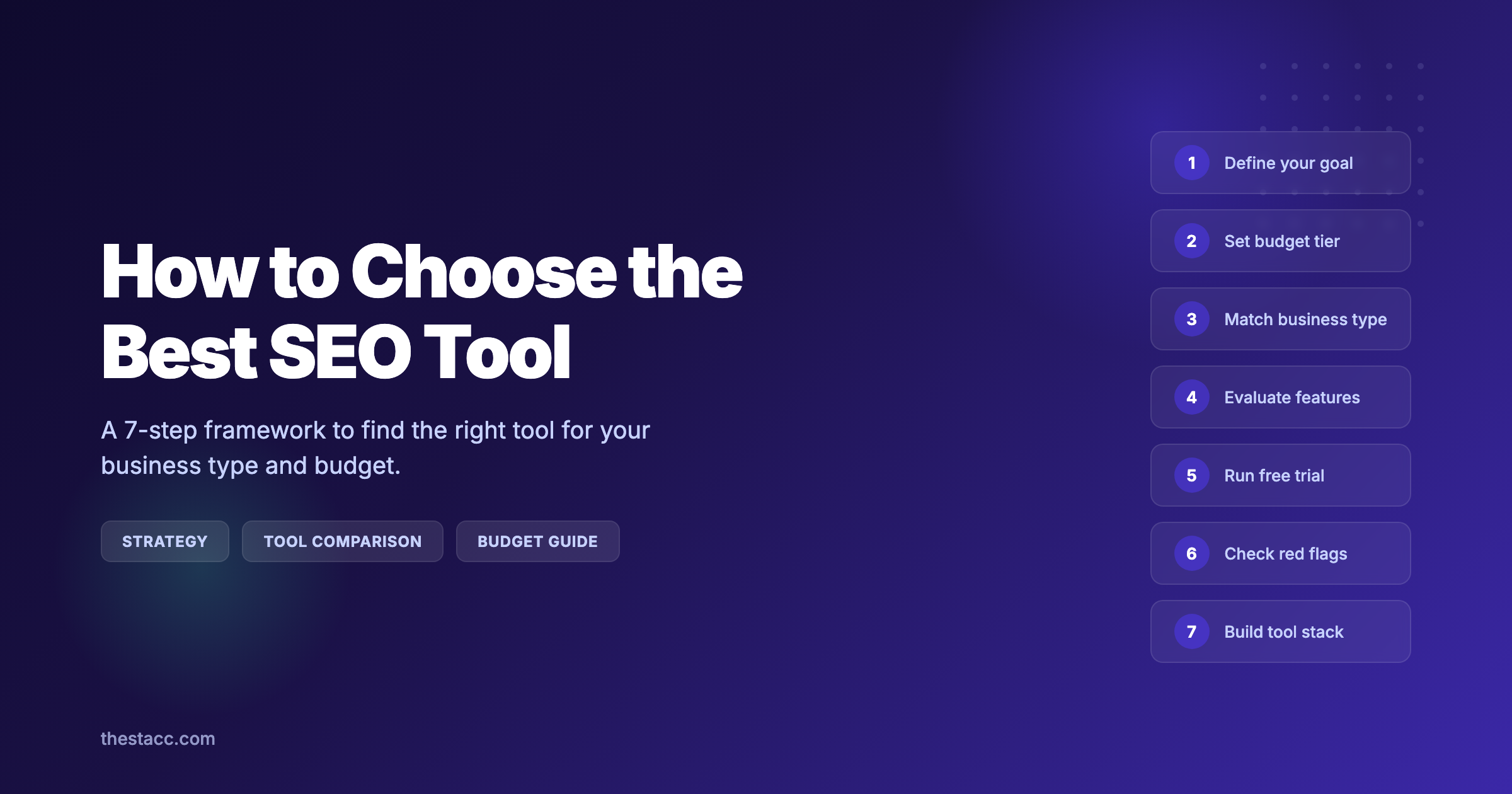
Here is what you will learn:
- How to define SEO goals that narrow your options to 3-5 tools
- The 4 budget tiers and what each one realistically gets you
- Which tool categories match your specific business type
- The 6 features that matter most (and which ones to ignore)
- How to run an effective free trial in 7 days
- The red flags that signal a bad SEO tool before you commit
- How to build a tool stack instead of relying on one platform
Overview
Time required: 2-4 hours across 1-2 weeks (including trial testing)
Difficulty: Beginner
What you will need:
- Access to Google Search Console (free)
- A list of your top 5 business goals for the next 12 months
- Your monthly marketing budget range
Step 1: Define Your Primary SEO Goal
Most businesses skip this step. They search “best SEO tool,” sign up for whatever appears first, and then wonder why they are paying $139 per month for features they never open.
Start with one question: What is the single most important thing you need from SEO in the next 12 months?
Common SEO goals and the tool type they require:
| Goal | Tool Category Needed |
|---|---|
| Rank blog content on Google | Content optimization + keyword research |
| Appear in Google Maps and local pack | Local SEO tools + GBP management |
| Fix technical issues hurting rankings | Technical audit + crawling tools |
| Track keyword positions over time | Rank tracking software |
| Build backlinks from other websites | Backlink analysis + outreach tools |
| Outrank specific competitors | All-in-one suite with competitor analysis |
| Optimize product pages for ecommerce | Technical SEO + schema markup |
Pick one primary goal. Not three. Not five. One.
Why this step matters: The SEO tool market has grown to $84.94 billion in 2025, according to Precedence Research. That size means there is a specialized tool for every possible need. Choosing without a clear goal guarantees you pay for features you will never use.
Pro tip: If you cannot name your primary goal, start with Google Search Console. It is free, shows real Google data, and helps you understand what your site needs before you spend anything.
Most businesses that struggle with SEO tools made the same mistake. They signed up for Semrush or Ahrefs because a blog post told them to. Then they opened a dashboard with 40 features and froze. Define the goal first. The tool becomes obvious after that.
Step 2: Set Your Budget Tier
SEO tools range from free to $500+ per month. Your budget determines which tier of tools to evaluate. Do not waste time trialing tools outside your budget range.
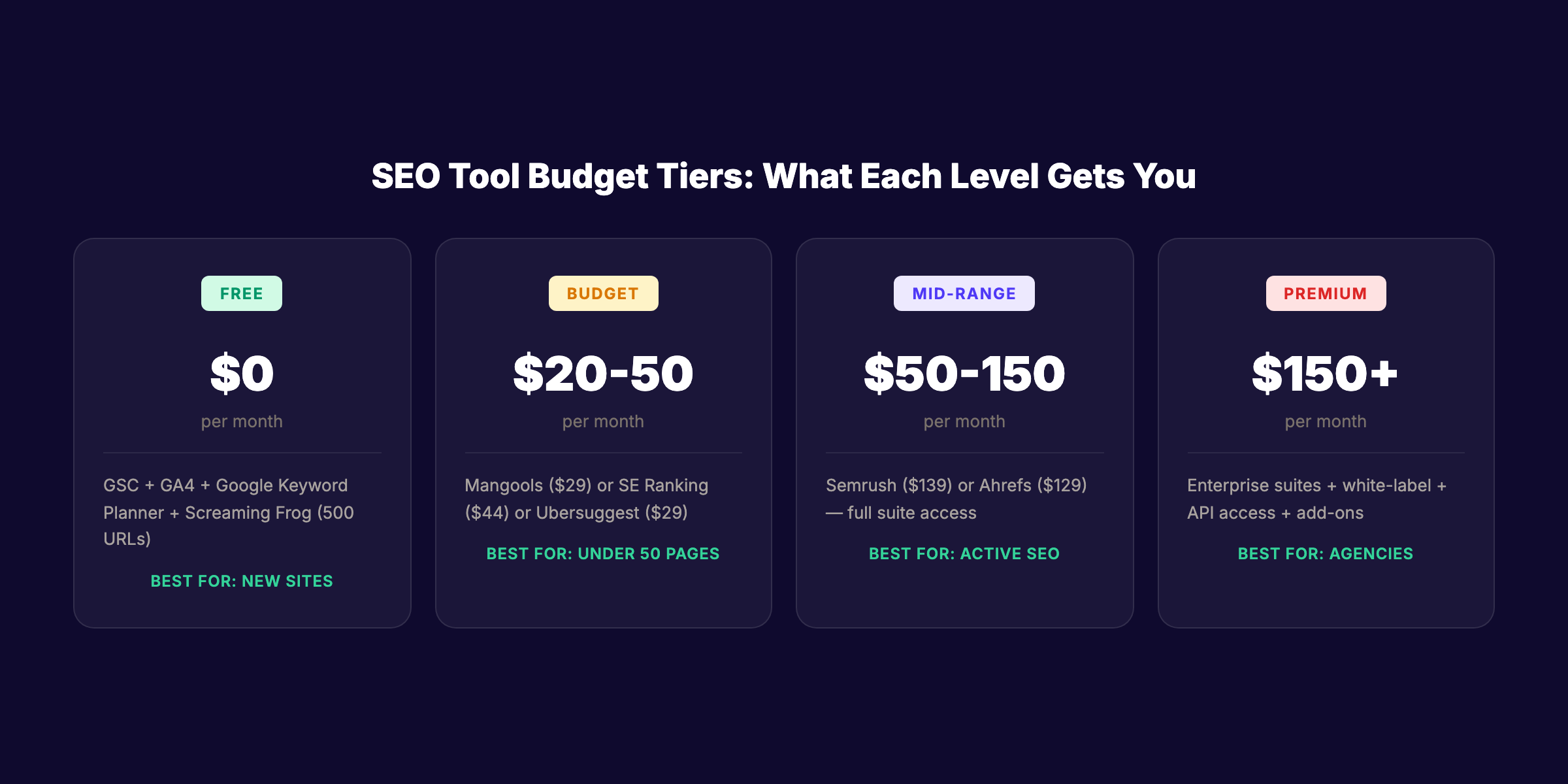
The 4 budget tiers:
| Tier | Monthly Budget | What You Get | Best For |
|---|---|---|---|
| Free | $0 | GSC + GA4 + Google Keyword Planner | Solo founders, brand new sites |
| Budget | $20 - $50/mo | One focused tool (Mangools, SE Ranking, Ubersuggest) | Small businesses under 50 pages |
| Mid-range | $50 - $150/mo | All-in-one suite (Semrush, Ahrefs) | Growing businesses with active SEO |
| Premium | $150 - $500+/mo | Enterprise suites + specialized add-ons | Agencies and large sites |
A common mistake: jumping straight to the mid-range tier. According to Search Engine Journal data, 49% of marketers say organic search delivers the best ROI of any channel. But ROI requires choosing a tool that matches your actual scale, not aspirational scale.
Why this step matters: A 10-page local business site does not need a $139/month Semrush subscription. Google Search Console + a $29 tool covers 90% of what a small site needs. Overspending on SEO tools is one of the most common mistakes small businesses make.
Pro tip: Check for annual billing discounts. Most SEO tools offer 15% to 25% off when you pay yearly. Some go as high as 40%. That turns a $139/month tool into $100/month.
Skip the agency. Keep the results. Stacc starts at $99/mo with a $1 trial. 30 articles published automatically every month. Start for $1 →
Step 3: Match Your Business Type to a Tool Category
A plumber and a SaaS company have completely different SEO needs. Your business type determines which category of tools to focus on.
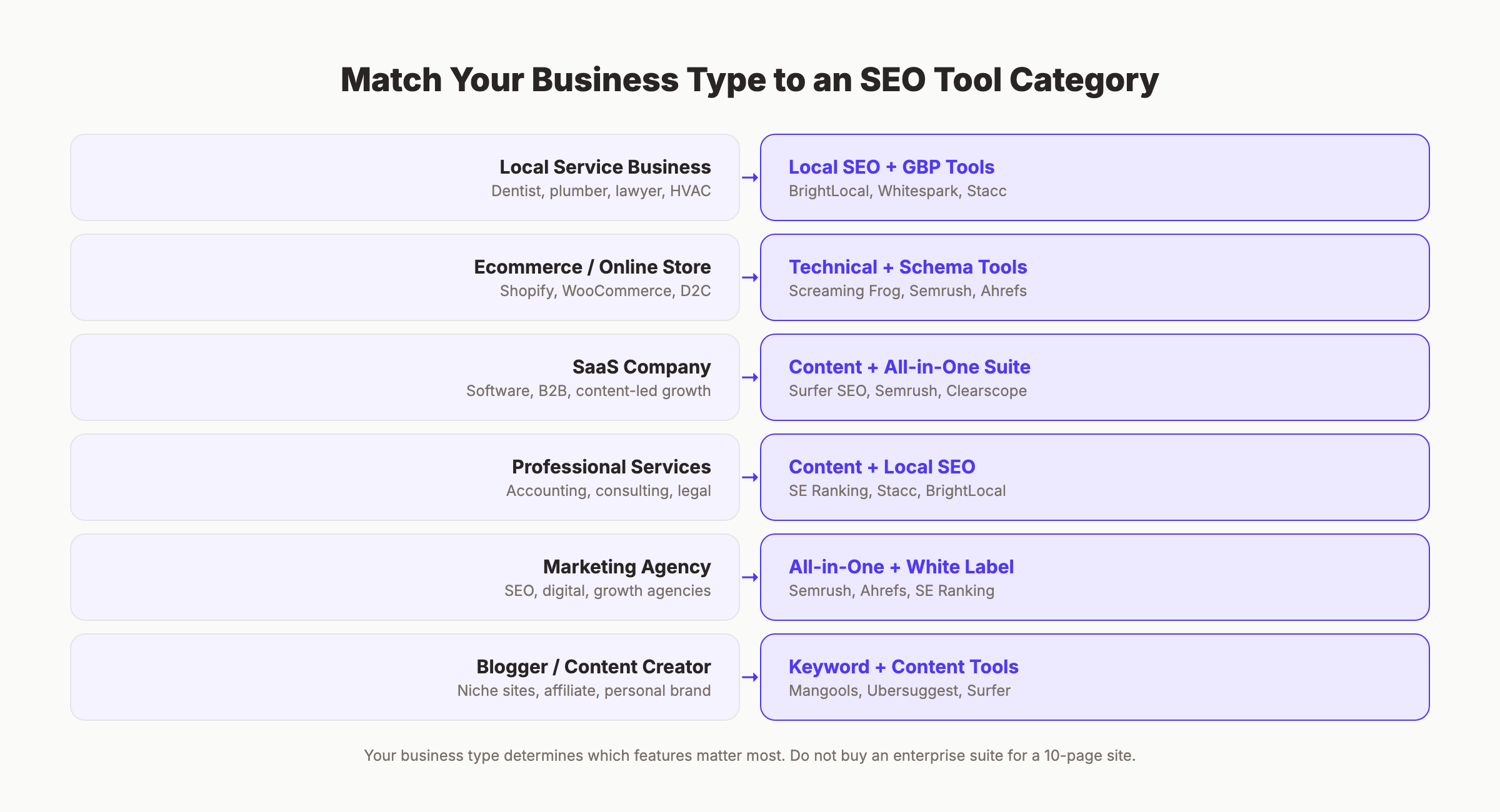
Business type to tool category map:
| Business Type | Primary Need | Recommended Category |
|---|---|---|
| Local service business (dentist, plumber, lawyer) | Local SEO + GBP | Local SEO tools + GBP automation |
| Ecommerce / online store | Product page optimization + technical SEO | Technical audit + schema tools |
| SaaS company | Blog content + programmatic SEO | Content optimization + all-in-one suite |
| Professional services (accounting, consulting) | Authority content + local visibility | Content tools + local SEO |
| Blogger / content creator | Keyword research + rank tracking | Keyword research + content optimization |
| Marketing agency | Multi-client management + reporting | All-in-one suite with white-label reports |
Why this step matters: 86% of SEO professionals now use AI in their workflows, according to DemandSage. But the specific AI features that matter differ by business type. A local business needs automated GBP posting. An ecommerce brand needs automated product schema generation. The tool that ranks number 1 on review sites may not rank number 1 for your use case.
Pro tip: If you run a local service business and want both blog content and local SEO handled for you, a done-for-you service eliminates the need for a tool stack entirely. Instead of learning 3 tools, you get the output directly. We cover local SEO tools and SEO tools for small business in separate guides if you want to compare options.
What About AI Search Readiness?
Google AI Overviews now appear on 47% of commercial queries, according to Search Engine Land. Gartner projects organic search traffic could drop 25% by 2028 as AI search grows.
This creates a new evaluation criterion. Does the tool track AI search visibility? Can it show whether your content appears in ChatGPT, Perplexity, or Google AI Overviews? Most traditional SEO tools do not offer this yet. It is an emerging category, but one worth considering if your traffic comes primarily from informational queries.
Tools that currently track AI visibility: Semrush (AI Overview tracking), Ahrefs (SERP feature monitoring), and specialized platforms focused on Generative Engine Optimization.
Step 4: Evaluate the 6 Features That Actually Matter
Every SEO tool advertises 50+ features. Most users need 6. Focus on these during your evaluation.
Feature 1: Keyword Research Quality
The tool should surface keyword volume, difficulty, and search intent for your target market. Test this by searching 10 keywords you already rank for and checking whether the data matches Google Search Console.
Feature 2: Site Audit Accuracy
Run a crawl on your own site. Compare the results to what you already know. Does the tool catch real issues? Or does it flag 200 “warnings” that do not affect rankings?
Good audit tools catch broken links, missing meta descriptions, slow pages, and duplicate content. Great audit tools prioritize fixes by impact.
Feature 3: Rank Tracking Reliability
Track 20 keywords for a week. Compare to your actual GSC data. According to SEO community feedback on Reddit, data accuracy varies significantly between tools. If rank tracking is off by 5+ positions, the tool is unreliable.
Feature 4: Competitor Analysis Depth
Enter a competitor URL. The tool should show their top keywords, estimated traffic, backlink profile, and content gaps. This is the feature that separates budget tools from mid-range tools.
Feature 5: Reporting and Exports
Can you generate a report for your team or client in under 5 minutes? Does it export to PDF, CSV, or integrate with Google Sheets? Reporting is where many tools fall short.
Feature 6: Integrations
Check whether the tool connects to your existing stack. Key integrations to look for:
- Google Search Console and Google Analytics 4
- Your CMS (WordPress, Shopify, Webflow)
- Slack or email for alerts
- Google Looker Studio for dashboards
Why this step matters: Paying for features you do not use is the number one complaint about SEO tools on Reddit. One user put it bluntly: “I am on the $119/month plan but I only use 20% of the features.” Evaluating only the 6 features above prevents this.
Features You Can Safely Ignore
Do not pay extra for social media tracking, brand mention monitoring, or PPC research unless those are your primary use case. Many all-in-one tools bundle these to justify higher pricing. If your goal is organic search, evaluate organic search features only.
Similarly, AI content generation built into SEO tools is rarely their strongest feature. Dedicated AI writing tools or AI content writing tools for SEO do a better job. Use your SEO tool for data and analysis. Use a separate tool for content creation.
Step 5: Run a Focused 7-Day Free Trial
Most SEO tools offer a 7 to 14-day free trial. Most users waste it by clicking around randomly. Use this structured trial checklist instead.
Day 1-2: Setup and baseline
- Connect Google Search Console and Google Analytics
- Run a full site audit
- Import your target keyword list (20-50 keywords)
- Set up one competitor for tracking
Day 3-4: Core features
- Run keyword research for 3 new topics
- Check rank tracking accuracy against GSC data
- Generate one competitor gap analysis
- Export one report
Day 5-6: Advanced evaluation
- Test any AI-powered features (content briefs, suggestions)
- Check content optimization scoring against a page you know ranks well
- Test mobile rank tracking vs desktop
- Evaluate the learning curve: can a non-technical team member use it?
Day 7: Decision
- Compare actual data accuracy to GSC benchmarks
- List features you used vs features you ignored
- Calculate cost per feature-you-actually-need
- Make a go/no-go decision
Your SEO team. $99 per month. 30 optimized articles, published automatically. No tools to learn. No dashboards to manage. Start for $1 →
Why this step matters: A structured trial eliminates the “shiny object” effect. By day 7, you know whether the tool delivers real value for your specific needs, not just impressive-looking charts.
Pro tip: During the trial, check customer support. Submit one question via chat or email. Measure how fast they respond and whether the answer actually helps. Poor support after purchase is a common complaint.
Step 6: Watch for Red Flags
Before committing to a paid plan, check for these warning signs.
Data inflation. If a tool shows your traffic at 3x what Google Analytics reports, it is estimating, not measuring. Some tools inflate numbers to look more impressive.
Hidden usage caps. Crawl limits, keyword tracking caps, and API call restrictions often hide behind pricing tiers. Ask specifically: “How many pages can I crawl per month on this plan?”
Annual lock-in pressure. Heavy discounts for annual billing are fine. But if the only way to get a reasonable price is a 12-month commitment, ask yourself whether you have used the tool long enough to justify that lock-in.
Feature gating. Some tools advertise 50 features but gate 30 of them behind higher tiers. During your trial, check whether the features you tested are available on the plan you intend to purchase.
No cancel transparency. If the cancellation process is not clearly documented, that is a red flag. Check for auto-renewal terms before entering payment details.
Why this step matters: 96% of websites fail at least one Core Web Vitals test, according to Marketing SEO Directory. If the tool you choose cannot detect and prioritize those failures, it is not doing its job.
Step 7: Build a Tool Stack, Not a Single Dependency
The most effective SEO setups combine 2-3 tools instead of relying on one all-in-one platform.
Recommended stacks by budget:
| Budget | Stack | Monthly Cost |
|---|---|---|
| Free | GSC + GA4 + Screaming Frog (500 URLs free) | $0 |
| Budget | GSC + Mangools ($29) + Screaming Frog paid ($22) | ~$51 |
| Mid-range | GSC + Ahrefs ($129) + Surfer SEO ($89) | ~$218 |
| Done-for-you | GSC + Stacc ($99) | $99 |
Why stacking works: No single tool excels at everything. Ahrefs leads in backlink analysis. Surfer SEO leads in content optimization. Semrush leads in all-in-one breadth. Combining a data tool with an execution tool covers more ground than one platform alone.
The exception: if you want the SEO work done for you rather than doing it yourself. Done-for-you services like Stacc handle the keyword research, writing, content optimization, and publishing. You do not need a tool stack because you are not the one operating the tools. The output — published, optimized articles — arrives without you opening a single dashboard.
Why this step matters: According to Gartner, organic search traffic could drop 25% by 2028 as AI search grows. Your tool stack needs to cover both traditional rank tracking and AI search visibility to stay ahead.
Rank everywhere. Do nothing. Blog SEO, Local SEO, and Social on autopilot. Stacc starts at $99/mo with a $1 trial. Start for $1 →
Results: What to Expect
After completing these 7 steps, you will have:
- A clear primary SEO goal driving your tool choice
- A budget-appropriate shortlist of 2-3 tools
- Data from a structured trial confirming which tool fits
- A tool stack optimized for your specific business type
- Confidence that you are paying for features you actually use
Timeline:
- Weeks 1-2: Complete Steps 1-5 (evaluation and trial)
- Week 3: Make your final choice and set up
- Weeks 4-8: First meaningful data from your new tool
- Months 2-3: Clear picture of ROI from your SEO tool investment
FAQ
What is the best SEO tool for a small business?
It depends on your primary goal. For local businesses, local SEO tools with GBP management are essential. For content-focused businesses, a keyword research and content optimization tool delivers the most value. Google Search Console is the best free starting point for any business.
Do I need a paid SEO tool, or are free tools enough?
Free tools (GSC, GA4, Google Keyword Planner) cover the basics for sites with under 50 pages and low competition. Once your site exceeds 100 pages, targets competitive keywords, or needs backlink analysis, a paid tool becomes necessary. The typical threshold is $5,000 to $10,000 in monthly revenue.
How much should I spend on SEO tools per month?
Most small businesses spend $100 to $300 per month. Start at the budget tier ($20-$50) and upgrade only when you hit a specific limitation. Spending $139/month on an all-in-one suite you use 20% of is worse than spending $50 on a focused tool you use daily.
Is Google Search Console enough for basic SEO?
GSC provides real ranking data, click metrics, indexing status, and Core Web Vitals reports. For a small site with basic SEO needs, it is enough. It lacks keyword difficulty data, competitor analysis, and backlink tracking. Those gaps become limiting as your site grows.
Should I use one all-in-one tool or multiple specialized tools?
A stack of 2-3 specialized tools typically outperforms one all-in-one at the same price point. However, if you value simplicity and your team is small, one all-in-one tool reduces the learning curve. The right choice depends on your team and its technical comfort level.
What is the biggest mistake when choosing an SEO tool?
Choosing based on brand reputation instead of fit. Semrush and Ahrefs dominate review sites. But a local plumber does not need either. Matching the tool to your business type, goal, and budget prevents wasted spending and frustration.
The right SEO tool is the one that matches what your business actually needs today. Not the one with the most features. Not the one your competitor uses. Start with your goal, stay within your budget, and test before you commit.
If you prefer to skip the tool selection process entirely, done-for-you services handle the keyword research, writing, optimization, and publishing without requiring you to learn any software. But if you want to run SEO yourself, these 7 steps ensure you invest in tools that deliver actual results for your specific business.
Written and published by Stacc. We publish 3,500+ articles per month across 70+ industries. All data verified against public sources as of March 2026.
