
How to Ask Customers for Reviews: 7-Step Guide
Learn how to ask customers for reviews with email and SMS templates, timing tips, and a 7-step system. 76% leave reviews when asked. Updated March 2026.
Most businesses wait for reviews to appear on their own. They rarely do. According to BrightLocal’s 2026 Local Consumer Review Survey, 97% of consumers read online reviews before choosing a local business. Yet the average business has fewer than 40 Google reviews.
The gap between how much reviews matter and how few businesses actively ask for them is the single biggest missed opportunity in local marketing. Learning how to ask customers for reviews closes that gap fast. 76% of consumers leave a review when asked. Most just need a prompt.
This guide walks you through a 7-step system for collecting reviews consistently. We publish content for businesses across 70+ industries and have seen firsthand how a steady flow of reviews transforms local SEO rankings and customer trust.
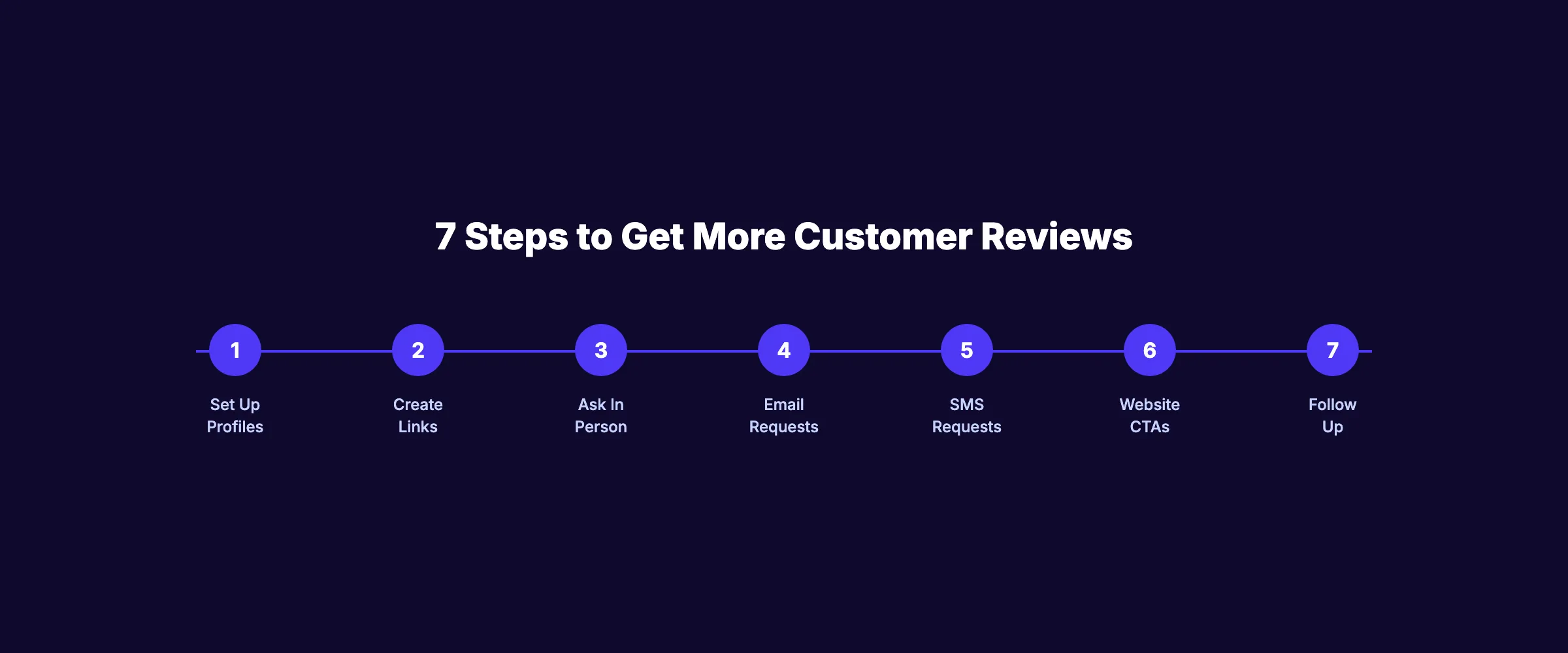
Here is what you will learn:
- How to set up your review profiles for maximum visibility
- How to create direct review links and QR codes
- When and how to ask in person (with scripts)
- Email and SMS review request templates you can copy today
- How to add passive review collection to your website
- The follow-up system that doubles your review count
- What Google allows and prohibits for review requests
Time required: 1 to 2 hours for initial setup. 15 minutes per week ongoing. Difficulty: Beginner What you will need: A Google Business Profile, an email account, and a phone
Why Reviews Matter More Than Ever
Before we walk through the steps, here is why this matters.
Reviews are no longer just social proof. They are a direct ranking factor for local SEO. Google uses review quantity, quality, and recency to determine local pack rankings. Businesses that actively collect reviews outperform those that do not.
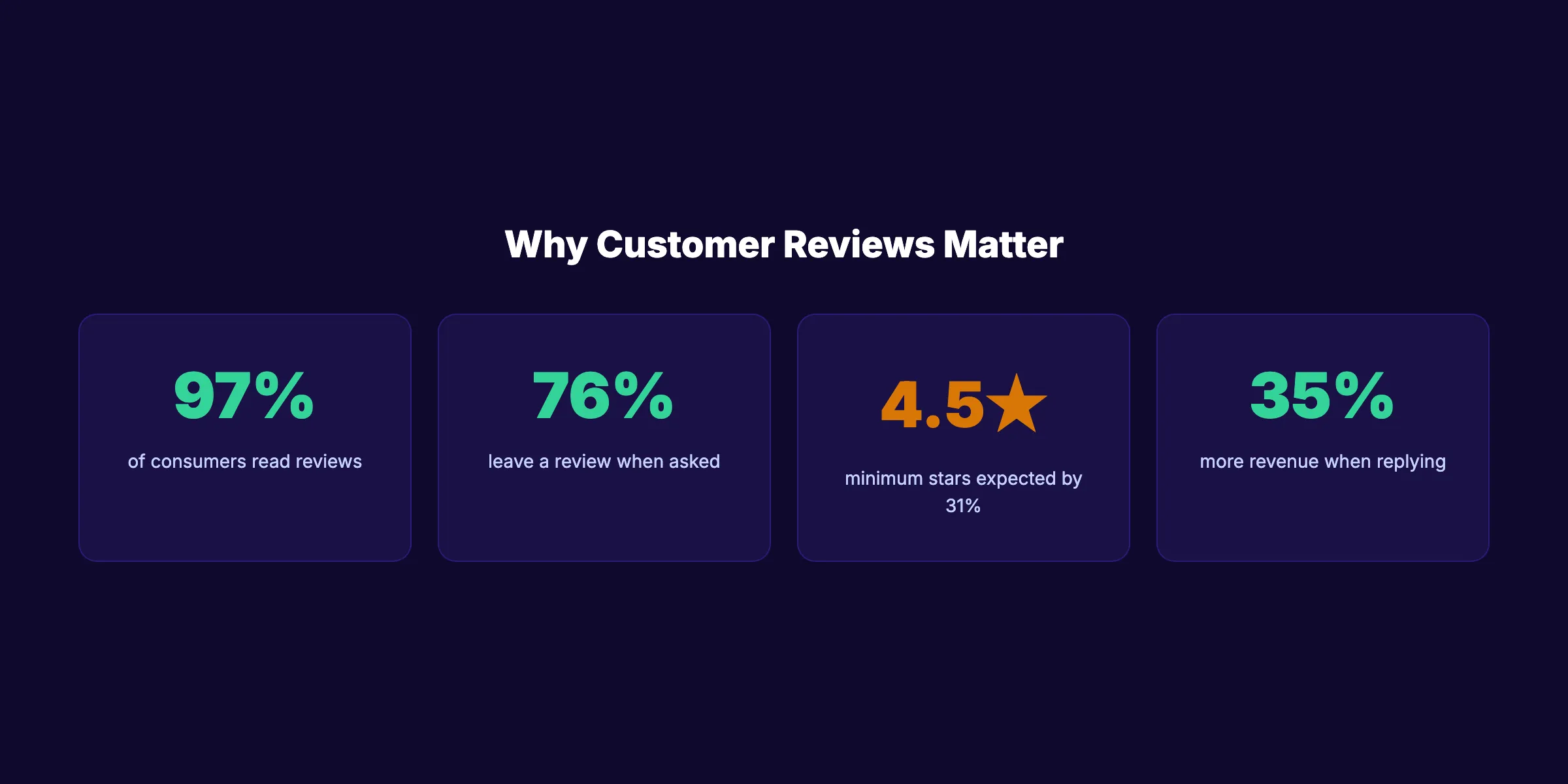
The numbers back this up:
| Stat | Source |
|---|---|
| 97% of consumers read reviews before buying | BrightLocal 2026 |
| 76% leave a review when asked | BrightLocal |
| 31% will only use a business with 4.5+ stars | BrightLocal 2026 |
| 35% more revenue for businesses that reply to 25%+ of reviews | Upfirst 2025 |
| 270% conversion rate increase with 5+ reviews displayed | Spiegel Research Center |
Reviews also influence AI search. Google AI Overviews and ChatGPT now surface review data and business ratings when answering local queries. A strong review profile makes your business more likely to appear in AI-generated responses.
Step 1: Set Up Your Review Profiles
Before asking for reviews, make sure you have active profiles on the platforms that matter.
The platforms to prioritize:
-
Google Business Profile , 83% of US consumers use Google to evaluate local businesses. This is the non-negotiable. Set up and optimize your Google Business Profile first.
-
Facebook. The second most-used review platform. Make sure your Facebook business page has the Reviews tab enabled.
-
Yelp. Critical for restaurants, home services, and healthcare. Note: Yelp prohibits soliciting reviews directly. Focus on making it easy for customers to find your Yelp profile.
-
Industry-specific platforms. Healthgrades for doctors. Avvo for lawyers. Houzz for home services. TripAdvisor for hospitality.
Why this step matters: If your Google Business Profile is incomplete or unverified, reviews cannot appear. An unclaimed profile also means you cannot respond to reviews. Claim and verify all profiles before sending a single review request.
Pro tip: Complete every field on your Google Business Profile. Businesses with complete profiles receive 7 times more clicks than those with incomplete information.
Step 2: Create a Direct Review Link and QR Code
Friction kills review completion. Every extra click between your request and the review form reduces the chance someone follows through. A direct link removes the friction.
How to get your Google review link:
- Log into your Google Business Profile
- Go to the Home tab
- Click “Ask for reviews” or “Get more reviews”
- Copy the short link Google provides
This link takes customers directly to your Google review form. No searching for your business. No finding the review button. One click and they are writing.
Create a QR code:
Use any free QR code generator to convert your review link into a scannable code. Print the QR code on:
- Business cards
- Receipts
- Table tents (restaurants)
- Service invoices
- Thank-you cards
- In-store signage
Why this step matters: SMS messages are opened in under 2 minutes. But if the link takes them to a generic page instead of the review form, they abandon. A direct link converts the impulse to act into an actual review.
Pro tip: Create short links for each review platform. Send Google links to most customers. Send Facebook links to customers who are active on Facebook. Match the platform to the customer.
Step 3: Ask In Person at the Point of Service
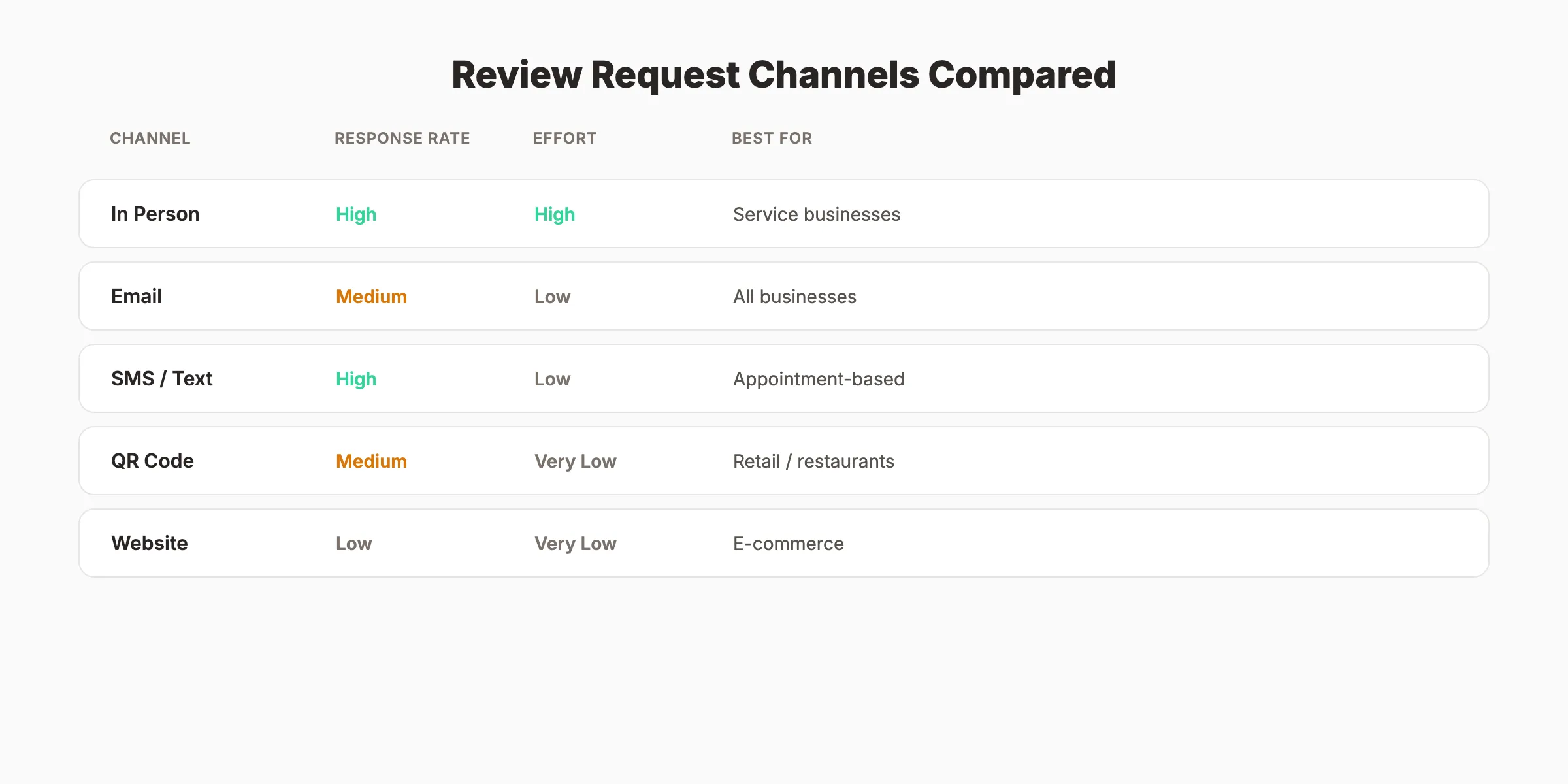
In-person review requests have the highest conversion rate of any channel. The customer is standing in front of you. The experience is fresh. The social dynamic makes it hard to say no.
When to Ask
Ask after a positive interaction. Good timing includes:
- Right after completing a service
- When a customer compliments your work or team
- After resolving a problem (the relief makes them generous)
- At checkout when you see them smiling
Do not ask during the service. Do not ask if the customer seems rushed or unhappy.
What to Say
Keep it natural. Here are 3 scripts:
Script 1. Direct: “We are glad you had a good experience. Would you be willing to leave us a quick Google review? It really helps other people find us.”
Script 2. Softer: “Your feedback means a lot to us. If you have 60 seconds, we would love a Google review. I can text you the link right now.”
Script 3. After a compliment: “That is great to hear. Would you mind saying the same thing in a Google review? It helps more than you know.”
Make It Easy on the Spot
Hand them a card with a QR code. Or text them the link while they are still in front of you. The goal is zero effort on their part.
Why this step matters: In-person requests convert at the highest rate because the social commitment is immediate. An email sent 3 days later competes with 50 other emails in their inbox.
Your SEO team. $99/month. Stacc publishes 30 optimized articles per month and helps local businesses rank with blog SEO and local SEO combined. Start for $1 →
Step 4: Send Email Review Requests
Email is the most scalable review collection channel. You send once. It reaches everyone. And you can automate it.
Timing
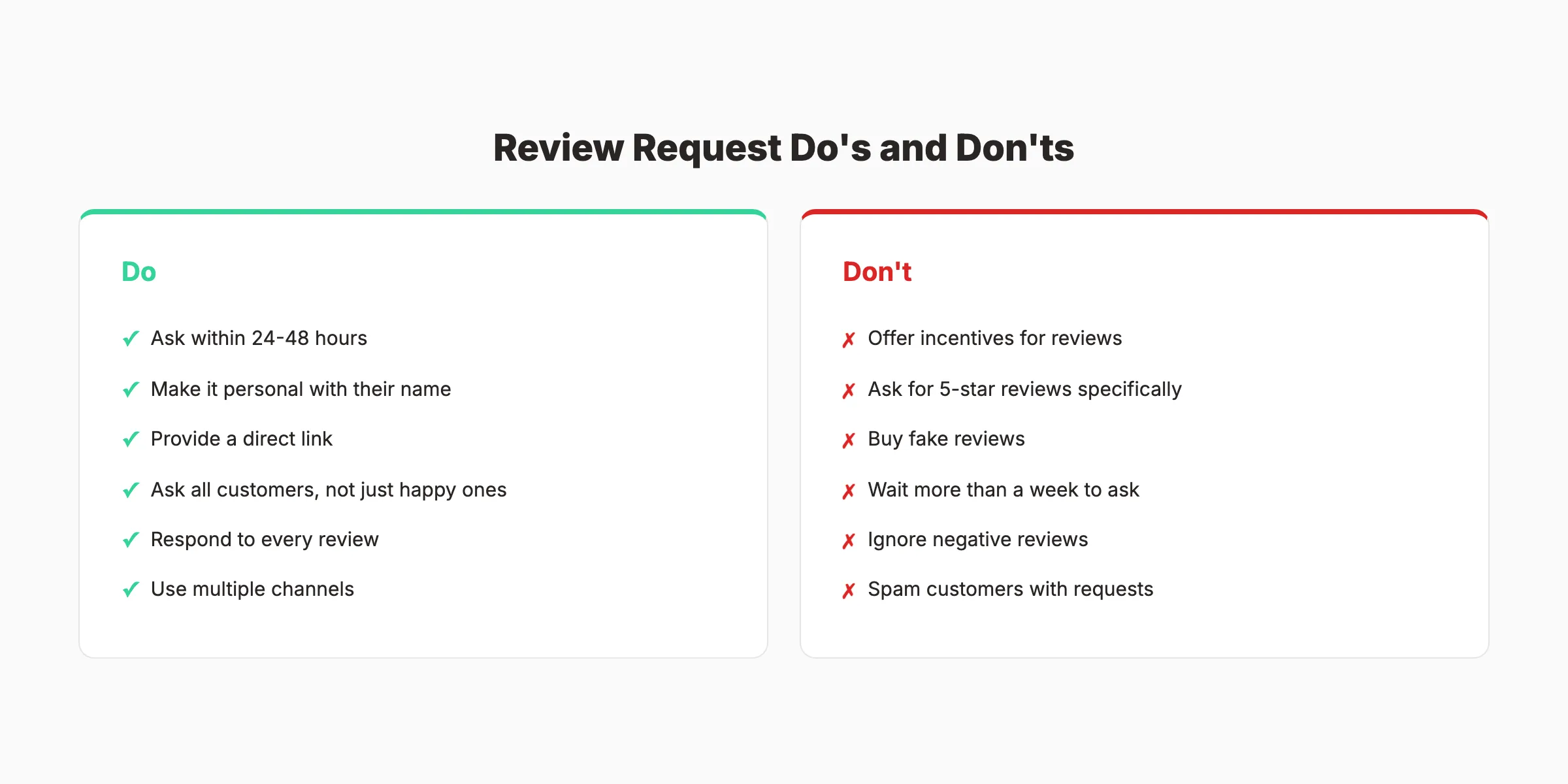
Send the review request email within 24 to 48 hours of the customer interaction. Sending in the morning on a Tuesday, Wednesday, or Thursday increases response rates by up to 10% compared to other days.
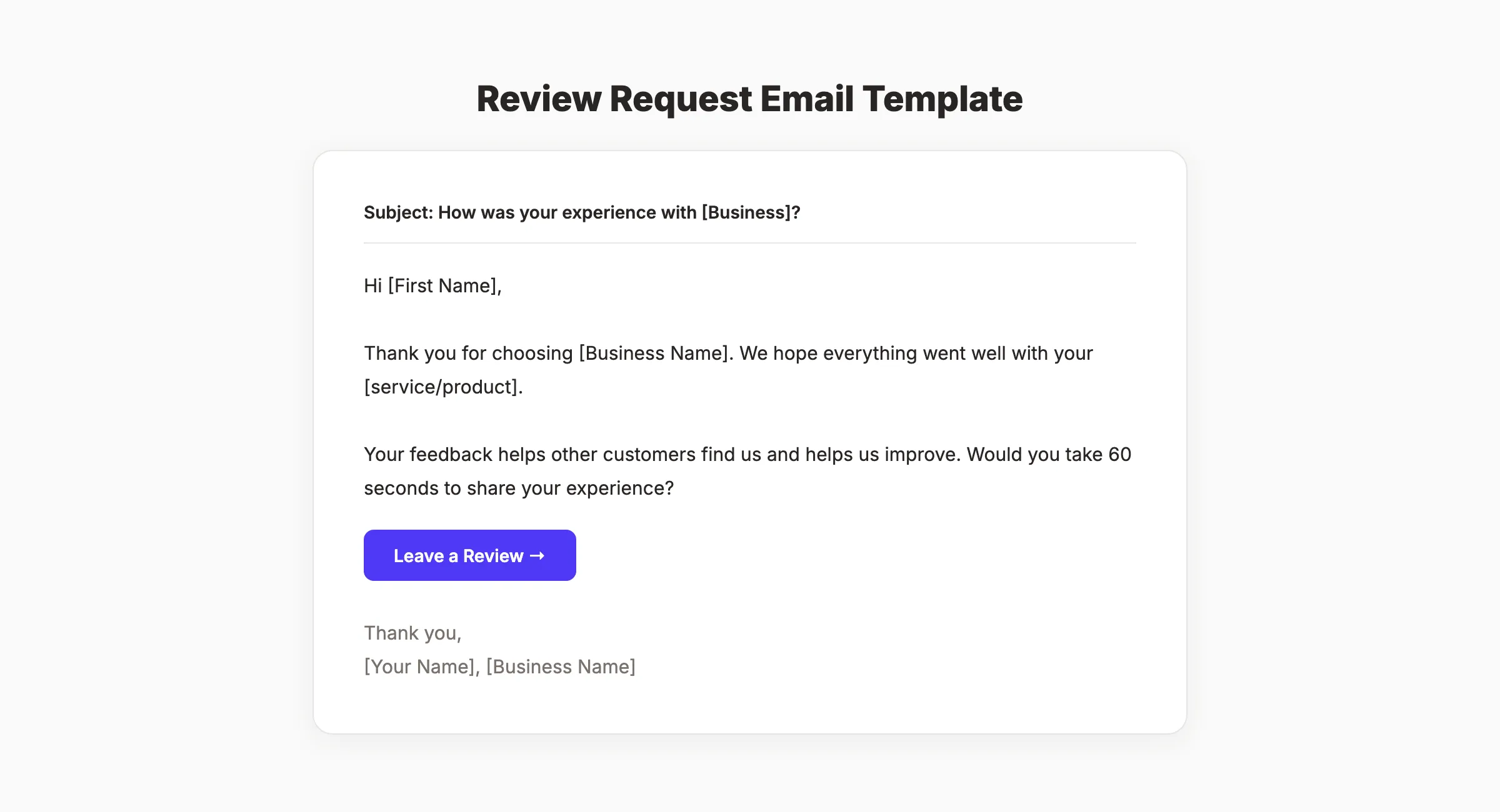
Email Template 1. Standard Review Request
Subject: How was your experience with [Business Name]?
Hi [First Name],
Thank you for choosing [Business Name]. We hope everything went well with your [service/product].
Your feedback helps other customers find us and helps us improve. Would you take 60 seconds to share your experience?
[Leave a Review →] (link to Google review)
Thank you, [Your Name] [Business Name]
Email Template 2. After a Specific Service
Subject: Quick question about your [service type]
Hi [First Name],
We finished your [specific service] on [date]. We want to make sure everything met your expectations.
If you are happy with the result, we would appreciate a quick review on Google. It takes about 1 minute.
[Share Your Experience →] (link)
If anything was not right, reply to this email and we will make it right.
[Your Name]
Email Template 3. For Repeat Customers
Subject: We appreciate your loyalty, [First Name]
Hi [First Name],
You have been a [Business Name] customer for [timeframe]. That means a lot to us.
Would you share your experience in a quick Google review? Your words help other people discover us.
[Leave a Review →] (link)
Thank you for your continued trust.
[Your Name]
Why this step matters: Email reaches customers who left without being asked in person. It also creates a paper trail. Customers who receive a polite review request email are 4 to 5 times more likely to leave a review than those who receive no request.
Pro tip: Include a fallback in every email: “If anything was not right, reply to this email.” This catches unhappy customers before they leave a negative review publicly.
Step 5: Send SMS Review Requests
SMS has the fastest response time of any review request channel. Messages are opened in under 2 minutes. For appointment-based and service businesses, SMS outperforms email for review collection.
SMS Template 1. Post-Service
Hi [Name], thank you for visiting [Business Name] today. We would love your feedback. Tap here to leave a quick review: [link]
SMS Template 2. Personal Touch
Hi [Name], it was great working with you on [project/service]. If you have a minute, a Google review would mean a lot to us: [link] , [Your Name] at [Business]
SMS Template 3. Follow-Up
Hi [Name], we sent you a review link last week. No pressure, but if you have 60 seconds, we would really appreciate your feedback: [link]
SMS Compliance Rules
Before sending SMS review requests:
- Get consent first. The customer must opt in to receive text messages from your business. Add a checkbox during booking or intake.
- Include opt-out instructions. Add “Reply STOP to unsubscribe” to every message.
- Follow regional laws. TCPA in the US. GDPR in the EU. CASL in Canada.
Why this step matters: SMS works because of immediacy. A customer who just left your office reads the text in 2 minutes and taps the link. An email sent to the same customer sits unread for hours.
Pro tip: Send SMS requests within 1 hour of the appointment for maximum response rates. The experience is still vivid. The positive emotions are still present.
Step 6: Add Passive Review Collection to Your Website
Active requests (in person, email, SMS) work best. But passive collection catches the customers who fall through the cracks.
Add a Reviews Page
Create a dedicated page on your website that links to your Google, Facebook, and industry-specific review profiles. Link to it from your main menu or footer. Customers who want to leave a review will find it.
Add CTAs to Key Pages
Place review request buttons or banners on:
- Thank-you pages. After a form submission or purchase confirmation
- Email signatures , “Happy with our service? Leave us a review” with a direct link
- Invoice footers , “We appreciate your business. Share your experience on Google.”
- Blog posts. Especially posts about customer success or local topics
Display Existing Reviews
Show your best reviews on your homepage and service pages. Social proof encourages new reviews. When customers see that others have left reviews, they are more likely to do the same.
Using schema markup for reviews also helps your star ratings appear in Google search results. That visual cue builds trust and drives more clicks.
Why this step matters: Passive review collection runs 24/7 without any manual effort. Even a single well-placed CTA on your thank-you page can generate 5 to 10 extra reviews per month.
Rank everywhere. Do nothing. Blog SEO, Local SEO, and Social on autopilot. Stacc handles the content so you can focus on your customers. Start for $1 →
Step 7: Follow Up and Respond to Every Review
Getting a review is half the job. What you do after the review arrives determines whether the next customer leaves one too.
Respond to Every Review
Only 5% of businesses respond to their reviews. Businesses that reply to at least 25% of reviews earn 35% more revenue on average. Responding signals to Google that your business is active. It signals to customers that their feedback matters.
For positive reviews:
Thank them by name. Reference something specific about their experience. Keep it under 3 sentences.
“Thank you, Sarah. We are glad the kitchen renovation turned out exactly how you envisioned it. It was a pleasure working with your family.”
For negative reviews:
Acknowledge the issue. Apologize without being defensive. Offer to resolve it offline.
“We are sorry your experience did not meet expectations, David. We take this seriously. Please contact us at [phone/email] so we can make it right.”
Set Up a Follow-Up System
Not everyone leaves a review after the first ask. A simple follow-up system doubles your conversion rate:
- Day 0: Ask in person (if applicable)
- Day 1-2: Send email review request
- Day 3: Send SMS review request (if you have consent)
- Day 7-10: Send one follow-up email (only if no review was left)
Stop after 2 total requests. Three or more review requests for the same interaction feels like spam.
Monitor Your Review Velocity
Track how many reviews you receive per week. Set a target. For most local businesses, 4 to 8 new Google reviews per month is a healthy rate. If your count drops, check your review request process for bottlenecks.
Why this step matters: Review recency is a ranking factor. Google favors businesses with a steady flow of recent reviews over businesses with 200 reviews from 3 years ago. Consistent follow-up keeps the flow steady.
What Google Allows and Prohibits
Google has specific policies on review collection. Violating them risks losing reviews or getting your profile penalized.
Allowed:
- Asking customers to leave a review
- Providing a direct link to your Google review form
- Sending email or SMS review requests
- Displaying QR codes in your business
- Asking for honest feedback (no star rating specified)
Prohibited:
- Offering money, discounts, or free products in exchange for reviews
- Asking specifically for 5-star reviews
- Posting fake reviews or having employees write reviews
- Review gating (filtering out negative reviewers before they reach Google)
- Buying reviews from third-party services
The safest approach: ask every customer for an honest review. Do not filter. Do not incentivize. A mix of 4-star and 5-star reviews actually builds more trust than a perfect 5.0 rating.
Results: What to Expect
After implementing this 7-step system:
- Week 1-2: Review request process is live. First batch of new reviews arrives.
- Month 1: 8 to 15 new Google reviews (depending on customer volume).
- Month 2-3: Consistent review flow established. Local pack ranking improvements begin.
- Month 6: Noticeable increase in local search visibility and customer trust.
The compound effect is real. Every review makes the next customer more confident in choosing you. And every response shows Google your business is active and engaged.
Businesses with 50+ Google reviews and a 4.5+ star rating consistently appear in the local 3-pack for their primary keywords. That visibility drives calls, website visits, and foot traffic every day without paying for ads.
3,500+ blogs published. 92% average SEO score. Stacc handles your blog content and local SEO. Reviews bring the trust. Content brings the traffic. Start for $1 →
FAQ
How do you politely ask customers for a review?
Keep it simple and specific. Thank them for their business, mention the service they received, and ask if they would share their experience in a 60-second Google review. Provide a direct link. The key is making the request personal and the process effortless.
When is the best time to ask for a review?
Within 24 to 48 hours of the customer interaction. In-person requests work best immediately after service completion. Email requests perform best when sent on Tuesday through Thursday mornings. SMS requests work best within 1 hour of the appointment.
Is it legal to ask customers for reviews?
Yes. Google explicitly encourages businesses to ask customers for reviews. What is prohibited: offering incentives for reviews, asking for a specific star rating, or review gating. Asking for honest feedback through any channel is perfectly acceptable.
How many reviews does a local business need?
There is no magic number. Businesses in the Google local pack typically have 40 or more reviews. More importantly, Google values review recency. A business with 100 reviews from last year loses ground to a competitor with 50 reviews from the last 3 months. Aim for 4 to 8 new reviews per month.
Should I respond to negative reviews?
Always. 89% of consumers expect businesses to respond to reviews. A professional response to a negative review shows prospective customers that you take feedback seriously. Acknowledge the issue, apologize, and offer to resolve it offline. A well-handled negative review can actually increase trust.
Can Stacc help with local SEO and review visibility?
Stacc publishes 30 Google Business Profile posts per month through the Local SEO module ($49/month). While Stacc does not collect reviews directly, a strong GBP posting cadence combined with review collection creates a compounding effect on local rankings. Start with a $1 trial to see the difference.
Reviews are the fastest trust signal you can build for a local business. Set up your profiles, create direct links, ask through multiple channels, and follow up consistently. The businesses that actively ask for reviews outrank and outperform those that wait. Start with Step 1 today and make review collection a permanent part of your customer experience.
Related Tools & Resources
Free SEO Tools:
Best Lists:

Written by
Siddharth GangalSiddharth is the founder of theStacc and Arka360, and a graduate of IIT Mandi. He spent years watching great businesses lose organic traffic to competitors who simply published more. So he built a system to fix that. He writes about SEO, content at scale, and the tactics that actually move rankings.
Automate your Google Business Profile content
30 GBP posts, local SEO articles, and review responses. Published every month automatically.
30-day trial · Cancel anytime
theStacc
Stop writing SEO content manually
30 blog articles, 30 GBP posts, and social media content. Published every month. Automatically.
Start Your $1 Trial$1 for 3 days · Cancel anytime