
GBP Services: The Complete Setup Guide (2026)
Learn how to add and optimize services on Google Business Profile. Covers predefined services, custom entries, descriptions, pricing, and ranking impact.
Most local businesses fill out their Google Business Profile name, address, and hours. Then they stop. The GBP services section sits empty or half-complete. That is a missed ranking opportunity hiding in plain sight.
Adding detailed services to your Google Business Profile increases discovery searches by 34% on average. Ranking changes from adding services appear within 24 to 72 hours. No other GBP optimization delivers results that fast with that little effort.
Yet most businesses either skip services entirely or add generic one-word entries without descriptions. The GBP services section is one of the most underused features in local SEO. Google uses it to match your business with specific search queries, feed AI Overviews, and populate Maps results.
We have published 3,500+ articles across 70+ industries and tested how GBP services affect local rankings across different verticals. This guide covers the complete setup process, optimization strategies, and the mistakes to avoid.
Here is what you will learn:
- How GBP services differ from products (and when to use each)
- Step-by-step instructions for adding predefined and custom services
- How to write service descriptions that improve rankings
- The ranking impact of optimized services by industry
- Common mistakes that waste the services section
- How to audit and maintain services over time
What Are GBP Services and Why Do They Matter?
GBP services is a dedicated section in your Google Business Profile where you list the specific services your business provides. Each service entry includes a name, optional description, and optional price.
Google uses this information for 3 purposes:
-
Search matching: Services help Google connect your listing with specific queries. A plumber who lists “Water Heater Installation” is more likely to appear for that exact search than one who just lists “Plumber.”
-
AI and Maps relevance: In 2026, GBP services feed directly into AI Overviews, Maps justifications, and the “services” tab that appears on many business listings. Google surfaces specific services as “justification snippets” in the Local Pack.
-
Customer decision-making: Searchers see your services before they click through to your website. A complete services list answers “Do they do what I need?” before the call happens.
The Ranking Impact
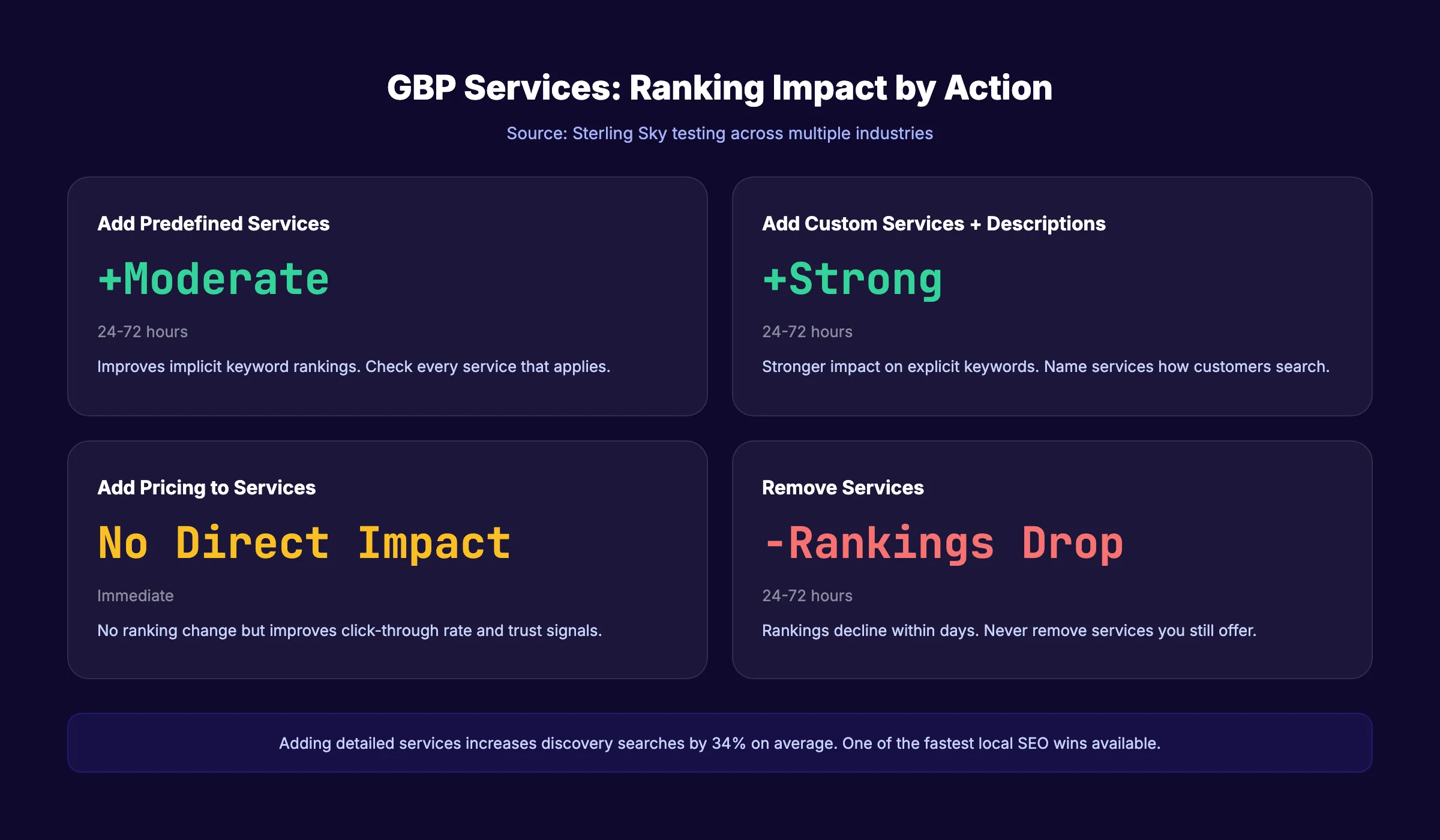
Sterling Sky tested the ranking impact of adding services across multiple industries. The results:
| Action | Typical Ranking Impact | Timeline |
|---|---|---|
| Adding predefined services | Moderate improvement for implicit keywords | 24 to 72 hours |
| Adding custom services with descriptions | Stronger improvement for explicit keywords | 24 to 72 hours |
| Adding pricing to services | No direct ranking impact (but improves CTR) | Immediate |
| Removing services | Rankings drop within days | 24 to 72 hours |
The impact varies by industry and market competition. Service-based businesses (plumbers, lawyers, dentists, HVAC) see the strongest ranking improvements. Retail businesses see less impact because Google relies more on product data.
For a full guide to optimizing your Google Business Profile, see our dedicated post. This article focuses specifically on the services section.
GBP Services vs. Products: When to Use Each
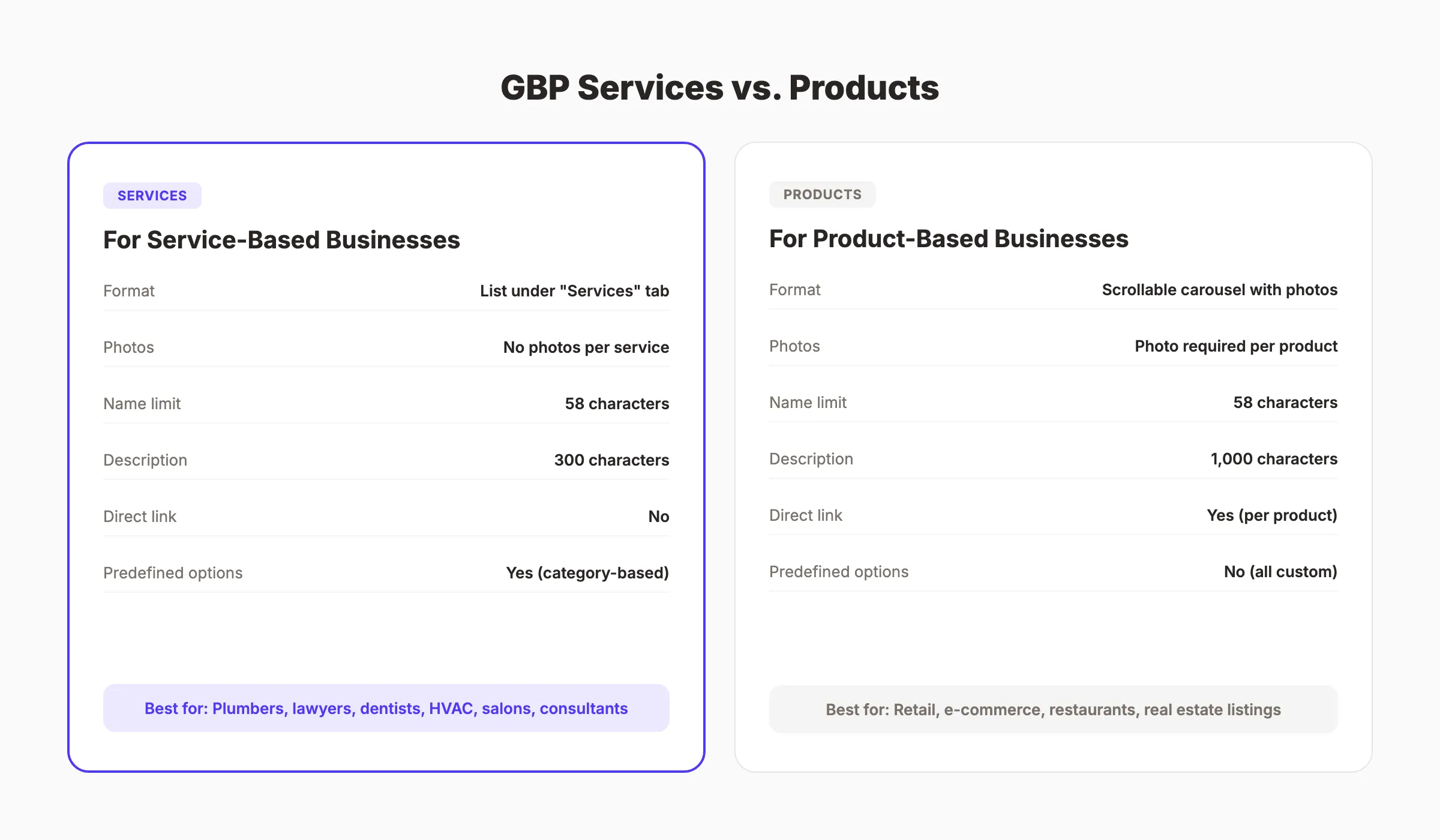
Google Business Profile offers 2 ways to showcase what you sell: Services and Products. They serve different purposes and appear differently on your listing.
Key Differences
| Feature | Services | Products |
|---|---|---|
| Best for | Service-based businesses | Retail and product-based businesses |
| Appearance | List format under “Services” tab | Scrollable carousel with photos |
| Photo support | No photos per service | Photo required per product |
| Character limit (name) | 58 characters | 58 characters |
| Character limit (description) | 300 characters | 1,000 characters |
| Pricing | Optional (fixed or range) | Optional (fixed or range) |
| Link to website | No direct link per service | Direct link per product |
| Category-dependent | Yes (predefined + custom) | Available in most verticals |
| Ranking impact | Moderate to strong for service queries | Moderate for product queries |
When to Use Services
Use the Services section if you:
- Run a service-based business (plumbing, legal, dental, HVAC, cleaning, consulting)
- Offer intangible deliverables (consultations, audits, repairs, installations)
- Want to rank for specific service keywords (“water heater installation,” “family law consultation”)
When to Use Products
Use the Products section if you:
- Sell physical goods or retail products
- Want visual product listings with photos
- Need direct purchase links from the GBP listing
- Run a restaurant (use the Menu section instead)
When to Use Both
Many businesses benefit from both. A salon offers services (haircuts, coloring, treatments) and sells products (shampoo, styling tools). A real estate agent lists services (buyer representation, home valuation) and features specific properties as products. Use both sections when they apply.
Your SEO team. $99 per month. Stacc publishes 30 optimized articles per month for your local business on autopilot. Start for $1 →
How to Add Services to Your Google Business Profile
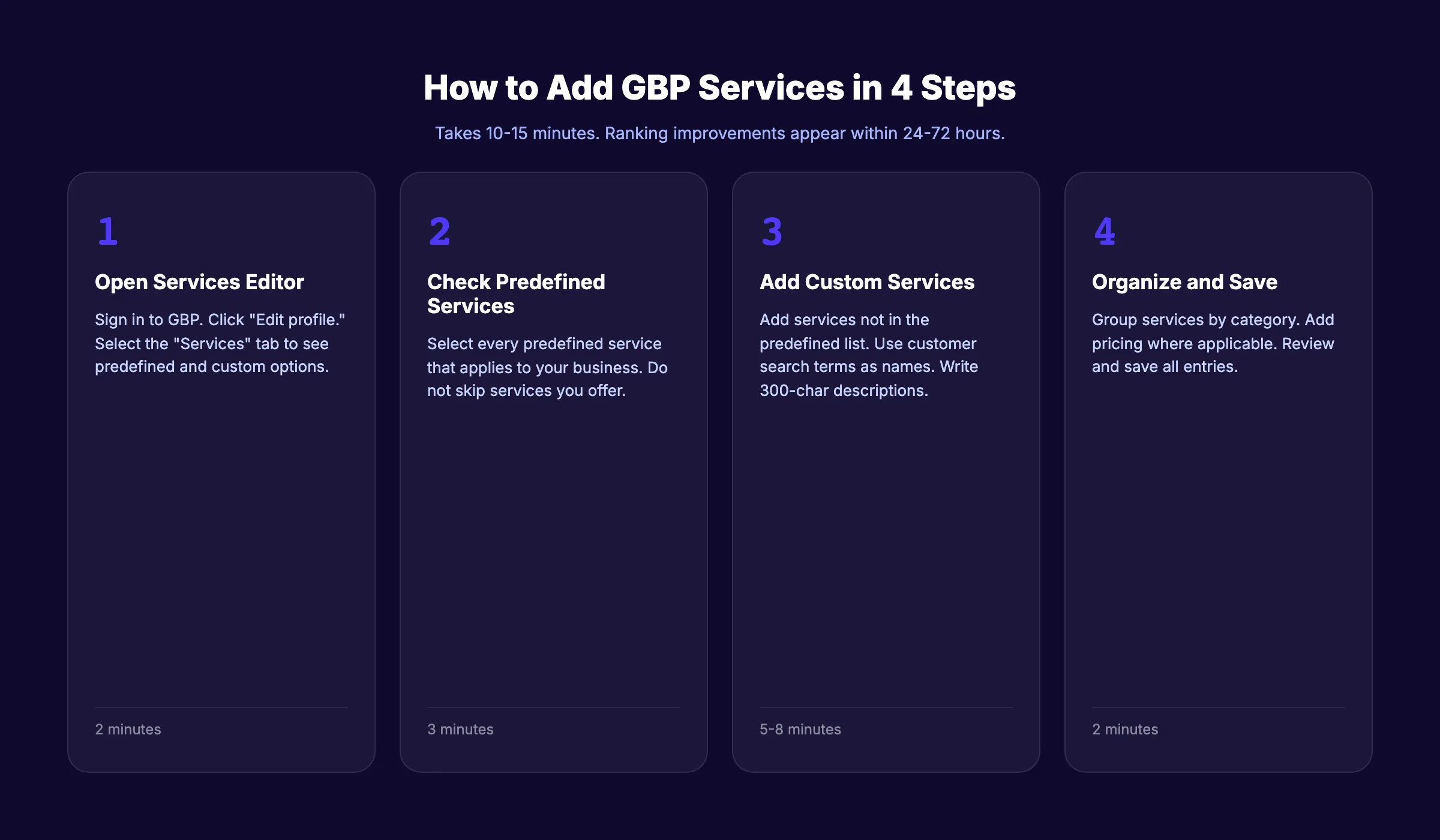
Adding services takes 10 to 15 minutes. The process differs depending on whether your business category offers predefined services or requires custom entries.
Step 1: Access the Services Editor
- Sign in to your Google Business Profile (search your business name on Google while logged in)
- Click “Edit profile” on your listing
- Select the “Services” tab
- You will see predefined services (if available for your category) and an option to add custom services
Step 2: Add Predefined Services
Google offers suggested services based on your business category. For example:
| Business Category | Example Predefined Services |
|---|---|
| Plumber | Faucet installation, Toilet repair, Drain cleaning, Water heater repair |
| Dentist | Teeth cleaning, Dental implants, Root canal, Teeth whitening |
| Attorney | Personal injury, Family law, Criminal defense, Estate planning |
| HVAC | AC repair, Furnace installation, Duct cleaning, Thermostat installation |
| Hair salon | Haircut, Hair coloring, Highlights, Keratin treatment |
Check every predefined service that applies to your business. Do not skip services you offer just because they seem obvious. Google uses the checked services list for search matching.
Step 3: Add Custom Services
If a service you offer is not in the predefined list, add it as a custom service:
- Click “Add custom service”
- Enter the service name (up to 58 characters)
- Add a description (up to 300 characters). This is optional but recommended.
- Add pricing (optional). You can set a fixed price or a price range.
- Save
Custom services give you control over the exact wording Google associates with your business. This is where keyword research becomes valuable. Name your custom services using the terms your customers actually search for.
Step 4: Organize Services by Category
Group related services under category headers. Google automatically creates category groups based on your business categories. You can add services under each group.
Example for a plumber:
- Emergency Services: Emergency pipe repair, 24/7 plumbing, Water damage response
- Installation: Water heater installation, Faucet installation, Garbage disposal installation
- Repair: Toilet repair, Leak detection, Drain unclogging
- Maintenance: Pipe inspection, Drain cleaning, Water quality testing
Organized services help customers find what they need and help Google understand your service structure.
Writing Service Descriptions That Improve Rankings
The service description field is 300 characters. Most businesses leave it empty. That is a mistake. Descriptions give Google additional context about what you offer and help match your listing with longer, more specific search queries.
Description Writing Rules
- Write in natural language (not keyword-stuffed lists)
- Include the city or service area when relevant
- Mention specific details (brands you work with, certifications, specialties)
- Keep each description under 300 characters including spaces
- Do not include phone numbers, URLs, or prices in the description field (use the price field for pricing)
- Do not use emojis, ALL CAPS, or promotional language
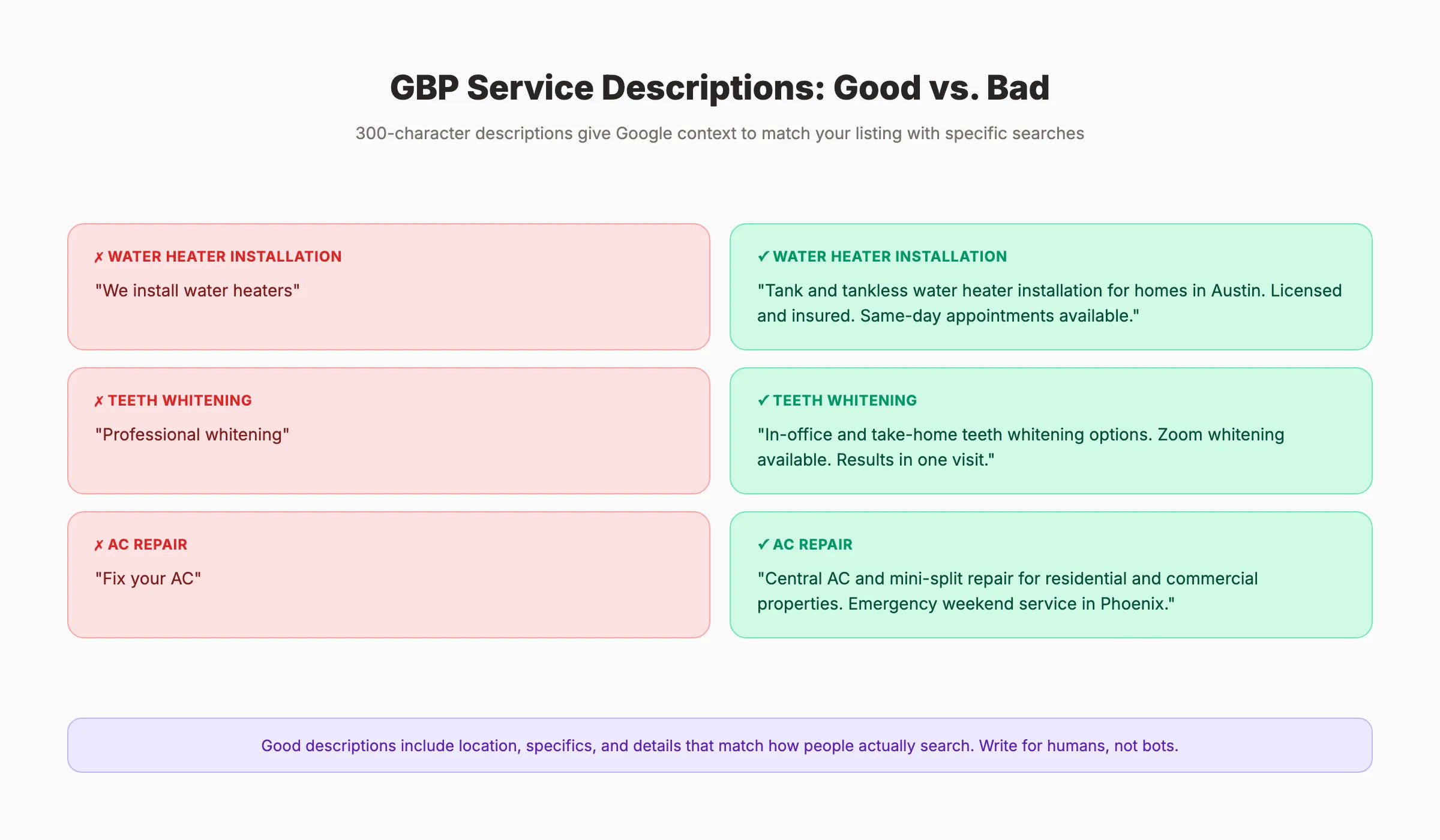
Good vs. Bad Service Descriptions
| Service | Bad Description | Good Description |
|---|---|---|
| Water Heater Installation | ”We install water heaters" | "Tank and tankless water heater installation for homes in Austin. Licensed and insured. Same-day appointments available.” |
| Teeth Whitening | ”Professional whitening" | "In-office and take-home teeth whitening options. Zoom whitening available. Results in one visit.” |
| Family Law | ”Family law services" | "Divorce, child custody, and prenuptial agreements for families in Dallas. Free 30-minute consultation.” |
| AC Repair | ”Fix your AC" | "Central AC and mini-split repair for residential and commercial properties. Emergency weekend service in Phoenix.” |
The good descriptions include location, specifics, and details that match how people actually search. “Water heater installation Austin” and “same-day water heater installation” are both queries the good description supports.
Writing for AI Overviews
In 2026, Google’s AI Overviews pull information directly from GBP service descriptions. Write descriptions in short, declarative sentences. State what you do, where you do it, and what makes it different. The AI extracts facts more easily from structured sentences than from marketing fluff.
For a deeper look at local SEO optimization, see our complete guide.
Stop writing. Start ranking. Stacc publishes 30 GBP posts per month for $49/mo. Blog SEO + Local SEO on autopilot. Start for $1 →
Pricing Strategy for GBP Services
Adding prices to your GBP services does not directly affect rankings. However, pricing does affect click-through rates and customer decisions. A searcher comparing 3 plumbers in the Local Pack is more likely to call the one with transparent pricing.
When to Add Pricing
| Scenario | Add Pricing? | Why |
|---|---|---|
| Fixed-price services (teeth cleaning, oil change) | Yes | Reduces friction. Customer knows the cost before calling. |
| Range pricing (kitchen remodel, legal consultation) | Yes (use range) | Sets expectations without committing to a fixed quote. |
| Highly variable pricing (custom projects, enterprise) | No | A listed price may disqualify you before a conversation. |
| Free consultations or estimates | Yes | ”Free” is a strong conversion trigger. List $0 explicitly. |
| Competitors show pricing | Yes | Not showing pricing when competitors do looks evasive. |
Pricing Format Options
Google allows 2 pricing formats:
- Fixed price: $150 (best for standardized services)
- Price range: $150 to $500 (best for variable services)
Both formats display directly on your listing. Use the format that matches how your customers think about the cost. A house cleaning service quoting “$150 to $300 depending on home size” is more helpful than no price at all.
The Trust Factor
Transparent pricing builds trust. 64% of consumers consider price as a primary factor when choosing a local business. When 3 businesses appear in the Local Pack for “AC repair near me,” the one showing “$89 diagnostic fee” is more likely to get the call than the 2 listings with no pricing information.
Common GBP Services Mistakes to Avoid
Most businesses make at least 1 of these mistakes. Each one reduces the effectiveness of your services section.
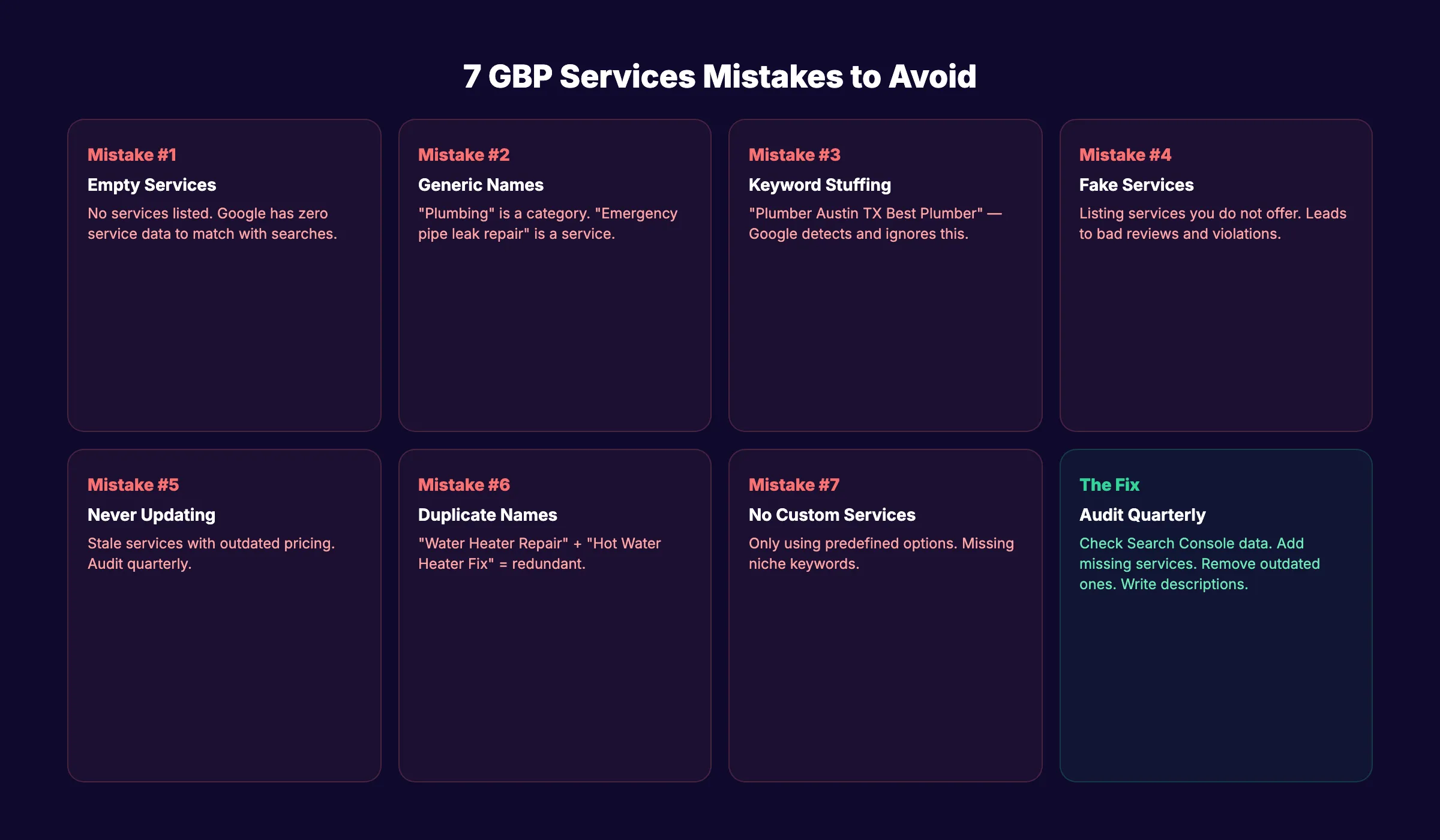
Mistake 1: Leaving Services Empty
The most common mistake. An empty services section tells Google nothing about what you do beyond your category. You miss ranking opportunities for specific service keywords.
Mistake 2: Generic One-Word Entries
“Plumbing” is a category, not a service. “Emergency pipe leak repair for residential homes” is a service. Be specific. Generic entries do not help Google match your listing with detailed search queries.
Mistake 3: Keyword Stuffing
“Plumber Austin TX Best Plumber Austin Emergency Plumber Austin” will not help. Google detects keyword stuffing in service descriptions and ignores them. Write for humans. Include location naturally.
Mistake 4: Listing Services You Do Not Offer
Do not add services to “cast a wider net.” If you do not actually offer water heater installation, do not list it. Misleading services lead to bad reviews, refund requests, and potential Google policy violations.
Mistake 5: Never Updating Services
Services change. You add new offerings, discontinue old ones, and adjust pricing. Audit your services section quarterly. Remove outdated entries. Add new services. Update descriptions and pricing.
Mistake 6: Duplicating the Same Service Under Multiple Names
“Water Heater Repair,” “Hot Water Heater Repair,” and “Water Heater Fix” on the same listing is redundant. Pick the version your customers search for most (check Google Search Console data) and use that one.
Mistake 7: Ignoring Custom Services
Many businesses only check the predefined service boxes and skip custom entries. Custom services let you target niche queries that predefined options do not cover. A plumber listing “Tankless Water Heater Conversion” as a custom service targets a specific, high-intent query that the generic “Water Heater Installation” predefined option misses.
Auditing and Maintaining Your GBP Services
Setting up services is not a one-time task. Markets change. Your offerings evolve. Competitors update their listings. Quarterly audits keep your services section performing.
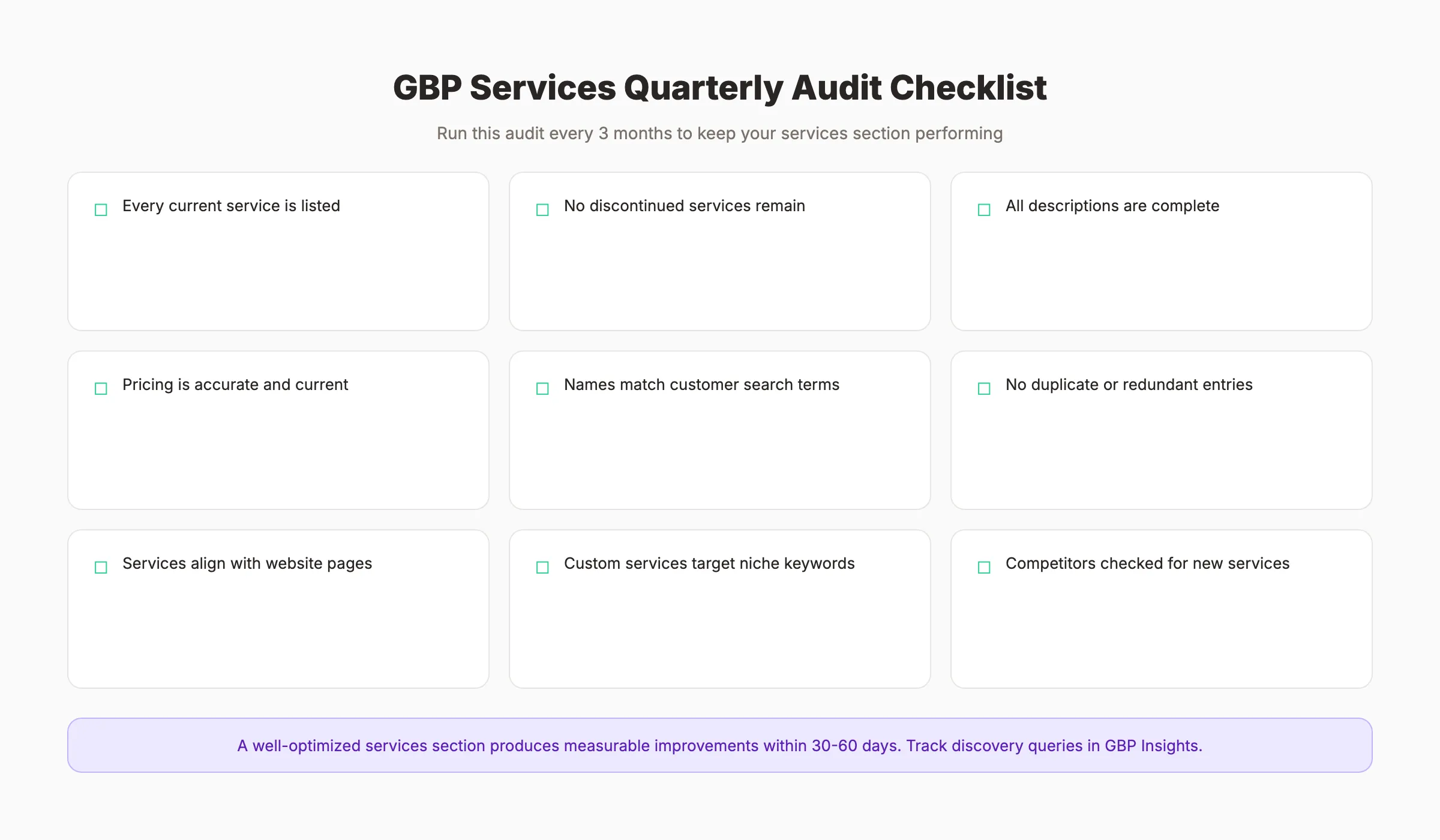
Quarterly Audit Checklist
- Every service you currently offer is listed
- No discontinued services remain on the listing
- All descriptions are complete (no empty description fields)
- Pricing is accurate and current
- Service names match the terms customers search for (check Search Console)
- No duplicate or redundant service entries exist
- Services align with the service pages on your website
- Custom services target specific keywords not covered by predefined options
- Competitor listings checked for services you may be missing
Aligning Services With Your Website
Your GBP services should mirror your website service pages. If your website lists “Residential Plumbing,” “Commercial Plumbing,” and “Emergency Plumbing” as separate service pages, your GBP should reflect the same structure.
This alignment serves 2 purposes:
- Consistency signals: Google cross-references your GBP data with your website. Matching services build trust in both directions.
- SEO reinforcement: When someone searches for “emergency plumbing in Austin” and your GBP lists “Emergency Plumbing” while your website has a dedicated page for it, Google has strong signals to rank you for that query.
For businesses with multiple locations, each location’s GBP should list only the services available at that specific branch. A dental office that does not offer orthodontics at every location should not list it on every GBP. See our guide on local SEO for multi-location businesses for more on managing services at scale.
Tracking Services Performance
Google Business Profile Insights shows which queries led searchers to your listing. After updating services, monitor:
- New discovery queries: Are you appearing for new service-specific searches?
- Impression changes: Did total impressions increase after adding detailed services?
- Action rate: Are more searchers calling, clicking, or requesting directions?
Track these local SEO metrics monthly. A well-optimized services section should produce measurable improvements within 30 to 60 days.
3,500+ blogs published. 92% average SEO score. See what Stacc can do for your local business. Start for $1 →
FAQ
How many services can I add to Google Business Profile?
There is no hard limit on the number of services you can add. Google allows both predefined services (based on your category) and unlimited custom services. However, only add services you actually offer. Quality and accuracy matter more than quantity. Most businesses need 10 to 30 services to cover their full offering.
Do GBP services affect local search rankings?
Yes. Sterling Sky testing confirms that adding services improves rankings for both implicit and explicit keywords. The impact appears within 24 to 72 hours of adding services. Custom services with detailed descriptions have a stronger ranking impact than predefined services alone. The effect varies by industry and competition level.
Should I add pricing to my GBP services?
It depends on your business. Fixed-price and range-priced services benefit from listed pricing because it reduces friction and builds trust. Highly variable services (custom projects, enterprise work) may be better without pricing. If your competitors show pricing and you do not, you look less transparent by comparison.
What is the difference between GBP services and GBP products?
Services are for intangible offerings (repairs, consultations, treatments). Products are for physical goods with photos and purchase links. Service-based businesses should use the Services section. Retail businesses should use Products. Many businesses (salons, real estate, automotive) benefit from using both.
How often should I update my GBP services?
Audit quarterly at minimum. Update immediately when you add or discontinue a service, change pricing, or adjust your service area. Stale services with outdated information hurt both rankings and customer trust. Review your Search Console data during each audit to identify new service keywords worth targeting.
Can Stacc help manage GBP services and posts?
Yes. Stacc publishes 30 GBP posts per month ($49/mo) to keep your profile active and visible. While GBP services need to be set up once and audited quarterly, regular GBP posts drive ongoing engagement that complements your services section. Blog SEO ($99/mo) provides 30 articles per month that align with your GBP services for maximum local search coverage.
Your GBP services section is one of the fastest local SEO wins available. It takes 15 minutes to set up, generates ranking improvements within 72 hours, and costs nothing. Start by checking every predefined service that applies to your business. Then add 5 to 10 custom services targeting specific keywords your customers search for. Write descriptions for each one. Audit quarterly. Every service you add is another signal telling Google exactly what your business does and where you do it.
Related Tools & Resources
Free SEO Tools:
Best Lists:

Written by
Siddharth GangalSiddharth is the founder of theStacc and Arka360, and a graduate of IIT Mandi. He spent years watching great businesses lose organic traffic to competitors who simply published more. So he built a system to fix that. He writes about SEO, content at scale, and the tactics that actually move rankings.
Automate your Google Business Profile content
30 GBP posts, local SEO articles, and review responses. Published every month automatically.
30-day trial · Cancel anytime
theStacc
Stop writing SEO content manually
30 blog articles, 30 GBP posts, and social media content. Published every month. Automatically.
Try for free$1 for 3 days · Cancel anytime