
How to Create LLMs.txt: Step-by-Step Guide
Learn how to create an llms.txt file for your website in 6 steps. Includes format, examples, platform guides, and templates. Takes 30 minutes. Updated 2026.
AI search engines like ChatGPT, Perplexity, and Claude process billions of queries per month. Yet most websites give these AI models zero guidance on which content matters most. The result: AI systems crawl your entire site and may miss your best pages entirely.
The llms.txt file fixes this. It is a plain Markdown file that sits in your root directory and tells large language models which pages to read first. Think of it as a curated table of contents for AI. Learning how to create llms.txt takes about 30 minutes. The file is free. And it signals to AI crawlers that your site is ready for the AI search era.
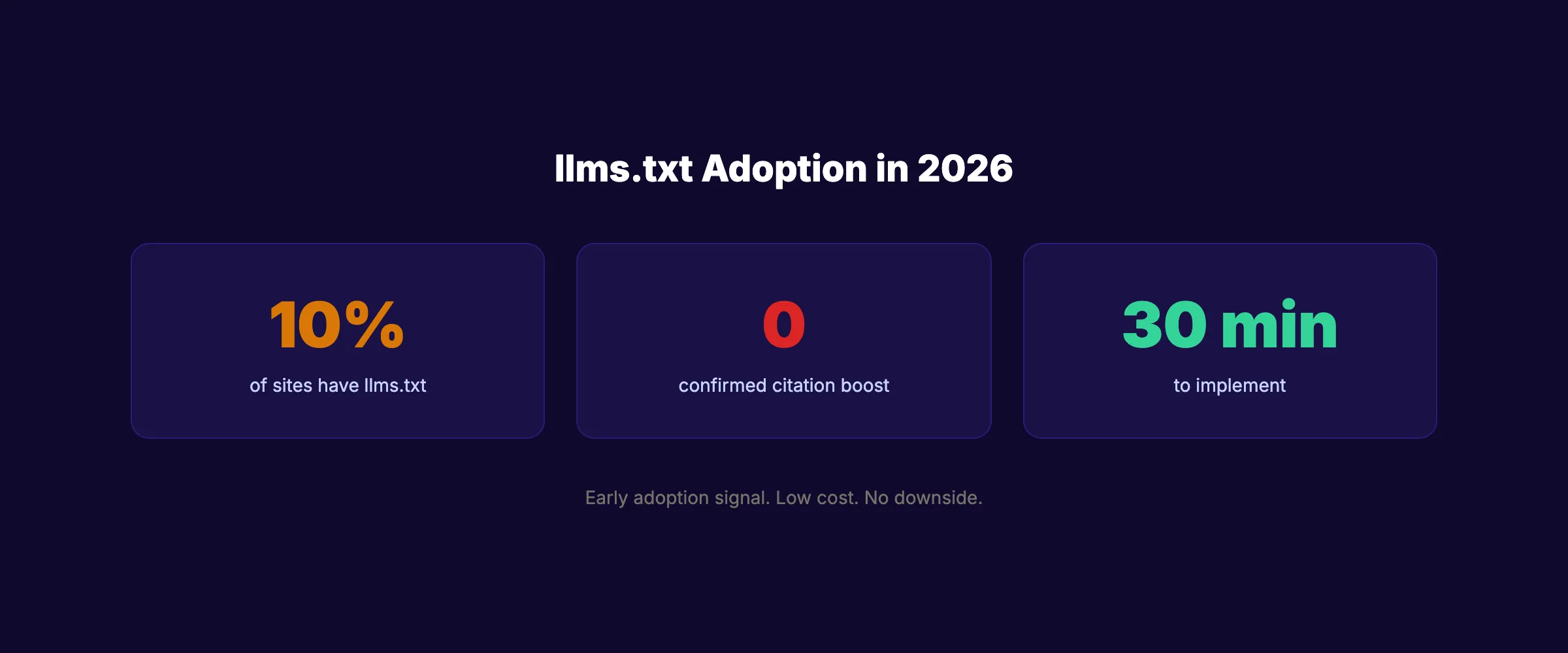
Only 10% of websites have implemented llms.txt as of early 2026. That low adoption rate means early implementation is a differentiation signal. We publish 3,500+ articles across 70+ industries and optimize every piece for both traditional search and AI visibility. This guide walks you through creating your llms.txt from scratch.
Here is what you will learn:
- What
llms.txtis and how it differs fromrobots.txt - The exact file format and structure rules
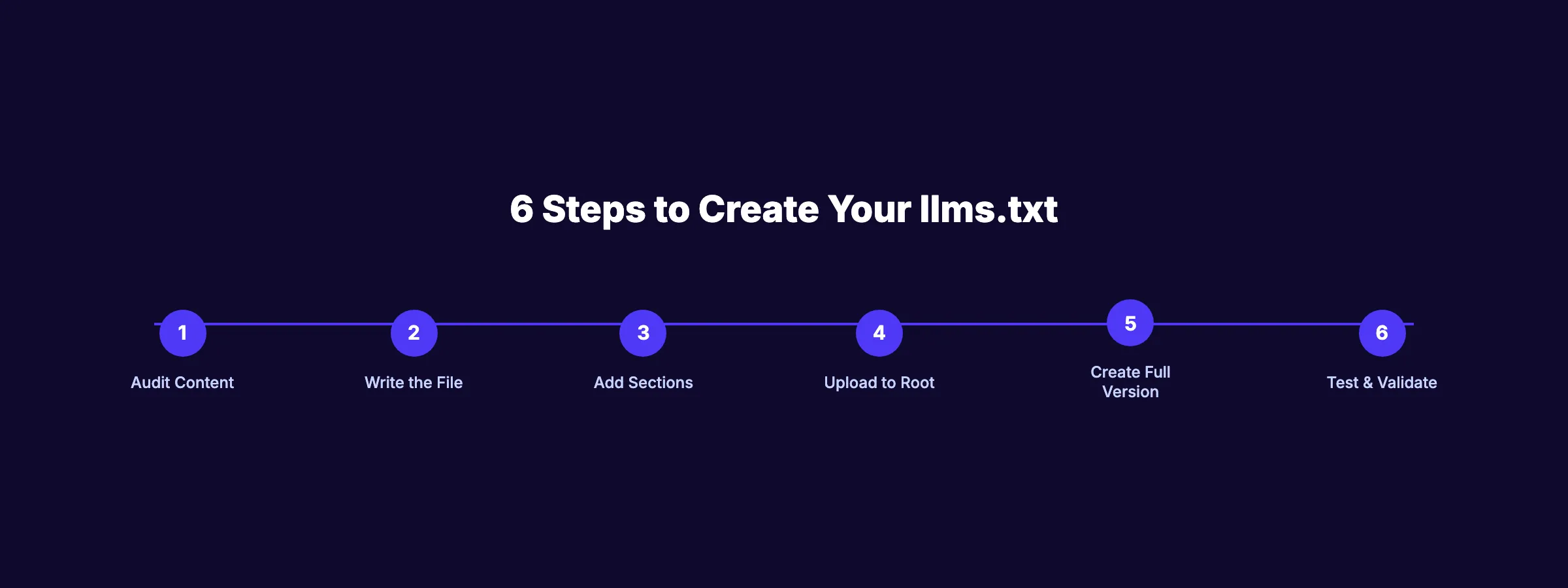
- 6 steps to create and deploy your file
- Platform-specific upload instructions (WordPress, Astro, Webflow, Shopify)
- How to create
llms-full.txtfor deeper AI access - Whether
llms.txtactually improves AI citations
Time required: 30 minutes Difficulty: Beginner What you will need: A text editor and FTP/file access to your website
What Is llms.txt and Why It Exists
The llms.txt file is a proposed web standard created by Jeremy Howard (founder of fast.ai). It provides AI language models with a structured, Markdown-formatted overview of your website’s most important content.
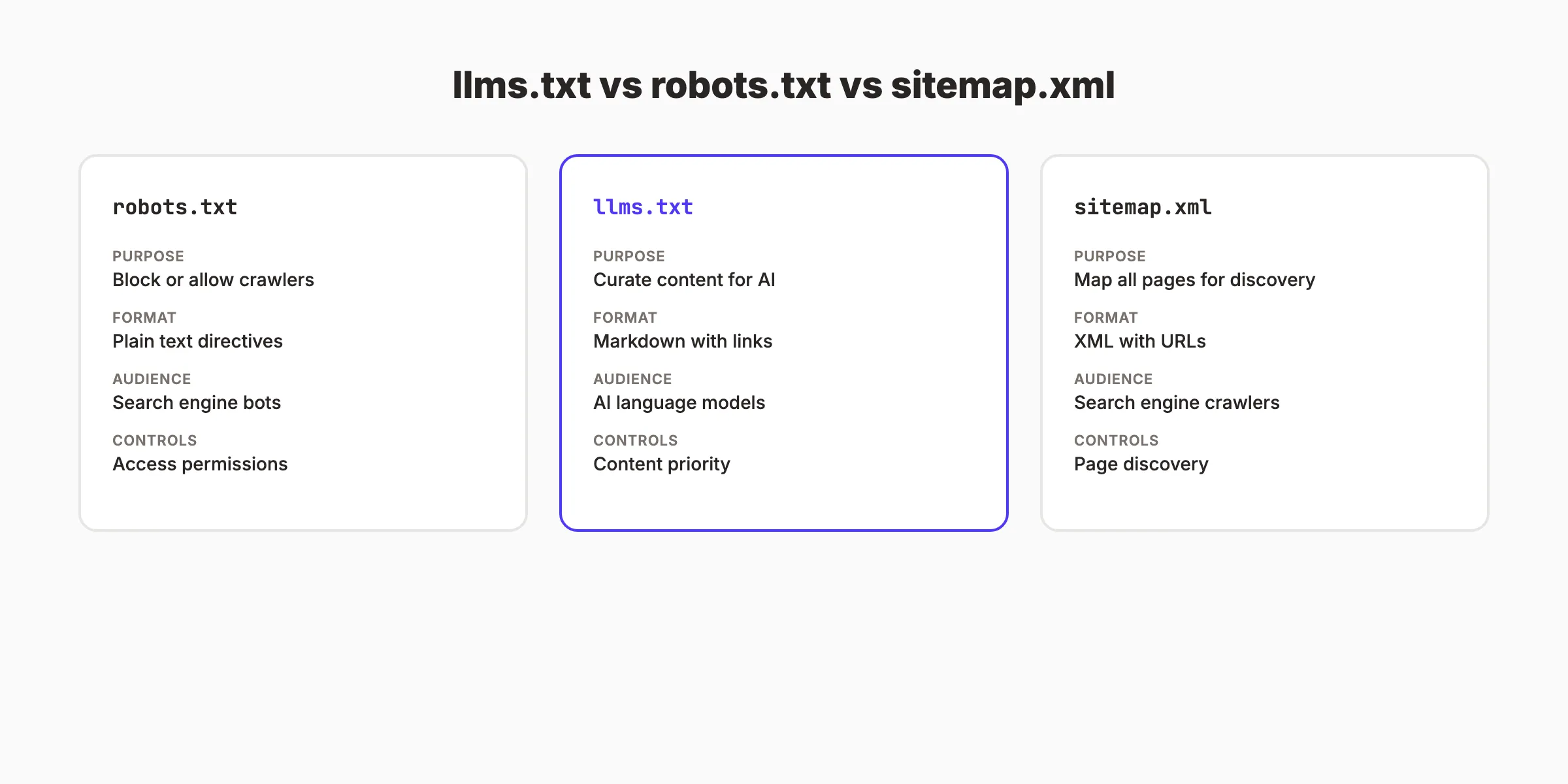
How It Differs From robots.txt and Sitemap
| File | Purpose | Format | Audience | Controls |
|---|---|---|---|---|
robots.txt | Block or allow crawlers | Plain text directives | Search engine bots | Access permissions |
llms.txt | Curate content for AI | Markdown with links | AI language models | Content priority |
sitemap.xml | Map all pages for discovery | XML with URLs | Search engine crawlers | Page discovery |
Your robots.txt controls access. Your sitemap maps every page. Your llms.txt curates the pages that matter most. These 3 files work together.
The Honest Reality About llms.txt
Transparency matters here. As of March 2026, there is no confirmed evidence that llms.txt directly improves AI citation rates. Google has stated that AI Overviews rely on traditional SEO signals, not llms.txt. ChatGPT and Perplexity have not confirmed using it either.
So why create one? Three reasons:
- Low cost, no downside. 30 minutes of work. Zero risk.
- Early adoption signal. Only 10% of sites have one. Being early costs nothing.
- Future-proofing. The standard is gaining traction. Major sites like Anthropic, Cloudflare, and Vercel already use it.
The file will not hurt you. It may help you. And it takes less time to create than a single blog post.
Step 1: Audit Your Most Important Content
Before writing the file, decide which pages deserve to be in it. llms.txt is a curation tool. It should highlight your best content, not list every page.
Select 10 to 30 pages that represent your site’s core value:
- Your homepage or about page
- Your most important product or service pages
- Your top-performing blog posts
- Key documentation or resource pages
- Your pricing page (if publicly accessible)
Do not include:
- Login pages or admin panels
- Duplicate content or thin pages
- Pages behind authentication
- Large media files or downloads
Why this step matters: AI models process llms.txt as a priority signal. If you list 500 pages, you dilute the signal. If you list your 20 best pages, AI models focus on what makes your site valuable.
Pro tip: Check your Google Search Console for your top pages by impressions. Those are the pages AI models are most likely to surface. Prioritize them.
Content Priority Framework
Use this framework to decide which pages make the cut:
| Priority | Include | Examples |
|---|---|---|
| Must include | Pages that define your business | Homepage, pricing, core services, about |
| Should include | Pages with unique expertise | Top blog posts, guides, case studies |
| Consider | Supporting content | Team page, changelog, FAQ |
| Skip | Low-value pages | Login, terms of service, archive pages |
The goal is to surface the 20 pages that best represent your brand and expertise. If an AI model reads only these 20 pages, it should understand what your business does, who it serves, and why it is credible.
Step 2: Write the llms.txt File
Create a new file called llms.txt in a text editor. The file uses Markdown format with a specific structure.
The Required Format
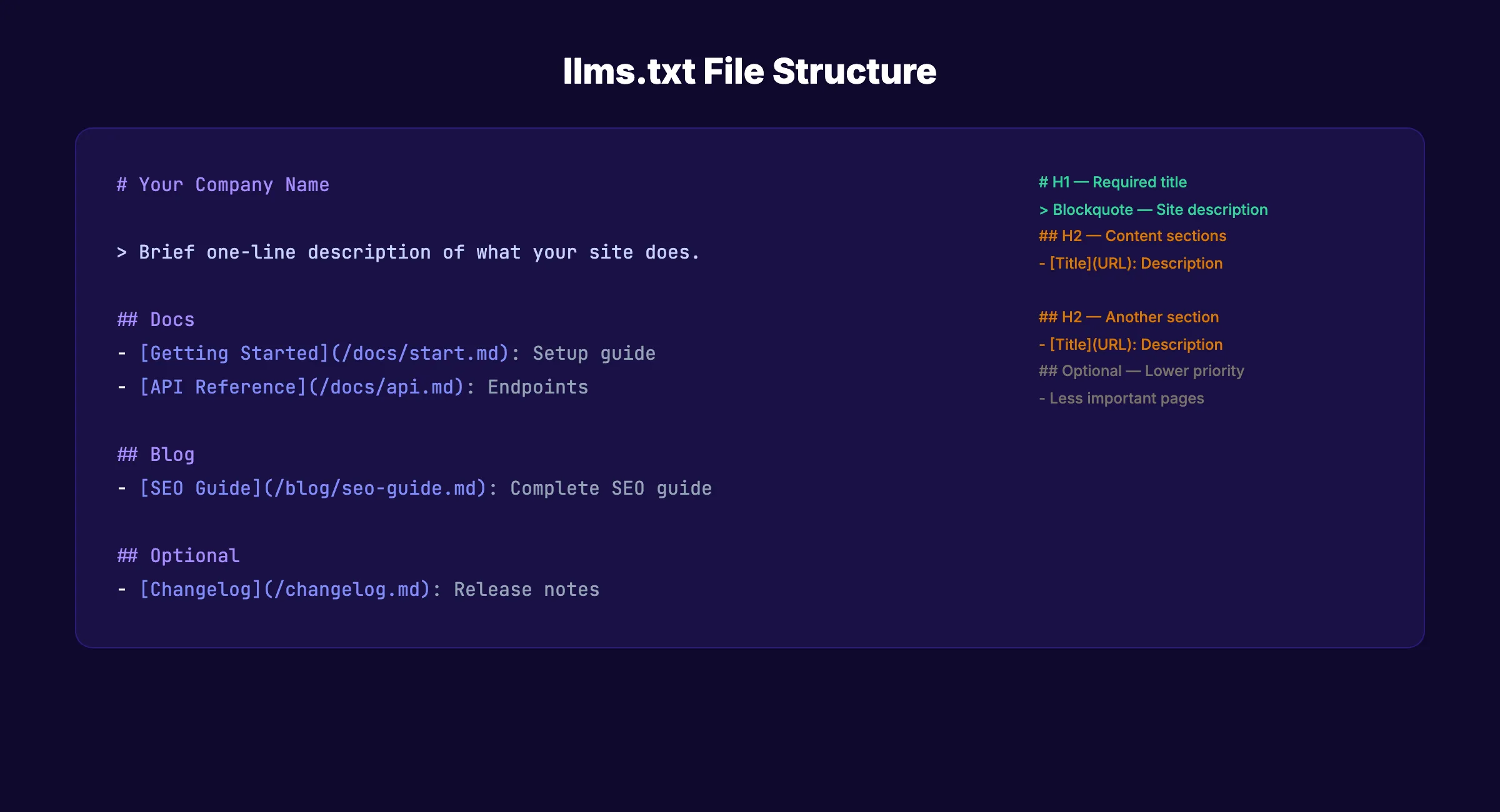
The llms.txt specification defines these elements:
1. H1 Title (required): Your site or brand name.
## Stacc2. Blockquote Description (recommended): A single sentence describing what your site does and who it serves.
> Stacc is a done-for-you SEO service that publishes blog articles, local SEO posts, and social media content automatically for small businesses.3. H2 Sections (recommended): Organized groups of links to your key pages.
## Blog
- [SEO Content Writing](/blog/seo-content-writing.md): Complete guide to writing SEO blog posts
- [Local SEO Guide](/blog/local-seo-guide.md): How to rank in local search results
4. Link Format: Each link follows this pattern:
- [Page Title](URL): Brief description of what the page coversWhy this step matters: The format is strict. AI parsers expect the H1, blockquote, and H2 structure. Deviating from the format means parsers may fail to read your file correctly.
Pro tip: The description in the blockquote is the single most important line. AI models use it to categorize your site and decide when to cite it. Make it specific. “We help small businesses” is vague. “We publish 30 SEO articles per month for local businesses” is specific.
Your SEO team. $99/month. Stacc publishes 30 optimized articles per month. Every article is structured for both Google and AI search. Start for $1 →
Step 3: Add Content Sections
Organize your selected pages into logical H2 sections. Common section patterns include:
Section Structure Example
## Your Company Name

> One-sentence description of your site and who it serves.

## Docs
- [Getting Started](/docs/start.md): Setup and onboarding guide
- [API Reference](/docs/api.md): Full API endpoint documentation

## Blog
- [SEO Guide](/blog/seo-guide.md): Complete search optimization guide
- [Content Strategy](/blog/content-strategy.md): How to plan content

## Product
- [Features](/features.md): Full feature list and descriptions
- [Pricing](/pricing.md): Plans and pricing details

## Optional
- [Changelog](/changelog.md): Release notes and updates
- [Team](/about/team.md): Team bios and credentials
Section Naming Conventions
| Section Name | Use For |
|---|---|
## Docs | Documentation, guides, tutorials |
## Blog | Blog posts, articles, resources |
## Product | Features, pricing, integrations |
## API | API docs, OpenAPI specs |
## Optional | Lower-priority supplementary content |
The ## Optional section is a special convention. It signals to AI parsers that these pages are less critical. Use it for changelogs, team pages, and supplementary resources.
You can create custom section names beyond the standard ones. A SaaS company could use ## Integrations. A law firm could use ## Practice Areas. Match the sections to your site’s natural content categories. The H2 headings provide AI models with a quick mental model of your site’s structure and focus areas.
Why this step matters: Organized sections help AI models understand your site’s structure at a glance. A well-organized llms.txt is like a well-organized library. The model finds what it needs faster.
Step 4: Upload to Your Website Root
The llms.txt file must be accessible at yoursite.com/llms.txt. Upload it to the root directory of your website.
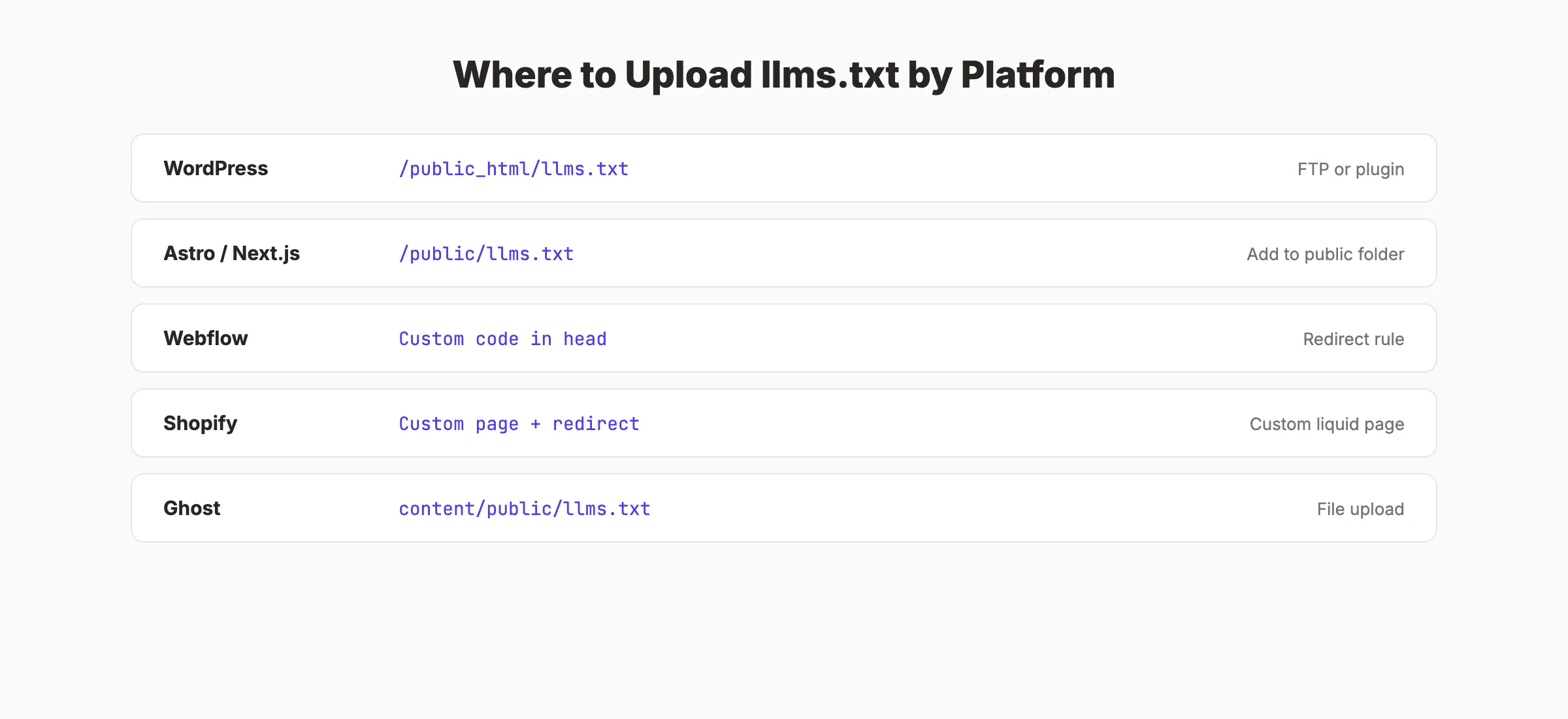
Platform-Specific Upload Instructions
WordPress (self-hosted):
Upload llms.txt to the same directory as wp-config.php using FTP, SFTP, or your hosting file manager. The path is typically /public_html/llms.txt. Some WordPress plugins (like “LLMs.txt for WordPress”) generate the file automatically from your content.
Astro, Next.js, or other static site generators:
Place llms.txt in your /public/ directory. It will be served at the root URL automatically during build.
/public/llms.txt → yoursite.com/llms.txtWebflow:
Webflow does not support arbitrary root-level files natively. Create a redirect rule from /llms.txt to a hosted file, or use Cloudflare Workers to serve the file at the correct path.
Shopify:
Create a custom page with Liquid template content, then set up a redirect from /llms.txt to that page. Alternatively, use a Shopify proxy app to serve static files.
Ghost:
Upload llms.txt to your Ghost theme’s assets directory or use a route redirect in your routes.yaml to serve it at /llms.txt.
Why this step matters: If AI crawlers cannot find the file at /llms.txt, the file does nothing. Verify the file is accessible by visiting yoursite.com/llms.txt in your browser after uploading.
Pro tip: After uploading, test the URL. If you see your Markdown content displayed in the browser, the file is correctly placed. If you get a 404, check your file path and server configuration.
Step 5: Create llms-full.txt (Optional)
The llms.txt specification also defines an optional llms-full.txt file. While llms.txt contains links to your pages, llms-full.txt contains the actual content of those pages in a single Markdown document.
When to Use llms-full.txt
Use llms-full.txt when you want AI models to ingest your content without making separate HTTP requests for each page. The file concatenates the full text of your most important pages into one document.
Format
## Your Company Name

> Site description.

## Getting Started

[Full content of your getting started page here...]

## SEO Guide

[Full content of your SEO guide here...]
Size Considerations
Keep llms-full.txt under 100,000 tokens (approximately 75,000 words). AI models have context window limits. A file that exceeds those limits gets truncated. For most business websites, 20 to 30 key pages fit comfortably.
Real-World Examples
Companies already using llms.txt and llms-full.txt include:
- Anthropic (makers of Claude). Curates their documentation and research
- Cloudflare. Highlights developer docs and product pages
- Vercel. Surfaces their Next.js documentation
- Mintlify. Provides documentation platform guides
These implementations share a common pattern: focused curation of documentation and high-value pages. None of them list every page on their site. They select the content that best represents their expertise and value.
Why this step matters: llms-full.txt removes friction for AI models. Instead of crawling 20 separate pages, the model reads one file. For documentation sites and knowledge bases, this is a significant advantage.
Pro tip: If you already have structured blog content and a strong content cluster strategy, your llms-full.txt can include full pillar page content to maximize AI comprehension of your topic expertise.
Rank everywhere. Do nothing. Blog SEO, Local SEO, and Social on autopilot. Every Stacc article is optimized for both Google and AI search visibility. Start for $1 →
Step 6: Test and Validate Your File
After uploading, verify that your llms.txt works correctly.
Validation Checklist
- File is accessible at
yoursite.com/llms.txt(returns 200 status) - H1 title is present and matches your brand name
- Blockquote description is present and specific
- All links in the file resolve to live pages (no 404s)
- Links point to Markdown versions of pages when available
- H2 sections are logically organized
- File size is under 10 KB for
llms.txt(links only) -
llms-full.txtis under 100,000 tokens if you created one
Test With AI Models
After deployment, test your file’s visibility:
- Ask ChatGPT about your brand. Does it reference information from your curated pages?
- Search for your key topics on Perplexity. Does it cite your content?
- Check Google AI Overviews for your target queries. Does your site appear?
These tests will not show immediate results from llms.txt alone. AI citation depends on many factors including content quality, E-E-A-T signals, and domain authority. But testing establishes a baseline for tracking improvements over time.
Ongoing Maintenance
Set a quarterly reminder to review your llms.txt file. Add new cornerstone content. Remove pages that no longer exist. Update descriptions if your business focus shifts. A maintained llms.txt stays relevant. An abandoned one becomes a liability.
Track your AI referral traffic in analytics. Filter for visits from ChatGPT, Perplexity, and other AI platforms. Our guide on tracking AI search visibility covers the full measurement setup.
Why this step matters: A broken llms.txt is worse than no file at all. A file with dead links or malformed Markdown tells AI systems your site is poorly maintained. Validate before moving on.
Results: What to Expect
After creating your llms.txt:
- Day 1: File is live. AI crawlers may discover it within days to weeks.
- Week 1-4: No immediate citation changes expected. AI models re-index on their own schedules.
- Month 1-3: If your content quality is strong and your GEO strategy is solid, you may see increased AI citations. The
llms.txtfile supports but does not drive citation improvements alone. - Ongoing: Update the file whenever you publish significant new content or restructure your site.
The honest truth: llms.txt is one piece of a larger AI search visibility strategy. It works best when combined with structured data (schema markup), strong E-E-A-T signals, cited statistics, and consistently published content. Treating llms.txt as a silver bullet will disappoint. Treating it as one component of an AI-ready website will not.
Common Mistakes to Avoid
Listing every page. llms.txt is a curation tool. 20 to 30 pages is the sweet spot. 500 pages defeats the purpose.
Writing vague descriptions. “A great website for business” tells AI nothing. “30 SEO articles per month for local service businesses at $99/mo” tells AI exactly what you do.
Forgetting to update the file. If you launch a major new product page or publish a cornerstone blog post, add it to llms.txt. A stale file misses your newest and often best content.
Linking to non-Markdown pages. The specification recommends linking to .md versions of pages when available. If you do not have Markdown versions, link to the standard HTML URLs. AI models can still process them.
Ignoring the description field. The blockquote description is what AI models use to categorize your entire site. A missing or generic description means AI systems cannot quickly classify what you do. Spend 5 minutes crafting a specific, accurate one-sentence description.
Not coordinating with your AI crawler strategy. Your llms.txt file works best alongside a proper AI crawler configuration. If your robots.txt blocks GPTBot or ClaudeBot, they cannot read your llms.txt either. Ensure your crawler access rules and your content curation work together.
Expecting immediate results. llms.txt is a long-term positioning move. It does not produce overnight citation increases. Pair it with content quality improvements and AEO strategies for the full effect.
3,500+ blogs published. 92% average SEO score. Stacc publishes content optimized for both Google and AI search. Every article includes structured data and answer-engine formatting. Start for $1 →
FAQ
What is llms.txt?
llms.txt is a plain Markdown file placed at the root of your website (yoursite.com/llms.txt) that tells AI language models which pages are most important on your site. It acts as a curated table of contents for AI. The specification was created by Jeremy Howard and is gaining adoption among documentation-heavy sites and businesses optimizing for AI search.
Does llms.txt improve AI citations?
As of March 2026, there is no confirmed evidence that llms.txt directly improves citation rates in ChatGPT, Perplexity, or Google AI Overviews. However, the file costs nothing to implement, takes 30 minutes, and positions your site for a standard that major companies (Anthropic, Cloudflare, Vercel) already use. The downside risk is zero.
What is the difference between llms.txt and robots.txt?
Robots.txt controls crawler access. It tells bots which pages to crawl or avoid. llms.txt curates content for AI models. It tells AI which pages are most important and provides descriptions. They serve different purposes and work together.
How long does it take to create llms.txt?
About 30 minutes. The majority of time goes to selecting which pages to include (Step 1). Writing the file, uploading it, and testing takes 10 to 15 minutes.
Do I need llms-full.txt too?
llms-full.txt is optional. It contains the full text content of your key pages in a single file. Create one if you have a documentation site or want AI models to ingest your content without making separate HTTP requests. For most business websites, llms.txt alone is sufficient.
Does Stacc include llms.txt in its SEO service?
Stacc optimizes every published article for AI search visibility through structured data, schema markup, answer-engine formatting, and GEO strategies. While llms.txt creation is a one-time technical task, the ongoing content optimization that drives AI citations is handled automatically. Start with a $1 trial.
Creating llms.txt is a 30-minute investment that positions your website for the AI search era. The file may not produce immediate citation increases. But at zero cost and zero risk, it is one of the simplest technical SEO actions you can take in 2026. Build the file, upload it, and focus your real effort on what AI models actually cite: high-quality, structured, cited content published consistently. For the complete picture, pair your llms.txt with a solid GEO strategy and AI crawler access.

Written by
Siddharth GangalSiddharth is the founder of theStacc and Arka360, and a graduate of IIT Mandi. He spent years watching great businesses lose organic traffic to competitors who simply published more. So he built a system to fix that. He writes about SEO, content at scale, and the tactics that actually move rankings.
30 SEO blog articles published every month
Keyword-optimized, scheduled, and live on your site. Automatically.
30-day trial · Cancel anytime
theStacc
Stop writing SEO content manually
30 blog articles, 30 GBP posts, and social media content. Published every month. Automatically.
Start Your $1 Trial$1 for 3 days · Cancel anytime