
What Is a Content Cluster? SEO Strategy (2026)
Content clusters explained: pillar pages, cluster articles, and internal linking architecture that builds topical authority. With examples. Updated 2026.
Most websites treat blog posts like isolated islands. Each article targets a keyword, gets published, and sits alone. No connections. No structure. No compounding effect.
A content cluster changes that entirely. It groups related content around a central pillar page, connects everything with internal links, and signals to Google that your site is a structured expert on the topic. Sites that implement content clusters correctly see a 40% increase in organic traffic compared to scattered, single-post strategies.
The concept is not new. HubSpot pioneered the topic cluster model in 2017, and it has only grown more critical as Google’s algorithms shifted from keyword matching to topic understanding. In 2026, content clusters are the foundation of any serious SEO content strategy.
We have published 3,500+ blog posts across 70+ industries. Every article we produce fits into a content cluster. Our average on-page SEO score is 92%. This guide covers what content clusters are, how they work, and how to build one from scratch.
Here is what you will learn:
- The exact definition of a content cluster and how it differs from random blogging
- The 3 components every content cluster needs
- How content clusters build topical authority that Google rewards
- Step-by-step instructions for building your first cluster
- Real examples of content clusters producing ranking results
- Common mistakes that break content cluster effectiveness
- How to measure whether your clusters are working
What Is a Content Cluster
A content cluster is a group of interlinked web pages organized around a single topic. It consists of 3 components: a pillar page, cluster articles, and internal links connecting them.
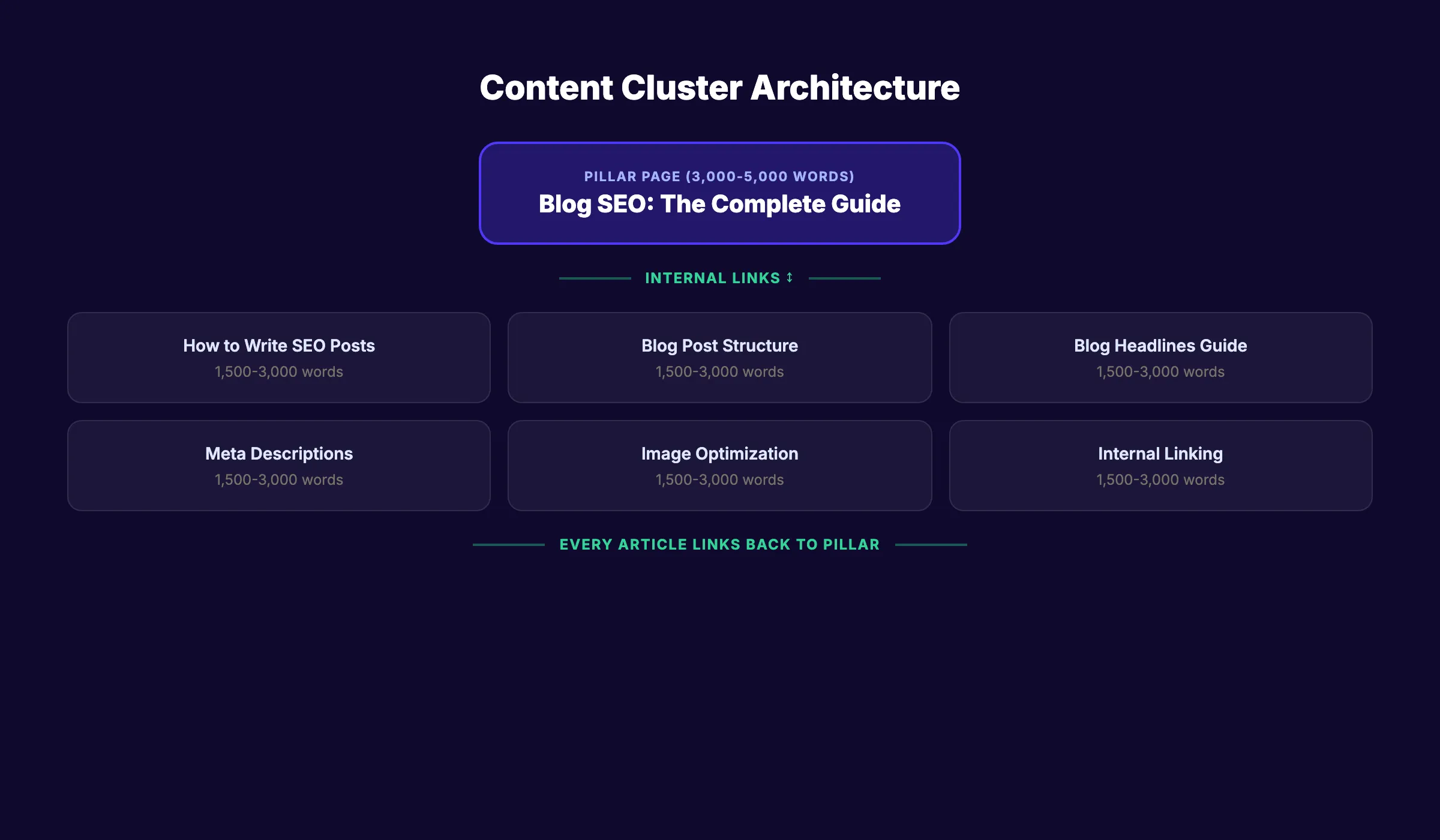
Pillar page. A long-form guide covering the broad topic at a high level. It targets the primary, highest-volume keyword for the subject. The pillar page links out to every cluster article and serves as the hub of the cluster.
Cluster articles. Individual posts that each cover a specific subtopic in depth. Each article targets a long-tail keyword related to the pillar topic. Every cluster article links back to the pillar page.
Internal links. The connections between the pillar page and cluster articles. The pillar links to every cluster article. Every cluster article links back to the pillar. Cluster articles also link to each other when the topics overlap.
Here is a concrete example. A cluster about “blog SEO” might look like this:
| Component | Page | Target Keyword |
|---|---|---|
| Pillar Page | Blog SEO: The Complete Guide | ”blog seo” |
| Cluster Article | How to Write SEO Blog Posts | ”how to write seo blog posts” |
| Cluster Article | Blog Post Structure for SEO | ”blog post structure seo” |
| Cluster Article | Blog Headlines Guide | ”blog headlines” |
| Cluster Article | Write Meta Descriptions | ”write meta descriptions” |
| Cluster Article | Blog Image Optimization | ”blog image optimization” |
Every page in this cluster reinforces every other page. Google sees the connected structure and recognizes the site as an authority on blog SEO.
How Content Clusters Build Topical Authority
Google no longer ranks pages in isolation. It evaluates how much expertise your entire site demonstrates on a subject. Content clusters are the mechanism that builds this topical authority.
The Shift From Keywords to Topics
Google’s Hummingbird update in 2013 changed search from keyword matching to topic understanding. Before Hummingbird, you could rank a page by stuffing it with the target keyword. After Hummingbird, Google started evaluating whether your content actually covered the topic.
The Helpful Content updates in 2023 and 2024 took this further. Google now penalizes sites that publish scattered, surface-level content and rewards sites with organized, deep coverage.
Why Clusters Outperform Standalone Posts
A standalone blog post competes on its own merits. A cluster article gets a boost from every other page in the cluster.
Here is why:
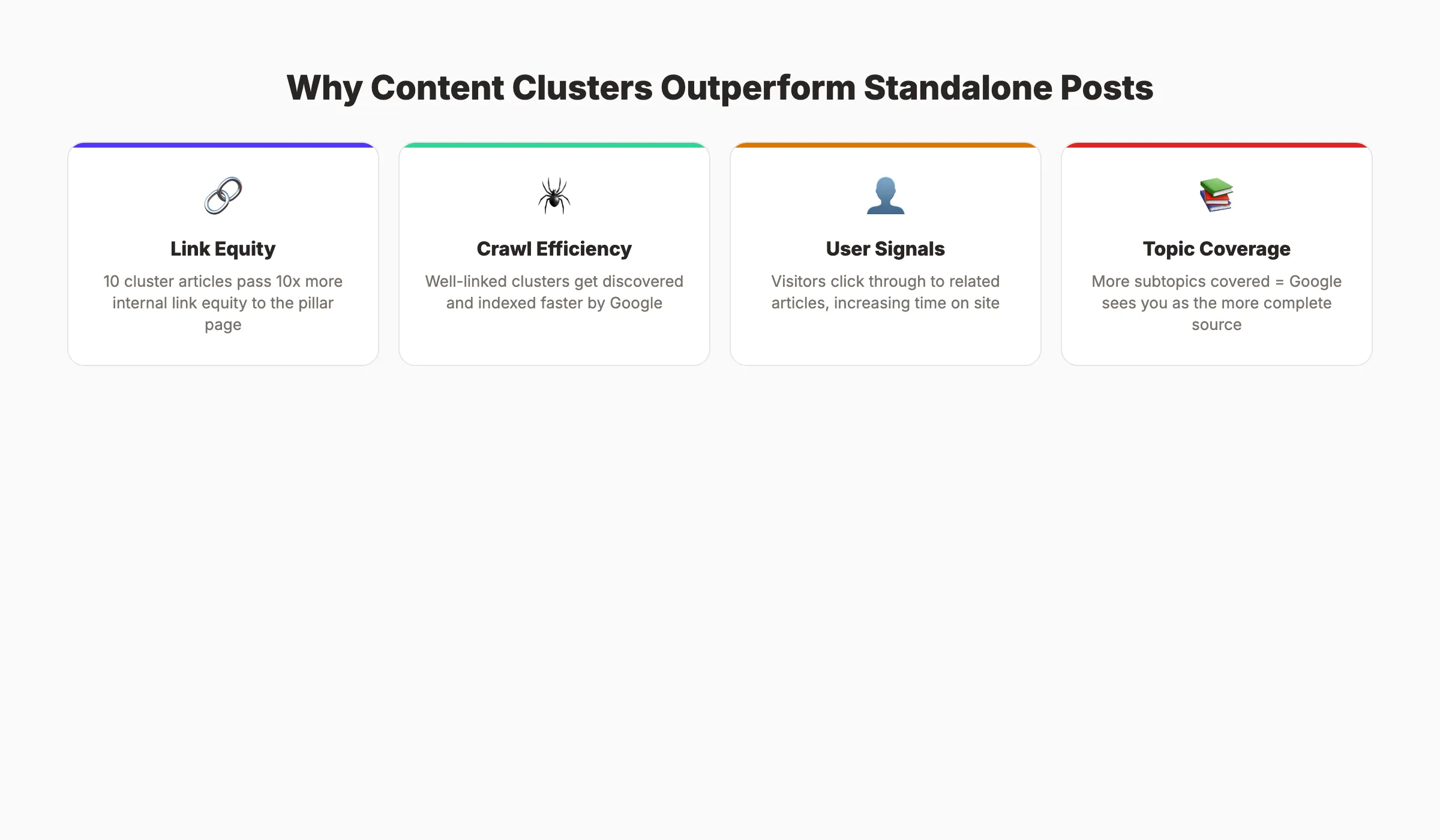
Internal link equity. Every internal link passes ranking signals. When 10 cluster articles all link to the pillar page, that pillar accumulates 10x the internal link equity of a standalone page. The pillar’s authority then flows back to each cluster article.
Crawl efficiency. Google discovers and indexes content through links. A well-linked cluster ensures Google finds every page quickly. Isolated pages with no internal links can take weeks or months to get indexed.
User signals. Visitors who land on one cluster article often click through to related articles. This increases time on site, pages per session, and reduces bounce rate. All positive signals for Google.
Topic coverage. Google compares your content against what exists for a topic. If competitors cover 15 subtopics and you cover 30, Google sees you as the more complete source.
Your SEO team. $99 per month. 30 optimized articles published monthly, all organized into topical clusters that build authority. Start for $1 →
Content Cluster vs Topic Cluster: Same Thing
You will see both terms used across the SEO industry. Content cluster, topic cluster, content hub, pillar-cluster model. They all describe the same architecture.
HubSpot coined “topic clusters” in their original research. Semrush uses “topic clusters”. Search Engine Land uses both terms interchangeably.
The terminology does not matter. The structure does. Pillar page at the center. Supporting articles around it. Internal links connecting everything.
How to Build a Content Cluster (Step by Step)
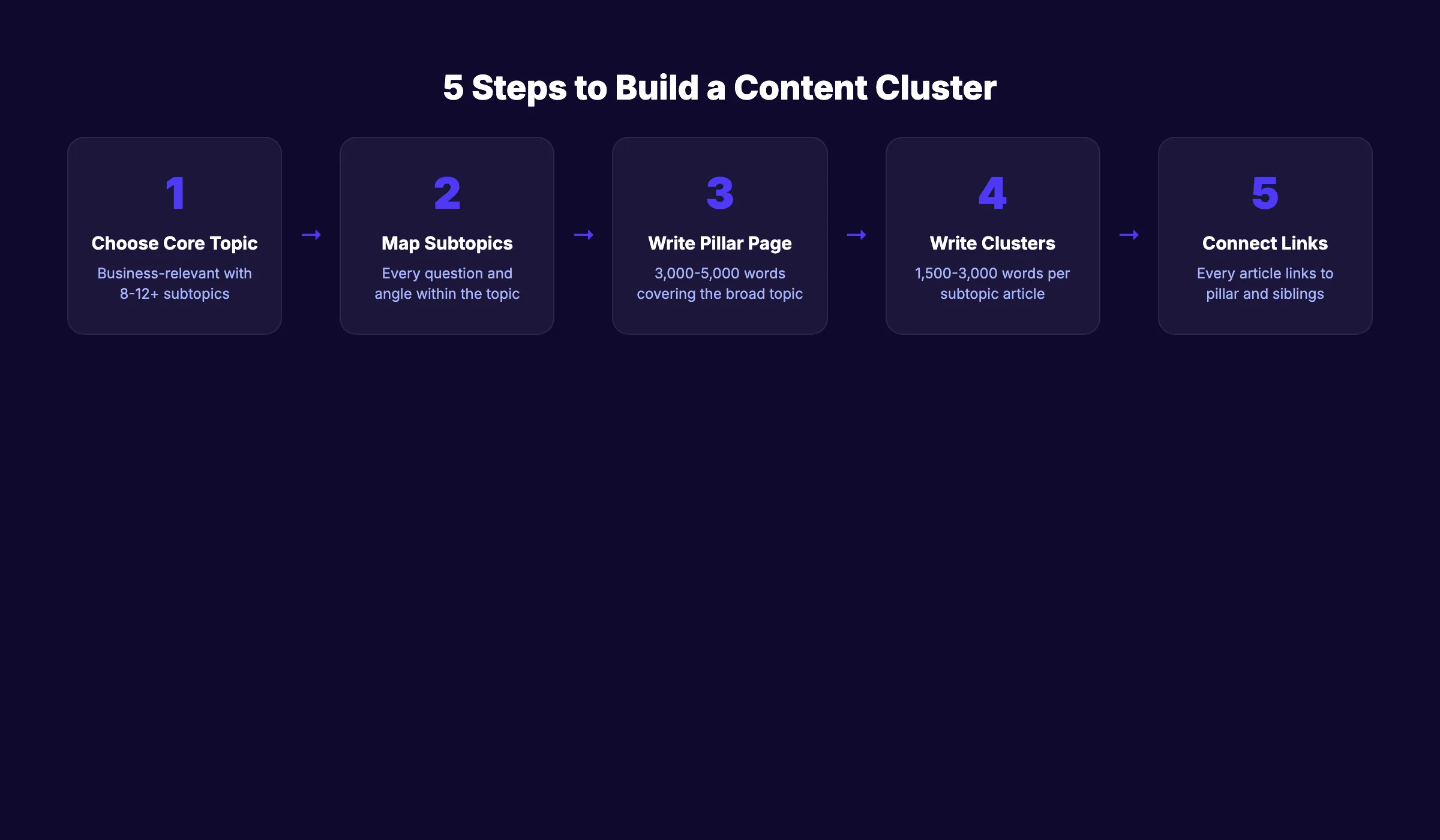
Building a content cluster follows a 5-step process. Skip any step and the cluster underperforms.
Step 1: Choose Your Core Topic
Your core topic should meet 3 criteria:
- Business relevance. The topic connects to what you sell or offer.
- Search demand. The primary keyword has measurable search volume.
- Subtopic depth. The topic has at least 8 to 12 distinct subtopics worth covering.
Use keyword research tools to validate demand. A topic like “email marketing” has thousands of subtopics. A topic like “email subject line capitalization” does not have enough subtopics to warrant a cluster.
Step 2: Map Every Subtopic
Build a topical map of every question, angle, and subtopic within your core topic.
Start with these sources:
- Google autocomplete. Type your core topic and note every suggestion.
- People Also Ask. Search your core keyword and expand every PAA box.
- Competitor analysis. Analyze competitor keywords and headings for subtopics you might miss.
- Reddit and Quora. Real questions from real people reveal subtopics that keyword tools miss.
- Google Search Console. If you have existing content on the topic, check which related queries already drive impressions.
Group subtopics by search intent. Separate informational queries (“what is X”) from commercial queries (“best X tools”) and navigational queries (“X tutorial step by step”).
Step 3: Create the Pillar Page
Your pillar page is the anchor. It covers the broad topic at a high level and links to every cluster article for deeper coverage.
Pillar page rules:
- Target your highest-volume keyword for the topic
- Write 3,000 to 5,000 words covering every major subtopic at a high level
- Include a table of contents with jump links to each section
- Link to every cluster article from the relevant section
- Do not go too deep on any single subtopic. That is what the cluster articles are for.
- Structure with clear H2 and H3 headings that match search intent
For guidance on writing pillar pages, read our pillar page guide.
Step 4: Write the Cluster Articles
Each cluster article covers one subtopic in depth. Target a specific long-tail keyword. Write 1,500 to 3,000 words with focused, detailed coverage.
Cluster article rules:
- Each article targets 1 specific long-tail keyword
- Every article links back to the pillar page using descriptive anchor text
- Articles link to other relevant cluster articles (not just the pillar)
- Cover the subtopic with more depth than the pillar page’s section on it
- Include original insights, data, examples, or frameworks the pillar does not have
- Follow SEO content writing best practices for on-page optimization
Step 5: Connect Everything With Internal Links
Internal linking is the connective tissue of your cluster. Without it, Google cannot see the relationships between your pages.
Internal linking rules for clusters:
- Pillar page links to every cluster article
- Every cluster article links back to the pillar page
- Cluster articles link to each other when topics overlap
- Use descriptive anchor text that includes the target keyword of the destination page
- Do not use “click here” or “read more” as anchor text
- Add new internal links whenever you publish a new cluster article
A cluster with 15 articles should have a minimum of 30 internal links flowing through it. More is better as long as every link is relevant.
3,500+ blogs published. 92% average SEO score. Every article Stacc publishes fits into a topical cluster. Start for $1 →
Content Cluster Examples That Work
Abstract explanations only go so far. Here are 3 real cluster architectures that produce results.
Example 1: Local SEO Cluster
A local SEO cluster for a marketing blog:
| Component | Page | Target |
|---|---|---|
| Pillar | Local SEO: Complete Guide | ”local seo guide” |
| Cluster | GBP Optimization | ”optimize google business profile” |
| Cluster | Getting Google Reviews | ”get more google reviews” |
| Cluster | Local Citations Guide | ”local citations seo” |
| Cluster | NAP Consistency | ”nap consistency seo” |
| Cluster | Local Keyword Research | ”local keyword research” |
| Cluster | Google Maps Ranking | ”google maps ranking” |
| Cluster | Local Link Building | ”local link building” |
This cluster targets 8+ keywords from a single topic. Each article strengthens the others. The pillar page benefits from the collective authority of every supporting article.
Example 2: E-Commerce Product Cluster
An outdoor gear company builds a cluster around “hiking boots”:
- Pillar: “The Complete Guide to Hiking Boots”
- Clusters: “Best hiking boots for wide feet,” “Hiking boots vs trail runners,” “How to break in hiking boots,” “Waterproof hiking boots review,” “Hiking boot sizing guide,” “Best hiking boots under $100”
This cluster captures buyers at every stage. Researchers, comparers, and ready-to-buy customers all find relevant content that links back to the product page.
Example 3: SaaS Content Cluster
A project management tool builds a cluster around “team productivity”:
- Pillar: “Team Productivity: The Complete Guide”
- Clusters: “Remote team meeting best practices,” “How to reduce meeting overload,” “Async communication guide,” “Time blocking for teams,” “Team productivity metrics to track”
After 6 months of publishing 2 to 3 cluster articles per month, the company ranked for 400+ related keywords they had zero visibility for previously.
How Many Articles Does a Content Cluster Need
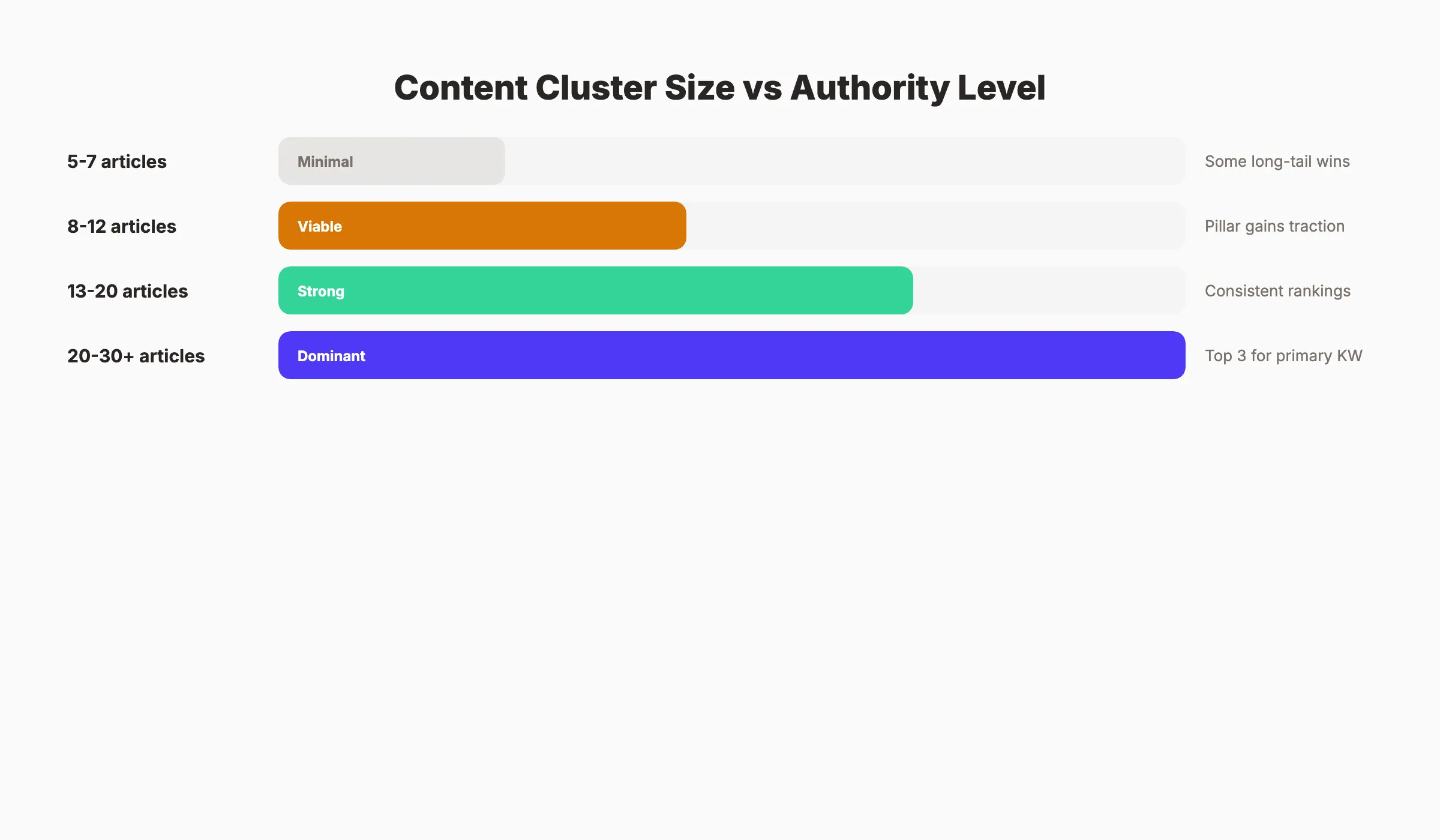
There is no universal number. But the data suggests clear thresholds.
| Cluster Size | Authority Level | Expected Results |
|---|---|---|
| 5-7 articles | Minimal | Some long-tail rankings, limited authority |
| 8-12 articles | Viable | Noticeable ranking improvements, pillar page gains traction |
| 13-20 articles | Strong | Consistent rankings across the topic, featured snippet eligibility |
| 20-30+ articles | Dominant | Top 3 rankings for primary keyword, significant organic traffic |
Publishing 25 or more articles within a single cluster produces a 40 to 70% increase in keyword rankings within 3 to 6 months. Clustered content holds rankings 2.5x longer than standalone pieces.
The minimum viable cluster is 8 to 12 articles. Below that, Google does not see enough depth to assign meaningful topical authority. Competitive topics like “SEO,” “marketing automation,” or “personal finance” require 20 to 30+ articles per cluster.
Start with your most important revenue-driving topic. Build 1 cluster to 15+ articles before starting a second cluster. Spreading thin across 5 topics with 3 articles each builds zero authority anywhere.
Common Content Cluster Mistakes
Most content cluster failures come from the same 5 mistakes.
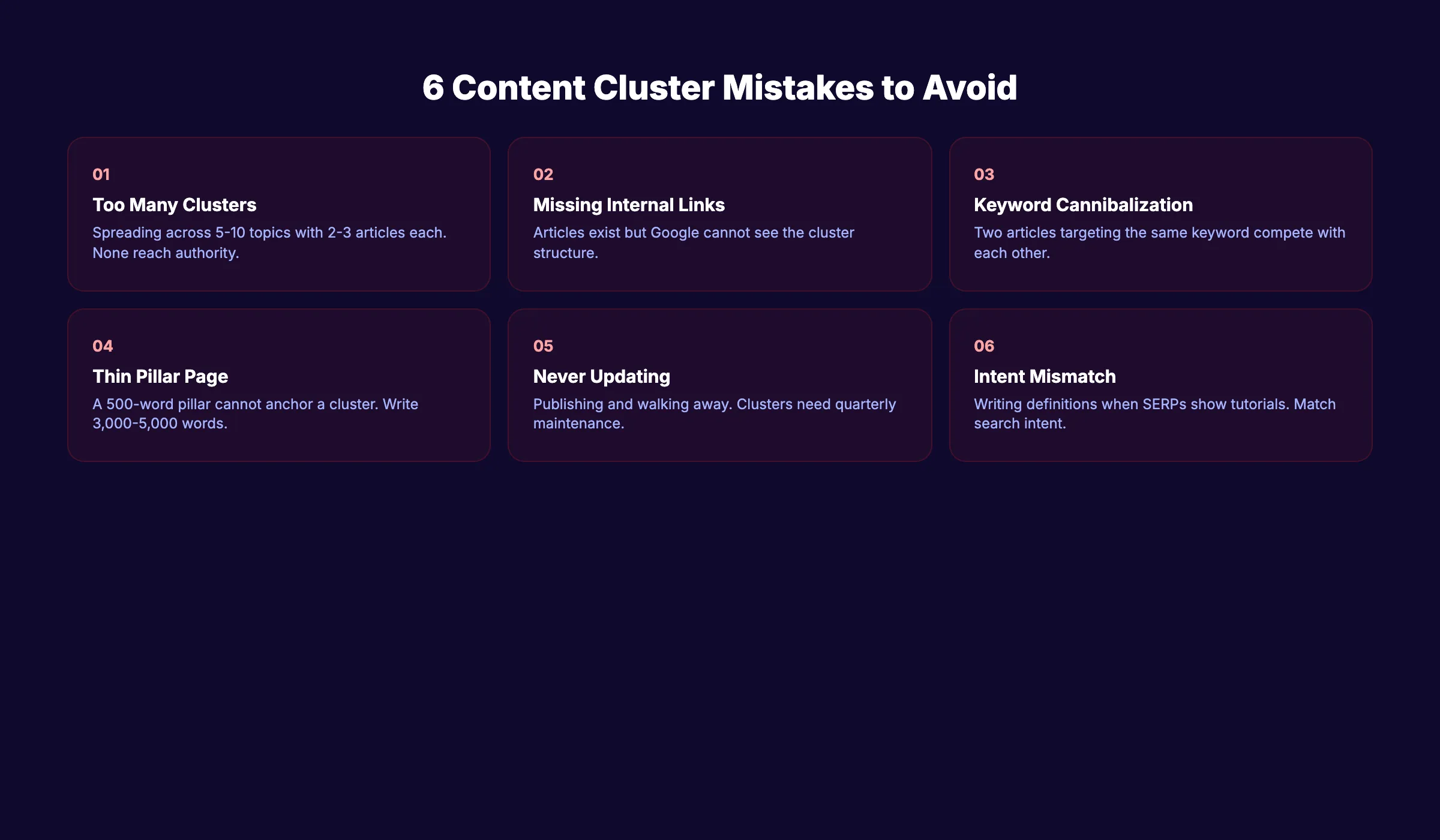
1. Building too many clusters at once. Teams spread across 5 to 10 topics with 2 to 3 articles each. None of the clusters reach the minimum depth for authority. Focus on 1 to 2 clusters until each has 15+ articles.
2. Forgetting internal links. Publishing cluster articles without linking them to the pillar or to each other. The articles exist but Google cannot see the cluster structure. Run an internal link audit quarterly.
3. Keyword cannibalization. Two articles targeting the same keyword compete against each other instead of reinforcing each other. Use keyword cannibalization fixes to identify and resolve overlapping targets.
4. Pillar page too thin. A 500-word pillar page cannot anchor a cluster. The pillar needs to be the most authoritative page on the broad topic. Write 3,000 to 5,000 words with clear sections that link to each cluster article.
5. Never updating the cluster. Publishing 10 articles and walking away. Content clusters require maintenance. Update old posts with new data, add internal links to newly published articles, and audit content for accuracy every quarter.
6. Ignoring search intent mismatches. Writing a “what is X” article when the SERP shows “how to X” results. Every cluster article must match the dominant search intent for its target keyword. Check the top 5 results for each keyword before writing. If they are all tutorials, write a tutorial. If they are all definitions, write a definition.
Stop writing. Start ranking. Stacc publishes 30 SEO articles per month, all organized into clusters that build authority over time. Start for $1 →
How to Measure Content Cluster Performance
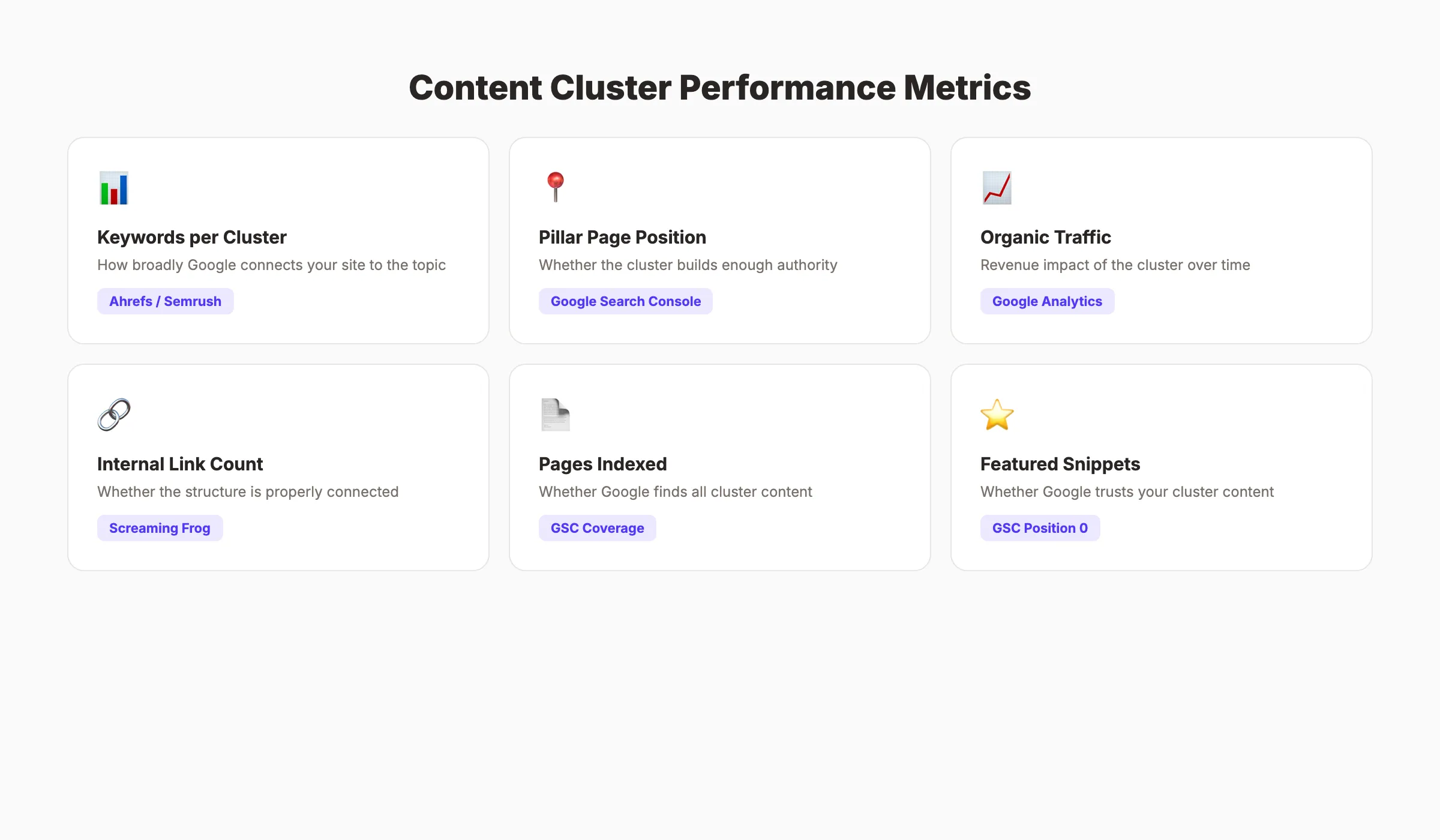
Content clusters do not produce results overnight. Expect initial ranking movement in 60 to 90 days. Meaningful traffic increases take 3 to 6 months.
Metrics to Track
| Metric | What It Shows | Tool |
|---|---|---|
| Total keywords ranked per cluster | How broadly Google connects your site to the topic | Ahrefs or Semrush |
| Pillar page ranking position | Whether the cluster is building enough authority | Google Search Console |
| Organic traffic per cluster | Revenue impact of the cluster | Google Analytics filtered by cluster URLs |
| Internal link count | Whether the cluster structure is connected | Screaming Frog or Sitebulb |
| Pages indexed per cluster | Whether Google is finding all cluster content | Google Search Console coverage report |
| Featured snippet wins | Whether Google trusts your cluster content | GSC queries with position 0 |
The Compounding Effect
Content clusters compound over time. Each new article you add to a cluster strengthens every existing article. A cluster that generated 500 visits per month with 10 articles might generate 2,000 visits per month with 25 articles. The growth is not linear. It accelerates.
This is what we call The Content Compound Effect. Consistent publishing within a focused topic area builds authority that makes every subsequent article rank faster and higher.
When to Start a Second Cluster
Do not start a second cluster until your first cluster has at least 15 articles and is showing ranking movement. Measure pillar page position, total keywords ranked, and organic traffic growth for the cluster. Once you see consistent improvements, start your second cluster around your next most important topic.
Most sites can manage 2 to 3 active clusters simultaneously. Publishing 4 articles per month means you can add 2 articles to each of 2 clusters. That pace builds meaningful authority within 6 months.
FAQ
What is a content cluster in SEO?
A content cluster is a group of interlinked web pages organized around one central topic. It consists of a pillar page covering the broad topic, cluster articles covering specific subtopics, and internal links connecting everything. The cluster structure signals to Google that your site is an expert on the subject.
How many articles do I need for a content cluster?
The minimum viable cluster needs 8 to 12 articles (1 pillar + 7 to 11 supporting posts). Competitive topics require 20 to 30+ articles. Publishing 25+ articles within a single cluster produces a 40 to 70% increase in keyword rankings within 3 to 6 months.
Is a content cluster the same as a topic cluster?
Yes. Content cluster, topic cluster, pillar-cluster model, and content hub all describe the same architecture. HubSpot coined “topic clusters” in 2017. The SEO industry uses both terms interchangeably.
How long does a content cluster take to show results?
Expect initial ranking improvements in 60 to 90 days. Meaningful organic traffic increases typically take 3 to 6 months of consistent publishing. Sites that sustain cluster publishing for 12+ months see 40% higher organic traffic than single-post strategies.
Can I build content clusters with AI-generated content?
You can use AI to accelerate content production, but each article still needs original insights, proper optimization, and human editing to avoid AI detection patterns. Mass-produced AI content without unique value does not build lasting topical authority. Scaling content with AI works best when you use AI as a starting point and add genuine expertise.
Should I build one cluster at a time or multiple clusters simultaneously?
Build 1 to 2 clusters at a time. Each cluster needs 15+ articles before it generates meaningful authority. Spreading content across 5+ clusters with fewer than 5 articles each builds zero authority anywhere. Depth beats breadth.
Content clusters are not a tactic. They are the architecture of modern SEO. Every article you publish either builds toward a cluster or sits alone generating diminishing returns. The sites that dominate search results in 2026 treat every piece of content as part of a larger system.
Start with your most important topic. Build depth. Connect everything. The rankings will follow.
Related Tools & Resources
Free SEO Tools:
Best Lists:

Written by
Siddharth GangalSiddharth is the founder of theStacc and Arka360, and a graduate of IIT Mandi. He spent years watching great businesses lose organic traffic to competitors who simply published more. So he built a system to fix that. He writes about SEO, content at scale, and the tactics that actually move rankings.
30 SEO blog articles published every month
Keyword-optimized, scheduled, and live on your site. Automatically.
30-day trial · Cancel anytime
theStacc
Stop writing SEO content manually
30 blog articles, 30 GBP posts, and social media content. Published every month. Automatically.
Start Your $1 Trial$1 for 3 days · Cancel anytime