
SEO for Beginners (2026): Strategies, Tactics & Examples
Practical seo for beginners strategies for 2026: step-by-step tactics, real examples, and tools to improve rankings and drive organic traffic.
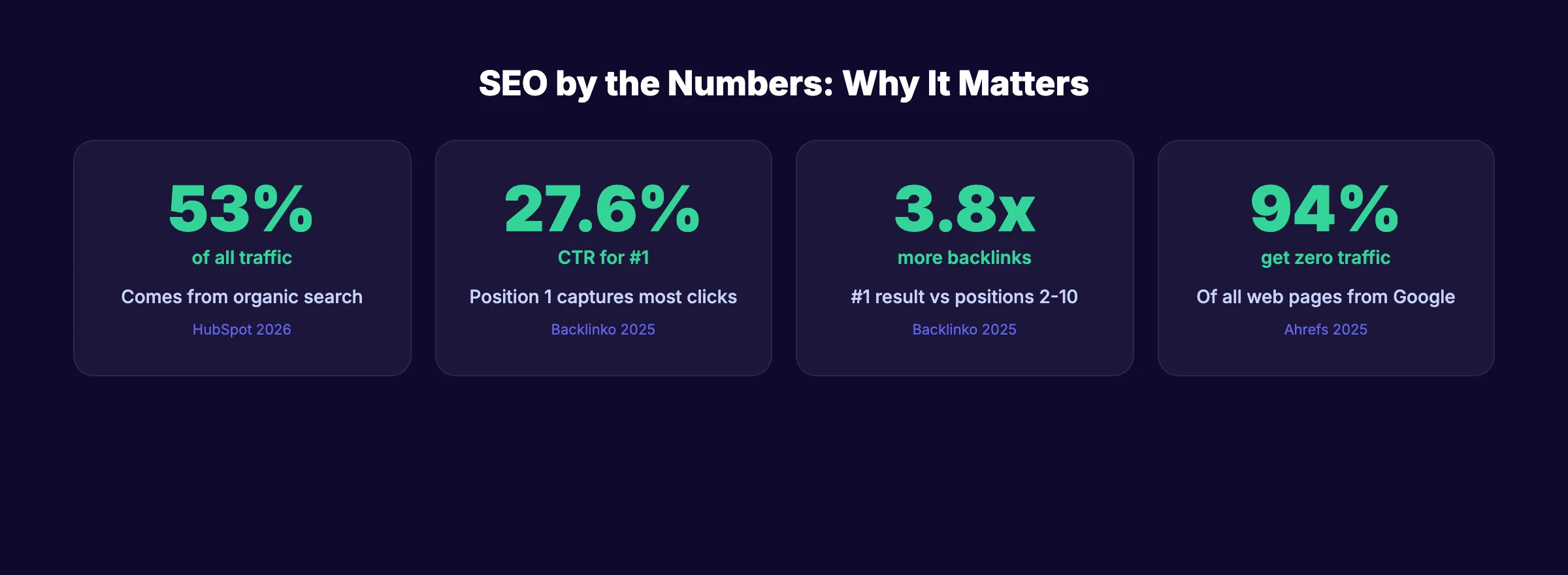
SEO for beginners starts with one fact: 53% of all website traffic comes from organic search. That makes Google the single largest source of visitors for most businesses on the internet.
The problem is that 94% of all web pages get zero traffic from Google. Zero. The gap between “having a website” and “ranking on Google” is where SEO lives. And most beginners have no idea where to start.
This guide breaks SEO into 8 chapters. Each one covers a core concept with specific actions you can take today. No jargon. No theory without application. Just the fundamentals that actually move rankings.
We have published 3,500+ SEO articles across 70+ industries. This guide distills what works right now into the shortest path from “I do not know what SEO is” to “my pages rank on Google.”
Here is what you will learn:
- How Google finds, indexes, and ranks your pages
- How to find keywords your audience actually searches
- The on-page elements that directly impact rankings
- Technical basics that prevent Google from ignoring your site
- How to create content that earns clicks and links
- How to measure whether your SEO efforts work
What SEO Is and How Search Engines Work
SEO stands for Search Engine Optimization. It is the process of improving your website so Google ranks it higher in search results. Higher rankings mean more visitors. More visitors mean more customers.
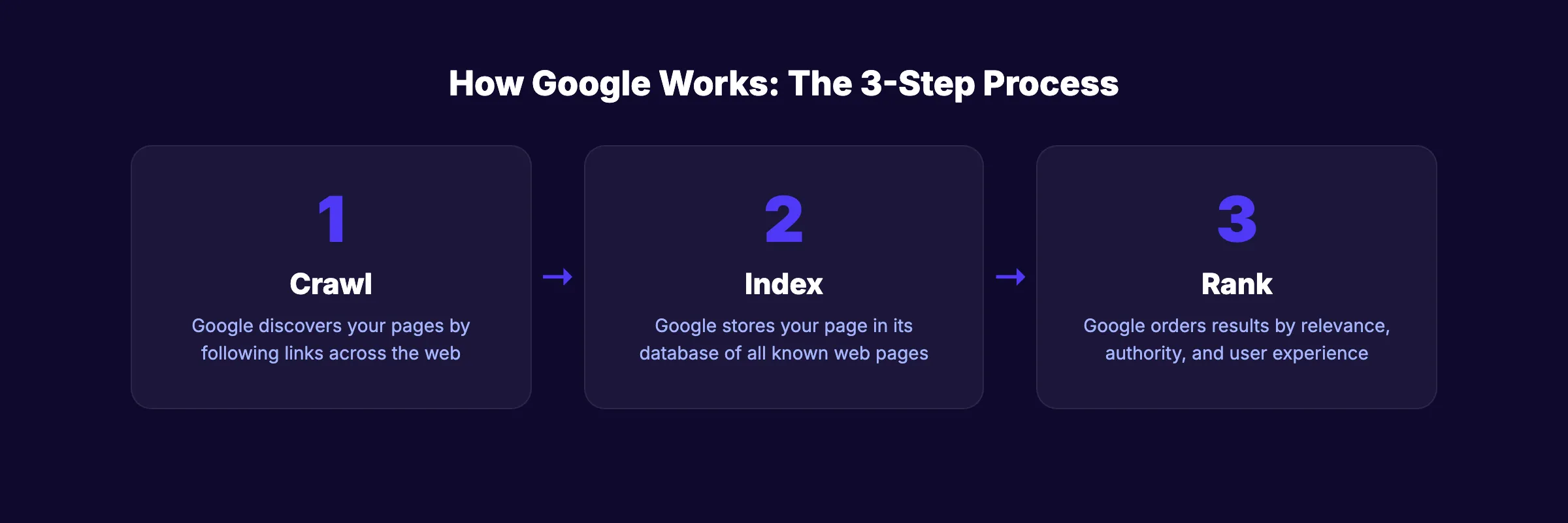
Google processes 8.5 billion searches per day. Each search triggers a 3-step process:
Step 1: Crawling
Google sends automated programs called “crawlers” (or “spiders”) to discover pages across the web. These crawlers follow links from page to page, reading the content on each one. If your page has no links pointing to it, Google may never find it.
Step 2: Indexing
After crawling a page, Google decides whether to store it in its index. The index is Google’s database of all known web pages. If your page has thin content, duplicate content, or a noindex tag, Google skips it. You can check which of your pages Google has indexed using Google Search Console.
Step 3: Ranking
When someone types a search query, Google pulls relevant pages from its index and ranks them. The ranking algorithm considers hundreds of factors. The most important ones for beginners: content relevance, backlinks, and user experience.
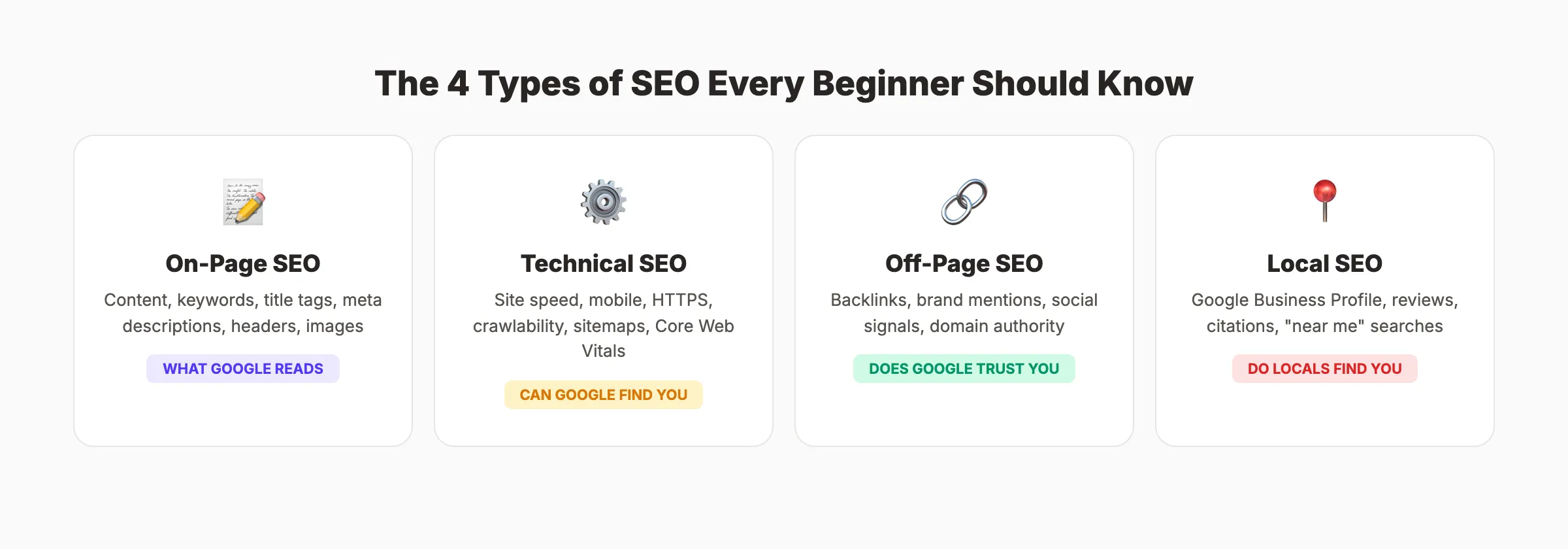
The SEO Ecosystem
| SEO Type | What It Covers | Impact |
|---|---|---|
| On-page SEO | Content, keywords, title tags, meta descriptions, headers | What Google reads on your page |
| Technical SEO | Site speed, mobile-friendliness, crawlability, HTTPS | Whether Google can find and load your page |
| Off-page SEO | Backlinks, brand mentions, social signals | How trustworthy Google thinks your site is |
| Local SEO | Google Business Profile, reviews, citations | Whether you show up for “[service] near me” searches |
Most beginners focus only on on-page SEO. That is half the picture. All 4 types work together. For a deeper look at each, see our guides on on-page SEO, local SEO, and technical audits.
Keyword Research for Beginners
Keywords are the words and phrases people type into Google. Keyword research is the process of finding which terms your audience searches and which ones you can realistically rank for.
Search Intent: The Most Important Concept
Every search has an intent behind it. Google classifies intent into 4 types:
| Intent Type | What the Searcher Wants | Example | Best Content Format |
|---|---|---|---|
| Informational | Learn something | ”what is SEO” | Blog post, guide |
| Navigational | Find a specific site | ”Google Search Console login” | Homepage, tool page |
| Commercial | Compare options | ”best SEO tools for small business” | Comparison, review |
| Transactional | Buy something | ”buy Ahrefs subscription” | Product page, pricing page |
Match your content to the intent behind the keyword. A blog post will not rank for “buy SEO tools” because Google knows the searcher wants a product page. Our search intent guide covers this in full.
How to Find Keywords
Start with free tools:
- Google Search Console. Shows which queries already bring impressions to your site
- Google Autocomplete. Type your topic and note the suggestions Google shows
- People Also Ask. Questions Google displays below search results
- AnswerThePublic. Generates question-based keywords from a seed term
For more depth, see our list of the best free keyword research tools.
What Makes a Good Keyword Target
| Factor | What to Look For |
|---|---|
| Search volume | At least 100 searches per month (for beginners, 100-1,000 is the sweet spot) |
| Competition | Low to medium keyword difficulty. Avoid head terms like “SEO” (millions compete) |
| Relevance | Directly related to your business or expertise |
| Intent match | You can create the right content type for this search |
The beginner mistake: Targeting high-volume, high-competition keywords like “digital marketing.” You will not rank for these as a new site. Target long-tail keywords like “digital marketing tips for small business” instead. Lower volume, but winnable.
Your SEO team. $99 per month. 30 optimized articles published automatically. No keyword research needed. No writing required. Start for $1 →
On-Page SEO Basics
On-page SEO is everything you do on your actual web page to help it rank. These are the elements Google reads when deciding what your page is about and whether it deserves a top position.
The On-Page SEO Checklist
- Title tag. Under 60 characters. Include your primary keyword near the front. This is the blue link that appears in search results.
- Meta description , 145 to 155 characters. Include your keyword and a reason to click. This is the gray text below the title in search results. See our meta description writing guide.
- H1 tag. One per page. Should match the topic. Usually the same as or similar to the title tag.
- H2 and H3 tags. Break your content into sections. Use keywords naturally in some headings.
- URL structure. Short, descriptive, lowercase, hyphenated. “/seo-for-beginners” beats “/page?id=4872”.
- First 100 words. Include your primary keyword in the opening paragraph.
- Internal links. Link to other relevant pages on your site. This helps Google discover more of your content. See our internal linking guide.
- Image alt text. Describe every image. Google reads alt text to understand what the image shows.
- Keyword placement. Use your primary keyword naturally 3 to 5 times. Do not stuff it into every sentence.
Use our free on-page SEO checker to audit any page against these factors in seconds.
What Google Actually Reads
Google reads your page’s HTML, not what you see in the browser. That means:
- Text inside images is invisible to Google (use alt text instead)
- Content loaded by JavaScript may not get indexed
- Hidden text or tiny text violates Google’s guidelines
- The first 200 words carry more weight for topic classification
Technical SEO Fundamentals
Technical SEO ensures Google can find, crawl, and index your pages. Great content that Google cannot access is invisible content.
The Technical Checklist for Beginners
| Element | What to Do | Why It Matters |
|---|---|---|
| HTTPS | Install an SSL certificate (most hosts include this free) | Google uses HTTPS as a ranking signal. Browsers warn users about non-HTTPS sites |
| Mobile-friendly design | Use a responsive theme/template | 63% of Google traffic comes from mobile. Google uses mobile-first indexing |
| Site speed | Target under 3 seconds load time | Slow sites lose visitors and rank lower. See our Core Web Vitals guide |
| XML sitemap | Create and submit to Google Search Console | Helps Google discover all your pages. See our XML sitemap guide |
| Robots.txt | Ensure it does not block important pages | A misconfigured robots.txt can hide your entire site from Google. See our robots.txt guide |
| Google Search Console | Verify your site and submit your sitemap | Free tool from Google. Shows indexing errors, search queries, and performance data |
How to Check Your Technical SEO
Run our free website SEO score tool. It checks mobile-friendliness, page speed, HTTPS, meta tags, and more in one scan. Fix any issues it flags before focusing on content.
3,500+ blogs published. 92% average SEO score. Every article passes a 40-point quality audit before it goes live. Start for $1 →
Content That Ranks in 2026
Content is the primary reason pages rank. Google’s helpful content guidelines state that content should be written for people first, not search engines.
What “Good Content” Means for SEO
| Factor | What Google Looks For |
|---|---|
| Relevance | Does the content match the search query and intent? |
| Depth | Does it fully answer the question? Top-ranking pages average 1,400 to 1,500 words |
| Originality | Does it offer unique information, analysis, or perspective? |
| E-E-A-T | Does it demonstrate Experience, Expertise, Authoritativeness, and Trustworthiness? |
| Freshness | Is it up to date? Google prefers current information for time-sensitive topics |
Content Types That Rank Well
- How-to guides. Step-by-step instructions on achieving a specific outcome
- Listicles , “10 Best [X]” or “15 Tips for [Y]”
- Ultimate guides. Deep, chapter-based coverage of a broad topic (like this page)
- FAQ pages. Short, direct answers to common questions
- Comparison pages , “X vs Y” content for commercial-intent searches
Publishing Frequency Matters
The data is clear: sites that publish consistently rank better than those that publish sporadically. Content with 3,000+ words earns 3x more traffic, 4x more shares, and 3.5x more backlinks than shorter articles.
You do not need to publish daily. But 4 to 8 posts per month is the minimum for building topical authority in a subject area. For help planning, see our guide on creating a business blog.
Link Building for Beginners
Backlinks are links from other websites to yours. They are one of the top 3 ranking factors. The #1 result on Google has 3.8x more backlinks than positions 2 through 10.
65% of all web pages have zero backlinks. That means even a few quality links put you ahead of most of the internet.
How to Earn Backlinks
1. Create linkable content. Data-driven posts, original research, and detailed guides earn links naturally. Nobody links to a 300-word blog post that says the same thing as 100 other pages.
2. Guest posting. Write articles for relevant websites in your industry. Include a link back to your site in the author bio or within the content.
3. Directory listings. Submit your business to relevant directories. Industry associations, local chambers of commerce, and professional organizations all provide legitimate backlinks.
4. Broken link building. Find broken links on other sites that pointed to content similar to yours. Contact the site owner and suggest your page as a replacement.
What NOT to Do
- Do not buy links. Google penalizes paid link schemes.
- Do not join private blog networks (PBNs). These violate Google’s guidelines and risk deindexing.
- Do not spam comments or forums with links. These are nofollow and provide zero SEO value.
- Do not exchange links with unrelated sites. “I will link to you if you link to me” dilutes link quality.
Rank everywhere. Do nothing. Blog SEO, Local SEO, and Social on autopilot. Stacc starts at $99 per month with a $1 trial. Start for $1 →
Measuring SEO Results
SEO takes time. Google states results take 4 to 12 months. But you should start tracking metrics from day 1 so you know what is working.
The 5 Metrics That Matter
| Metric | Tool | What It Tells You |
|---|---|---|
| Organic impressions | Google Search Console | How often Google shows your pages in results |
| Organic clicks | Google Search Console | How many people click through to your site |
| Average position | Google Search Console | Where your pages rank for specific keywords |
| Organic traffic | Google Analytics | Total visitors arriving from search engines |
| Conversions | Google Analytics | Whether traffic turns into leads, sales, or signups |
What to Ignore
- Domain Authority / Domain Rating. These are third-party metrics from Moz and Ahrefs. Google does not use them. They are useful for relative comparisons but not a direct ranking factor.
- Keyword rankings for vanity terms. Ranking #1 for your brand name is not an achievement. Track rankings for non-branded keywords that bring in new visitors.
- Total indexed pages. More pages does not mean better SEO. 10 high-quality pages outrank 100 thin pages.
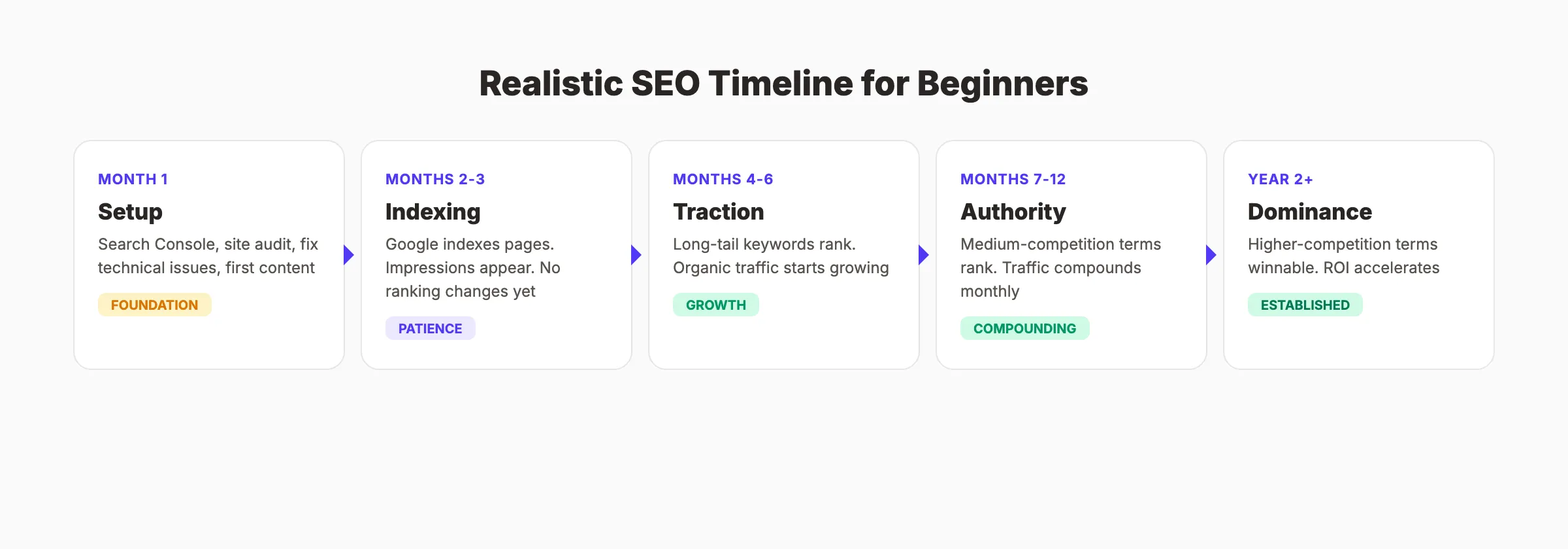
Realistic Timeline Expectations
| Timeframe | What to Expect |
|---|---|
| Month 1 | Set up Google Search Console, run a site audit, fix technical issues, publish first content |
| Months 2-3 | Google indexes new content. Impressions appear. No significant ranking changes yet |
| Months 4-6 | Long-tail keywords start ranking on pages 1-3. Organic traffic increases measurably |
| Months 7-12 | Authority builds. Rankings improve for medium-competition keywords. Traffic compounds |
| Year 2+ | Established authority. Higher-competition terms become winnable. ROI accelerates |
SEO compounds over time. Every article, every link, and every technical improvement builds on the last. The businesses that start now own their search results 12 months from today.
For a full breakdown of SEO pricing and what to budget, see our SEO cost guide.
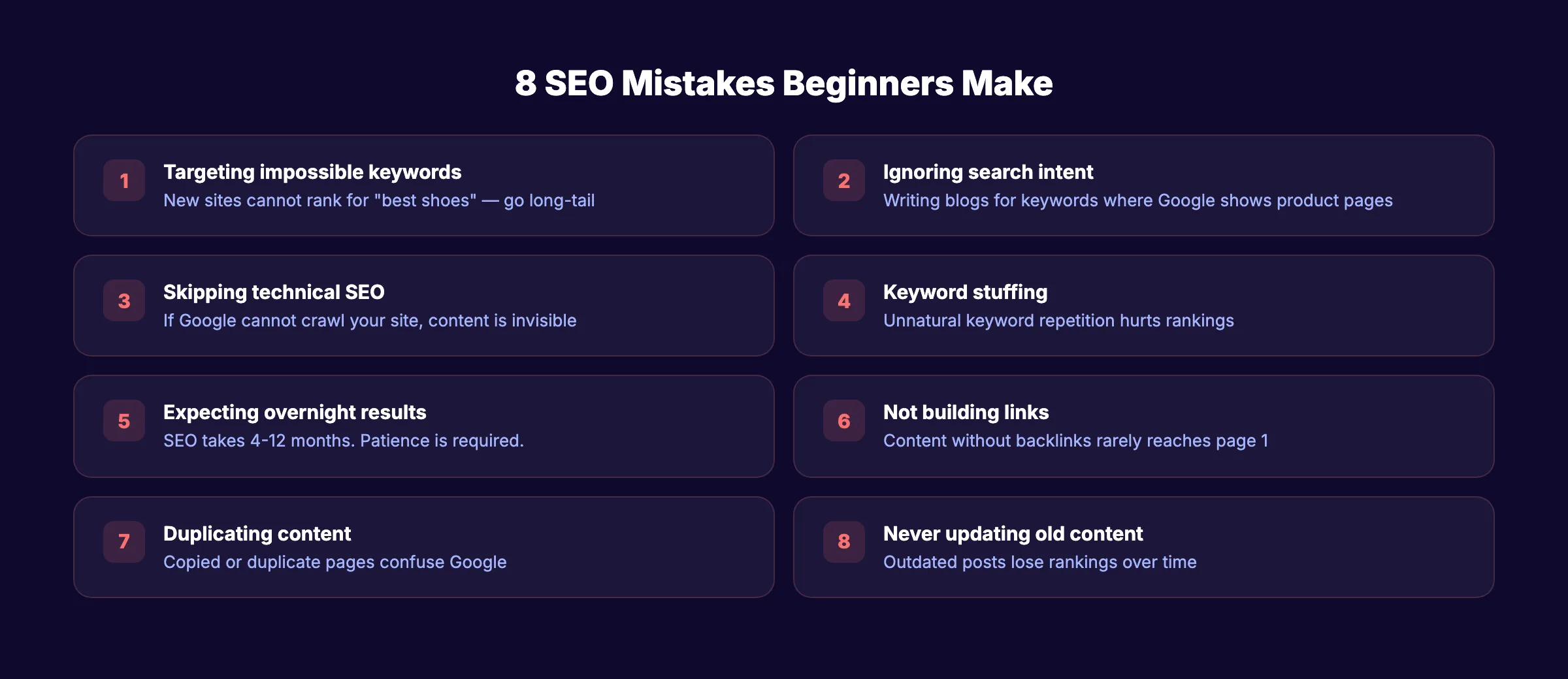
Common SEO Mistakes Beginners Make
Most SEO failures come from the same 8 mistakes. Avoid these and you are already ahead of 90% of new websites.
1. Targeting impossible keywords. A new site competing for “best shoes” will not rank. Target “best running shoes for flat feet under $100” instead. Long-tail keywords are how beginners win.
2. Ignoring search intent. Writing a blog post for a keyword where Google shows only product pages means your content format is wrong. Always check what ranks before writing.
3. Skipping technical SEO. If Google cannot crawl your site, no amount of great content helps. Fix technical issues first.
4. Writing for search engines, not people. Keyword stuffing (“best SEO tips for SEO beginners who want SEO”) hurts rankings. Write naturally. Use keywords where they fit.
5. Expecting overnight results. SEO is not paid ads. Results take months. The ROI compounds, but patience is required.
6. Not building links. Publishing content without any link-building strategy means relying entirely on Google finding you organically. Even a few quality backlinks accelerate everything.
7. Duplicating content. Copying text from other pages (or letting your CMS create duplicate URLs) confuses Google. Every page should have unique content.
8. Never updating old content. A 3-year-old post with outdated statistics loses rankings over time. Refresh your top-performing content at least once per year.
Run our free SEO audit tool to find which of these issues affect your site right now.
Skip the agency. Keep the results. Stacc starts at $99 per month with a $1 trial. 30 articles. Published automatically. Start for $1 →
FAQ
What is SEO and how does it work?
SEO (Search Engine Optimization) is the process of improving your website so it ranks higher in Google search results. It works by making your site easier for Google to crawl, index, and understand. When Google determines your page best answers a search query, it ranks you higher. The 3 main pillars are on-page optimization (content and keywords), technical SEO (site speed and crawlability), and off-page SEO (backlinks from other sites).
Can I do SEO myself without hiring an agency?
Yes. The basics of SEO are learnable. Set up Google Search Console, research keywords, optimize your pages, and publish consistent content. Most small business owners can handle foundational SEO. Where it gets difficult is scaling content production and building backlinks. A service like Stacc handles the heavy lifting for $99 per month while you focus on running your business.
How long does SEO take to show results?
Google states 4 to 12 months. New websites typically see initial results at 6 months. Established sites with existing authority can see changes within 30 to 90 days. The timeline depends on your industry’s competition, your content quality, and how consistently you publish.
What are the most important SEO ranking factors?
The top 3 factors are content quality (relevance and depth), backlinks (quantity and quality from other sites), and user experience (page speed, mobile-friendliness, engagement). Google uses hundreds of ranking signals, but these 3 categories account for most of what determines rankings.
Is SEO still worth it in 2026 with AI search?
Yes. While AI Overviews now appear for some queries, organic search still drives 53% of all website traffic. The position #1 organic result still captures 27.6% of all clicks. AI changes how results look, but it does not eliminate the need for optimized content. The sites that AI cites most often are the same sites that rank well organically.
What are the best free SEO tools for beginners?
Google Search Console (essential for every site), Google Analytics (traffic tracking), Google PageSpeed Insights (site speed), and Ubersuggest or AnswerThePublic (keyword ideas). For a full rundown, see our best free SEO tools guide.
SEO rewards consistency. The businesses that publish optimized content regularly, fix technical issues promptly, and build authority steadily are the ones that capture the most organic traffic. Start with the fundamentals in this guide and build from there.
Stop writing. Start ranking. Stacc publishes 30 SEO articles per month for $99. No writers. No agencies. No busywork. Start for $1 →
Related Tools & Resources
Free SEO Tools:
Best Lists:

Written by
Siddharth GangalSiddharth is the founder of theStacc and Arka360, and a graduate of IIT Mandi. He spent years watching great businesses lose organic traffic to competitors who simply published more. So he built a system to fix that. He writes about SEO, content at scale, and the tactics that actually move rankings.
30 SEO blog articles published every month
Keyword-optimized, scheduled, and live on your site. Automatically.
30-day trial · Cancel anytime
theStacc
Stop writing SEO content manually
30 blog articles, 30 GBP posts, and social media content. Published every month. Automatically.
Start Your $1 Trial$1 for 3 days · Cancel anytime