
10 Best Free SEO Tools (2026)
We tested 10 free SEO tools and ranked them by features, data accuracy, and real-world value. See which free tools are worth your time. Updated March 2026.
By Stacc Editorial · We publish 3,500+ SEO articles across 70+ industries. And we use many of these tools daily. · Last updated: March 28, 2026
Our Top Picks:
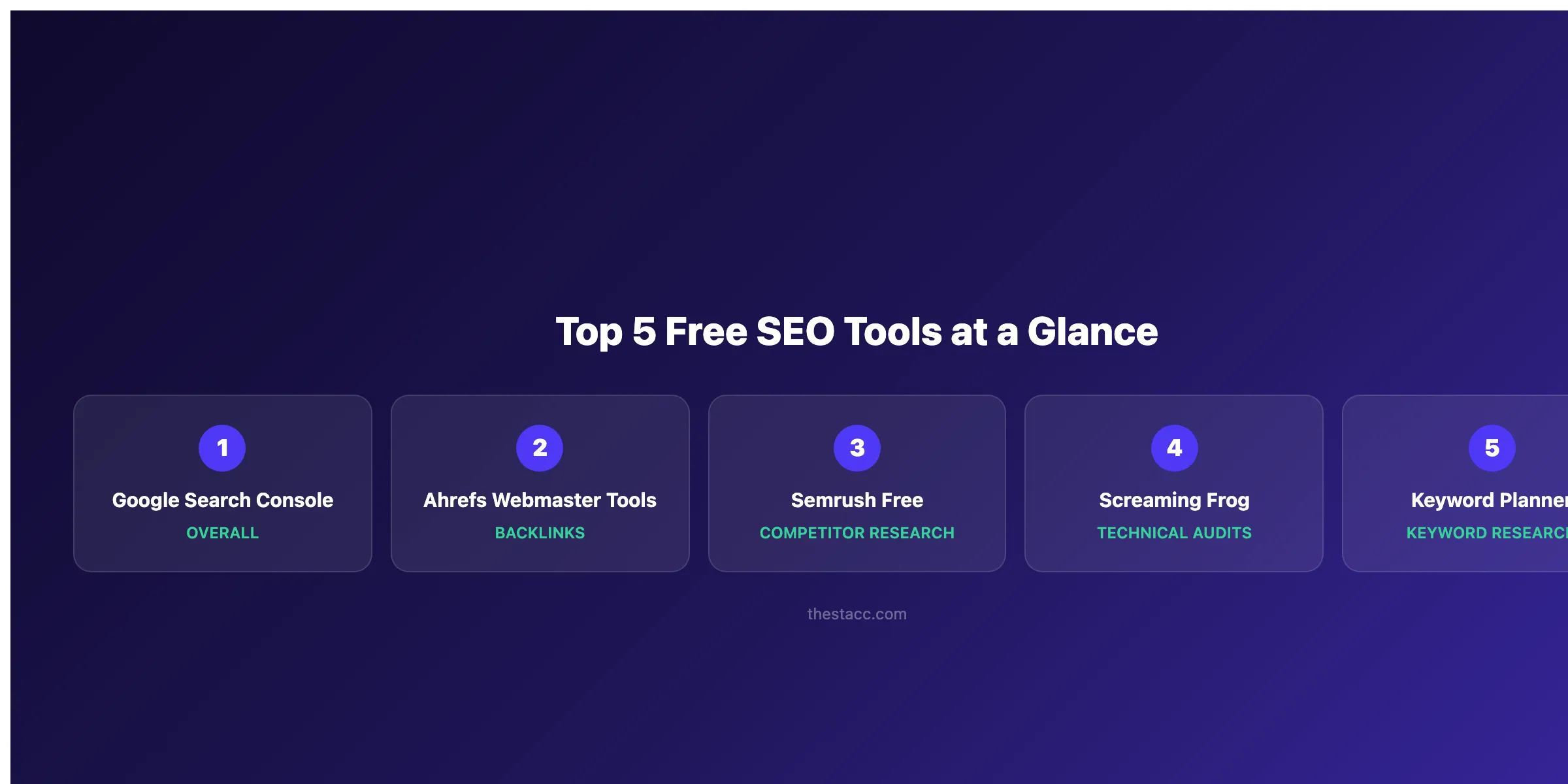
- Best overall: Google Search Console. First-party Google data no paid tool can match
- Best for backlink analysis: Ahrefs Webmaster Tools. Full backlink profile for free
- Best for keyword research: Google Keyword Planner. Exact search volume from Google
- Best for technical audits: Screaming Frog. Crawls 500 URLs free with deep diagnostics
- Best for content optimization: Yoast SEO. Real-time on-page scoring for WordPress
How We Tested and Ranked These Best Free SEO Tools
Most “best free SEO tools” lists include 30 tools with one sentence each. That does not help you pick the right one.
We evaluated each tool across 4 criteria: data accuracy, feature depth on the free tier, ease of setup, and whether it produces results you can act on today. We excluded tools that require a credit card to access the free plan. We also excluded tools where the free tier is so limited it functions as a demo.
68% of all website traffic starts with a search engine. The right free tools help you capture that traffic without spending hundreds per month. Below, you will find our honest breakdown of 10 tools. Including what each does well, where it falls short, and who should use it.
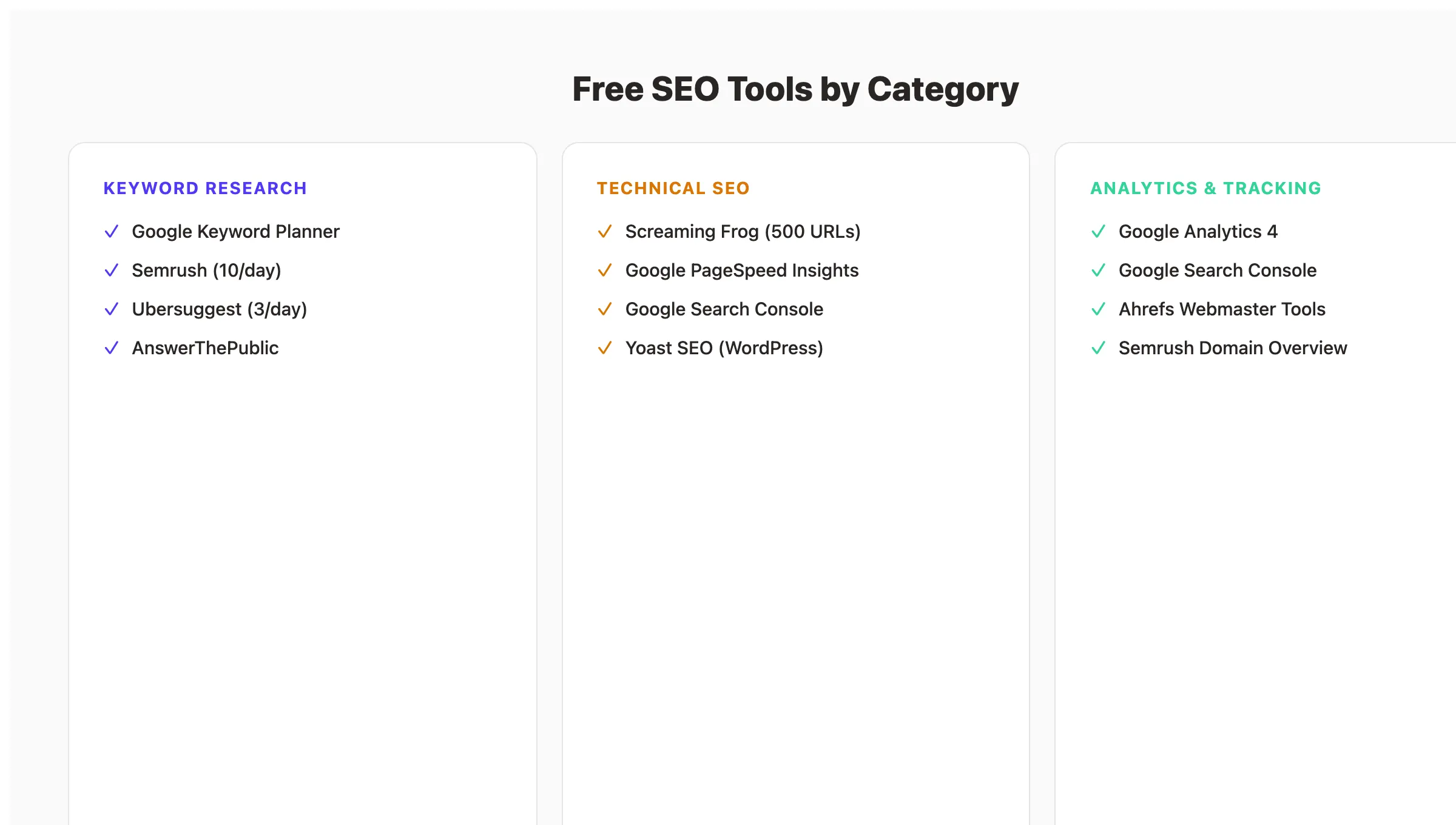
Free SEO Tools Compared
| Tool | Best For | Free Tier Limit | Key Strength |
|---|---|---|---|
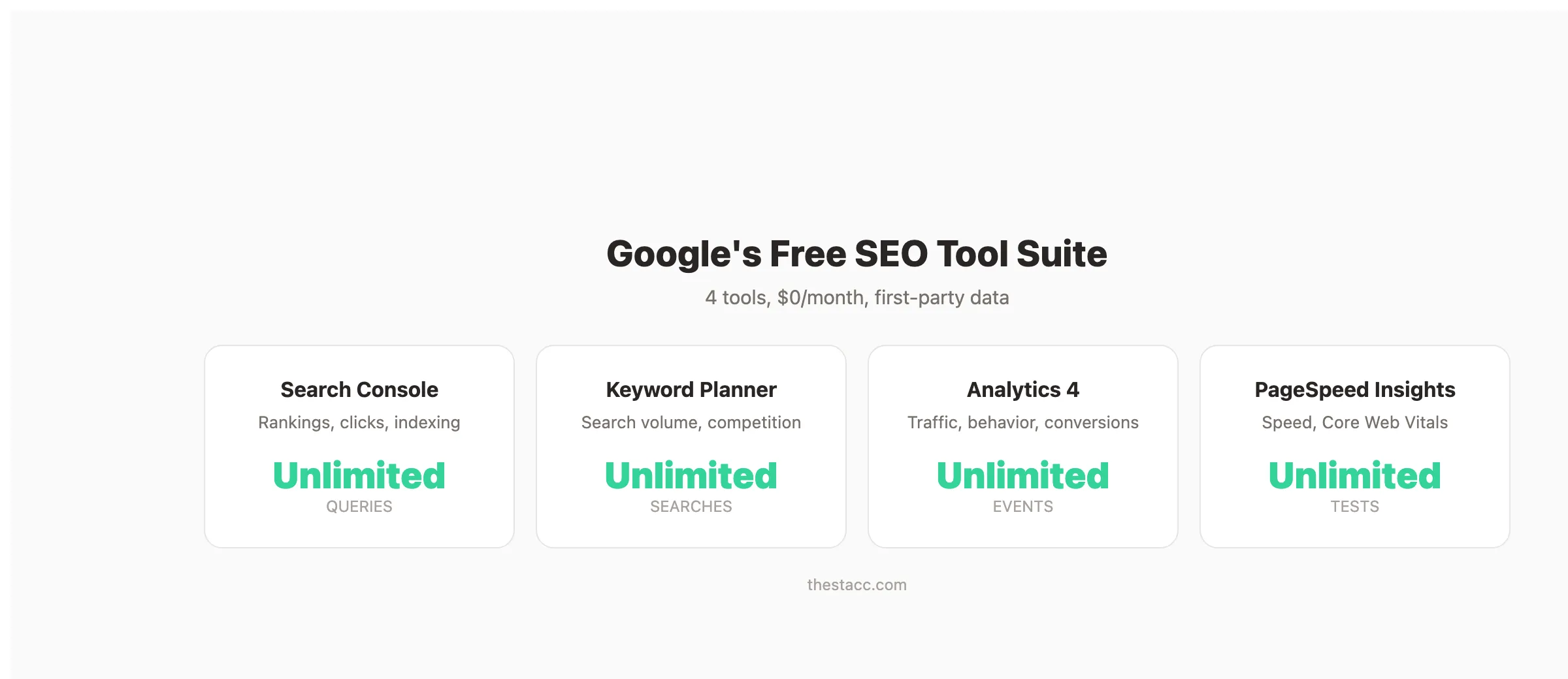
| Google Search Console | Search performance data | Unlimited | First-party click and impression data |
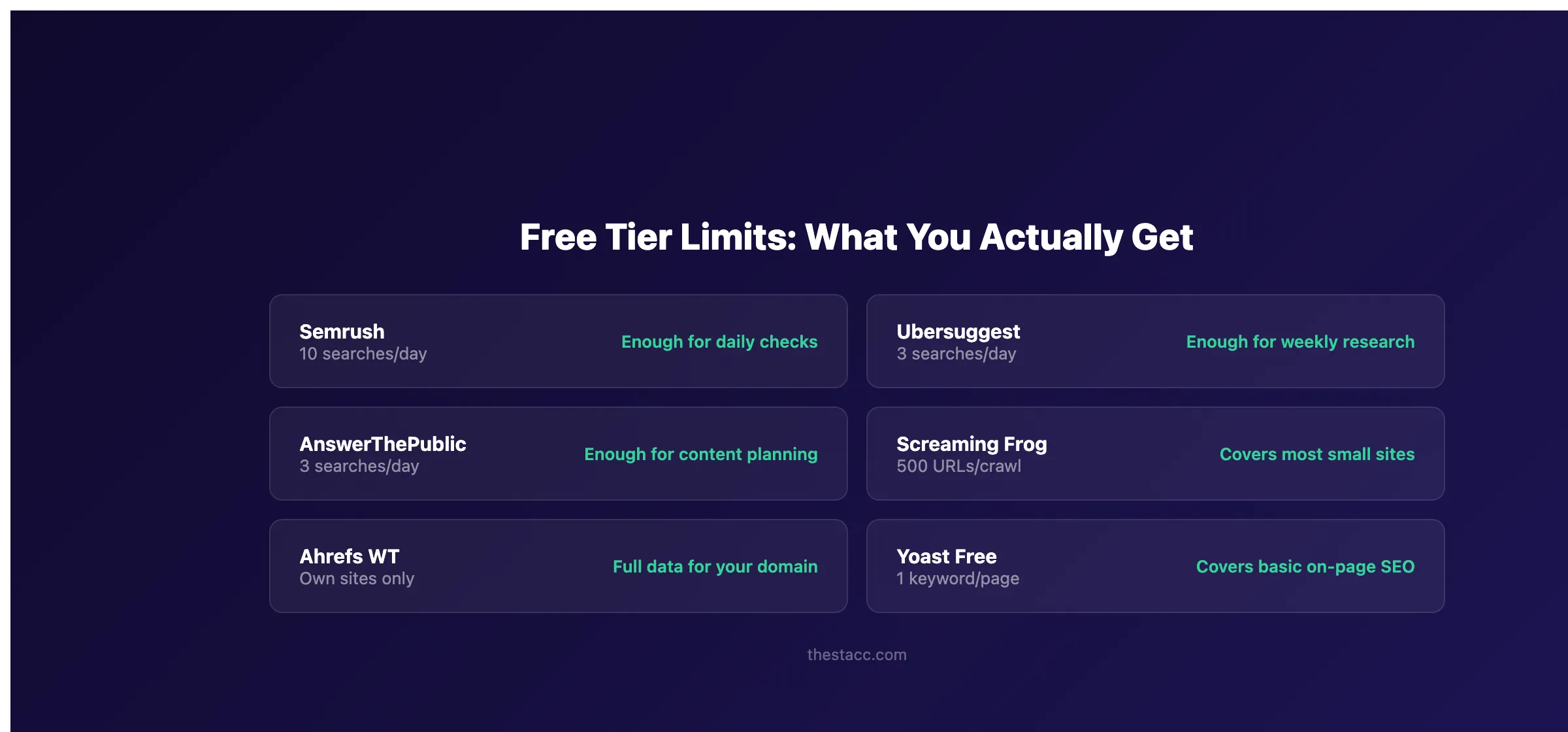
| Ahrefs Webmaster Tools | Backlink analysis | Your own site only | Full backlink profile + site audit |
| Semrush | Competitive research | 10 queries/day | Keyword Magic Tool access |
| Screaming Frog | Technical SEO audits | 500 URLs per crawl | Deep crawl diagnostics |
| Google Keyword Planner | Keyword research | Unlimited (with Google Ads account) | Exact search volume from Google |
| AnswerThePublic | Content ideas | 3 searches/day | Visual question mapping |
| Google Analytics 4 | Traffic analysis | Unlimited | Full user behavior tracking |
| Ubersuggest | Keyword and domain overview | 3 searches/day | Beginner-friendly interface |
| Yoast SEO | On-page optimization | Unlimited (WordPress) | Real-time content scoring |
| Google PageSpeed Insights | Page speed and Core Web Vitals | Unlimited | Lab + field performance data |
1. Google Search Console. Best Free SEO Tool Overall
Google Search Console is the single most important free SEO tool. No paid tool replicates the first-party data Google provides here. Every SEO professional uses it. Every website owner should too.
What It Does Well
Search Console shows exactly how Google sees your site. You get real click counts, impression data, average positions, and click-through rates by query. No sampling. No estimation. Direct data from Google.
The Performance report reveals which queries drive traffic to your site. You can filter by date, page, country, and device. The Coverage report flags indexing errors before they hurt your rankings.
URL Inspection lets you check how Google renders any page on your site. You can request indexing for new or updated pages. The Sitemaps section confirms Google has found and processed your XML sitemap.
Our Take: We check Search Console before any other tool when diagnosing ranking drops. Third-party tools estimate your traffic. Search Console shows you the real numbers.
Where It Falls Short
Search Console only shows data for sites you own and verify. You cannot research competitor keywords or backlinks. The interface can feel dated compared to modern SEO platforms. Historical data is limited to 16 months.
Key Features
- Performance report. Clicks, impressions, CTR, and position by query
- Coverage report. Indexing status for every page
- URL Inspection. See how Google renders your pages
- Core Web Vitals report. Page experience metrics across your site
- Links report. Top linking sites and internal link structure
Pricing
- Free: Full access for verified site owners. No limits. No credit card.
Who Should Use Google Search Console
Strong fit:
- Every website owner, regardless of experience level
- SEO professionals who need accurate ranking and traffic data
Probably not right for:
- Users who need competitor analysis (pair with Semrush or Ahrefs)
For a full setup walkthrough, see our Google Search Console guide.
2. Ahrefs Webmaster Tools. Best Free Backlink Analysis Tool
Ahrefs Webmaster Tools gives you access to one of the largest backlink databases on the internet. For free. Most backlink tools charge $99 or more per month. Ahrefs opens its backlink index to any verified site owner at zero cost.
What It Does Well
The backlink profile report shows every link pointing to your domain. You see referring domains, anchor text distribution, and link growth over time. This data is essential for building backlinks and monitoring your link profile.
Site Audit crawls your site and flags technical issues. It checks for broken links, redirect chains, missing meta tags, orphan pages, and slow-loading URLs. The audit scores each issue by priority so you know what to fix first.
The organic keywords report shows which queries your pages rank for. While less detailed than the paid version, it provides enough data to identify quick-win opportunities.
Our Take: Ahrefs Webmaster Tools is the best free backlink tool available. The data quality matches what you get in the $99/month Lite plan for your own site. We use it alongside Search Console to cross-reference domain authority signals.
Where It Falls Short
You can only analyze your own verified sites. Competitor analysis requires a paid plan. The free version does not include Content Explorer, Rank Tracker, or the Keywords Explorer tool.
Key Features
- Backlink profile. Full index of links to your site with anchor text data
- Site Audit. Technical SEO crawler with prioritized issue reports
- Organic keywords. Ranking queries for your verified domains
- Referring domains. Complete list of sites linking to you
Pricing
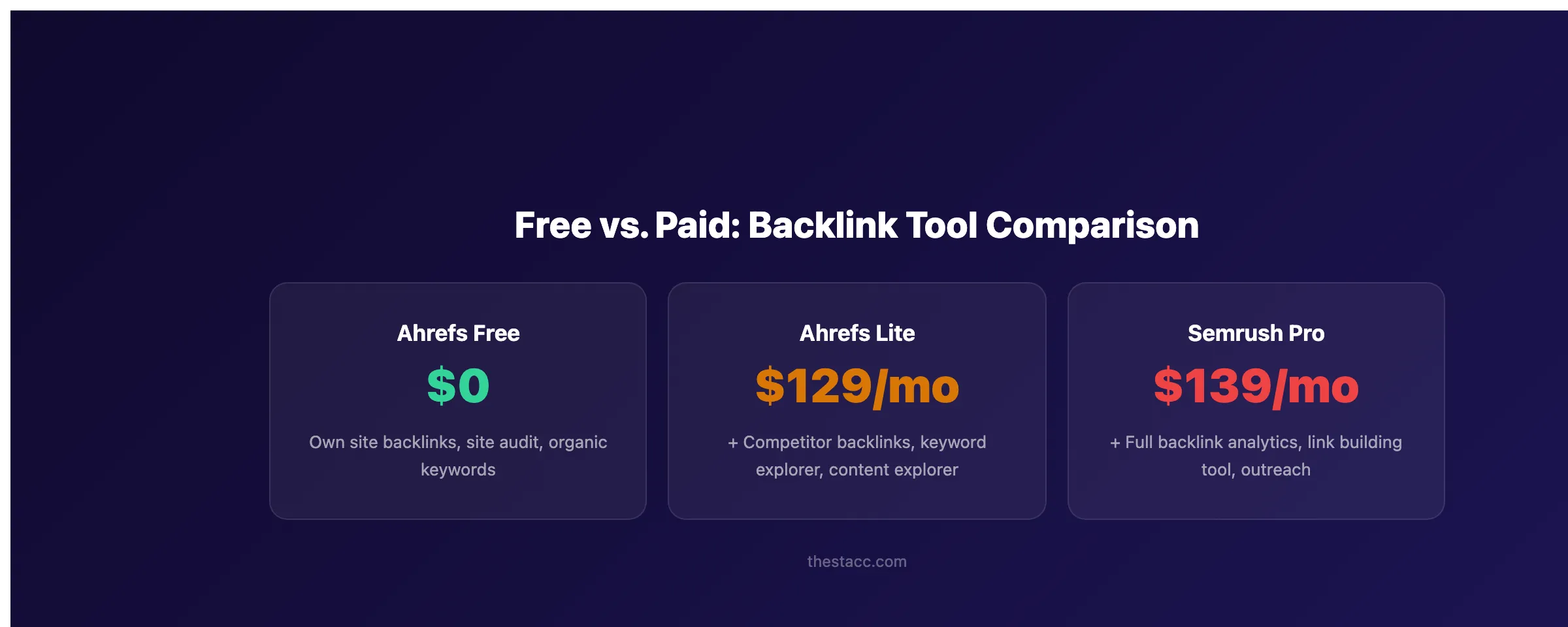
- Free: Full backlink and audit access for verified sites
- Lite: $129/month. Adds competitor research and keyword explorer
- Standard: $249/month , 5 projects, more data limits
Who Should Use Ahrefs Webmaster Tools
Strong fit:
- Site owners who want to monitor their backlink profile without paying
- Anyone running a backlink audit on their own domain
Probably not right for:
- Users who need competitor backlink analysis or keyword research
3. Semrush. Best Free Competitive Research Tool
Semrush offers a surprisingly useful free tier. You get 10 searches per day across its full tool suite. That is enough for daily keyword checks, quick competitor scans, and content gap analysis.
What It Does Well
The Keyword Magic Tool is one of the best keyword research tools available. Even on the free plan, each search returns keyword suggestions with volume, difficulty, and intent data. Ten queries per day covers most small business needs.
Domain Overview shows any competitor’s estimated traffic, top keywords, and backlink count. You can run 10 competitor checks per day. Enough to research your top rivals each week.
Site Audit runs on up to 100 pages. It catches technical issues like broken internal links, duplicate content, and missing H1 tags. The audit report is clear and actionable.
Our Take: Semrush’s free tier is the most feature-complete free plan among paid SEO platforms. We use it for quick keyword difficulty checks before writing new content. Ten searches per day sounds limiting, but most users do not need more.
Where It Falls Short
The 10-query daily limit blocks power users. Position tracking, content optimization, and link building features require a paid plan starting at $139.95 per month. Free users also see limited historical data.
Key Features
- Keyword Magic Tool. Keyword suggestions with volume and difficulty
- Domain Overview. Competitor traffic and keyword estimates
- Site Audit. Technical SEO scan for up to 100 pages
- Backlink Analytics. Basic backlink data for any domain
- Position Tracking. Limited to 10 keywords on free plan
Pricing
- Free: 10 queries/day across all tools. No credit card required.
- Pro: $139.95/month , 500 keywords, 10,000 results per report
- Guru: $249.95/month. Content marketing tools, historical data
Who Should Use Semrush
Strong fit:
- Small business owners doing keyword research a few times per week
- Marketers who need quick competitor snapshots
Probably not right for:
- Agencies or teams running 50+ searches per day
4. Screaming Frog. Best Free Technical SEO Audit Tool
Screaming Frog is a desktop crawler that simulates how search engines crawl your site. The free version crawls up to 500 URLs. Enough for most small and mid-size websites. SEO professionals have relied on it for over a decade.
What It Does Well
The crawler identifies broken links, redirect chains, duplicate titles, missing meta descriptions, and thin content pages in minutes. It maps your entire internal linking structure so you can spot orphan pages and fix link equity issues.
Screaming Frog also extracts structured data, checks schema markup, validates hreflang tags, and generates XML sitemaps. No other free tool matches this depth of technical analysis.
The interface is dense but powerful. You can filter, sort, and export every data point. For anyone running a proper SEO audit, it is an essential tool.
Our Take: Screaming Frog is the gold standard for technical SEO audits. We run it monthly on client sites before switching to browser-based tools for specific checks. The 500-URL limit covers most small business websites entirely.
Where It Falls Short
The interface feels overwhelming for beginners. There is no cloud version. You must download and run it on your computer. Sites with more than 500 URLs need the paid license. It does not provide keyword data or backlink information.
Key Features
- Site crawler. Finds broken links, redirects, and duplicate content
- Internal link analysis. Maps link structure and identifies orphan pages
- Schema validation. Checks structured data markup
- Custom extraction. Scrape specific elements from any page
- XML sitemap generator. Create and validate sitemaps
Pricing
- Free: 500 URLs per crawl. Full feature access within that limit.
- Paid: $259/year. Unlimited crawling, scheduled audits, API access
Who Should Use Screaming Frog
Strong fit:
- Website owners running technical audits on sites under 500 pages
- SEO professionals who want deep crawl data
Probably not right for:
- Beginners who prefer a guided, browser-based audit experience
5. Google Keyword Planner. Best Free Keyword Research Tool
Google Keyword Planner provides keyword search volume data straight from Google. It is free with a Google Ads account (you do not need to run ads). For pure keyword research, no free tool gives you more reliable volume data.
What It Does Well
Enter any seed keyword and Keyword Planner returns hundreds of related keywords with monthly search volume, competition level, and bid estimates. The volume data comes directly from Google. Not from third-party estimates.
The “Discover new keywords” feature groups suggestions by theme. This helps you build content clusters and topical maps around your core topics.
You can filter by location, language, and date range. For local SEO, you can narrow results to your city or region. This makes it valuable for businesses targeting specific geographic areas.
Our Take: Keyword Planner’s volume ranges (like “1K-10K”) frustrate many users. But for free keyword discovery and search intent mapping, nothing else provides Google-sourced data at zero cost.
Where It Falls Short
Search volume shows ranges instead of exact numbers unless you run active ad campaigns. The tool is designed for advertisers, so the interface prioritizes bid data over SEO metrics. It does not show keyword difficulty scores.
Key Features
- Keyword discovery. Related keyword suggestions from Google data
- Search volume. Monthly volume ranges by location and language
- Competition metrics. Advertiser competition level per keyword
- Forecast data. Estimated clicks and impressions for ad campaigns
- Location filtering. Narrow results to specific regions or cities
Pricing
- Free: Full access with a Google Ads account. No spend required.
Who Should Use Google Keyword Planner
Strong fit:
- Bloggers and content creators planning new articles
- Local businesses researching location-specific keywords
Probably not right for:
- Users who need keyword difficulty scores (pair with Semrush or Ubersuggest)
Want 30 SEO articles published every month. Without touching a single tool? That is what Stacc does. Automatically. No writers, no editors, no agency. Start for $1 →
6. AnswerThePublic. Best Free Content Idea Generator
AnswerThePublic visualizes the questions people ask about any topic. Enter a keyword, and it maps out hundreds of question-based queries in a visual wheel. It is one of the fastest ways to find blog topics your audience actually searches for.
What It Does Well
The tool pulls autocomplete data from Google and Bing. It organizes results into questions (who, what, where, when, why, how), prepositions (for, with, without), and comparisons (vs, or, and). This structure makes it easy to spot content gaps.
For content planning, AnswerThePublic saves hours of manual research. One search for “seo tools” returns 100+ question variations. Many of these map directly to blog post topics, FAQ sections, and People Also Ask targets.
Our Take: We use AnswerThePublic at the start of every content planning session. It surfaces questions that keyword tools miss. Pair it with Keyword Planner for volume data and you have a complete free research workflow.
Where It Falls Short
The free tier limits you to 3 searches per day. It does not show search volume or keyword difficulty. The visual format looks impressive but the list view is more practical for actual planning. Some results are low-relevance noise.
Key Features
- Question mapping. Who, what, where, when, why, how queries
- Preposition queries , “keyword + for/with/without” variations
- Comparison queries , “keyword vs/or/and” searches
- Alphabetical suggestions. A-Z autocomplete expansions
- CSV export. Download results for further analysis
Pricing
- Free: 3 searches per day. No account required.
- Individual: $11/month. Unlimited searches, data export, alerts
- Pro: $99/month. Team features, API access
Who Should Use AnswerThePublic
Strong fit:
- Content marketers looking for blog topic ideas
- Anyone building an SEO content calendar
Probably not right for:
- Users who need volume data (pair with Google Keyword Planner)
7. Google Analytics 4. Best Free Traffic Analysis Tool
Google Analytics 4 tracks everything happening on your website after users arrive. It shows where visitors come from, which pages they view, how long they stay, and whether they convert. It is the most widely used web analytics platform in the world.
What It Does Well
GA4 tracks organic search traffic separately from paid, social, and direct traffic. You can see exactly which blog posts drive the most organic visits. Combined with Search Console, this creates a complete picture of your SEO performance.
The Explorations feature lets you build custom reports. Track user journeys from landing page to conversion. Identify which content types generate leads. Measure how blog traffic contributes to business goals.
Event-based tracking captures user actions like button clicks, form submissions, video plays, and scroll depth. For a full setup guide, see our Google Analytics 4 setup walkthrough.
Our Take: GA4 answers the question every business owner asks , “Is my SEO working?” Connect it to Search Console and you see the full pipeline from search query to website action. No paid tool replaces this.
Where It Falls Short
The learning curve is steep. GA4’s interface is less intuitive than Universal Analytics was. Data processing can lag by 24-48 hours. Attribution modeling requires careful configuration to produce accurate results.
Key Features
- Traffic source reports. Organic, paid, social, direct, and referral breakdowns
- User behavior tracking. Page views, engagement time, scroll depth
- Conversion tracking. Goal completions and event-based measurement
- Audience insights. Demographics, interests, and device data
- Custom explorations. Build reports for any metric combination
Pricing
- Free: Full access. Unlimited data collection for most sites.
- GA4 360: Enterprise pricing for sites with 1B+ events/month
Who Should Use Google Analytics 4
Strong fit:
- Every website owner who wants to measure SEO results
- Marketers tracking content ROI and measuring content marketing performance
Probably not right for:
- Users who only need search ranking data (use Search Console instead)
8. Ubersuggest. Best Free SEO Tool for Beginners
Ubersuggest, created by Neil Patel, offers a beginner-friendly interface for keyword research and site audits. The free tier gives you 3 searches per day. It is one of the easiest entry points into SEO for small business owners.
What It Does Well
Enter any keyword and Ubersuggest returns search volume, keyword difficulty, CPC data, and related keyword suggestions. The difficulty score is simpler to understand than Ahrefs or Semrush. It uses a 0-100 scale with clear color coding.
The Site Audit feature scans your website for technical issues and presents results in a dashboard format. It highlights critical errors, warnings, and recommendations with plain-language explanations. For someone running their first SEO audit, this is far less intimidating than Screaming Frog.
The Content Ideas section shows top-performing articles for any keyword. You see estimated traffic, backlink counts, and social shares. This helps you understand what type of content ranks for your target topics.
Our Take: Ubersuggest is the tool we recommend to small business owners who have never done SEO before. It explains everything in simple terms. The 3-search daily limit pushes you to be strategic about what you research.
Where It Falls Short
Data accuracy trails behind Semrush and Ahrefs. The free tier is heavily restricted , 3 searches per day covers basic research but frustrates active users. Frequent upsell prompts interrupt the free experience.
Key Features
- Keyword suggestions. Volume, difficulty, and CPC for any keyword
- Site audit. Beginner-friendly technical SEO scan
- Content ideas. Top-performing articles by keyword
- Backlink data. Basic referring domain information
- Traffic analyzer. Estimated organic traffic for any domain
Pricing
- Free: 3 searches/day. Requires a Google account.
- Individual: $12/month , 150 searches/day, 1 domain
- Business: $20/month , 300 searches/day, 2 domains
- Lifetime: $120 one-time. Unlimited access (periodic offers)
Who Should Use Ubersuggest
Strong fit:
- Small business owners new to SEO
- Bloggers who need basic keyword research on a budget
Probably not right for:
- Experienced SEO professionals who need deeper data accuracy
9. Yoast SEO. Best Free On-Page Optimization Tool
Yoast SEO is the most popular WordPress SEO plugin. The free version handles on-page optimization, XML sitemaps, meta tags, and readability analysis. Over 13 million websites use it.
What It Does Well
Yoast scores every page and post in real time as you write. It checks keyword placement in your title, meta description, headings, URL slug, and first paragraph. The traffic light system (red/orange/green) makes on-page SEO simple enough for non-technical users.
The readability analysis flags long sentences, passive voice, and dense paragraphs. It helps you write content that ranks and reads well. For blogs following SEO writing best practices, this feedback loop is valuable.
Yoast automatically generates XML sitemaps and manages canonical URLs. It handles technical SEO tasks that most WordPress users would otherwise miss. The schema markup integration adds structured data to your pages without manual coding.
Our Take: Yoast is the one tool that improves your SEO without requiring you to learn SEO. Install it, follow the green lights, and your on-page fundamentals stay solid. It does not replace strategy, but it prevents common mistakes.
Where It Falls Short
Yoast only works on WordPress. The free version limits you to one focus keyword per page. Advanced features like internal linking suggestions, redirect management, and multiple keyword optimization require the premium plan.
Key Features
- On-page analysis. Real-time keyword and readability scoring
- Meta tag management. Custom titles and descriptions for every page
- XML sitemaps. Automatic generation and submission
- Schema markup. Structured data without coding
- Breadcrumb navigation. Site structure signals for search engines
Pricing
- Free: Full on-page analysis for one keyword per page
- Premium: $99/year. Multiple keywords, redirect manager, internal linking
Who Should Use Yoast SEO
Strong fit:
- WordPress site owners who want basic on-page SEO handled automatically
- Content creators who need writing quality feedback
Probably not right for:
- Sites not built on WordPress
- Users who need keyword research or backlink tools
10. Google PageSpeed Insights. Best Free Page Speed Tool
Google PageSpeed Insights measures how fast your pages load and whether they pass Core Web Vitals. Speed directly affects rankings. Google confirmed this. This tool shows you exactly where your site is slow and how to fix it.
What It Does Well
PageSpeed Insights provides both lab data (simulated tests) and field data (real user measurements from the Chrome User Experience Report). The field data matters most. It reflects actual visitor experience on your pages.
The tool scores your page on a 0-100 scale for both mobile and desktop. It breaks down every performance metric: Largest Contentful Paint, First Input Delay, Cumulative Layout Shift, and Interaction to Next Paint. Each metric includes specific fix recommendations.
The diagnostics section lists every opportunity to improve Core Web Vitals. It estimates time savings for each fix. This helps you prioritize. Fix the items that save the most load time first.
Our Take: We run PageSpeed Insights on every new blog post after publishing. A page that scores below 50 on mobile loses visitors and rankings. This tool turns vague “my site feels slow” complaints into specific, fixable issues.
Where It Falls Short
It tests one URL at a time. For a full site speed audit, you need Screaming Frog or a paid tool like GTmetrix. The recommendations are technical. Implementing fixes often requires developer help. Scores fluctuate between tests.
Key Features
- Performance score , 0-100 rating for mobile and desktop
- Core Web Vitals. LCP, FID, CLS, and INP measurements
- Field data. Real Chrome user experience metrics
- Diagnostics. Specific performance issues with fix recommendations
- Opportunities. Estimated time savings per optimization
Pricing
- Free: Unlimited tests. No account required.
Who Should Use Google PageSpeed Insights
Strong fit:
- Any site owner who wants to check and improve page speed
- Developers diagnosing slow-loading pages
Probably not right for:
- Users who need site-wide speed audits (pair with Screaming Frog)
Which Free SEO Tool Is Right for You?
What is your main goal?
- Track search rankings and clicks. Google Search Console
- Analyze your backlinks. Ahrefs Webmaster Tools
- Research competitor keywords. Semrush (free tier)
- Run a technical site audit. Screaming Frog
- Find new keywords. Google Keyword Planner
- Generate content ideas. AnswerThePublic
What is your experience level?
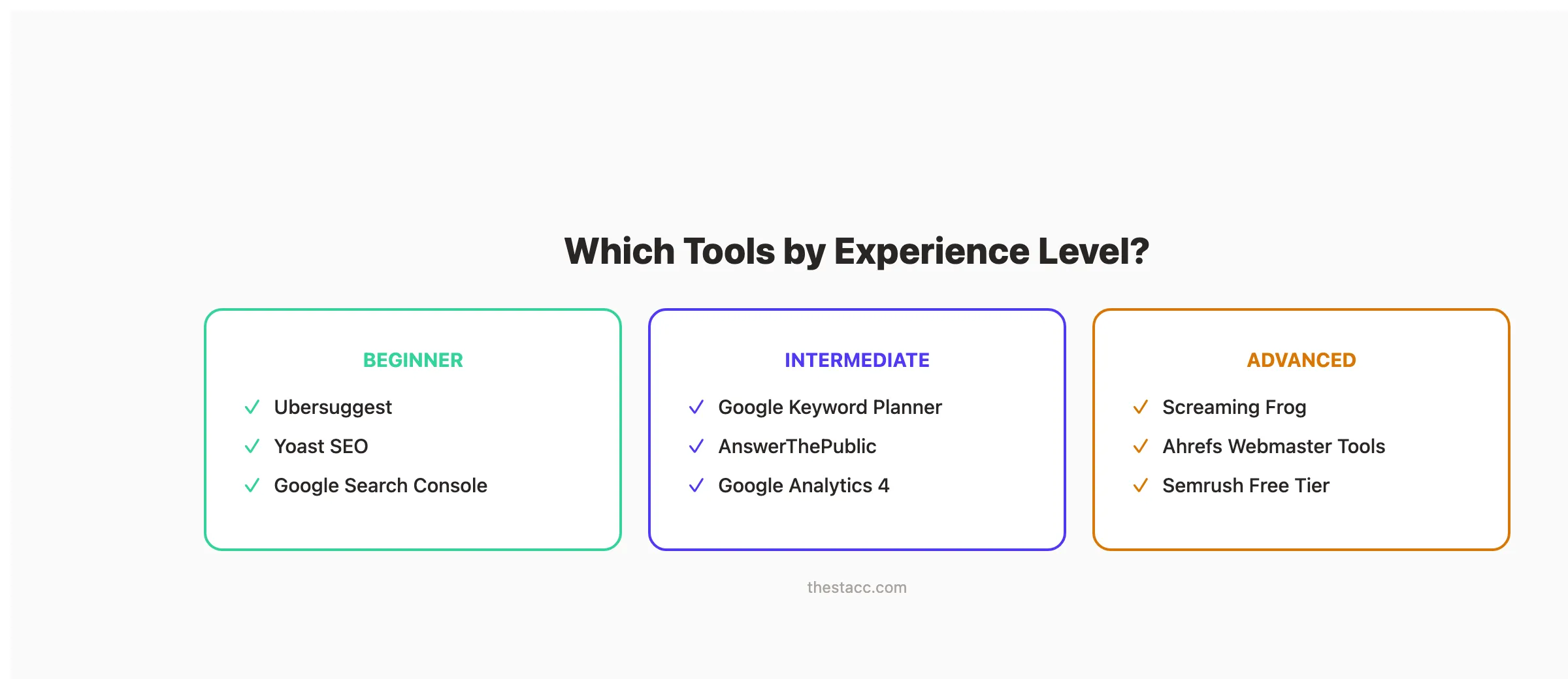
- Beginner. Start with Ubersuggest and Yoast SEO
- Intermediate. Add Google Search Console and Keyword Planner
- Advanced. Use Screaming Frog, Ahrefs Webmaster Tools, and Semrush
What is your budget?
- $0/month. All 10 tools on this list
- Under $50/month. Upgrade AnswerThePublic or Ubersuggest for more searches
- $99-150/month. Paid Semrush or Ahrefs for competitor research
- Want SEO done for you , Stacc publishes 30 articles per month for $99
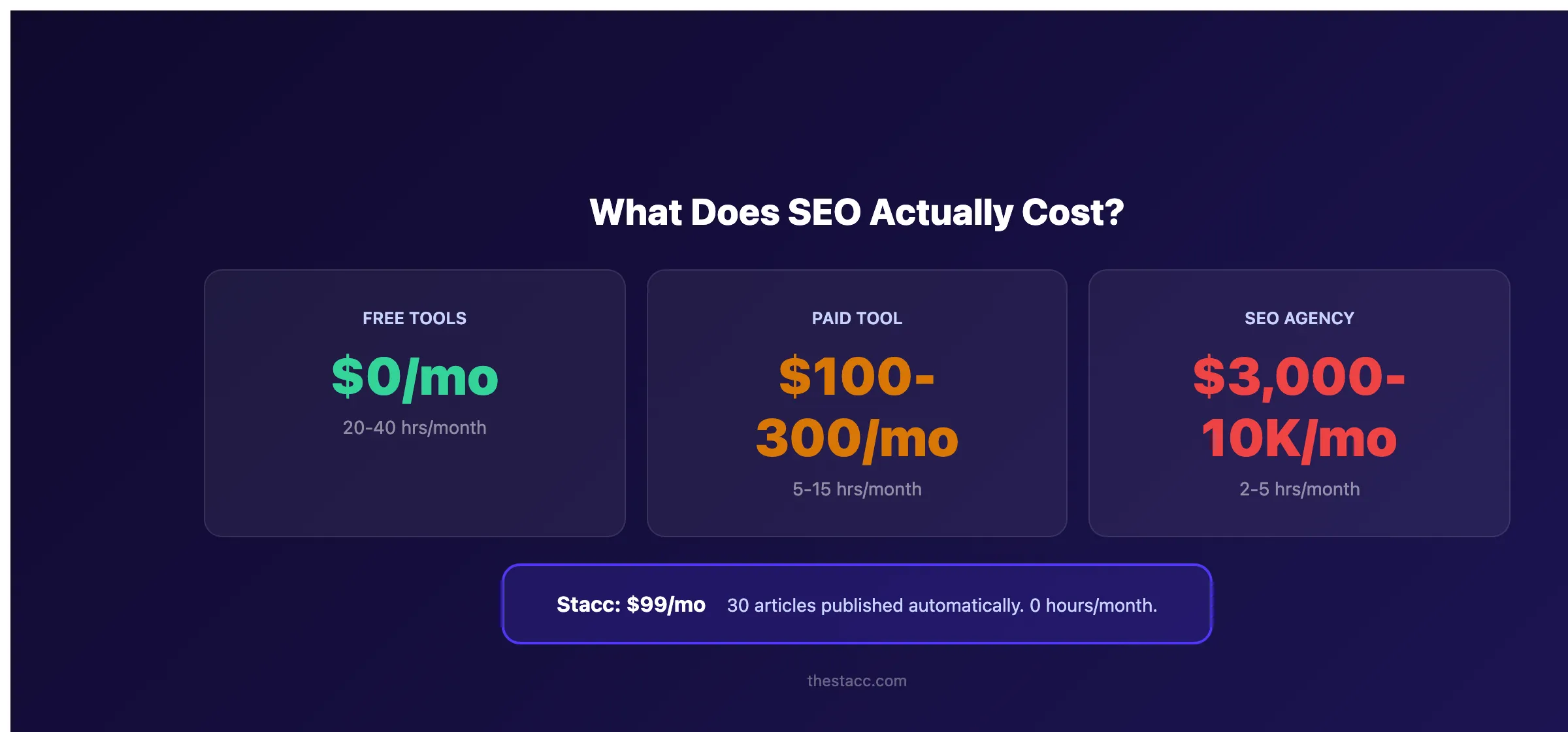
What Does SEO Actually Cost?
Free tools handle research and diagnostics. But research alone does not improve rankings. You still need to create content, build links, and fix technical issues. Here is what the full picture looks like.
| Approach | Monthly Cost | What You Get | Time Required |
|---|---|---|---|
| Free tools only | $0 | Research and diagnostics | 20-40 hours/month |
| Budget paid tool | $15-50/month | Better data, still DIY | 10-20 hours/month |
| Premium SEO tool | $100-300/month | Full features, still DIY | 5-15 hours/month |
| Freelance writers | $2,400-7,500/month | 30 articles from writers | 5-10 hours (managing) |
| SEO agency | $3,000-10,000/month | Full service | 2-5 hours (meetings) |
| Stacc | $99/month | 30 articles, published automatically | 0 hours/month |
Free tools are a strong starting point. Most businesses outgrow them within 6-12 months as they need more searches, more data, and more automation. The real question is not “which free tool should I use” but “how long until I need something that does the work for me.”
For context, SEO typically takes 3-6 months to show meaningful results. Consistent publishing during that period is what separates sites that rank from sites that stall.
Publishing 30 SEO articles per month for $99. That is what Stacc does. Automatically. No writers, no editors, no agency fees. Start for $1 →
Frequently Asked Questions
What is the best free SEO tool in 2026?
Google Search Console is the best free SEO tool overall. It provides first-party data directly from Google. Including real click counts, impressions, and average ranking positions. No paid tool can replicate this data. Pair it with Google Analytics 4 for a complete view of your organic traffic performance.
Can free SEO tools replace paid ones?
For basic SEO tasks, yes. Free tools from Google cover search performance tracking, keyword research, traffic analysis, and page speed testing. You will hit limits with competitive research, bulk analysis, and automated reporting. Most businesses find that free tools handle 60-80% of their SEO needs.
Which free tool is best for keyword research?
Google Keyword Planner provides the most reliable free keyword data because it comes directly from Google. AnswerThePublic is better for content ideas and question-based queries. Semrush’s free tier offers 10 keyword searches per day with difficulty scores included. For a deep dive, see our keyword research guide.
How many free SEO tools do I need?
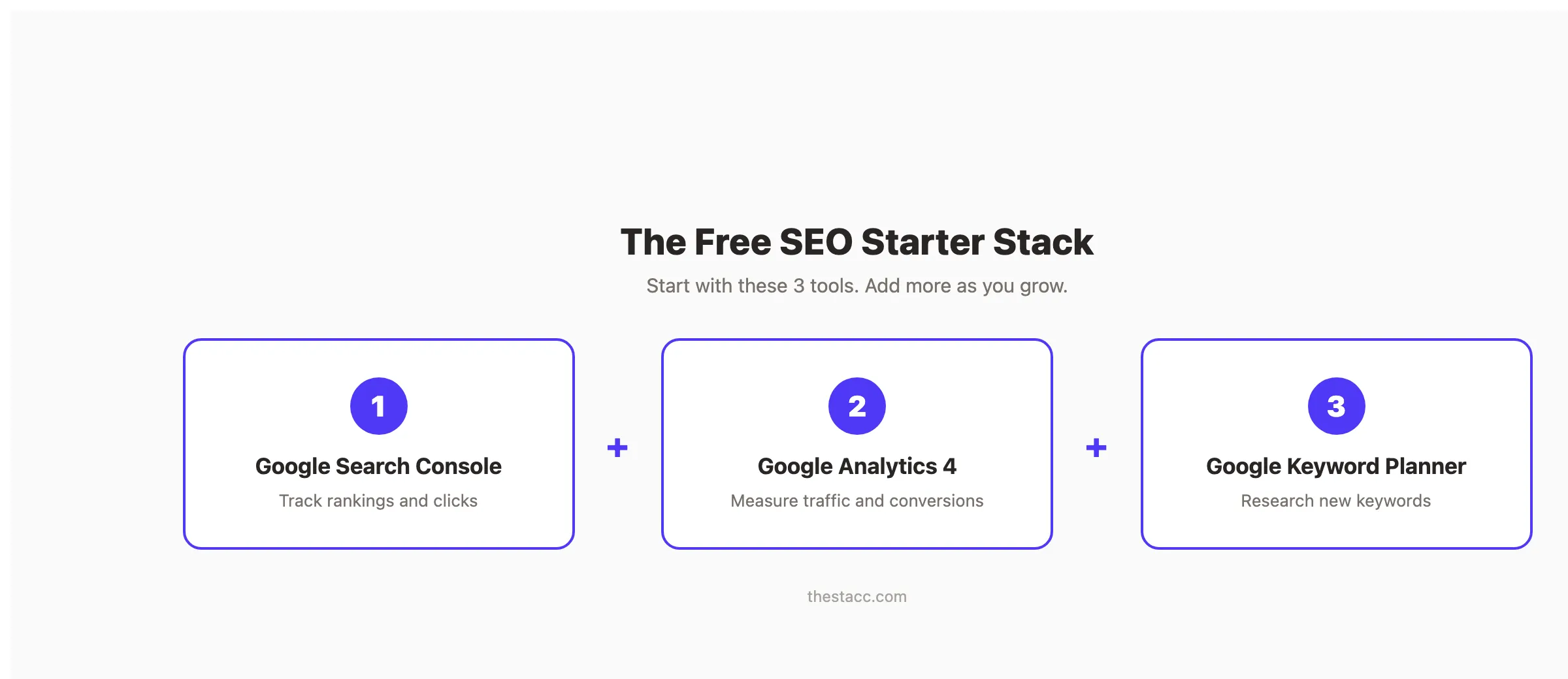
Start with 3: Google Search Console for rankings, Google Analytics 4 for traffic, and one keyword research tool (Keyword Planner or Ubersuggest). Add Screaming Frog when you need technical audits. Add Yoast if you run WordPress. You do not need all 10 from day one.
Are free SEO tools accurate?
Google’s own tools (Search Console, Keyword Planner, Analytics, PageSpeed Insights) are the most accurate because they use first-party data. Third-party free tools like Ubersuggest and Semrush’s free tier use estimated data that varies in accuracy. For critical decisions, always cross-reference multiple sources.
Do I need paid tools to rank on Google?
No. Thousands of websites rank on page 1 using only free tools. Content quality, topical authority, and technical fundamentals matter more than which tools you use. Paid tools save time and provide deeper data, but they are not a ranking requirement.
The Bottom Line
The 10 free SEO tools above cover keyword research, technical audits, backlink analysis, traffic tracking, content optimization, and page speed testing. Google Search Console and Google Analytics 4 form the foundation. Ahrefs Webmaster Tools and Screaming Frog fill the gaps. Semrush’s free tier and Ubersuggest handle keyword research.
Free tools handle the research. They do not handle the execution. If you want SEO results without managing tools, writers, or agencies, Stacc publishes 30 SEO-optimized articles per month for $99. Automatically.
Start for $1. See the difference in 3 days →
This article was researched and published by Stacc. The same platform businesses use to publish SEO content automatically. All pricing and features were verified against public sources as of March 2026.

Written by
Siddharth GangalSiddharth is the founder of theStacc and Arka360, and a graduate of IIT Mandi. He spent years watching great businesses lose organic traffic to competitors who simply published more. So he built a system to fix that. He writes about SEO, content at scale, and the tactics that actually move rankings.
Stop researching. Start ranking.
30 SEO blog articles published to your site every month. No writers, no workflow, no waiting.
30-day trial · Cancel anytime
theStacc
Stop writing SEO content manually
30 blog articles, 30 GBP posts, and social media content. Published every month. Automatically.
Start Your $1 Trial$1 for 3 days · Cancel anytime