How to earn Google reviews without incentives, reply to good and bad ones, and turn review flow into a repeatable process your team can run weekly.
Google hosts 57.5% of all online reviews globally. 88% of consumers read reviews before choosing a local business. And reviews account for approximately 16% of local SEO ranking factors, making them the second most influential signal in Google Maps rankings after proximity.
This Google reviews guide covers everything a business owner needs to know: how reviews affect rankings, how to respond to them, what Google's policies allow, and how to handle fake reviews. Most guides focus on getting more reviews. This one covers the complete management system.
We publish 3,500+ articles across 70+ industries and manage local SEO content for businesses that depend on Google visibility. Reviews are a core part of that equation.
Here is what you will learn:
- How Google reviews directly affect your local search rankings
- The response strategy that turns reviews into an SEO asset
- Google review policies: what you can and cannot do
- How to identify and remove fake reviews
- The review metrics that matter most
- Why review velocity matters more than total review count
How Google Reviews Affect Local SEO Rankings
Reviews are not just social proof. They are a confirmed ranking signal in Google's local algorithm.
The Ranking Data
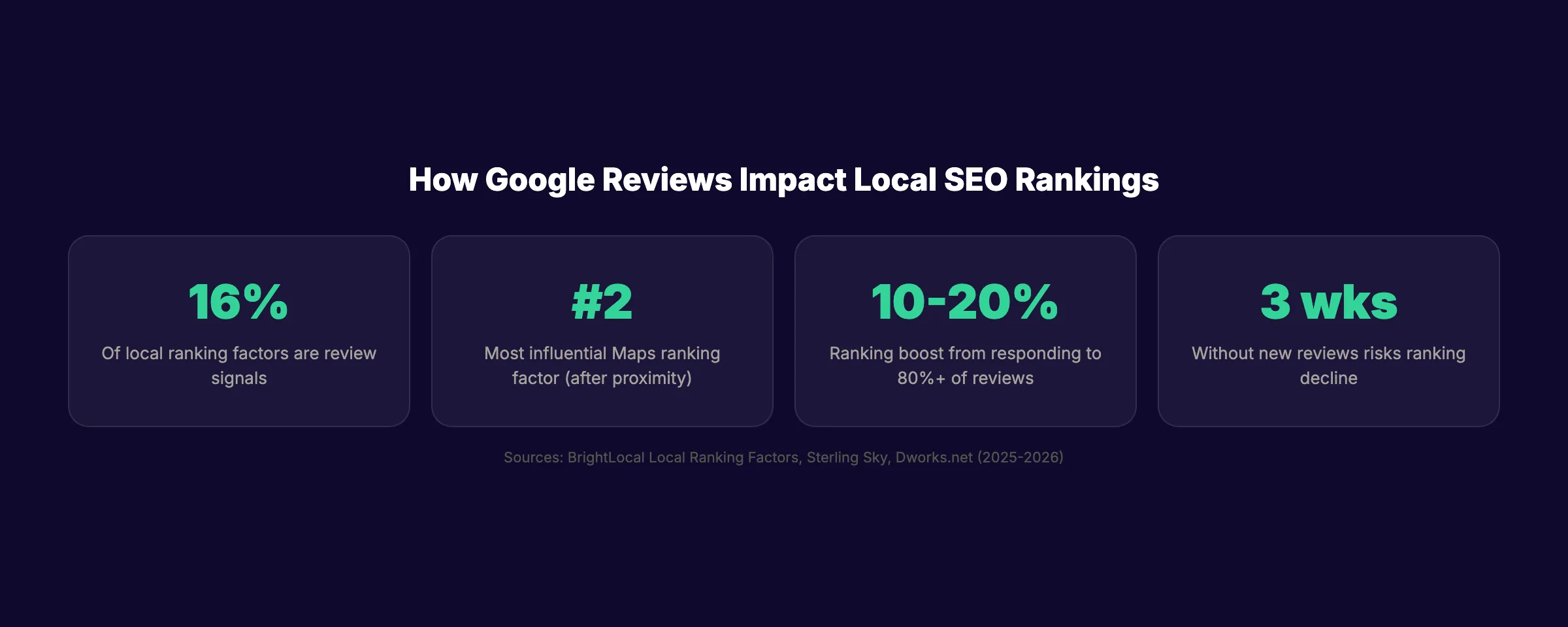
Review signals account for approximately 15 to 16% of local ranking factors, according to BrightLocal's local ranking factors research. Only proximity to the searcher carries more weight.
| Review Factor | Impact on Rankings |
|---|---|
| Review quantity | Reaching 10 reviews produces a measurable Maps ranking boost |
| Review velocity | Businesses that stop receiving reviews for 3 weeks risk ranking declines |
| Average star rating | Higher ratings correlate with higher local pack positions |
| Review recency | Google preferences businesses with reviews from the last 30 days |
| Review responses | Businesses responding to 80%+ of reviews see a 10 to 20% ranking boost |
| Keywords in reviews | Customer mentions of services create indexed content on your GBP |
Top-ranking local businesses average approximately 47 Google reviews. The typical local business averages 39. Reaching the top of your local market requires exceeding the local average, not a universal number.
Why Velocity Matters More Than Volume
A Sterling Sky study found that businesses reaching 10 reviews see a measurable Maps ranking boost. But the boost plateaus quickly with volume alone.
What does not plateau: velocity. Businesses that stop receiving new reviews for roughly 3 weeks see ranking declines. A steady stream of 1 to 2 new reviews per week outperforms a business with 200 total reviews but no new ones in months.
73% of consumers only trust reviews from the last 30 days, according to WiserReview research. Fresh reviews drive both rankings and trust. Stale reviews drive neither.
The Conversion Impact
Reviews do not just affect rankings. They affect whether searchers click, call, or visit.
- Customers spend 31% more with businesses that have excellent reviews
- Positive reviews lift conversion rates by 15 to 20%
- Appearing in the Google 3-pack yields 126% more traffic and 93% more actions vs positions 4 to 10
- 55% of shoppers refuse to use a business with fewer than 4 stars
The most trusted rating range is 4.2 to 4.5 stars. A perfect 5.0 appears suspicious to consumers. A few genuine negative reviews with professional responses actually build more credibility than a flawless score.
Stop writing. Start ranking. theStacc publishes 30 SEO articles per month for $99. Pair blog content with a strong review strategy for maximum local visibility.
How to Respond to Google Reviews (The SEO-Smart Way)
93% of consumers expect business owners to respond to reviews. 97% read the responses. Yet 63% of reviewers report that businesses never responded to their review.
Every response is an opportunity. Responses are indexed by Google. They contribute to your Google Business Profile content. And they build trust with every future customer who reads them.
Responding to Positive Reviews
Formula: Thank by name → Reference a specific detail → Include a keyword naturally → Invite them back.
Example:
"Thank you, Sarah. We are glad the teeth whitening results exceeded your expectations. If you ever need dental care in Austin, our team is here for you.. Dr. Miller, Austin Family Dental"
Notice the response includes the service ("teeth whitening," "dental care") and the city ("Austin") naturally. These terms get indexed on your GBP and contribute to local relevance signals.
Rules:
- Personalize every response. Never copy-paste the same reply.
- Keep responses under 100 words.
- Include your business name and 1 to 2 service keywords naturally.
- Do not oversell or promote offers in positive review responses.
Responding to Negative Reviews
Formula: Acknowledge → Apologize → Move offline → Sign with your name.
Example:
"Hi James, thank you for sharing your experience. We are sorry the wait time was longer than expected. We take this seriously and would like to make it right. Please reach out to us at info@example.com so we can address this personally.. Dr. Miller"
Rules:
- Respond within 24 to 48 hours. 53% of customers expect a response within 1 week.
- Never argue, get defensive, or share the customer's private information.
- Do not offer discounts or free services in the public response (this can invite review extortion).
- Move the conversation to a private channel (email or phone).
- 44.6% of customers still engage with a business after a professional response to a negative review.
The Response Keyword Strategy
Owner responses are indexed text on your GBP. Including your city name and service keywords in responses reinforces your local relevance.
This does not mean stuffing keywords. It means naturally referencing what the customer experienced: "We are glad you chose our plumbing team in Denver" instead of "Thanks for the review."
Businesses responding to 80% or more of their reviews see a 10 to 20% ranking boost, per Dworks research. The combination of response rate plus keyword-rich content creates a measurable SEO advantage.
Google Review Policies: What You Can and Cannot Do
Google enforces strict policies on reviews. Violating them can result in review removal, profile suspension, or permanent penalties.
What Google Allows
- ✓ Asking customers for reviews (77% respond positively when asked)
- ✓ Providing a direct review link or QR code
- ✓ Responding publicly to all reviews
- ✓ Sharing public reviews on your website or social media
- ✓ Sending follow-up emails or texts requesting reviews
- ✓ Using signage in your business with a review link
What Google Prohibits
| Violation | Why It Matters |
|---|---|
| Review gating | Routing only happy customers to Google while filtering unhappy ones. Explicitly banned. |
| Incentivized reviews | Offering discounts, freebies, or payments for reviews violates Google and FTC policies. |
| Employee reviews | Staff cannot review their own business. Conflict of interest. |
| Fake reviews | Purchasing reviews from vendors or posting from fabricated accounts. |
| Competitor reviews | Posting negative reviews on competitor profiles. |
| Review removal payments | Paying someone to delete or change their review. |
| Spam or duplicate content | Multiple reviews from the same person or identical text across businesses. |
2026 Policy Updates
Google made several changes to review policies in 2025 and 2026:
- Reviewer nicknames: Customers can now use nicknames instead of real names when posting reviews.
- AI review summaries: Google displays AI-generated sentiment summaries inside business profiles.
- Verified review badges: New verified badges carry additional ranking and trust weight.
- Extortion reporting: Google added a dedicated workflow for businesses targeted by review extortion.
- Stricter spam enforcement: Aggressive AI-driven removal of suspicious review patterns. Some legitimate reviews get caught as collateral.
Your SEO team. $99 per month. 30 optimized articles, published automatically. Build your local SEO presence while managing reviews.
How to Get More Google Reviews
We cover 21 specific tactics in our dedicated guide: 21 Ways to Get More Google Reviews. Here is the core framework.
The Review Collection System
Step 1: Create your direct review link. Go to your Google Business Profile, click "Get more reviews," and copy the short link.
Step 2: Add that link to every customer touchpoint:
- Post-purchase or post-service email (within 24 hours)
- Text message follow-up
- Physical signage at checkout (QR code)
- Email signature
- Website footer or dedicated review page
- Receipts and invoices
Step 3: Set a cadence target. Most competitive local markets require 1 to 2 new reviews per week to maintain ranking momentum. Calculate your target based on the review velocity of the top 3 competitors in your local market.
Step 4: Track and follow up. Monitor new reviews daily. Respond within 24 to 48 hours. Send a reminder to customers who received your request but did not leave a review (one follow-up, 48 to 72 hours after the initial ask).
What to Ask For
Never tell customers what to write. But you can frame the context.
Good: "If you have a moment, we would appreciate a Google review about your experience with our team."
Better: "We just finished your kitchen remodel. If you have a moment, a Google review about the project would mean a lot to our team." (The customer naturally mentions "kitchen remodel" because you framed the context.)
Bad (violates policy): "Leave us a 5-star review and get 10% off your next visit."
Industry Review Benchmarks
Different industries have different review expectations. Set your target based on your vertical, not a universal number.
| Industry | Average Reviews (Top Performers) | Minimum Target |
|---|---|---|
| Restaurants | 150 - 500+ | 50+ |
| Hotels | 200 - 300+ | 100+ |
| Dentists | 40 - 100 | 25+ |
| Lawyers | 20 - 60 | 15+ |
| Home services | 30 - 80 | 20+ |
| Real estate | 15 - 50 | 10+ |
| Retail / ecommerce | 50 - 200 | 30+ |
Your target is not the industry average. Your target is 10 to 20% above your top local competitor. Check their review count, star rating, and most recent review date. Beat those numbers on all 3 metrics.
Automating Review Collection
Manual review requests depend on staff memory. Automation does not.
Integrate review requests into your existing workflows:
- Post-purchase email automation: Your CRM or email platform sends a review request 24 hours after purchase or service completion.
- SMS follow-up: A text message with your direct review link. SMS open rates exceed 95%. Use a service like Podium, Birdeye, or your practice management software.
- In-store QR codes: Print a QR code linking to your Google review page. Place it at checkout, on receipts, or on table cards.
- Website widget: Add a "Review us on Google" button to your website footer and thank-you pages.
The goal is zero reliance on staff asking verbally. Every customer enters a review request workflow automatically.
How to Handle Fake Google Reviews
Approximately 11% of Google reviews are fraudulent, according to WiserReview. Google blocked 170 million fake reviews in 2023. But some still slip through.
Red Flags of a Fake Review
- Reviewer has no other review history or a brand-new account
- No specific details about the visit, service, or interaction
- Name does not appear in your CRM, booking system, or POS records
- Multiple reviews on different businesses posted the same day
- Emotional extremes without substance ("worst place ever" with no details)
- Review posted on a day your business was closed
The Removal Process
Step 1: Flag it. Click the three dots next to the review on your GBP. Select "Report review." Choose the violation reason (spam, fake, off-topic, conflict of interest).
Step 2: Track it. Check the status in your GBP dashboard under "Reviews." Google typically reviews flagged content within a few days to a few weeks.
Step 3: Respond publicly. While waiting for Google to act, post a calm response: "We do not have a record of your visit with us. We take all feedback seriously and have flagged this review for Google to review. If there has been a misunderstanding, please contact us at [email]."
Step 4: Escalate if needed. If Google does not remove the review after flagging, escalate via GBP support chat or the Google Business Profile community forum. Provide documentation that the reviewer was never a customer.
Step 5: Legal escalation (extortion). Google added a dedicated extortion reporting workflow in 2026. If someone threatens to post a negative review unless you pay them, document the threat and use this reporting path. Review extortion is actionable under defamation law in most jurisdictions.
Post-Negative-Review Recovery
A single negative review does not destroy your business. But ignoring it can. Follow this recovery process:
- Respond publicly within 24 hours using the empathetic formula above
- Document the incident internally for your team
- Monitor for follow-up activity (the reviewer may update or respond)
- Dilute with positive volume by increasing your review request cadence for the next 2 weeks
- If the review is unfair or fake, follow the flagging and escalation process above
44.6% of customers still engage with a business after reading a professional response to a negative review. The response matters more than the review itself.
Review Metrics That Matter
Track these metrics monthly in your Google Business Profile insights.
| Metric | Benchmark | Action If Below |
|---|---|---|
| Total review count | Match or exceed top 3 local competitors | Increase collection cadence |
| Average star rating | 4.2 to 4.5 stars (most trusted range) | Improve service quality, respond to negatives |
| Review velocity | 1-2 new reviews per week (competitive markets) | Automate review requests |
| Response rate | 80%+ of all reviews responded to | Assign a daily review monitor |
| Review recency | At least 1 review in the last 7 days | Increase request frequency |
| Keywords in reviews | Service terms appear naturally | Frame review requests with context |
Reviews and AI Search
Google star ratings now rank as the 8th most important factor for AI search visibility, according to BrightLocal. AI Overviews and AI-generated business summaries pull directly from review content and sentiment. A strong review profile influences whether AI search engines cite or recommend your business.
This makes review management a GEO (Generative Engine Optimization) strategy, not just a local SEO tactic. Businesses with high ratings, recent reviews, and keyword-rich customer feedback are more likely to appear in AI-generated answers.
When ChatGPT or Perplexity recommend a local business, they pull from the same signals Google uses: ratings, review volume, review content, and overall online reputation. A business with 100 positive reviews and recent activity is more likely to be cited by AI search engines than a business with 20 stale reviews from 2 years ago.
The implication: review management now affects 3 discovery channels simultaneously. Traditional Google search, Google Maps, and AI search engines all reference review data. Every review collected strengthens all 3.
Rank everywhere. Do nothing. Blog SEO, Local SEO, and Social on autopilot. theStacc starts at $99/mo with a free trial.
What practitioners are saying on X
Local still bottoms out at GBP completeness, category, reviews, and NAP.
- @noelcetaSEO (Sep 2025): Local SEO playbook still centers complete GBP, NAP consistency, quality citations, local keywords, location content, review velocity, and local links. See the post on X.
- @irentdumpsters (Jan 2026): Most businesses have a GBP; few fully optimize every ranking-relevant section for Map Pack visibility. See the post on X.
- @EldarCohenSEO (Jul 2026): 2026 WhiteSpark-oriented reminder: primary Google Business category is a top Map Pack ranking factor — wrong primary category can erase visibility for money queries. See the post on X.
Grok, AI Overviews, and multi-engine visibility
Local topics like “google reviews guide” get cited when GBP, NAP, reviews, and service-area steps are concrete. Grok mixes those web facts with Map Pack operator advice circulating on X.
- Google AI Overviews: Use passage-ready answers, tables, and FAQ schema where relevant.
- ChatGPT / Perplexity: Cite named sources next to key claims.
- Grok: Maintain accurate entity facts on-site and in high-signal X posts.
Rank higher in the Map Pack without a full-time local SEO hire. theStacc’s Local SEO module handles daily GBP posts, review reply workflows, and local visibility tracking — built for service businesses that need calls, not vanity rankings.
FAQ
Yes. Review signals account for approximately 16% of local ranking factors. Reviews influence your position in the Google Maps local pack, which receives the majority of clicks for local searches. Review quantity, recency, velocity, star rating, and response rate all contribute to rankings.
There is no universal number. Top-ranking local businesses average about 47 reviews. The more relevant target is matching or exceeding your top 3 local competitors. Reaching 10 reviews produces the first measurable ranking boost. After that, velocity (steady new reviews) matters more than total volume.
Businesses cannot delete reviews directly. You can flag reviews that violate Google's policies (fake, spam, off-topic, conflict of interest) and request removal. Google decides whether to remove them. The process typically takes a few days to a few weeks.
Review gating is routing only satisfied customers to leave a Google review while filtering out dissatisfied ones. Google explicitly prohibits this practice. All customers must have equal access to leave a review regardless of their experience.
The most trusted range is 4.2 to 4.5 stars. A perfect 5.0 can appear suspicious to consumers. A few negative reviews with professional responses actually build more credibility than a flawless rating. 55% of shoppers refuse to use businesses with fewer than 4 stars.
Yes. 93% of consumers expect a response. 97% read owner responses. Businesses responding to 80% or more of reviews see a 10 to 20% ranking boost. Responses are indexed by Google and contribute to your profile's relevance signals. Responding to both positive and negative reviews builds trust and improves rankings.
Google reviews are not a passive byproduct of good service. They are an active ranking factor, a trust signal, and an AI visibility asset. The businesses dominating local search in 2026 treat review management with the same rigor they apply to their website and advertising. Start with a collection system, respond to every review, and track velocity weekly.
Related Tools & Resources
Free SEO Tools:
Best Lists:
Sources & references
- [1] Princeton / Georgia Tech et al. — GEO research (arXiv:2311.09735)
- [2] @noelcetaSEO on X — Local SEO playbook still centers complete GBP, NAP consistency, quality citations, local keywords, location content, rev
- [3] @irentdumpsters on X — Most businesses have a GBP; few fully optimize every ranking-relevant section for Map Pack visibility.
- [4] @EldarCohenSEO on X — 2026 WhiteSpark-oriented reminder: primary Google Business category is a top Map Pack ranking factor — wrong primary cat
- [5] Referenced source — www.brightlocal.com

Manage Google Business Profile posts, review replies, and local rank tracking.
Weekly local SEO teardowns
One practical email a week. Map Pack, GBP, AI Overviews — no fluff. Unsubscribe anytime.