
DIY SEO: The Complete Guide for Beginners (2026)
Learn DIY SEO step by step. This 9-chapter guide covers keyword research, on-page SEO, technical fixes, link building, and free tools. Updated for 2026.
Stacc Editorial • 2026-04-04 • SEO Tips
In This Article
DIY SEO: The Complete Guide for Beginners (2026)
You know your business needs to show up on Google. You also know that agencies charge $2,000 to $10,000 per month for SEO. That gap between what you need and what you can afford keeps thousands of small businesses invisible online.
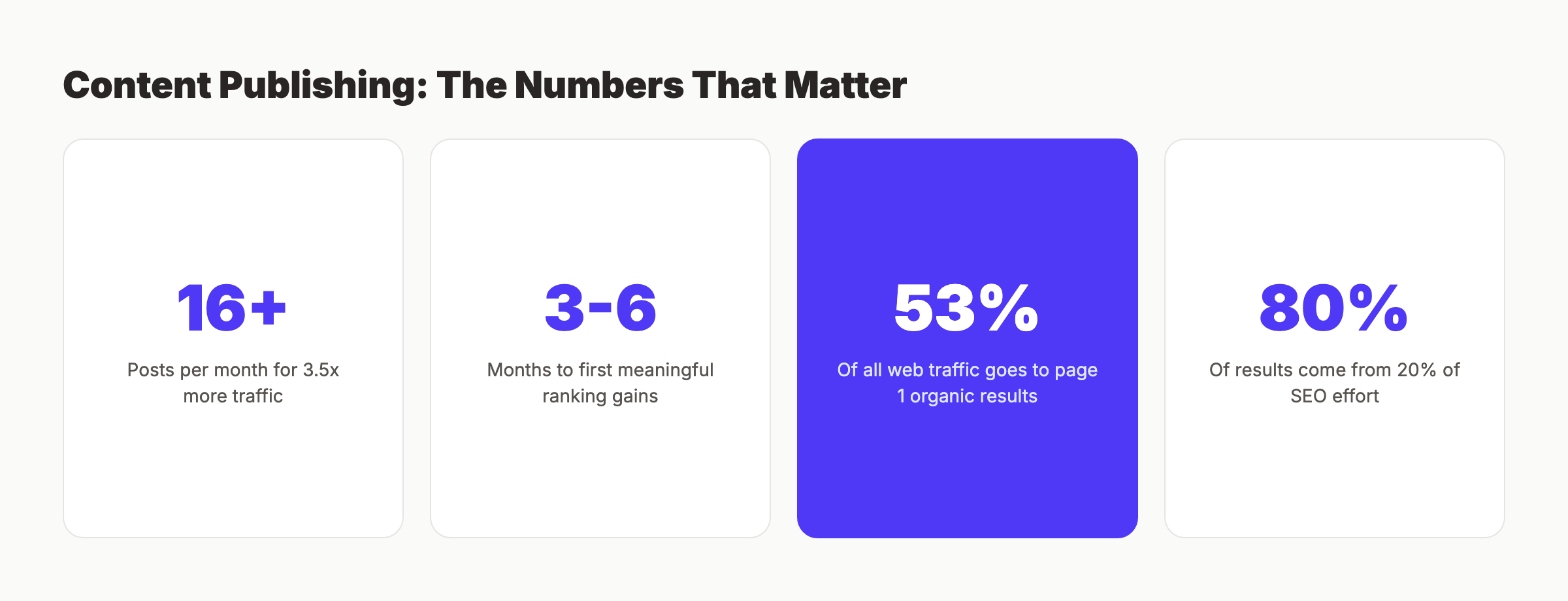
The cost is real. Every month without organic traffic is a month of paying for every single click, every single lead. Businesses that rank on page 1 get 53% of all web traffic. Businesses on page 2 get almost nothing.
This guide gives you the full DIY SEO playbook. Nine chapters. Every step explained for beginners. No jargon without a definition. No fluff.
We publish 3,500+ SEO-optimized blog posts across 70+ industries every month. This guide covers what we have learned about ranking on Google, distilled into steps you can follow yourself.
Here is what you will learn:
- How to find keywords your customers actually search for
- How to optimize every page so Google understands your content
- How to fix technical issues that block your rankings
- How to build backlinks without a big budget
- How to set up local SEO if you serve a specific area
- The free tools that replace expensive software
- When DIY SEO stops making sense (and what to do instead)
Table of Contents
- Chapter 1: What Is DIY SEO?
- Chapter 2: Keyword Research Basics
- Chapter 3: On-Page SEO Essentials
- Chapter 4: Technical SEO Basics
- Chapter 5: Content Creation Strategy
- Chapter 6: Link Building for Beginners
- Chapter 7: Local SEO Basics
- Chapter 8: Free and Affordable SEO Tools
- Chapter 9: When DIY SEO Stops Making Sense
- DIY SEO Checklist
- FAQ
Chapter 1: What Is DIY SEO (And Who Is It For)? {#ch1}
DIY SEO means optimizing your website for search engines without hiring an agency or a dedicated specialist. You do the keyword research, write the content, fix the technical issues, and build the links yourself.
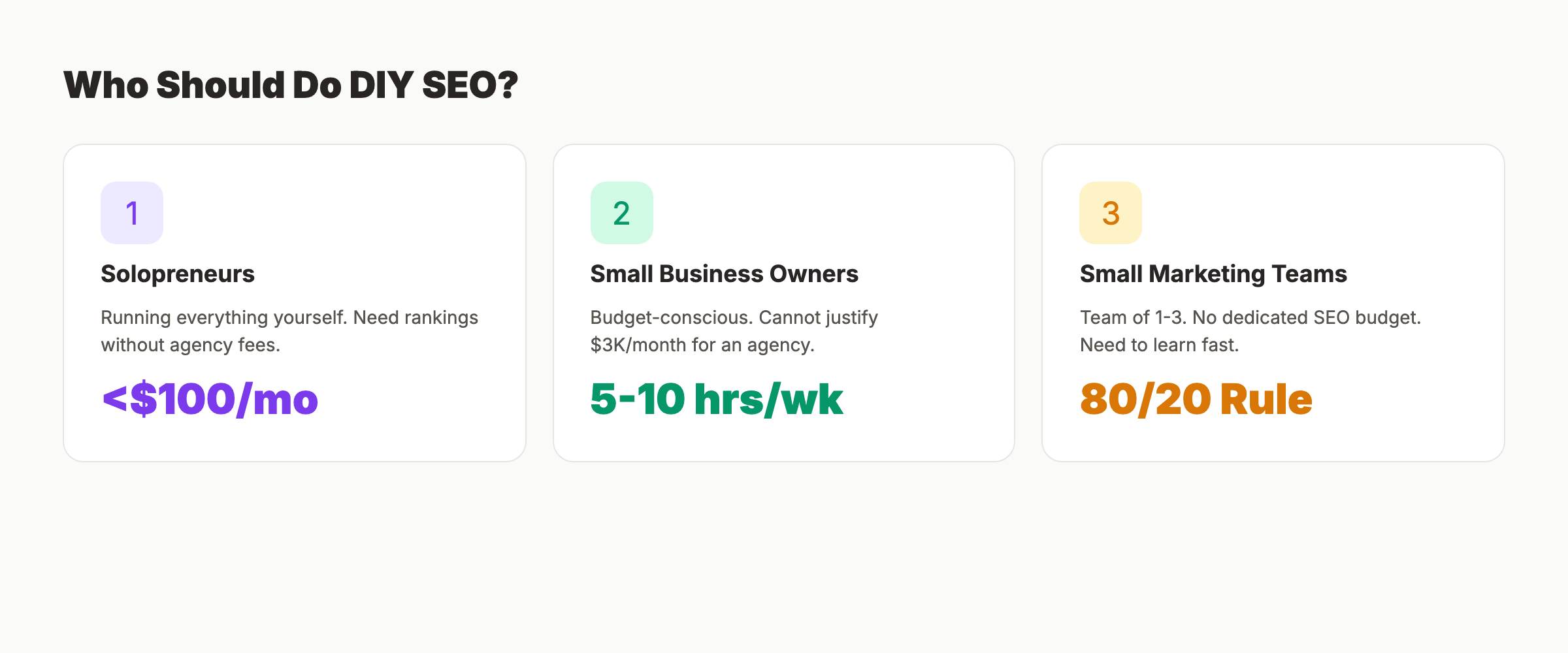
This approach works best for 3 groups of people.
Solopreneurs and Freelancers
You run the business. You also run the marketing. An SEO agency would eat half your monthly revenue. DIY SEO lets you start ranking while keeping costs under $100 per month in tools. Many SEO tools for solopreneurs are free or under $30 per month.
Small Business Owners on a Budget
You have a local shop, a small service business, or an early-stage startup. You need organic traffic but cannot justify $3,000 per month for an agency. The average small business spends $497 per month on SEO services. DIY cuts that to $50 to $150 in tool costs plus your time.
Marketing Teams of 1 to 3 People
You handle all the marketing for a growing company. Your boss wants organic traffic, but there is no SEO budget. You need enough SEO knowledge to move the needle without becoming a full-time specialist.
What DIY SEO Is NOT
DIY SEO is not a shortcut. It takes 3 to 6 months of consistent work to see meaningful ranking improvements. It requires 5 to 10 hours per week. And some tasks, like large-scale technical audits or enterprise link building, may still need professional help.
The good news: 80% of SEO results come from 20% of the work. This guide focuses on that 20%.
Chapter 2: How to Do Keyword Research (Without Expensive Tools) {#ch2}
Keyword research is the foundation of every SEO campaign. Get this wrong and nothing else matters. Get it right and every piece of content you create has a clear target.
Start With Seed Keywords
Seed keywords are the broad terms your customers use. A plumber might start with “plumber near me,” “emergency plumbing,” and “water heater repair.” A SaaS company might start with “project management software” or “CRM for small business.”
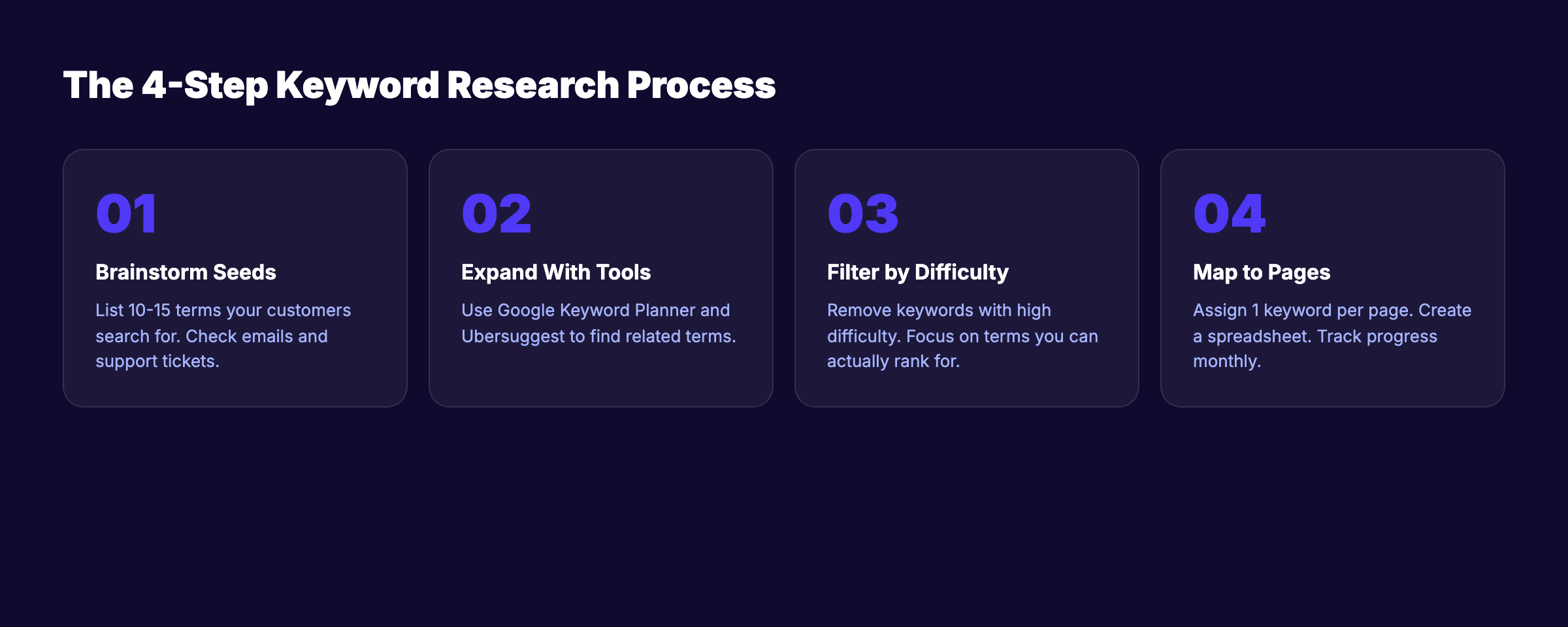
Write down 10 to 15 seed keywords. Think about what your customers would type into Google before they find you. Check your email inbox for questions customers ask. Those questions are keywords.
Use Free Keyword Research Tools
You do not need Ahrefs or Semrush to start. These free tools work well for beginners:
| Tool | What It Does | Cost |
|---|---|---|
| Google Keyword Planner | Search volume and keyword ideas | Free (with Google Ads account) |
| Google Search Console | Keywords you already rank for | Free |
| Ubersuggest (free tier) | Keyword ideas and difficulty scores | Free (3 searches/day) |
| Google Autocomplete | Real search suggestions | Free |
| AnswerThePublic | Question-based keywords | Free (limited) |
| Google Trends | Seasonal keyword data | Free |
For a deeper breakdown, see our guide to keyword research for blog posts.
Evaluate Keyword Difficulty
Not all keywords are worth targeting. A new website will not rank for “best CRM software” against HubSpot and Salesforce. You need keywords where you can actually compete.
Look for keywords with these traits:
- Monthly search volume above 100. Enough traffic to matter.
- Low to medium difficulty. If every result on page 1 has a Domain Authority above 60, skip it.
- Clear search intent. You can tell what the searcher wants.
- Business relevance. The searcher could become a customer.
Long-tail keywords like “best CRM for real estate agents under $50” have less competition and higher conversion rates. Our keyword optimization guide covers this in detail.
Map Keywords to Pages
Every page on your website should target 1 primary keyword and 2 to 3 related keywords. Never target the same keyword with 2 different pages. That creates keyword cannibalization.
Create a simple spreadsheet:
| Page | Primary Keyword | Monthly Volume | Difficulty | Status |
|---|---|---|---|---|
| /services/plumbing | emergency plumber | 2,400 | Medium | Published |
| /blog/fix-leaky-faucet | how to fix a leaky faucet | 8,100 | Low | Draft |
| /locations/dallas | plumber dallas tx | 1,600 | Medium | Planned |
This spreadsheet becomes your SEO roadmap. Our best keyword research tools roundup covers more options.
Stop guessing which keywords to target. Stacc researches, writes, and publishes 30 SEO articles per month, each one optimized for a specific keyword your customers search for. Start for $1 →
Chapter 3: On-Page SEO Essentials {#ch3}
On-page SEO is everything you control on each page of your website. This is the highest-impact area for DIY SEO because changes take effect as soon as Google recrawls your page.
Title Tags
The title tag is the single most important on-page ranking factor. It appears in search results as the blue clickable link.
Rules for title tags:
- Include your primary keyword near the beginning
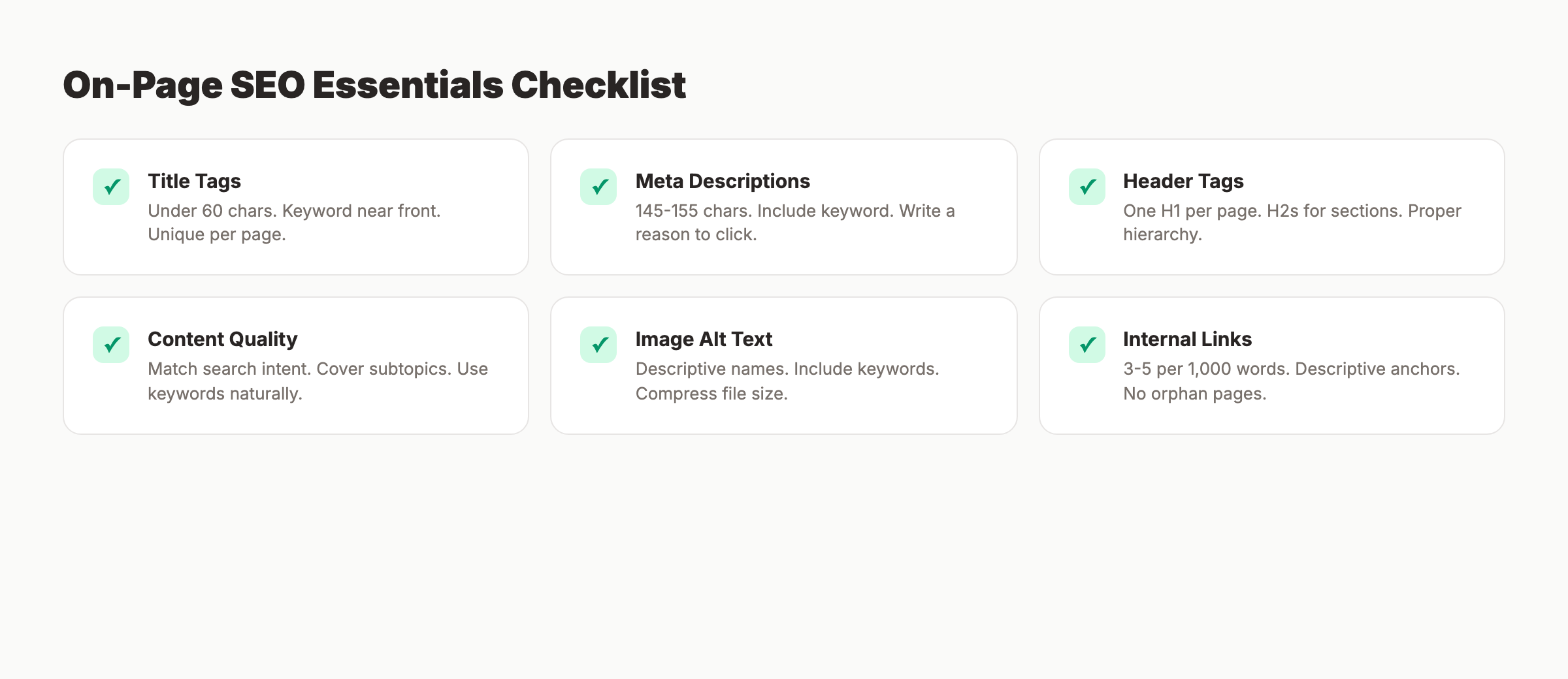
- Keep it under 60 characters
- Make it compelling enough to click
- Each page needs a unique title tag
Bad: “Home | Smith Plumbing LLC” Good: “Emergency Plumber in Dallas | Same-Day Service | Smith Plumbing”
Meta Descriptions
Meta descriptions do not directly affect rankings. They do affect click-through rate, which affects rankings indirectly. A good meta description can increase clicks by 5 to 10%.
Write meta descriptions that are 145 to 155 characters, include your keyword, and give a reason to click. Read our full guide on how to write meta descriptions for templates and examples.
Header Tags (H1, H2, H3)
Header tags create structure. Google uses them to understand what your page is about.
- H1: One per page. Include your primary keyword. Match the title tag closely.
- H2: Major sections. Use secondary keywords where natural.
- H3: Subsections under H2s. Great for long-tail keyword variations.
Never skip heading levels. Do not jump from H1 to H3. Follow proper hierarchy. Our guide to blog post structure for SEO explains this in depth.
Content Optimization
Google ranks content that best satisfies the searcher. That means your content needs to:
- Answer the primary question within the first 200 words
- Cover related subtopics competitors cover
- Include images, tables, and lists for readability
- Use your primary keyword 3 to 5 times naturally
- Use related keywords and synonyms throughout
- Link to relevant internal pages (3 to 5 per 1,000 words)
The on-page SEO guide on our blog covers every element. For a quick audit of any page, try our free on-page SEO checker.
Image Optimization
Every image on your site should have:
- A descriptive file name (not “IMG_4521.jpg”)
- Alt text that describes the image and includes a keyword where natural
- Compressed file size (under 200KB for most images)
- Proper dimensions (do not load a 4000px image in a 800px container)
Our blog image optimization guide covers this fully.
Chapter 4: Technical SEO You Can Handle Yourself {#ch4}
Technical SEO sounds intimidating. Most of it is not. The basics take an afternoon to fix and can unlock rankings that no amount of content will achieve on a broken site.
Site Speed
Page speed is a confirmed Google ranking factor. Slow sites also lose visitors. A 1-second delay in page load time reduces conversions by 7%.
Check your speed with Google PageSpeed Insights (free). Focus on:
- Compress images with tools like TinyPNG or ShortPixel
- Enable browser caching through your hosting panel
- Use a CDN (Cloudflare has a free tier)
- Minimize JavaScript and CSS files
For a full walkthrough, read our page speed optimization guide.
Mobile-Friendliness
Google uses mobile-first indexing. That means Google looks at the mobile version of your site first. If your site does not work well on phones, your rankings suffer everywhere.
Test your site with Google’s Mobile-Friendly Test tool. Common fixes include:
- Use a responsive theme or template
- Make buttons large enough to tap (48px minimum)
- Ensure text is readable without zooming
- Fix horizontal scrolling issues
Our mobile SEO guide covers this topic in detail.
Indexing and Crawling
Google cannot rank a page it has not indexed. Check your indexing status in Google Search Console.
Common indexing issues:
- Noindex tags accidentally blocking important pages
- Robots.txt blocking CSS or JavaScript files Google needs
- Orphan pages with no internal links pointing to them
- Duplicate content confusing Google about which page to rank
Submit your XML sitemap through Google Search Console. If you do not have one, read our guide on how to create an XML sitemap.
Robots.txt
The robots.txt file tells search engines what they can and cannot crawl. A misconfigured robots.txt file can block Google from your entire site.
Check yours at yourdomain.com/robots.txt. Make sure it is not blocking important directories. Our robots.txt optimization guide explains every line.
Core Web Vitals
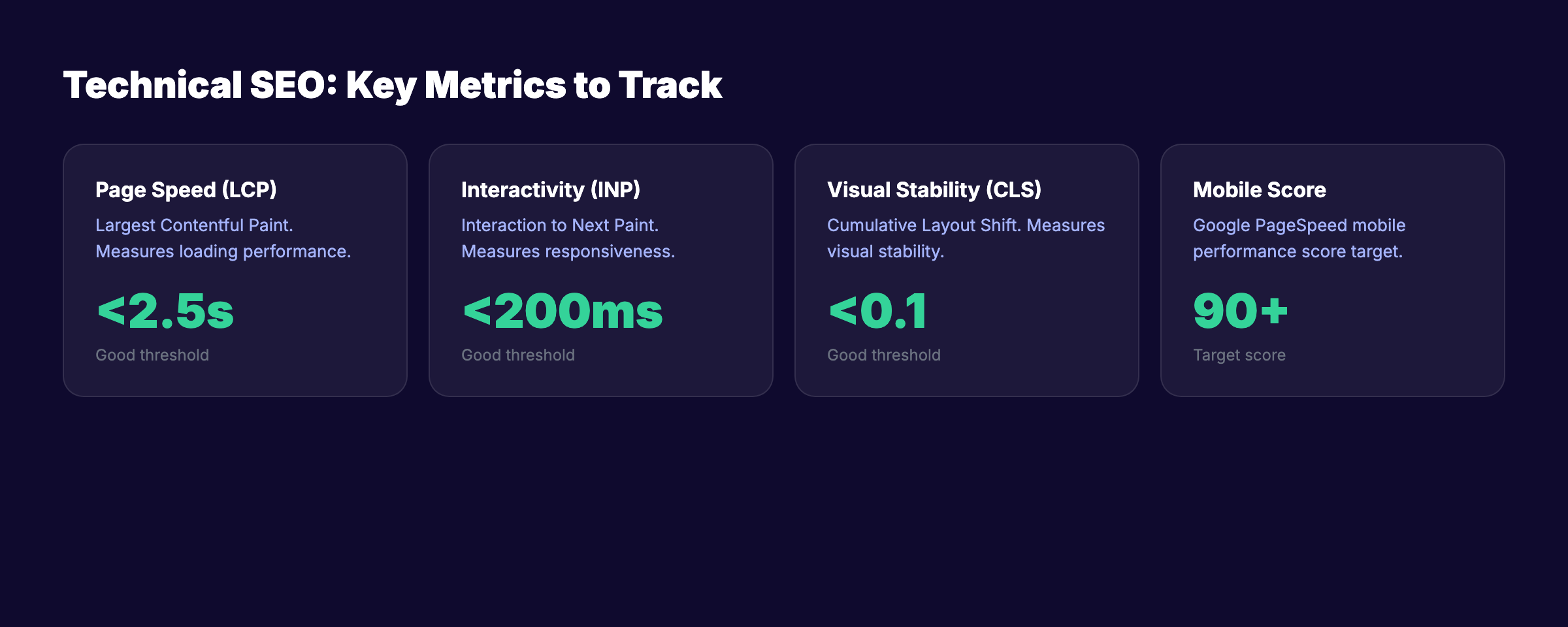
Core Web Vitals measure user experience: loading speed (LCP), interactivity (INP), and visual stability (CLS). Google uses all 3 as ranking signals.
Check your scores in Google Search Console under the Core Web Vitals report. Our guide on how to improve Core Web Vitals walks through each metric.
For a complete technical audit, use our free SEO audit tool or follow our technical SEO checklist.
Technical SEO problems kill rankings silently. Stacc runs automated audits and fixes issues before they cost you traffic. 30 optimized articles published every month. Zero technical debt. Start for $1 →
Chapter 5: Content Creation Strategy for DIY SEO {#ch5}
Content is what ranks. Without a consistent publishing strategy, everything else in this guide produces limited results. The businesses that rank highest publish the most useful content, the most often.
How Much Content Do You Need?
The data is clear. Companies that publish 16 or more blog posts per month get 3.5 times more traffic than those publishing 0 to 4. Read our blog frequency study for the full breakdown.
That does not mean you need 16 posts tomorrow. Start with 4 posts per month. Build from there.
Build a Content Calendar
A content calendar prevents random publishing. Every post should target a specific keyword and serve a specific purpose.
Structure your calendar around these content types:
| Content Type | Purpose | Example |
|---|---|---|
| How-to guides | Capture informational searches | ”How to fix a leaky faucet” |
| Service pages | Capture commercial searches | ”Emergency plumber Dallas” |
| Location pages | Capture local searches | ”Plumber in Fort Worth TX” |
| Comparison posts | Capture consideration-stage searches | ”Tankless vs tank water heater” |
| FAQ pages | Capture question searches | ”How much does a plumber cost” |
Our guide on how to create a content calendar for SEO has templates you can copy.
Write for Search Intent
Every keyword has an intent. Google ranks content that matches the intent best.
The 4 types of search intent:
- Informational: The searcher wants to learn. (“what is SEO”)
- Navigational: The searcher wants a specific site. (“google search console login”)
- Commercial: The searcher is comparing options. (“best SEO tools”)
- Transactional: The searcher wants to buy. (“buy SEO audit tool”)
Before writing, search your target keyword on Google. Look at what ranks. If the top 10 results are all how-to guides, write a how-to guide. Do not fight the SERP.
Content Length
Longer content tends to rank better, but only when it covers the topic thoroughly. Do not pad articles with filler. The ideal length depends on what already ranks.
Check our guide on blog post length for SEO for data on what works in different niches.
Internal Linking
Every new piece of content should link to 3 to 5 existing pages on your site. And existing pages should link back to new content. This creates a web that helps Google discover and understand your content.
Read our internal linking strategy guide for the exact process.
Chapter 6: Link Building for Beginners {#ch6}
Backlinks are votes of confidence from other websites. Google uses them to determine how authoritative and trustworthy your site is. A site with strong backlinks outranks identical content without them.
Link building is the hardest part of DIY SEO. It is also the most impactful for competitive keywords.
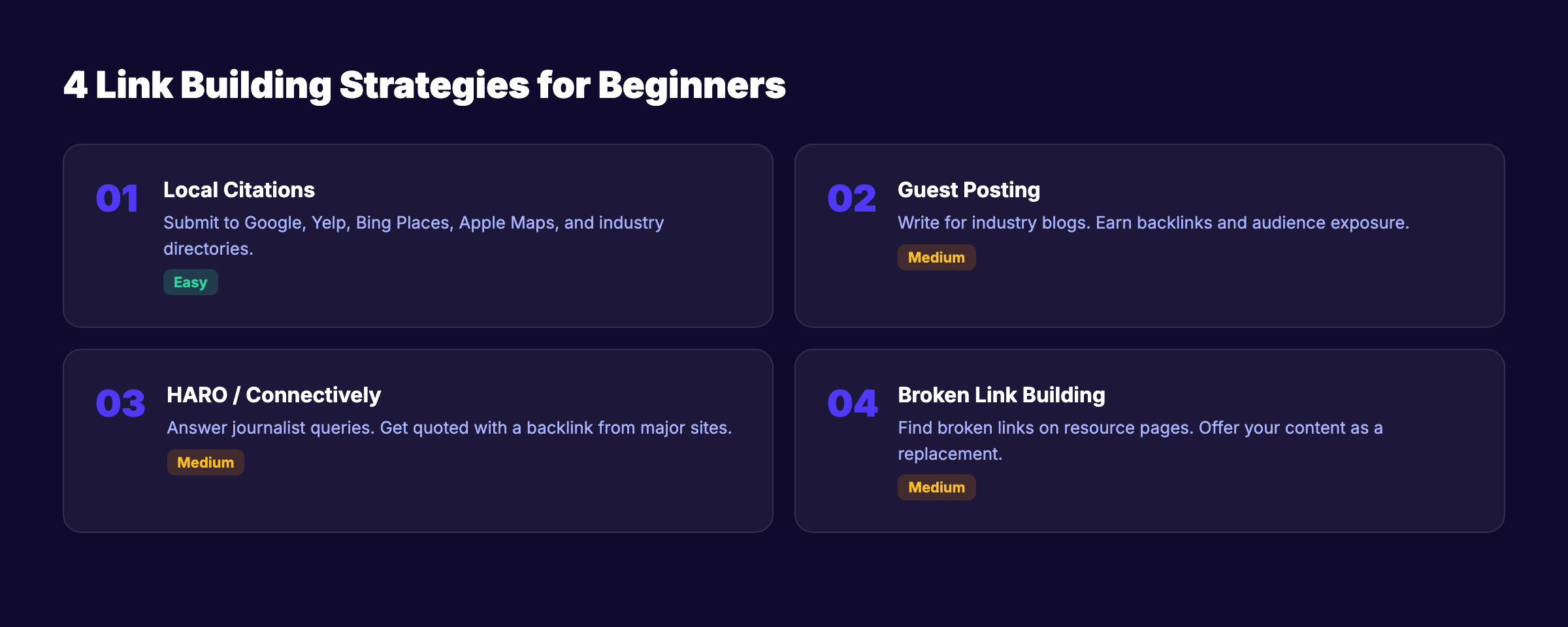
Local Citations
If you have a local business, citations are the easiest links to build. A citation is a mention of your business name, address, and phone number (NAP) on another website.
Start with these directories:
- Google Business Profile
- Yelp
- Bing Places
- Apple Maps
- Facebook Business
- Your local Chamber of Commerce
- Industry-specific directories
Consistency matters. Your NAP must be identical across every listing. “123 Main St” and “123 Main Street” are different in Google’s eyes.
Guest Posting
Write articles for other websites in your industry. You get a backlink, exposure to their audience, and authority in your niche.
Find guest post opportunities by searching:
- “[your industry] + write for us”
- “[your industry] + guest post guidelines”
- “[your industry] + contributor”
Start with smaller sites. They accept guest posts more readily and still pass link value.
HARO and Connectively
HARO (now Connectively) connects journalists with expert sources. You respond to journalist queries. If they use your quote, you get a backlink from a major publication.
Sign up for free. Filter queries to your industry. Respond within 2 hours with a concise, expert answer. Our HARO link building guide covers the full strategy.
Broken Link Building
Find broken links on other websites and offer your content as a replacement. It works because you solve a problem for the website owner.
The process:
- Find resource pages in your industry
- Check for broken outbound links (use a free Chrome extension)
- Create content that matches the broken link topic
- Email the site owner with a polite heads-up and your replacement link
Our broken link building guide explains each step. For more tactics, see our full list of link building strategies.
What NOT to Do
Avoid these link building practices. They can get your site penalized:
- Buying links from link farms
- Spammy blog comments with links
- Private blog networks (PBNs)
- Link exchanges at scale
- Low-quality directory submissions
Link building takes 10+ hours per week when done manually. Stacc handles content creation and on-page SEO so you can focus your limited time on outreach and relationships. Start for $1 →
Chapter 7: Local SEO Basics {#ch7}
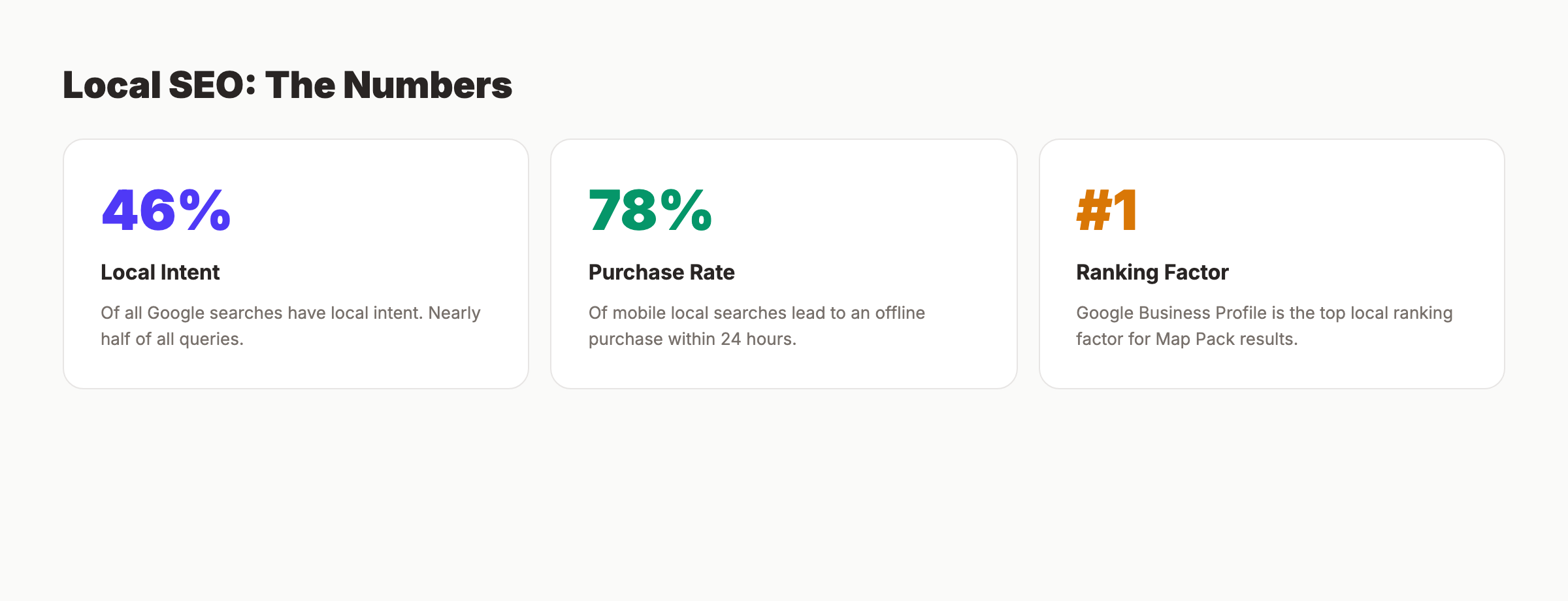
If your business serves a specific geographic area, local SEO is the fastest path to new customers. 46% of all Google searches have local intent. And 78% of mobile local searches result in an offline purchase within 24 hours.
Google Business Profile
Your Google Business Profile (GBP) is the single most important local ranking factor. It determines whether you appear in the Map Pack, the 3-result box at the top of local searches.
Optimization steps:
- Claim and verify your profile
- Fill out every field (hours, services, description, attributes)
- Select the most specific primary category
- Add 10 or more high-quality photos
- Write a business description with your main keywords
- Post updates weekly (offers, events, news)
Our complete local SEO guide covers every detail. For a quick-start version, use our local SEO checklist.
NAP Consistency
NAP stands for Name, Address, Phone number. Google cross-references your NAP across the web to verify your business is legitimate.
Check your listings on the top 20 directories. Fix any inconsistencies. Even small differences (Suite 100 vs Ste 100) can hurt your local rankings.
Reviews
Reviews are the second most important local ranking factor. Businesses with more recent reviews rank higher in the Map Pack.
Ask every happy customer for a review. Make it easy with a direct link to your Google review form. Respond to every review, positive and negative. Google tracks response rates.
Local Content
Create content about your service area. Write about local events, local guides, neighborhood spotlights, and area-specific service pages. This signals to Google that you are genuinely local.
Target keywords like “[service] in [city]” and “[service] near [neighborhood].” These have clear commercial intent and lower competition than national terms.
For the full picture on local ranking signals, read our local SEO ranking factors guide.
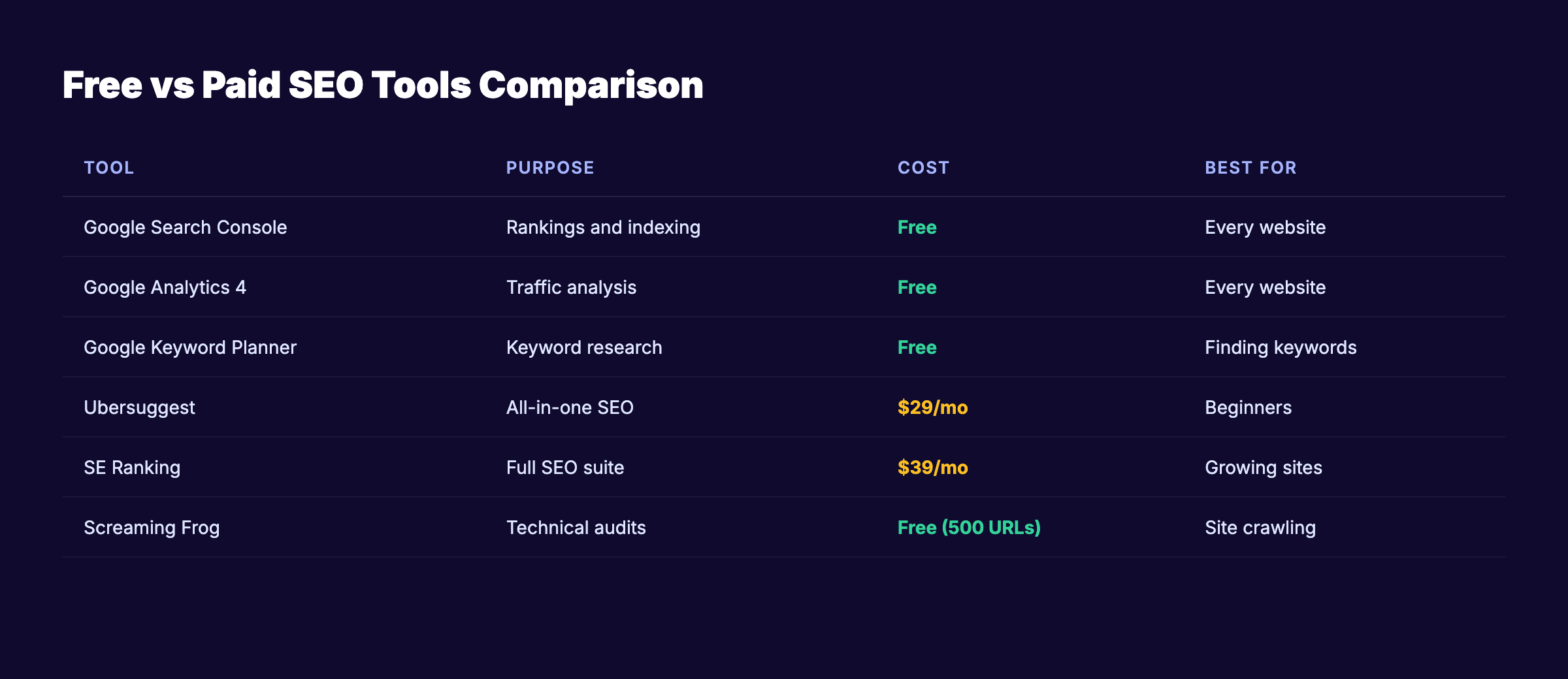
Chapter 8: Free and Affordable SEO Tools {#ch8}
You do not need to spend $200 per month on SEO tools to get started. These free and low-cost tools cover 90% of what beginners need.
Free Tools You Should Set Up Today
| Tool | Purpose | Link |
|---|---|---|
| Google Search Console | Track rankings, indexing, errors | search.google.com/search-console |
| Google Analytics 4 | Monitor traffic and user behavior | analytics.google.com |
| Google PageSpeed Insights | Test page speed and Core Web Vitals | pagespeed.web.dev |
| Google Keyword Planner | Find keyword ideas and volumes | ads.google.com/keyword-planner |
| Google Trends | Track keyword popularity over time | trends.google.com |
| Bing Webmaster Tools | Track Bing rankings and errors | bing.com/webmasters |
Google Search Console alone provides more data than most beginners know what to do with. Our Google Search Console guide shows you how to use every feature.
Affordable Paid Tools
When you are ready to invest, these tools offer the best value:
| Tool | Best For | Starting Price |
|---|---|---|
| Ubersuggest | Keyword research | $29/month |
| SE Ranking | All-in-one SEO | $39/month |
| Mangools | Keyword research + rank tracking | $29/month |
| Screaming Frog (free up to 500 URLs) | Technical audits | Free / $259/year |
| Ahrefs Webmaster Tools | Backlink monitoring | Free (limited) |
Our roundup of the best free SEO tools covers 10 options with pros and cons. For a broader view, check out SEO tools for small business.
Stacc Free SEO Tools
We offer several free tools you can use right now:
- SEO Audit Tool — Scan any URL for SEO issues
- On-Page SEO Checker — Check on-page optimization
- Meta Tag Analyzer — Review your title tags and meta descriptions
- Schema Markup Generator — Create structured data
These tools give you a starting point. They identify the biggest problems so you know where to focus first.
All the right tools still require all your time. Stacc writes, optimizes, and publishes your SEO content on autopilot. 30 articles per month. $99. Start for $1 →
Chapter 9: When DIY SEO Stops Making Sense {#ch9}
DIY SEO works. But it has limits. At some point, the time you spend on SEO costs more than hiring help.
The Time vs. Money Calculation
Honest math: DIY SEO takes 5 to 10 hours per week. If your time is worth $75 per hour, that is $1,500 to $3,000 per month in opportunity cost.
| Approach | Monthly Cost | Time Required | Content Output |
|---|---|---|---|
| Full DIY | $50–$150 (tools) | 20–40 hours | 2–4 articles |
| Stacc | $99–$199 | 0 hours | 30–80 articles |
| SEO Agency | $2,000–$10,000 | 2–5 hours (meetings) | 4–8 articles |
| Freelance Writers | $2,400–$7,500 | 10–15 hours (managing) | 8–15 articles |
For a full breakdown of pricing across options, read our SEO cost guide.
Signs You Should Get Help
You should consider outsourcing your SEO when:
- You have been doing DIY SEO for 6 months with no ranking improvement
- Your time is better spent on revenue-generating activities
- You need to publish more than 4 articles per month
- Your site has technical issues you cannot diagnose
- Competitors are investing heavily in content and outreach
The Middle Ground
You do not have to choose between full DIY and a $5,000 agency. Services like Stacc publish 30 SEO-optimized articles per month for $99. You keep control of strategy. We handle execution.
That is the model we built for the exact audience reading this guide. Small businesses and solopreneurs who understand SEO matters but do not have the time to do it all themselves.
Think of it as upgrading from DIY to done-for-you without the agency price tag. Check our SEO ROI statistics to see what consistent publishing actually returns.
DIY SEO Checklist: Your First 30 Days {#checklist}
Use this checklist to guide your first month of DIY SEO. Complete each item in order.
Week 1: Foundation
- Set up Google Search Console and verify your site
- Set up Google Analytics 4
- Run a site audit with our free SEO audit tool
- Check your site speed with PageSpeed Insights
- Fix any critical technical errors
Week 2: Keyword Research
- List 15 to 20 seed keywords for your business
- Research search volume and difficulty for each
- Select 5 to 10 target keywords you can realistically rank for
- Map each keyword to an existing or planned page
Week 3: On-Page Optimization
- Optimize title tags for your 5 most important pages
- Write meta descriptions for those pages
- Add proper header tag structure (H1, H2, H3)
- Add internal links between related pages
- Optimize images (alt text, compression, file names)
Week 4: Content and Links
- Publish your first SEO-optimized blog post
- Submit your sitemap to Google Search Console
- Claim your Google Business Profile (if local)
- Submit your business to 5 local directories
- Set up a content calendar for the next 3 months
Bookmark this checklist. Refer back to it weekly. The SEO audit guide on our blog is a good companion resource.
FAQ {#faq}
Can I really do SEO myself without any experience?
Yes. The fundamentals of SEO are learnable. Google’s own SEO Starter Guide is written for beginners. Most of what moves rankings, including keyword targeting, content quality, and technical basics, does not require a degree or certification. Start small, measure results, and build from there.
How long does DIY SEO take to show results?
Most websites see measurable ranking improvements within 3 to 6 months of consistent effort. Competitive keywords take longer. Local SEO often shows results faster, sometimes within 4 to 8 weeks. According to Ahrefs research, the average page ranking in Google’s top 10 is over 2 years old. The key variable is consistency. Publishing 1 article per quarter will not move the needle.
How much does DIY SEO cost?
Tool costs range from $0 to $150 per month. Google Search Console, Google Analytics, and Google Keyword Planner are free. Paid tools like Ubersuggest or SE Ranking start at $29 per month. The biggest cost is your time: expect 5 to 10 hours per week.
Is DIY SEO better than hiring an agency?
It depends on your budget and time. DIY SEO costs less money but more time. An agency costs more money but saves time. For businesses under $500,000 in annual revenue, DIY SEO or a low-cost service like Stacc ($99 per month for 30 articles) usually makes more financial sense than a $3,000+ agency.
What is the single most important thing to do first?
Set up Google Search Console. It shows you what keywords you already rank for, identifies technical problems, and tracks your progress over time. Everything else in SEO builds on this data.
Do I need to know how to code for SEO?
No. Most SEO tasks require zero coding. Title tags, meta descriptions, and content optimization happen through your CMS (WordPress, Shopify, Squarespace). Technical tasks like editing robots.txt or adding schema markup may involve light HTML, but tools like our schema markup generator handle that for you.
Start Ranking Today
DIY SEO is not a mystery. It is a process. Follow the 9 chapters in this guide, check off the 30-day checklist, and you will be ahead of 90% of small businesses that do nothing.
The businesses that win at SEO are the ones that start and stay consistent. Every article you publish, every page you optimize, every link you earn compounds over time.
If you want the results of SEO without the 10-hour weekly time commitment, Stacc publishes 30 optimized articles per month for $99. Your first 3 days cost $1.
Your SEO team. $99/month. 30 articles published, optimized, and working for you on autopilot. Start for $1 →
Written and published by Stacc. We publish 3,500+ articles per month across 70+ industries. All data verified against public sources as of March 2026.
